

Although early Android smartphones and tablets had their own startup sounds, most newer models lack this feature. Notably, Apple has never included a startup sound on iPhones or iPads.

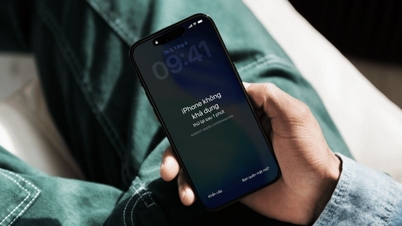
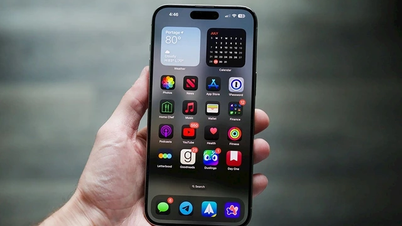
The startup sound will provide a pleasant experience for iPhone users.
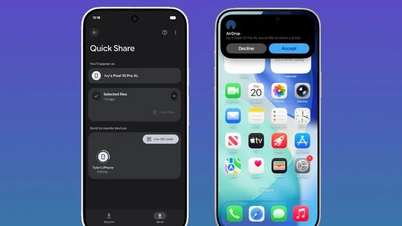
PHOTO: SCREENSHOT FROM DIGITALTRENDS
However, an interesting fact that not all iPhone users know, even long-time users, is that iPhones can still play a sound during startup. The problem is that Apple has disabled this feature by default, so users will need to enable it if they want to use it.
An important thing for users to understand is that the iPhone's startup sound feature was primarily designed by Apple as an audiovisual aid. However, the startup sound not only evokes a sense of nostalgia but also incorporates haptic feedback, creating perfect synchronization between sound and vibration.
How to enable startup sound on iPhone
To enable startup sound on your iPhone, simply follow these steps:
- Open the Settings app.
- Accessibility > Listening > Audio & Video
- Turn the switch before the "Sound when turning the power on & off" option.
However, this feature is only available on iOS, while iPadOS users are not yet supported. This means many iPad users are missing out on this exciting experience. Hopefully, Apple will soon add this feature to iPadOS in future updates.
It's important to note that when the startup sound is enabled, it will play at maximum volume, regardless of your iPhone's current volume settings. This feature will work even when the phone is in silent mode or during a focus session.
With just a few simple steps, users can enjoy a pleasant sound every time they turn their iPhone on and off. With accompanying haptic feedback, this feature is truly a modernized version of the classic startup sound on a Mac. While not everyone likes the startup sound, for many, it's a very worthwhile experience.
Source: https://thanhnien.vn/iphone-co-am-thanh-bat-nguon-nhu-pc-khong-phai-ai-cung-biet-185260602233943761.htm
![[Photo] Secretary of the National Assembly Party Committee, Chairman of the National Assembly presides over the meeting of the Standing Committee and Executive Committee of the National Assembly Party Committee.](https://vphoto.vietnam.vn/thumb/1200x675/vietnam/resource/IMAGE/2026/06/03/1780480353201_ndo_br_bnd-2585-jpg.webp)
![[Photo] General Secretary and President To Lam presides over a meeting with the Central Organizing Committee.](https://vphoto.vietnam.vn/thumb/1200x675/vietnam/resource/IMAGE/2026/06/03/1780482764658_a1-bnd-4741-3342-jpg.webp)

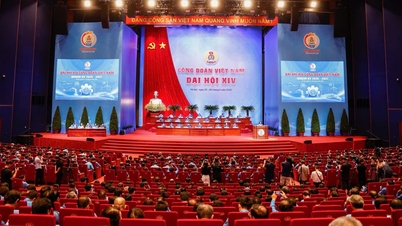
![[Photo] First session of the 14th Congress of the Vietnam Trade Union](https://vphoto.vietnam.vn/thumb/1200x675/vietnam/resource/IMAGE/2026/06/03/1780465947883_ndo_br_img-3852-jpg.webp)











































![[Video] Sunset at Lap An Lagoon – Where the sun sets over the fishing nets](https://vphoto.vietnam.vn/thumb/1200x675/vietnam/resource/IMAGE/2026/05/31/1780192137701_beach-landscape-sea-water-nature-grass-745871-pxhere-com.jpeg)
































Comment (0)