

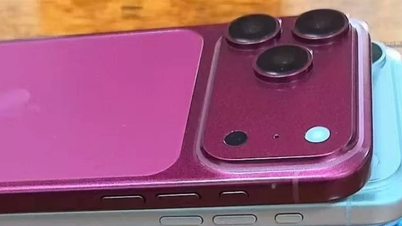
Google has just announced the expansion of its Quick Share feature, which allows Android and iPhone users to exchange files directly via AirDrop, to more device models.
Quick Share is the equivalent of AirDrop on the Android ecosystem, and Google has integrated AirDrop compatibility since November 2025.
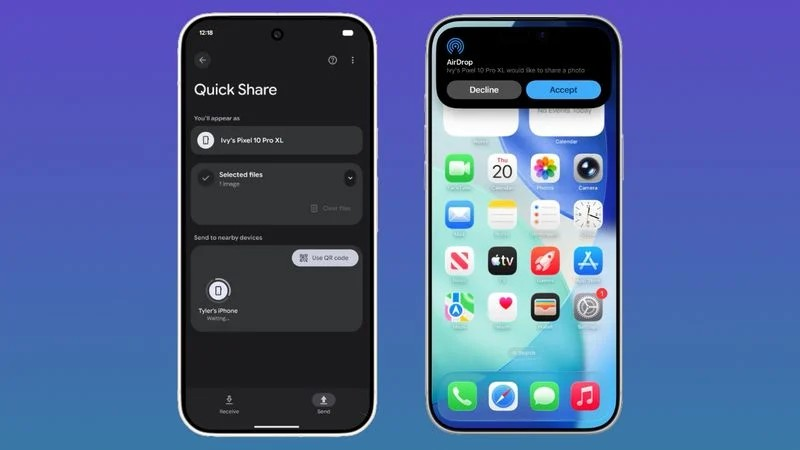
The list of Android devices that have been added to support Quick Share includes a range of models from major manufacturers. Specifically, Samsung's lineup includes the Galaxy S26, S25 (including the new S25 Edge), Galaxy S24, and foldable phones such as the Z Flip7, Z Fold7, Z Flip6, Z Fold6, and the new Z TriFold.
For Google's devices, this feature is available on the Pixel 10, Pixel 9, and Pixel 8a generations. Additionally, other smartphone manufacturers such as HONOR (Magic V6), OnePlus (OnePlus 15), Xiaomi (17T Pro), OPPO (Find X9 series, Find N6), and Vivo (X300 series) are also included in the list of announced devices.
The data transfer process between the two operating systems has been optimized to streamline user operations. On Android devices, users need to enable the "Share with Apple devices" option, while iPhone users need to switch the AirDrop display mode to "Everyone for 10 minutes" via the Control Center.
Conversely, when sharing from an iPhone to an Android device, users operate through the standard AirDrop interface, while the Android device receiving the data needs to enable Quick Share Receive mode.
For incompatible Android devices, the system will support generating QR codes to share content via the cloud computing platform.
Although Google positions this as a sharing solution between Android and iPhone, Android users can actually also exchange data with iPad tablets and Mac computers.
In the coming months, Google plans to continue bringing the Quick Share feature to other devices including the Motorola Razr Fold 2026, OPPO Find X8 series, and HONOR Magic8 Pro.
(According to Macrumors)
Source: https://vietnamnet.vn/them-nhieu-dien-thoai-android-tuong-thich-voi-airdrop-tren-iphone-2522199.html


![[Photo] General Secretary and President To Lam presides over a meeting with the Central Organizing Committee.](https://vphoto.vietnam.vn/thumb/1200x675/vietnam/resource/IMAGE/2026/06/03/1780482764658_a1-bnd-4741-3342-jpg.webp)
![[Photo] Secretary of the National Assembly Party Committee, Chairman of the National Assembly presides over the meeting of the Standing Committee and Executive Committee of the National Assembly Party Committee.](https://vphoto.vietnam.vn/thumb/1200x675/vietnam/resource/IMAGE/2026/06/03/1780480353201_ndo_br_bnd-2585-jpg.webp)









































![[Video] Sunset at Lap An Lagoon – Where the sun sets over the fishing nets](https://vphoto.vietnam.vn/thumb/1200x675/vietnam/resource/IMAGE/2026/05/31/1780192137701_beach-landscape-sea-water-nature-grass-745871-pxhere-com.jpeg)

































Comment (0)