

 |
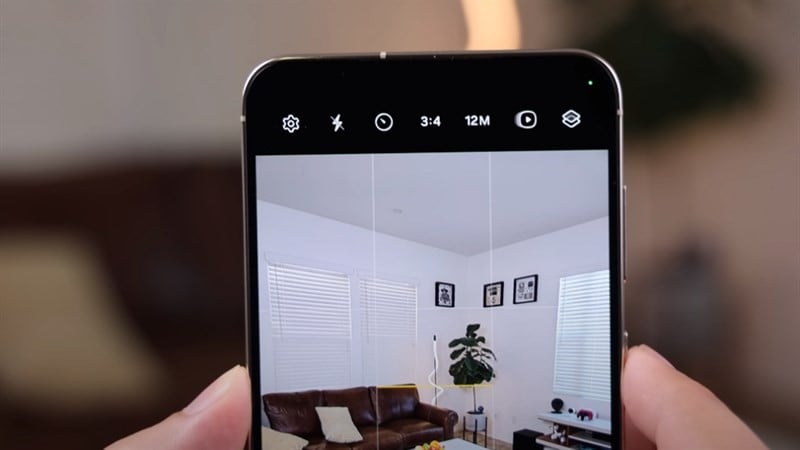
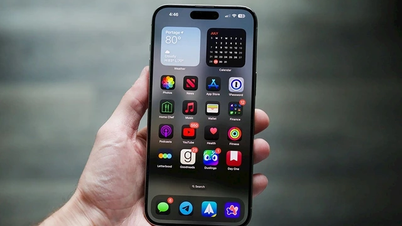
Check out the guide below on how to enable the camera balance bar on One UI 6 to have an additional tool to help you take better photos.
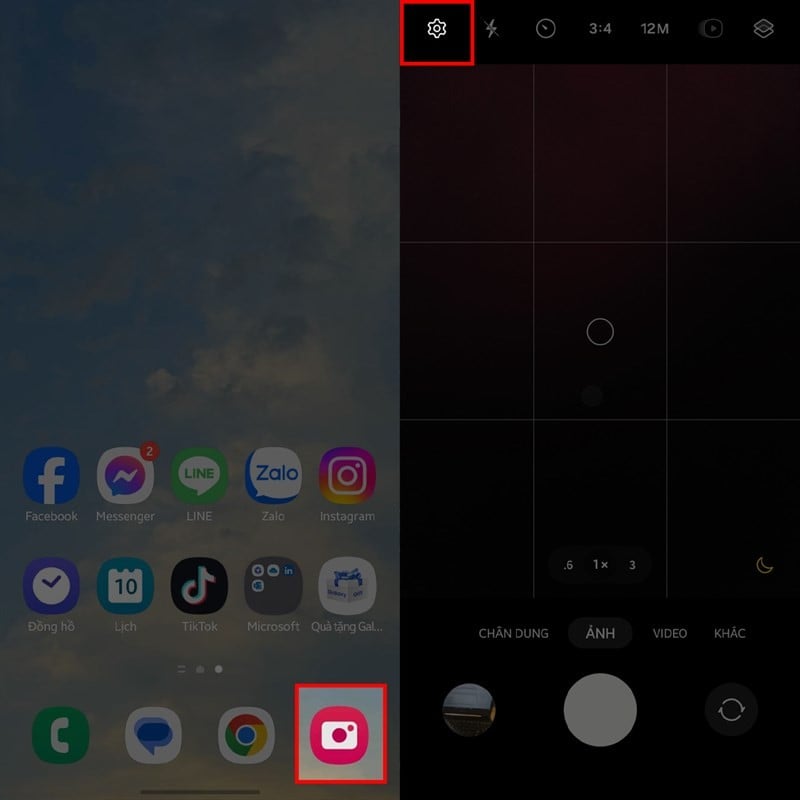
Step 1: The balance bar feature will be integrated into the 3x3 grid function on your phone after you upgrade to One UI 6.0. Therefore, you just need to enable the grid function. But if you don't know how to activate it, open the camera app on your phone and tap the settings icon in the upper left corner of the screen.
 |
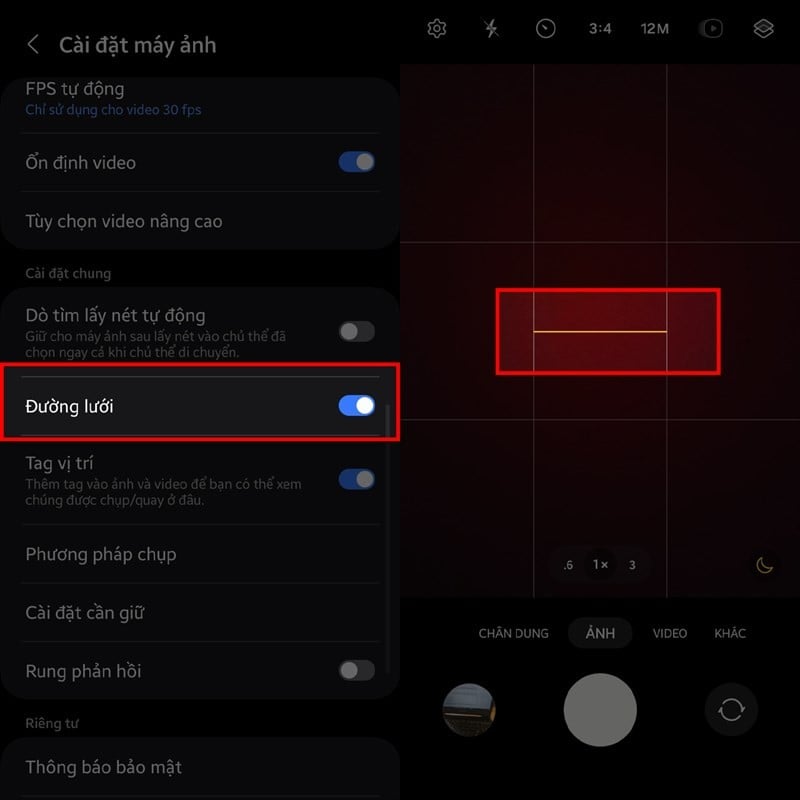
Step 2: In the camera settings interface, scroll down and find the General settings section. There will be a smaller section called Grid Lines; toggle its switch to the right to activate it. You can test if it's working by returning to the main camera interface; a yellow horizontal bar will appear in the middle of the screen to let you know if your photo is tilted.
 |
The article above has just shared with you how to enable the camera balance bar on One UI 6. We hope you successfully implement this and get high-quality photos.
Source
![[Photo] First session of the 14th Congress of the Vietnam Trade Union](https://vphoto.vietnam.vn/thumb/1200x675/vietnam/resource/IMAGE/2026/06/03/1780465947883_ndo_br_img-3852-jpg.webp)
![[Photo] Secretary of the National Assembly Party Committee, Chairman of the National Assembly presides over the meeting of the Standing Committee and Executive Committee of the National Assembly Party Committee.](https://vphoto.vietnam.vn/thumb/1200x675/vietnam/resource/IMAGE/2026/06/03/1780480353201_ndo_br_bnd-2585-jpg.webp)
![[Photo] General Secretary and President To Lam presides over a meeting with the Central Organizing Committee.](https://vphoto.vietnam.vn/thumb/1200x675/vietnam/resource/IMAGE/2026/06/03/1780482764658_a1-bnd-4741-3342-jpg.webp)

















































![[Video] Sunset at Lap An Lagoon – Where the sun sets over the fishing nets](https://vphoto.vietnam.vn/thumb/1200x675/vietnam/resource/IMAGE/2026/05/31/1780192137701_beach-landscape-sea-water-nature-grass-745871-pxhere-com.jpeg)


































Comment (0)