

 |
| How to easily set notification sounds for individual Samsung apps. |
Setting up individual notification sounds for each app on Samsung allows you to quickly distinguish important messages, calls, and alerts without constantly checking your phone. Besides convenience, this feature also helps personalize your user experience to your own style. Below is a guide on how to easily set up notification sounds for each app on Samsung.
How to quickly set notification sounds for individual apps on Samsung.
Setting up individual notification sounds for each app makes it easy to know where notifications are coming from without opening your phone, while also increasing convenience and personalization during use.
Step 1: First, you need to enable individual notification permissions for each app so you can customize the sound to your needs.
Step 2: Go to Settings > select Notifications > then go to App Notifications to begin setting up the details.
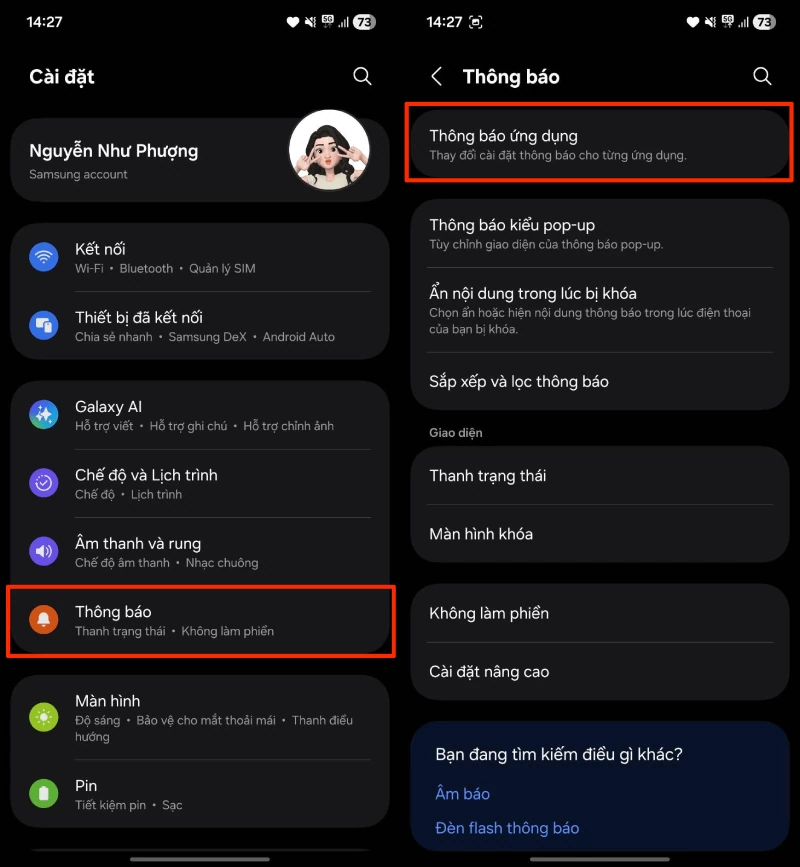 |
| Go to Settings > select Notifications > then go to App Notifications. |
Step 3: Select the app you want to change the notification sound for, then tap on Notification Category to see the options.
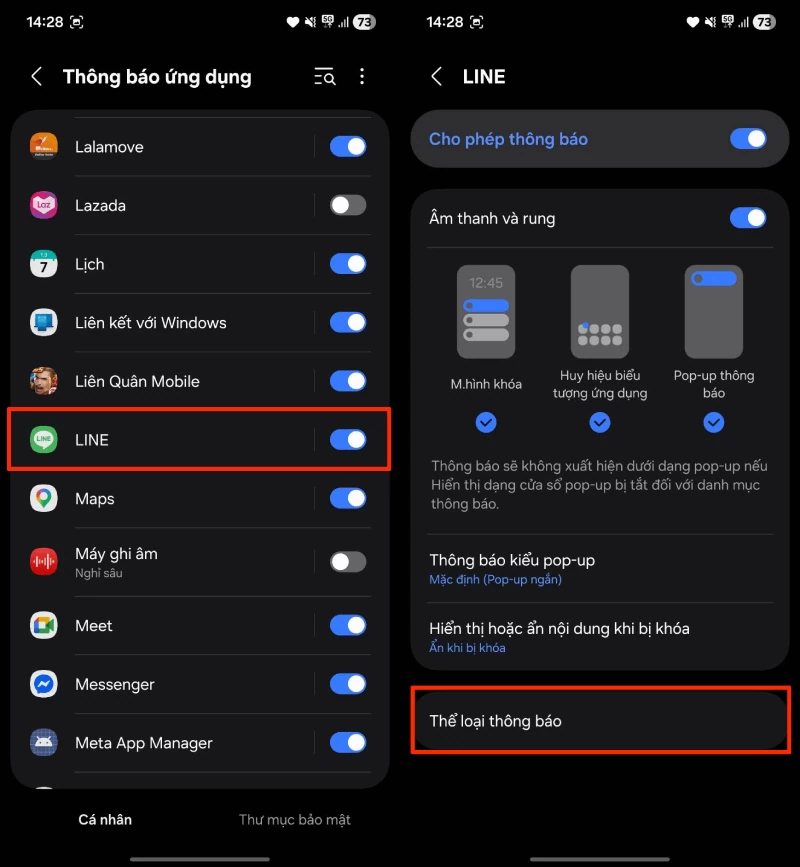 |
| Select the app for which you want to change the notification sound. |
Step 4: Here, you will see many different types of notifications; select the one you want to change the sound for to customize it individually.
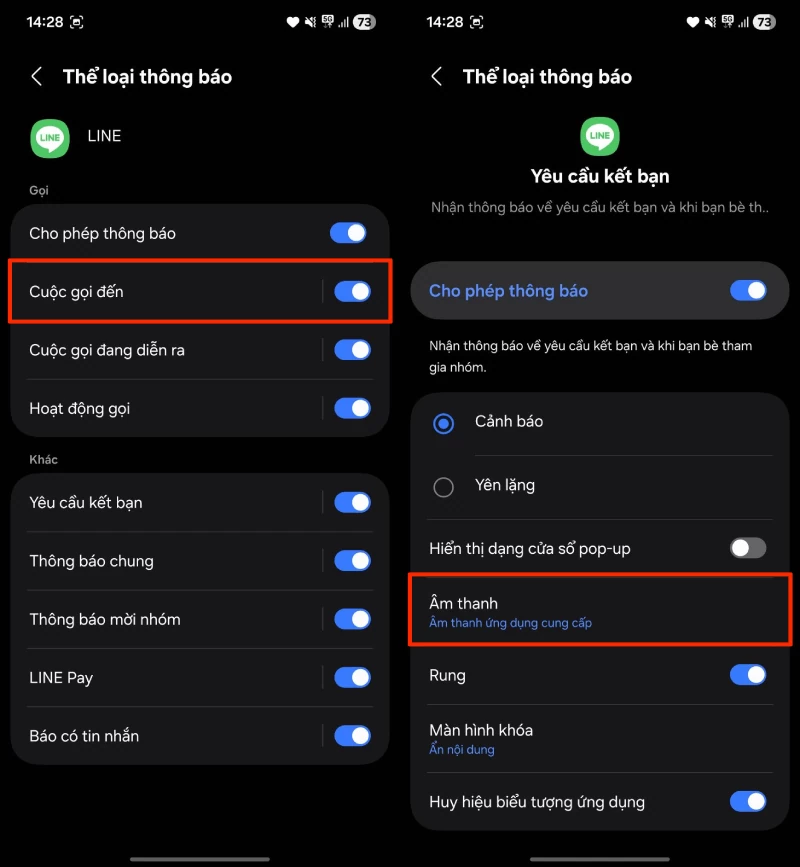 |
| Here, you will find many different types of notifications. |
Step 5: Finally, choose a suitable notification sound or add a new sound according to your personal preference to complete the setup.
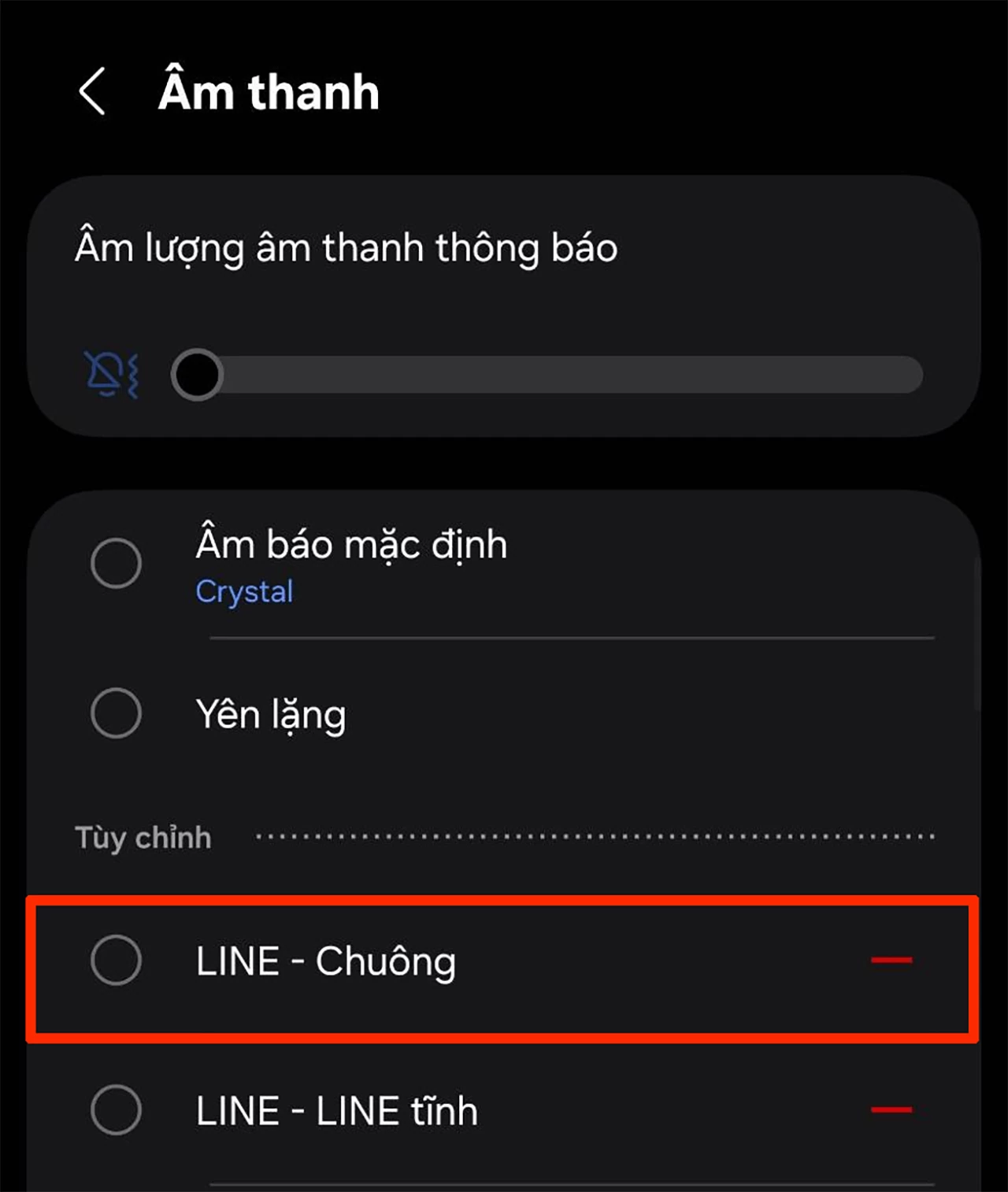 |
| Finally, choose a suitable notification sound. |
Thus, with just a few simple steps, you can easily set up custom notification sounds for each app on your Samsung phone. This feature not only helps you manage notifications more effectively but also provides a convenient and personalized user experience. Try setting it up now to make your phone smarter and more suitable for your daily needs.
Source: https://baoquocte.vn/cach-cai-am-thong-bao-cho-tung-ung-dung-samsung-don-gian-399469.html


![[Image] Nearly 125,000 Hanoi students completed the Literature exam for the 10th grade entrance exam.](https://vphoto.vietnam.vn/thumb/1200x675/vietnam/resource/IMAGE/2026/05/30/1780117233041_ndo_br_thiet-ke-chua-co-ten-2-png.webp)


































































































Comment (0)