

Do you know how to install and uninstall WPS Office on Windows 10? If not, follow this article to learn how to do it quickly!
 |
| How to easily uninstall and reinstall WPS Office on Windows 10 |
How to quickly uninstall WPS Office on Windows 10
Uninstalling WPS Office may be necessary if you no longer use it. In this section, I will guide you on how to remove WPS Office from your Windows 10 computer in the simplest way.
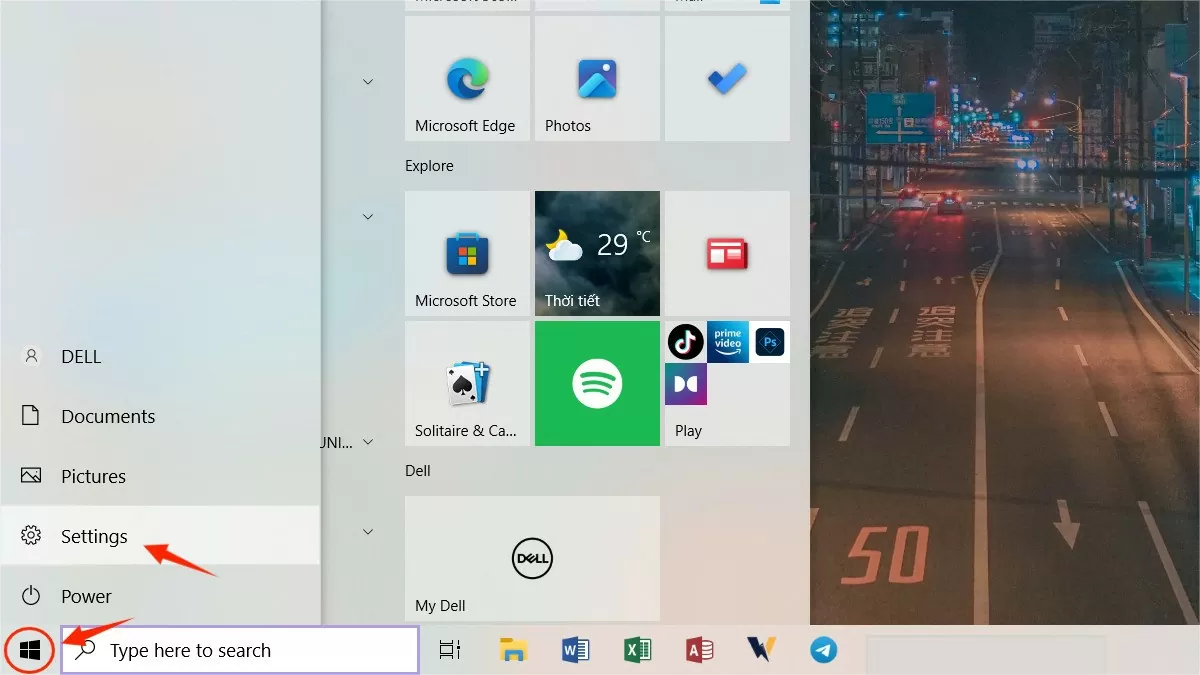
Step 1: Click the Windows icon (Start button) in the bottom left corner of your screen or on your computer keyboard. Then, select "Settings".
 |
| How to easily uninstall and reinstall WPS Office on Windows 10 |
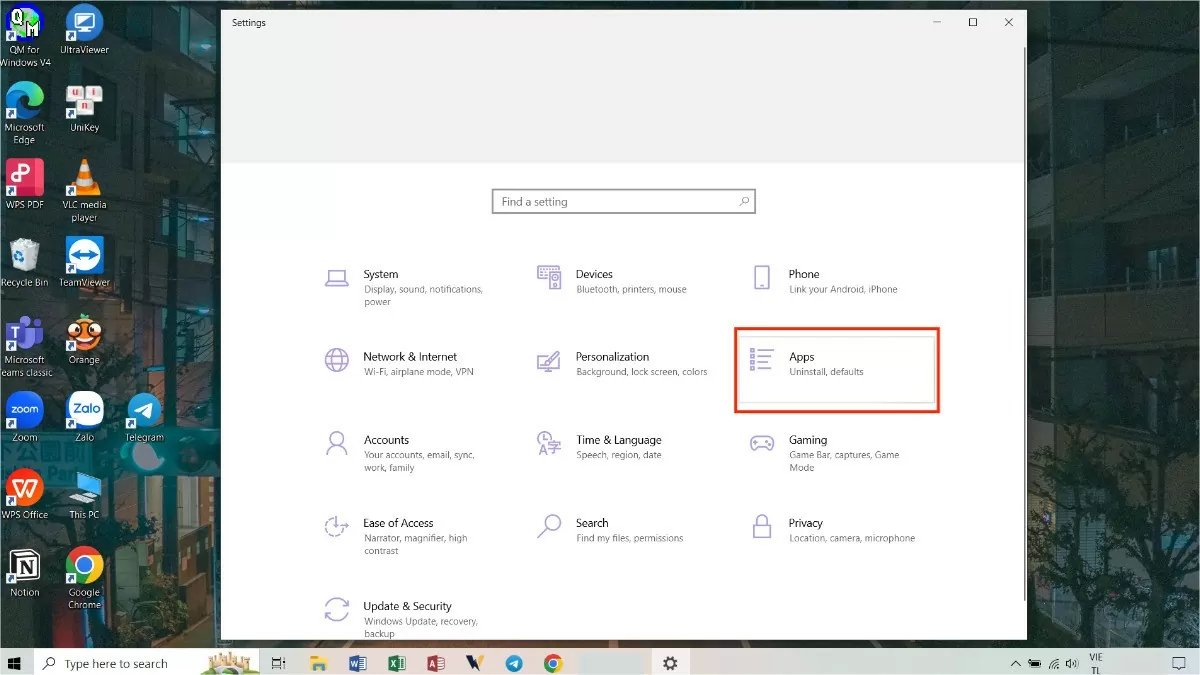
Step 2: Click on “Apps”
 |
| How to easily uninstall and reinstall WPS Office on Windows 10 |
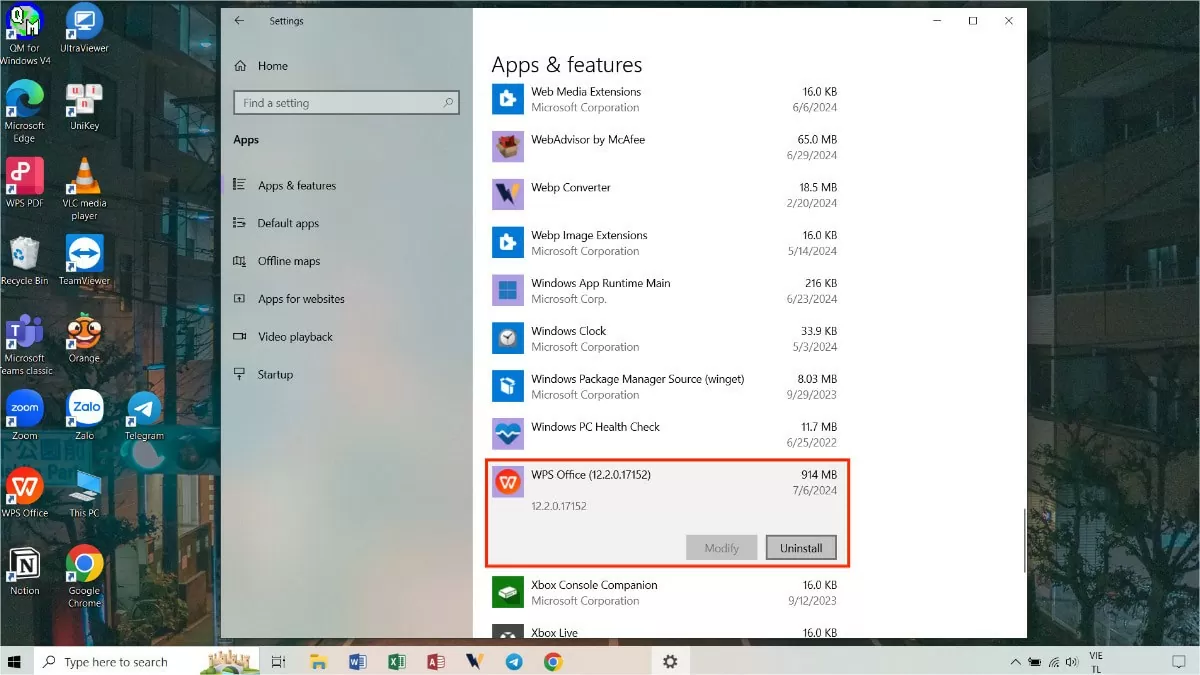
Step 3: In the "Apps & Features" section, find the WPS Office software and click "Uninstall".
 |
| How to easily uninstall and reinstall WPS Office on Windows 10 |
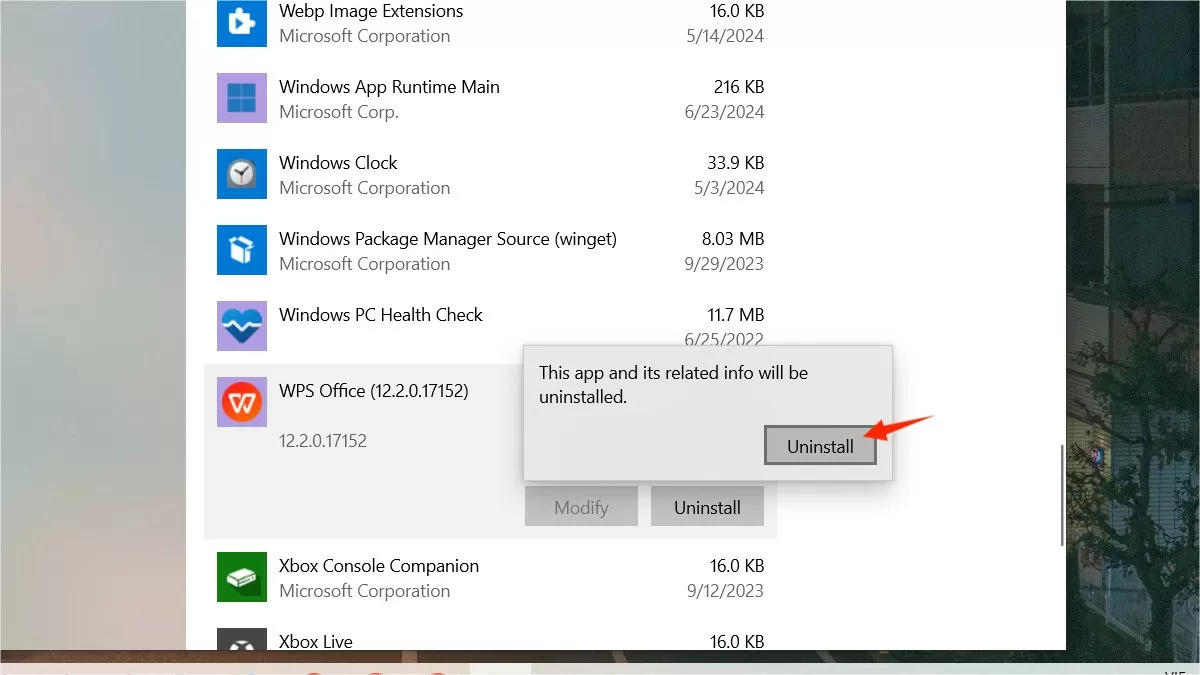
Step 4 : Click "Uninstall" when the confirmation dialog appears. This is the final step to remove WPS Office on Windows 10.
 |
| How to easily uninstall and reinstall WPS Office on Windows 10 |
How to easily reinstall WPS Office on Windows 10
Previously, I showed you how to uninstall WPS Office on Windows 10. If you want to use this application again after some time, I will provide detailed instructions on how to reinstall WPS Office on Windows 10 in the section below.
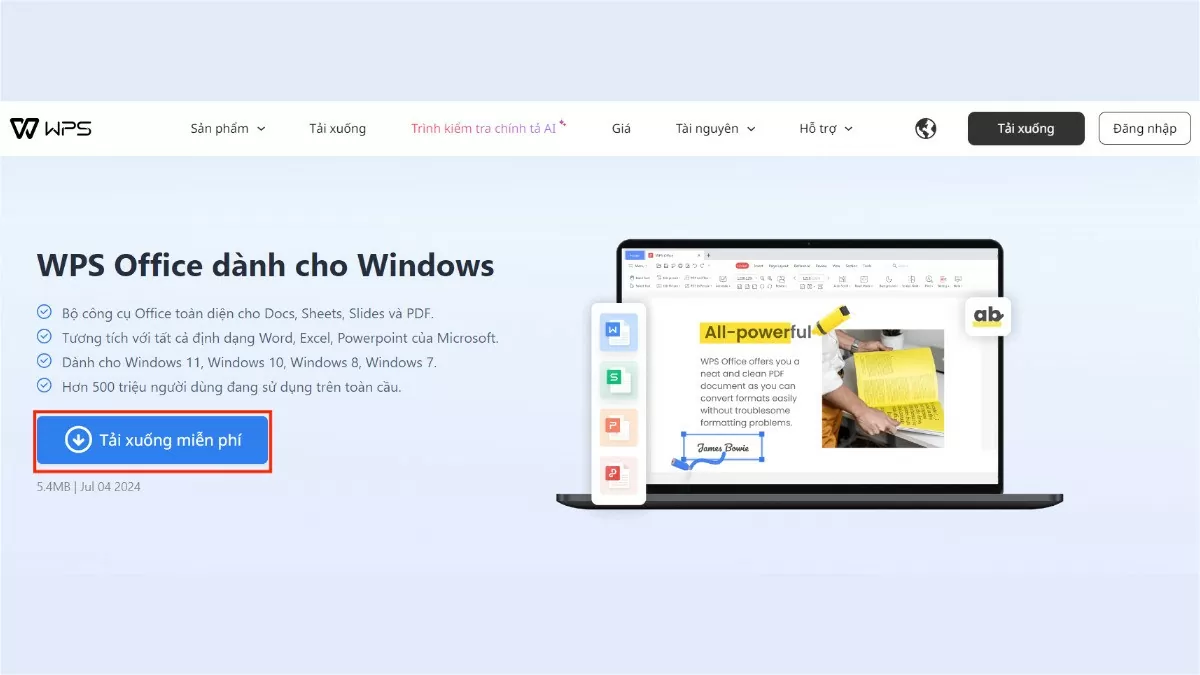
Step 1: Access the following link: https://www.wps.com/office/windows/.
Step 2: Click on “Download for free”.
 |
| How to easily uninstall and reinstall WPS Office on Windows 10 |
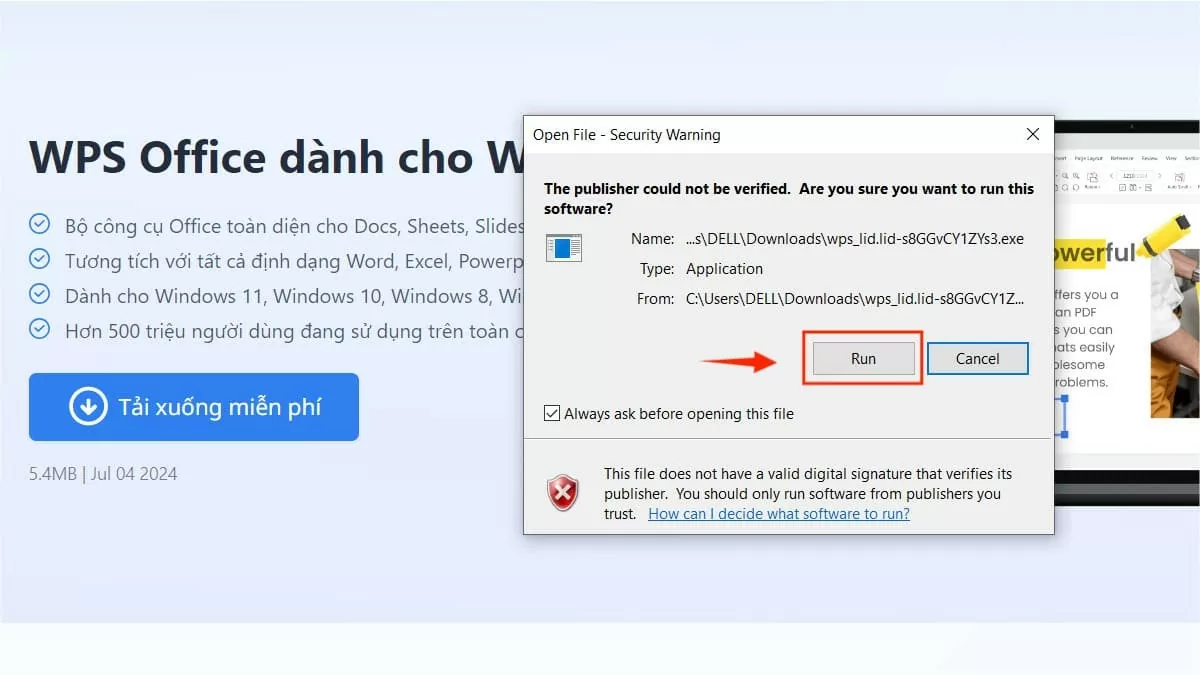
Step 3: Next, select the file you just uploaded and then click "Run".
 |
| How to easily uninstall and reinstall WPS Office on Windows 10 |
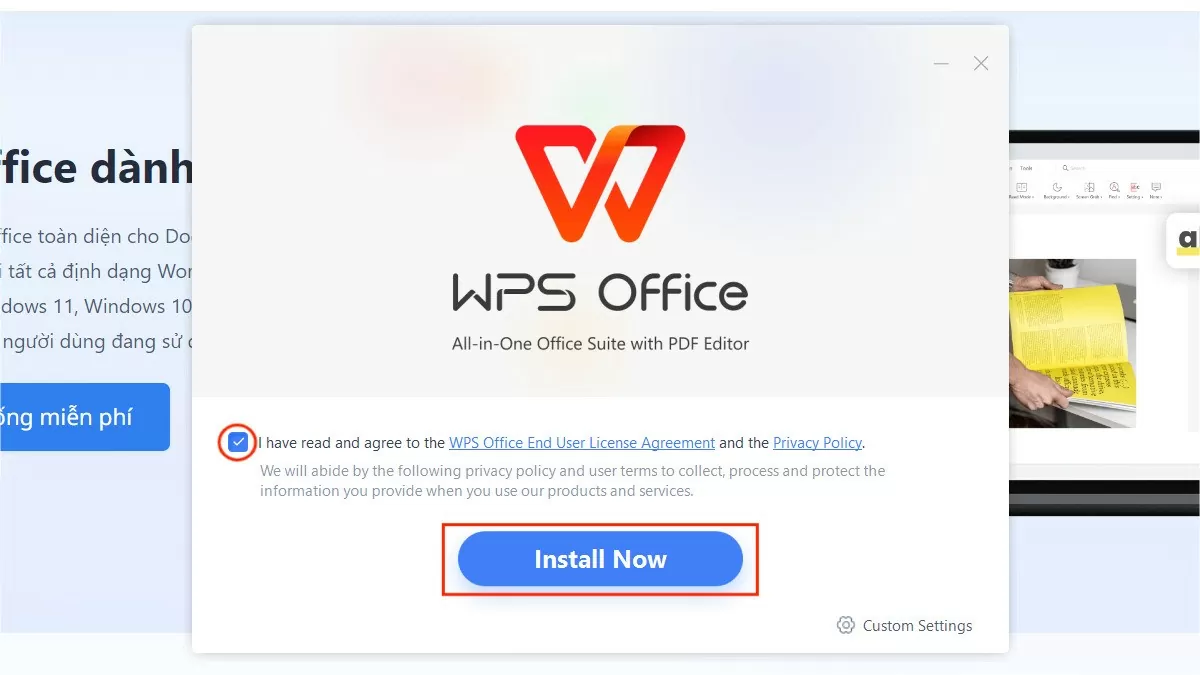
Step 4 : Carefully read the WPS Office terms of use, check the box to agree, and then click "Install Now".
 |
| How to easily uninstall and reinstall WPS Office on Windows 10 |
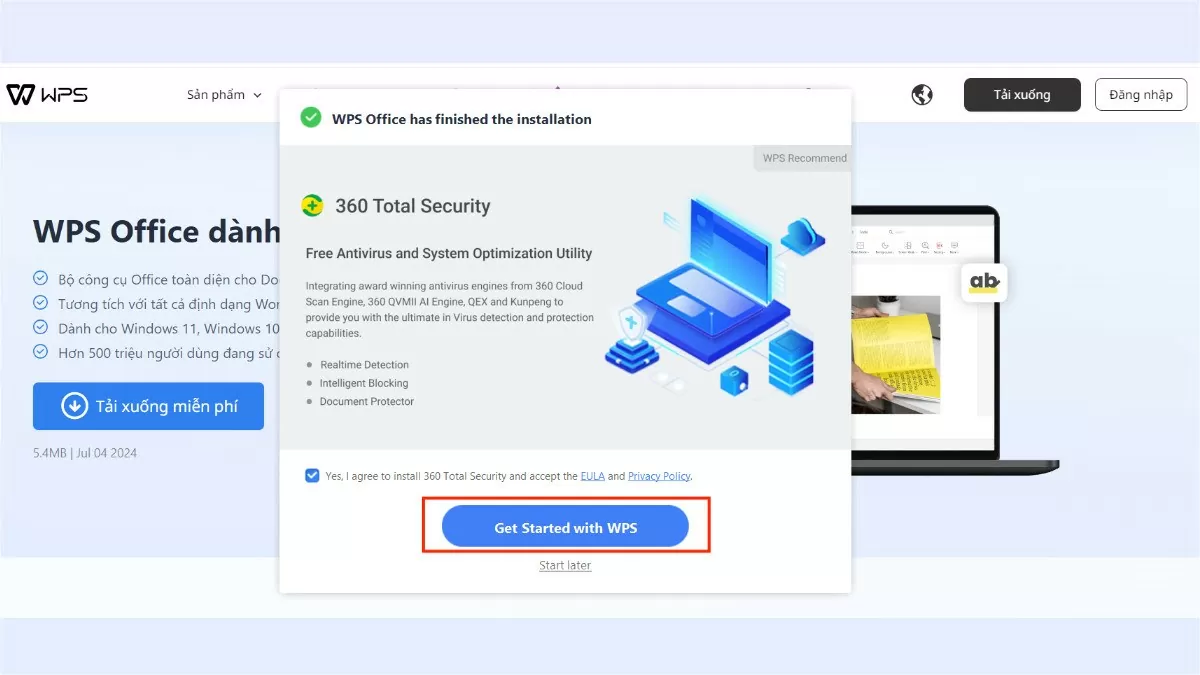
Step 5: Finally, click "Get Started with WPS" to begin using it.
 |
| How to easily uninstall and reinstall WPS Office on Windows 10 |
The article above has provided detailed instructions on how to uninstall and reinstall the WPS Office application on Windows 10. Deleting WPS Office when you no longer use it helps free up computer space, and you can also proactively reinstall the application quickly when needed. Hopefully, these instructions will help you manage your software more effectively.
Source: https://baoquocte.vn/cach-go-bo-va-cai-dat-lai-wps-office-tren-windows-10-sieu-de-278701.html
![[Photo] Prime Minister Pham Minh Chinh presides over a meeting on private sector economic development.](/_next/image?url=https%3A%2F%2Fvphoto.vietnam.vn%2Fthumb%2F1200x675%2Fvietnam%2Fresource%2FIMAGE%2F2025%2F12%2F20%2F1766237501876_thiet-ke-chua-co-ten-40-png.webp&w=3840&q=75)


![[Photo] Prime Minister Pham Minh Chinh presides over the conference announcing the establishment of the International Finance Centre in Vietnam.](/_next/image?url=https%3A%2F%2Fvphoto.vietnam.vn%2Fthumb%2F1200x675%2Fvietnam%2Fresource%2FIMAGE%2F2025%2F12%2F21%2F1766309817714_ndo_br_dsc-3400-jpg.webp&w=3840&q=75)





























































































Comment (0)