

Canva offers a variety of editing tools that make it easy to create 3D tilt effects for your photos. With just a few simple steps, you can transform simple photos into more vibrant and professional-looking images suitable for any angle in your design.
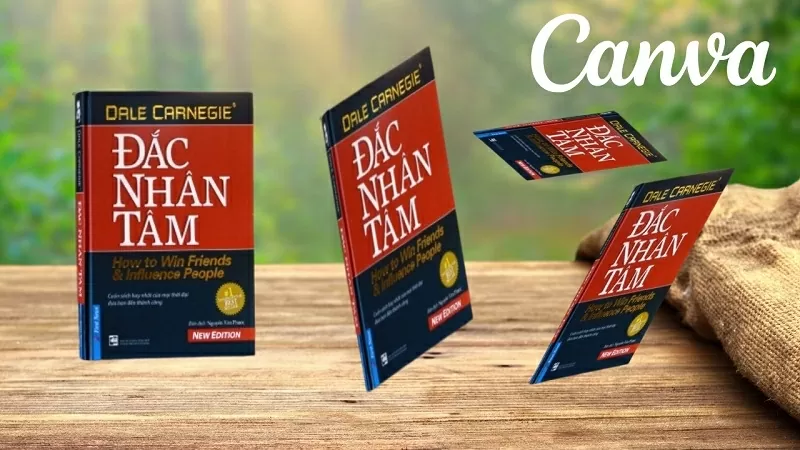 |
| How to create a 3D tilted image in Canva |
Below is a detailed guide on how to create a 3D tilted image in Canva on your computer. Let's get started!
Step 1: First, open the image you want to apply the 3D tilt effect to in Canva and select the "Apply" option.
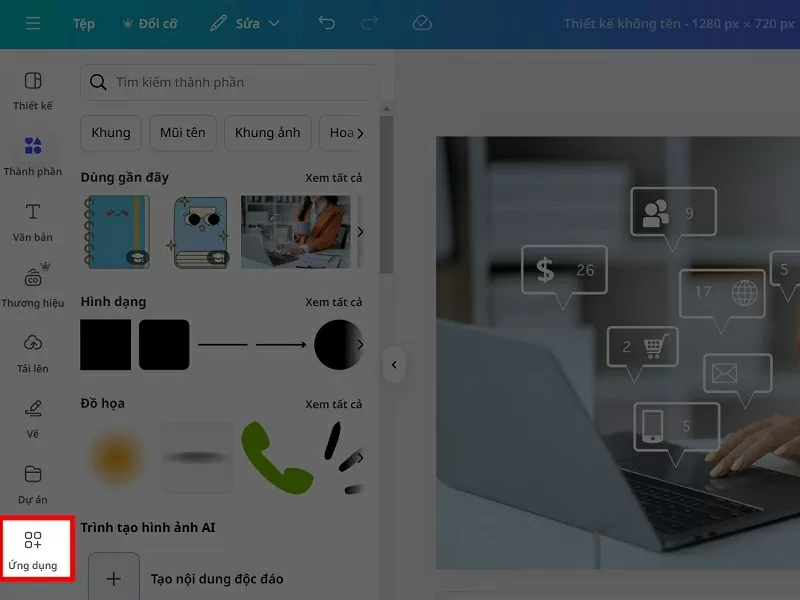 |
| Click on the Applications option. |
Step 2: Next, search for the Skew image app to adjust the tilt of your photo to your liking.
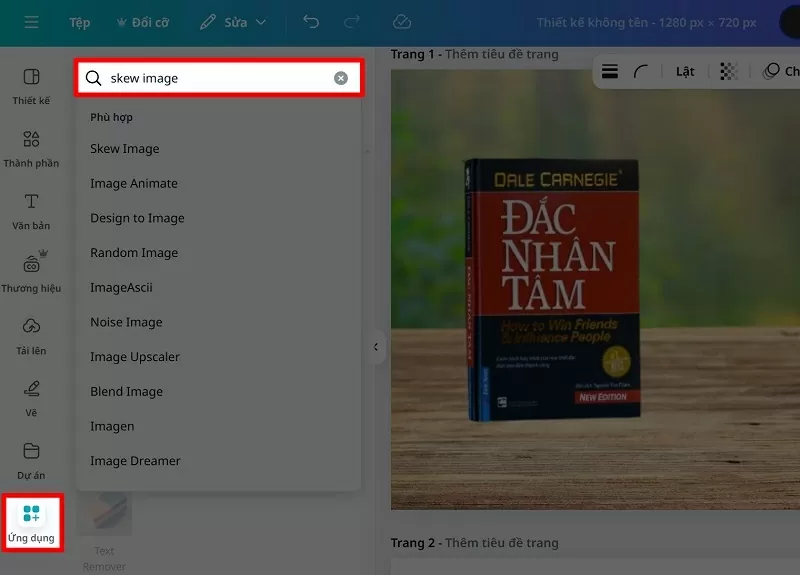 |
| Search for Skew image app |
Step 3: Now, select the Skew image application as shown below.
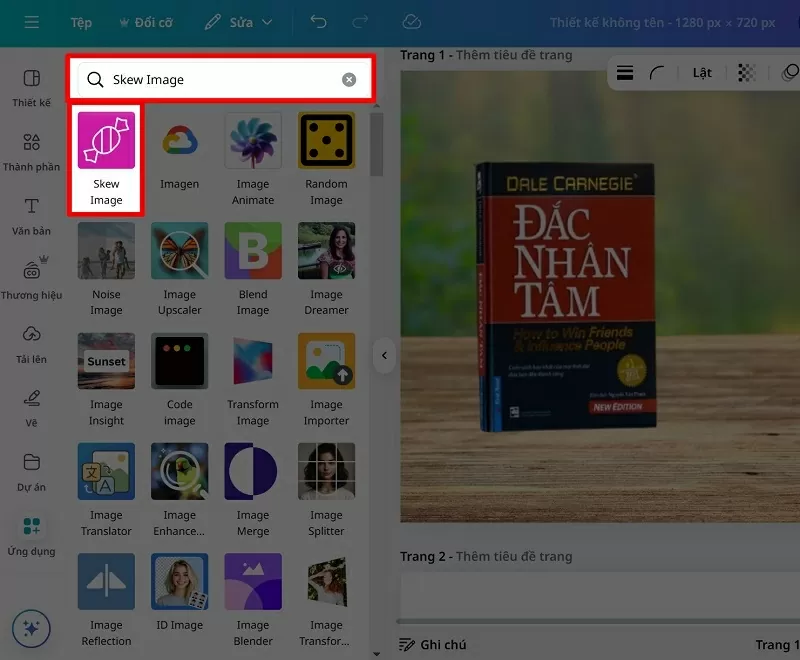 |
| Select the Skew image app. |
Step 4: Click on the image you want to tilt so the application can recognize it. Here, you can adjust the tilt to fit your design, then add it to your design and you're done.
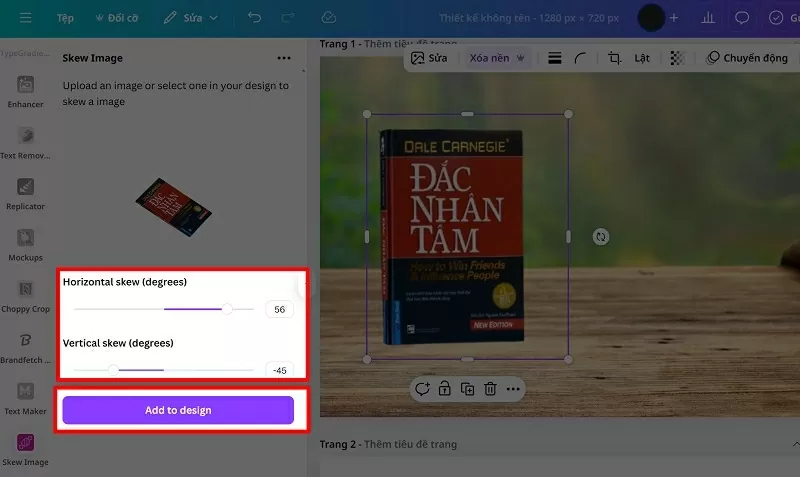 |
| Adjust to fit the design. |
With a few simple steps, you can create an impressive 3D tilt effect in Canva. Try it now to make your designs more professional and impressive.
Source

![[Photo] Enchanting ancient rose garden on the mountainside in Nghe An](/_next/image?url=https%3A%2F%2Fvphoto.vietnam.vn%2Fthumb%2F1200x675%2Fvietnam%2Fresource%2FIMAGE%2F2025%2F12%2F19%2F1766109900916_vuon-hong-chin-do-thu-hut-du-khach-toi-check-in-o-ha-noi-3-20162778-1671624890024-1671624890104198100259.jpeg&w=3840&q=75)
![[Photo] General Secretary To Lam visits the exhibition space showcasing books, photo exhibitions, and achievements of digital transformation in journalism.](/_next/image?url=https%3A%2F%2Fvphoto.vietnam.vn%2Fthumb%2F1200x675%2Fvietnam%2Fresource%2FIMAGE%2F2025%2F12%2F19%2F1766110879215_1766110240024-jpg.webp&w=3840&q=75)
























![[INFOGRAPHIC] Overview of the Hoa Phat Dung Quat Rail and Special Steel Production Plant Project](https://vphoto.vietnam.vn/thumb/402x226/vietnam/resource/IMAGE/2025/12/19/1766111183203_z7339170069817-126a3e5a095f62e606a0be41015c1b80.jpeg)

































Comment (0)