

Prioritize Faster Shooting is a feature in the iPhone's camera app settings that helps the camera capture images faster, especially suitable for those who like to take many photos in quick succession.
In many situations, such as shooting at events or activities, this feature is very useful for capturing moments and movements. However, this is not necessarily beneficial in normal shooting conditions.
Taking a series of photos quickly can affect the quality of the resulting images. iPhones have this feature enabled by default, so users should turn it off unless they frequently photograph moving objects.
To disable it, the user needs to access Settings on their phone, scroll down to find the Camera settings. There, find Prioritize Faster Shooting and toggle the switch to gray (OFF). This feature can be re-enabled at any time if the user needs to take quick shots without requiring high image quality.
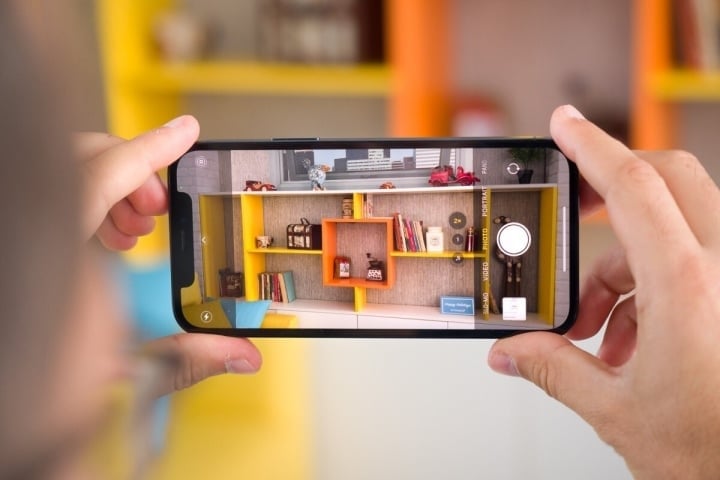
The iPhone camera is highly rated for its quality, but it would be even better if you knew how to adjust a few settings.
This customization option may be located elsewhere or may not appear on older iOS versions or iPhone models. Apple states that Prioritize Faster Shooting is only available on iPhone XS/XR models and later, and requires iOS 14 or later.
Another tip for taking great photos on your iPhone is to use the volume buttons instead of pressing the shutter button on the screen. In certain shooting conditions, pressing the volume buttons will help you hold the phone more steadily, avoiding shaking or blurry photos, especially when taking selfies.
According to experts, the volume button-activated camera feature is a clever design by Apple, mimicking the feel of pressing a physical button on a traditional camera, creating a more familiar and tactile experience for users.
Khanh Linh
Source


























































































Comment (0)