

 |
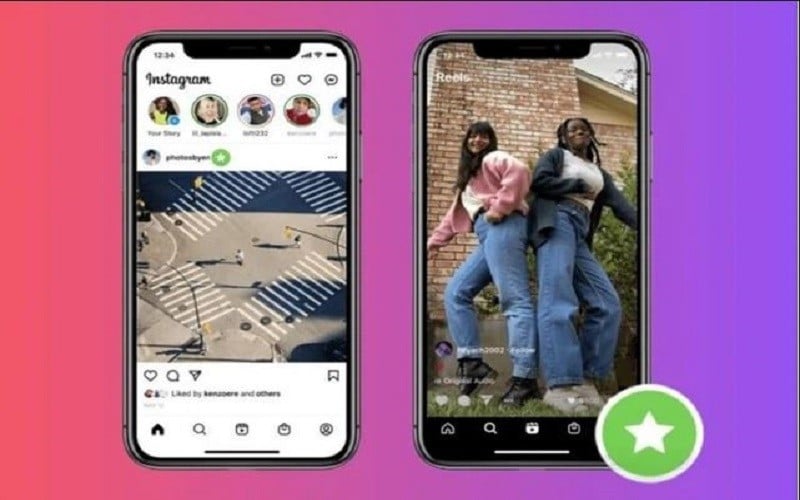
One effective way to manage your Instagram Reel video audience is to target only your closest friends. Below are detailed instructions on how to post Instagram Reel videos that only your closest friends can see. Let's get started!
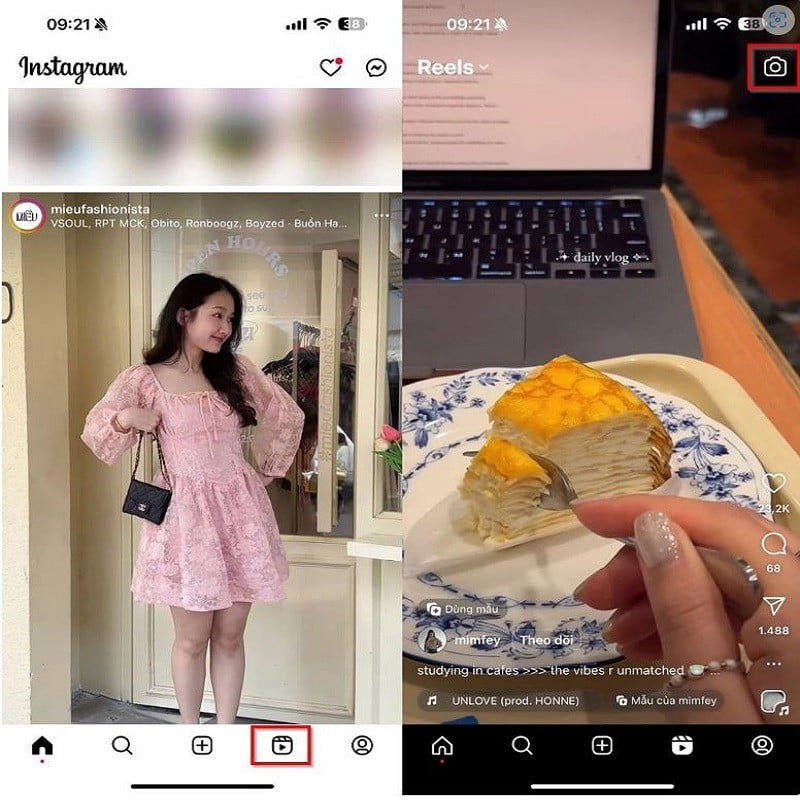
Step 1: First, open the Instagram app on your device. Then, tap on Reels in the toolbar at the bottom. Next, tap the camera icon in the upper right corner to add a new video.
 |
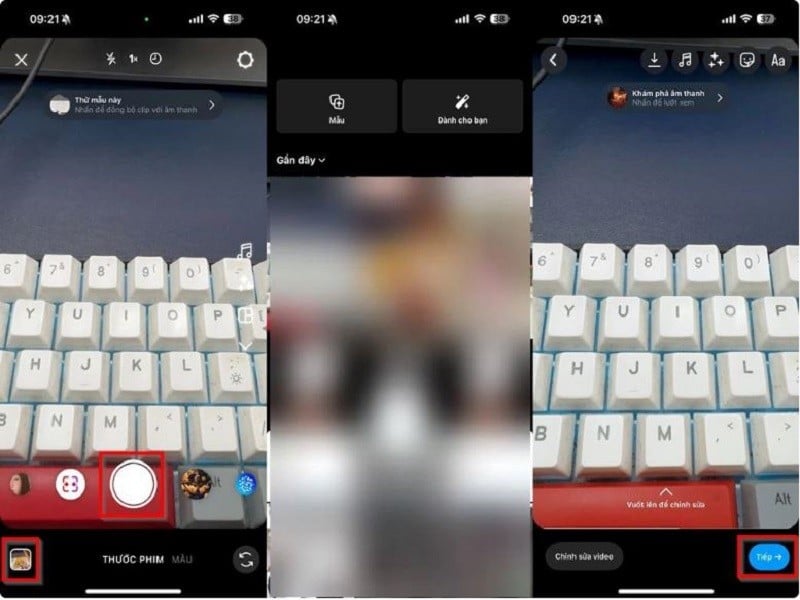
Step 2: Now, start recording a new video by pressing the record button in the middle of the screen or pressing the album in the bottom left corner to add an existing video. Press the Next button in the bottom right corner to complete this step.
 |
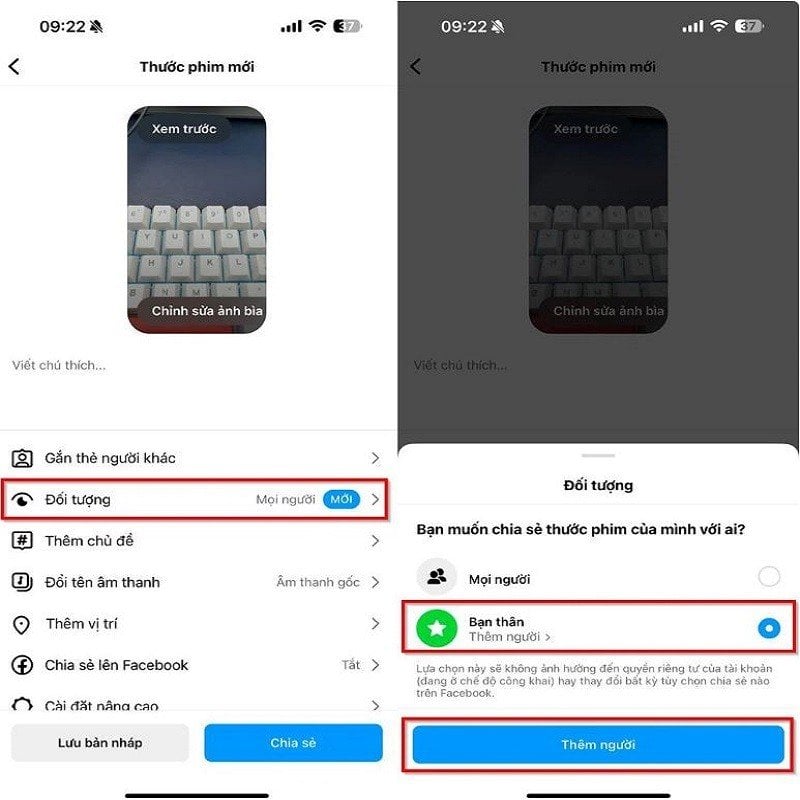
Step 3: Next, select Audiences under the Tag Others section. Here, select Close Friends to choose the friends you want to see your Reels videos, then click Add People.
 |
Step 4: A list of suggested people will now be displayed below. Select the person you want to add by ticking the box next to them, or click the magnifying glass icon to search for them. Once you have selected the viewers, click the "Done" button. Click "Done" again to complete setting up your Reels video audience.
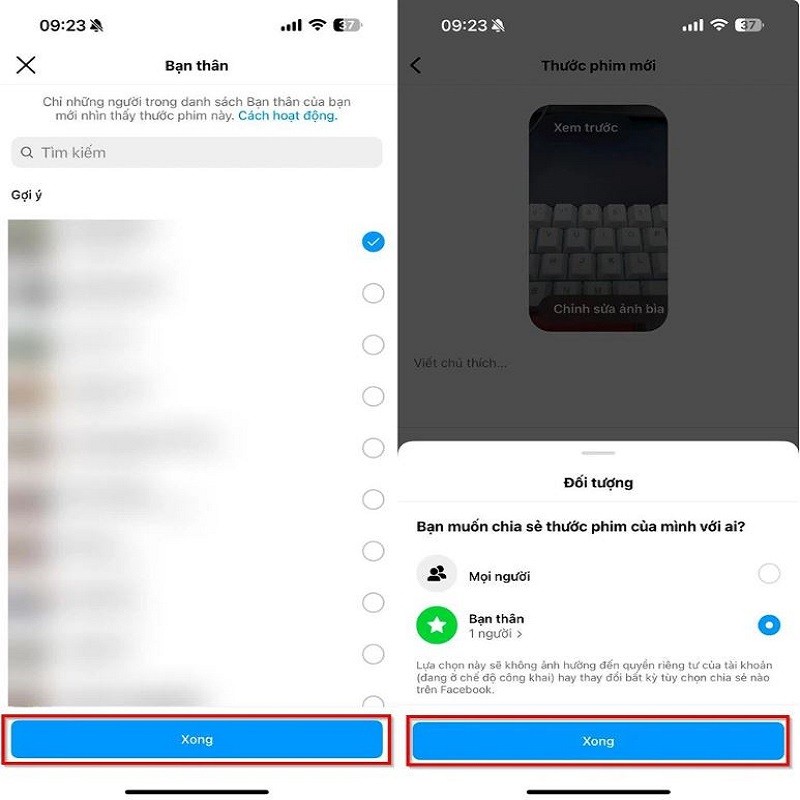 |
Step 5: Finally, simply press Share to complete posting your Instagram Reels video, making it visible only to the close friends you selected earlier.
Source
![[Image] Hanoi Police officially crowned champions of V-League 2025/2026](https://vphoto.vietnam.vn/thumb/1200x675/vietnam/resource/IMAGE/2026/05/31/1780244769054_ndo_br_039d561b692be875b13a-jpg.webp)
![[Photo] Admire the coral "masterpiece" amidst the million-year-old heritage of Dak Lak province.](https://vphoto.vietnam.vn/thumb/1200x675/vietnam/resource/IMAGE/2026/05/31/1780221235105_anh-man-hinh-2026-05-31-luc-16-53-27.png)

![[Photo] The General Secretary, President and his wife begin their state visit to the Philippines.](https://vphoto.vietnam.vn/thumb/1200x675/vietnam/resource/IMAGE/2026/05/31/1780230559452_anh-man-hinh-2026-05-31-luc-19-28-11.png)
![[Photo] Solemn bathing ceremony and Buddha procession in Hue](https://vphoto.vietnam.vn/thumb/1200x675/vietnam/resource/IMAGE/2026/05/31/1780228263543_1-jpg.webp)















![[Video] Sunset at Lap An Lagoon – Where the sun sets over the fishing nets](https://vphoto.vietnam.vn/thumb/340x192/vietnam/resource/IMAGE/2026/05/31/1780192137701_beach-landscape-sea-water-nature-grass-745871-pxhere-com.jpeg)




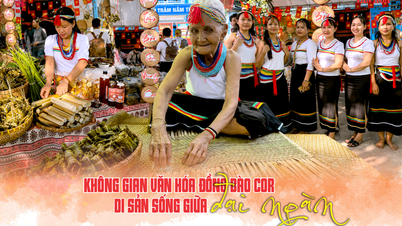
















![[Photo] Admire the coral "masterpiece" amidst the million-year-old heritage of Dak Lak province.](https://vphoto.vietnam.vn/thumb/402x226/vietnam/resource/IMAGE/2026/05/31/1780221235105_anh-man-hinh-2026-05-31-luc-16-53-27.png)





















Comment (0)