

Check out this guide on checking Xiaomi battery health, along with effective maintenance tips. Regular checks help monitor battery condition and address issues promptly.
 |
A guide to quickly and accurately checking Xiaomi battery health.
There are several methods to check battery health on Xiaomi phones. Below are three simple and effective ways you can do it at home without any specialized equipment.
How to check Xiaomi battery health using a simple code
Using a code is one of the quickest and most accurate ways to check the battery health and capacity of your Xiaomi phone. However, you need to understand the meaning of the code:
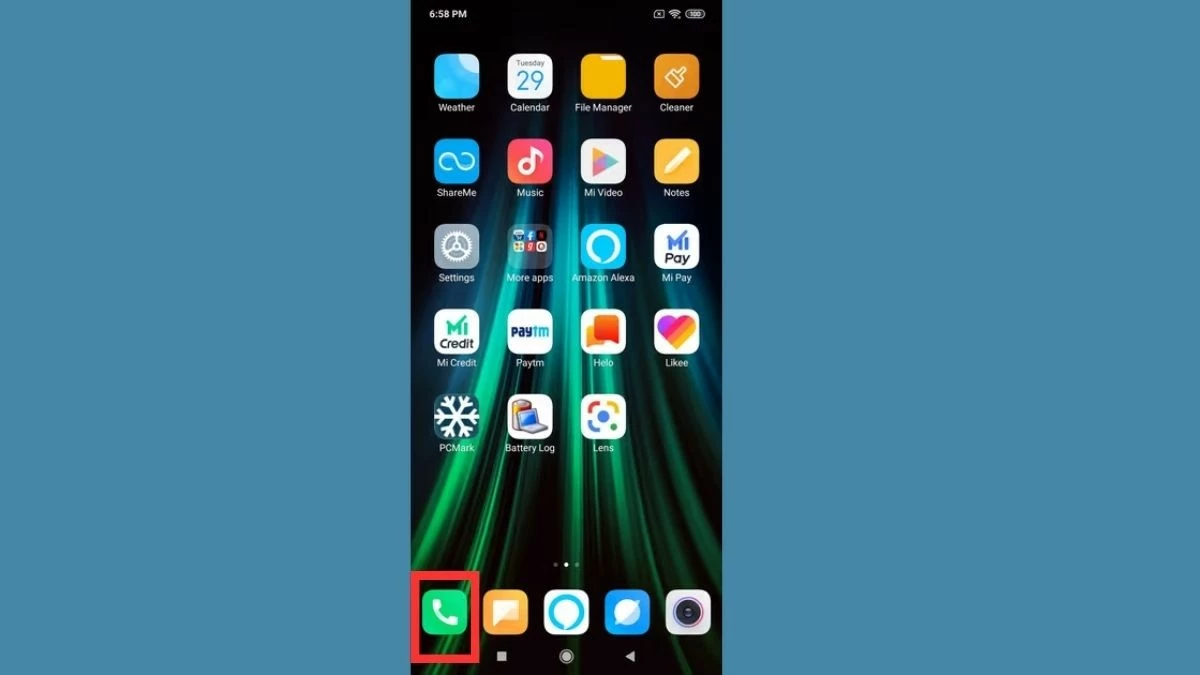
Step 1: First, open the phone app: Access the phone app as you would when preparing to make a call.
 |
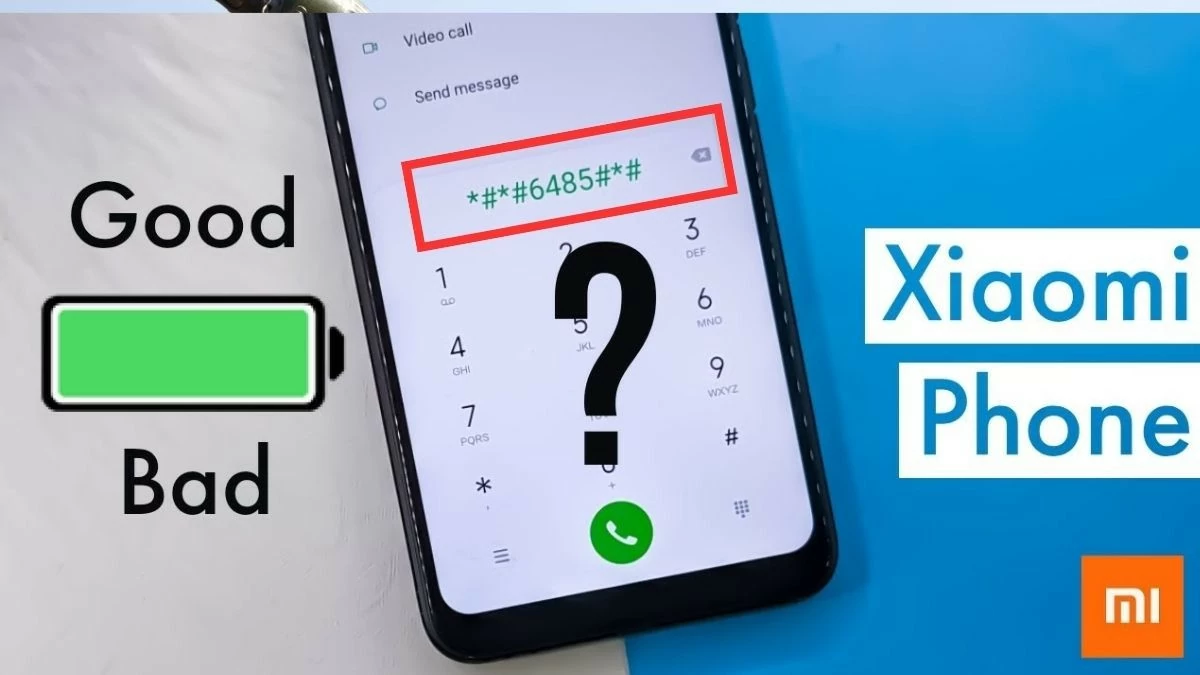
Step 2: Enter the code: Type ##6485##. The phone will automatically display detailed information about the battery status.
 |
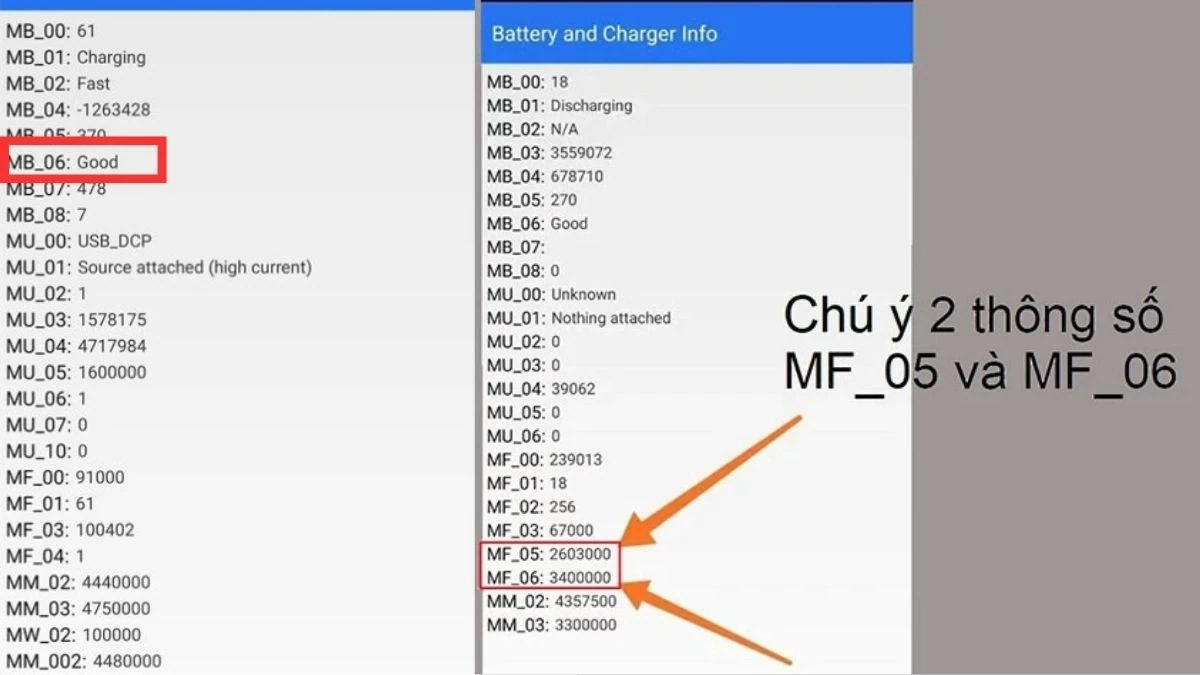
Step 3: Check battery health: Based on parameters such as MB_06 (battery health status), MF_05 (current battery capacity), and MF_06 (initial battery capacity), you can determine the battery's degradation level. If MB_06 displays "Good," your battery is still healthy. If it displays something else, the battery may be degraded.
 |
How to check your Xiaomi battery using the device settings.
Xiaomi has integrated battery and performance information into the system settings, making it easy to check the battery level without needing a code.
Step 1: First, open the "Settings" app on your phone.
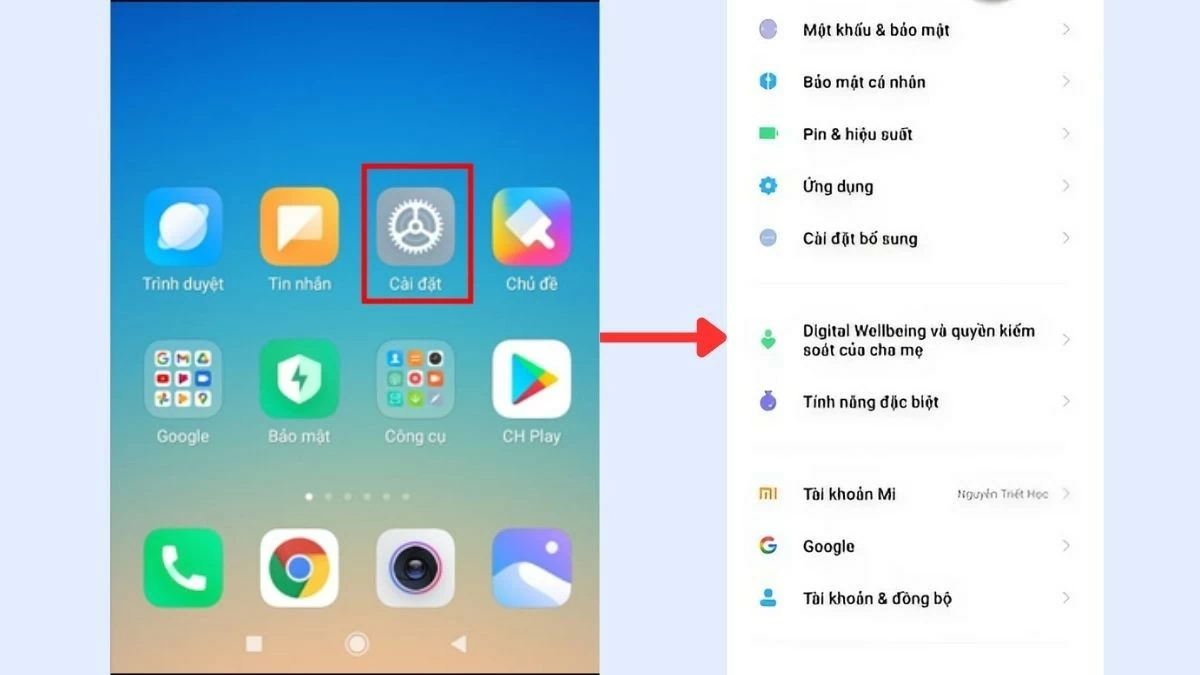 |
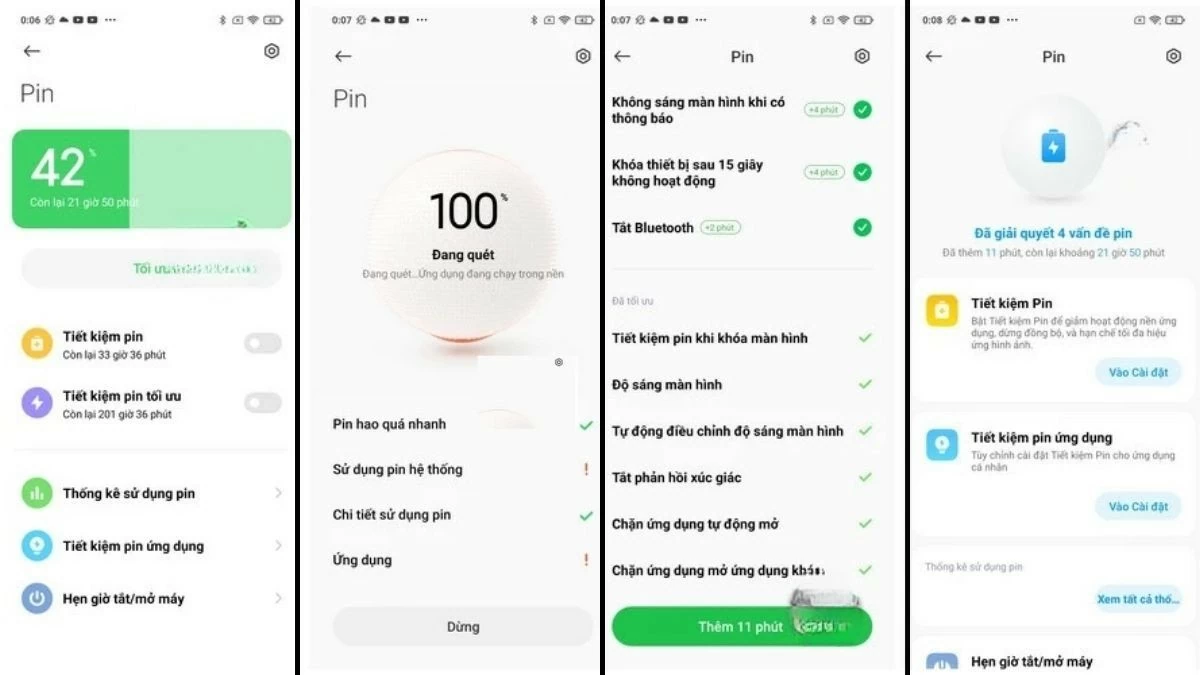
Step 2: Scroll down and select "Battery & Performance".
 |
Step 3: The system will then automatically optimize and display the battery status. Simply scroll down to view detailed battery information and determine the level of battery degradation in your device.
 |
Instructions on using third-party software for verification.
You can also use third-party apps to check battery health, with AccuBattery being a very popular and suitable app for the Android ecosystem, including Xiaomi.
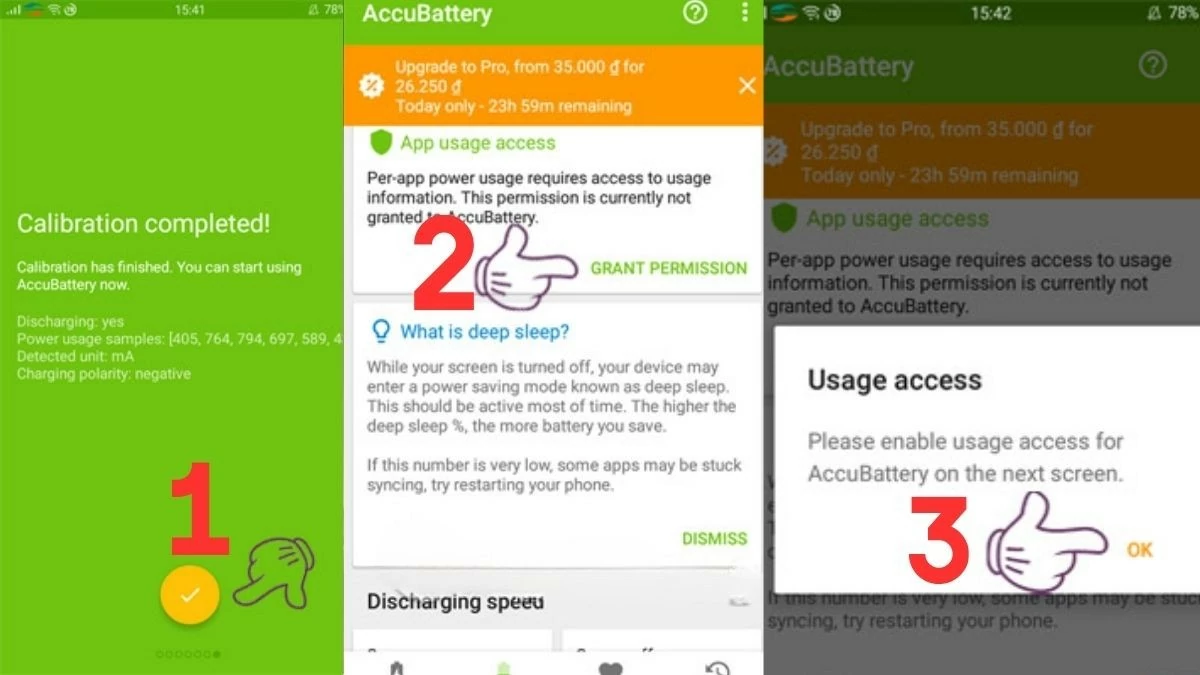
Step 1: Open Google Play and search for "AccuBattery". Then, download and install this application on your Xiaomi phone.
 |
Step 2: Next, proceed with the installation so that the application automatically monitors the battery charging process, providing information about battery health, charging cycles, and battery degradation level.
 |
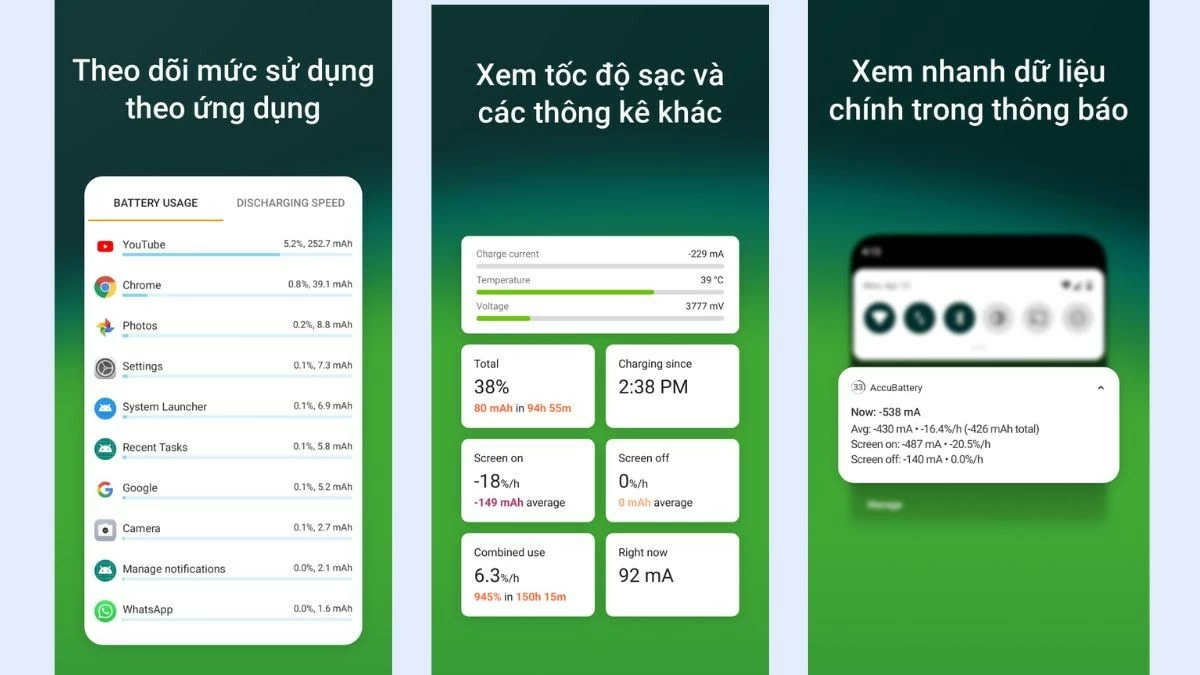
Step 3: AccuBattery provides a full charge alert feature, helping you protect your battery and avoid overcharging, thus extending its lifespan.
 |
Checking your Xiaomi battery health becomes easier once you've mastered these simple and effective methods. Regularly check your Xiaomi phone's battery level and apply these tips to keep your battery in optimal condition!
Source: https://baoquocte.vn/huong-dan-kiem-tra-do-chai-pin-xiaomi-de-dang-va-chuan-xac-nhat-287735.html


![[Photo] Prime Minister Pham Minh Chinh attends the Conference on the Implementation of Tasks for 2026 of the Industry and Trade Sector](/_next/image?url=https%3A%2F%2Fvphoto.vietnam.vn%2Fthumb%2F1200x675%2Fvietnam%2Fresource%2FIMAGE%2F2025%2F12%2F19%2F1766159500458_ndo_br_shared31-jpg.webp&w=3840&q=75)










































































































Comment (0)