

PowerPoint is a useful tool that helps users create professional presentations. In this article, we will learn how to create a PowerPoint presentation on your phone.
Step 1: Search for the PowerPoint app on your phone.
Download the PowerPoint app for your phone.
To start creating PowerPoint presentations on your phone, you first need to search for and download the PowerPoint app from your phone's app store. PowerPoint is available for both Android and iOS operating systems, and you can find the app in your respective app store.
Step 2: Create a new presentation
Once you have installed and opened the PowerPoint app on your phone, you can start creating a new presentation by selecting "New Presentation" or the "+" sign on the toolbar.
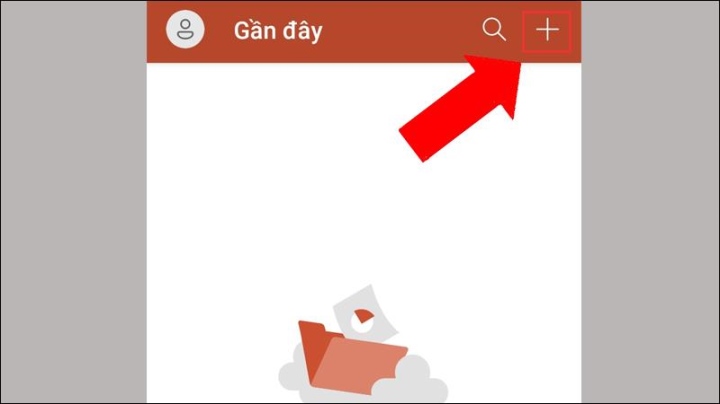
Select the "+" icon to create a new presentation.
This app also lets you choose a PowerPoint template to start with if you want. Otherwise, you can create the presentation from scratch.
Step 3: Add title and content
After creating a new presentation, you can add titles and content to the slides. You can add a title by selecting "Add Title" on the toolbar, and add content by selecting "Add Content". This application allows you to add text, images, audio, and video to your slides.
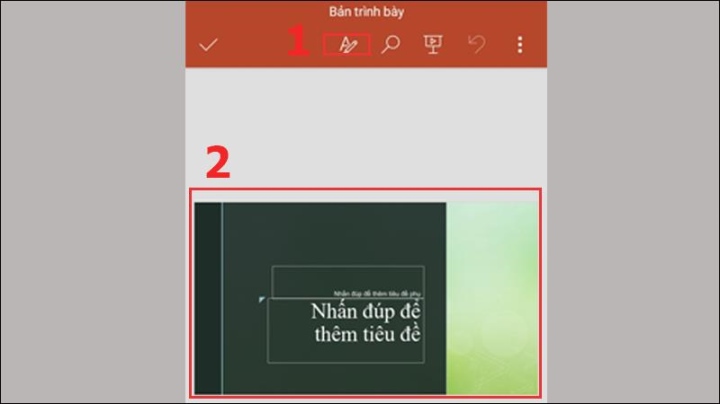
Create titles and content for your slides.
Step 4: Customize the layout and design
You can customize the layout and design of your slides using the features on the toolbar. You can change colors, themes, and fonts, add animation effects, and highlight important items on your slides.
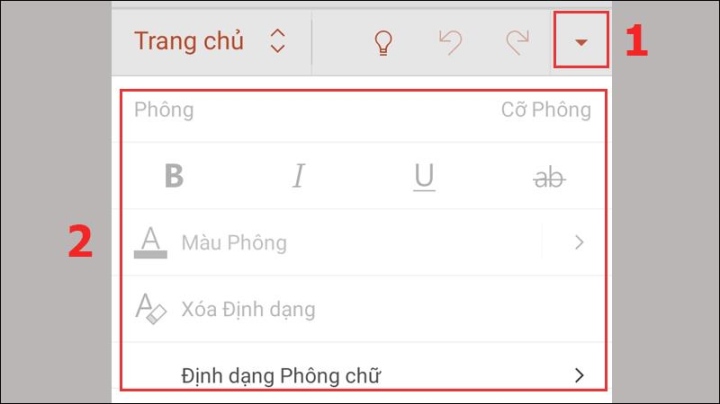
You can design your slides by clicking the arrow at the top.
Step 5: Save and share the presentation
After you've finished your presentation, you can save it to your phone or to the cloud to access it from any device.
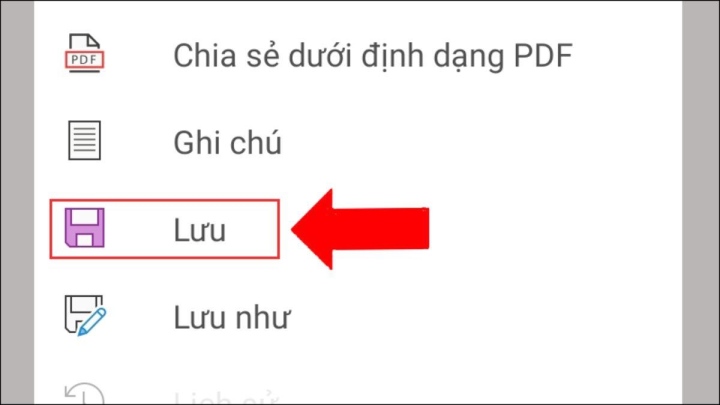
Select the three vertical dots on the toolbar to save and share.
If you want to share your presentation with others, you can use PowerPoint's sharing feature to send the presentation or store it on OneDrive, Dropbox, or Google Drive to share with others.
Additionally, to create a good presentation on your phone, there are a few things to keep in mind:
- Use the right size for your phone screen: Your slide size needs to match your phone's screen size, so you should check your screen dimensions before you start creating your presentation.
- Use concise text and full-length images: With limited space on a phone screen, you should use concise text and full-length images to present information in an easily understandable and persuasive way.
- Use simple animation effects: Avoid using too many complex animation effects in your presentation, as this can be distracting and annoying for the audience.
- Create a visually appealing presentation: You should use appropriate colors and themes to create a beautiful and professional presentation.
- Review your presentation before sharing: Before sharing your presentation with others, double-check it to ensure it's free of spelling errors or technical mistakes.
Therefore, creating a presentation on your phone is a convenient and quick way to present information to your audience. With the steps above, you can create unique and professional presentations on your phone.
Lan Huong
Beneficial
Emotion
Creative
Unique
Source


























![[Video] Sunset at Lap An Lagoon – Where the sun sets over the fishing nets](https://vphoto.vietnam.vn/thumb/340x192/vietnam/resource/IMAGE/2026/05/31/1780192137701_beach-landscape-sea-water-nature-grass-745871-pxhere-com.jpeg)















































































Comment (0)