

Google Chrome on your phone automatically translates web pages, helping you understand the content without needing to read the original language. Here's how to use it to improve your browsing experience!
 |
Once you complete the following steps, Google will automatically translate your website into Vietnamese whenever you visit a page in another language. You can easily adjust the settings to keep the original language if you wish. To set up automatic website translation on Google, follow these steps:
 |
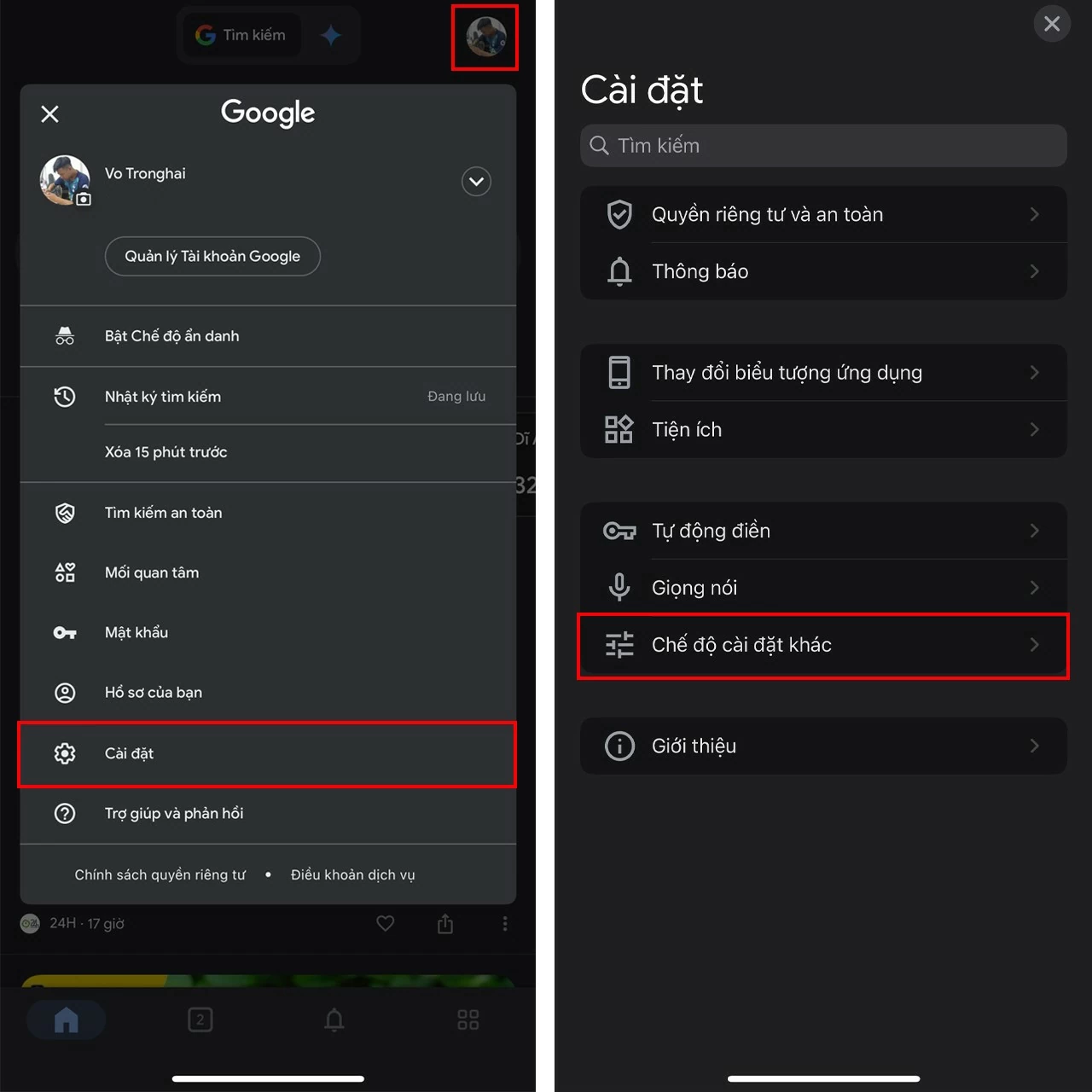
Step 1: First, tap the profile icon in the upper right corner of the screen > Select Settings > Then, select Other settings.
 |
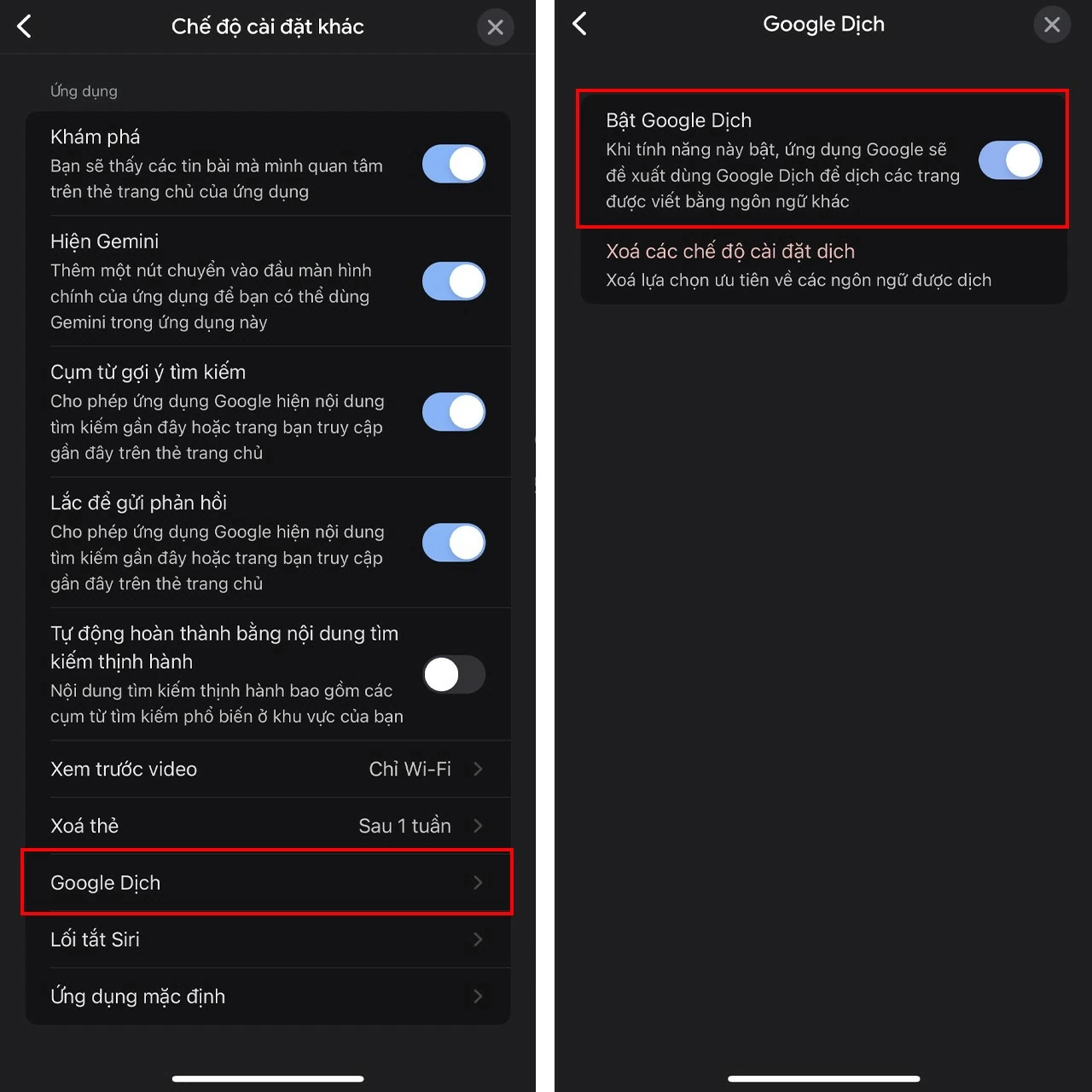
Step 2: Scroll down and select Google Translate > Turn this feature on, then Google will automatically suggest translating the pages you visit into other languages.
 |
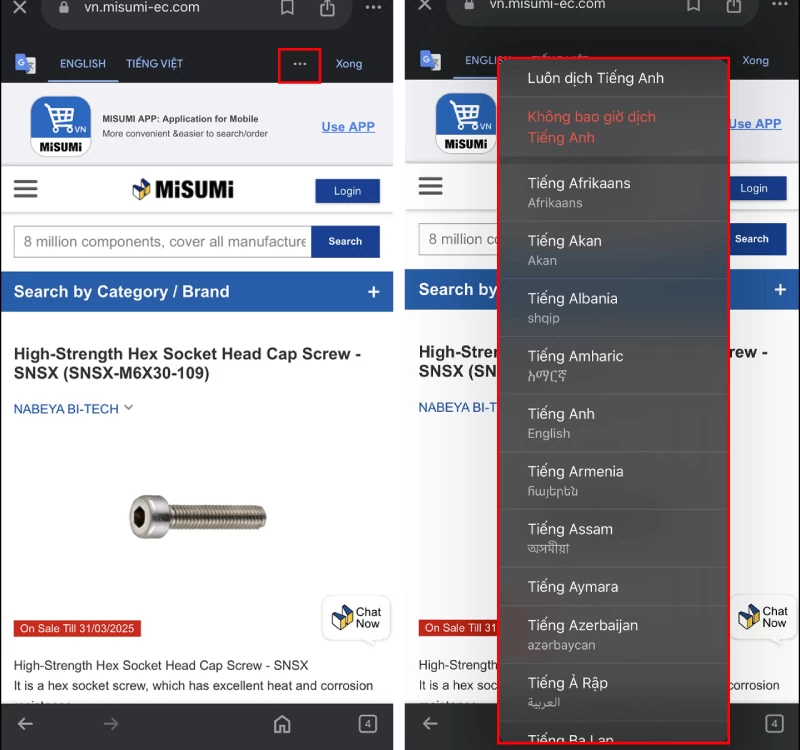
Step 3: This is the result I've achieved. You can click the three-dot icon to select other languages for translation.
 |
With just a few simple steps, you can set up automatic website translation on Google, making it easier to access content from foreign websites. Take advantage of this tool for a smoother and more efficient web browsing experience!
Source: https://baoquocte.vn/huong-dan-tu-dong-dich-trang-web-บน-google-don-gian-va-tien-loi-283661.html


![[Photo] Prime Minister Pham Minh Chinh presides over a meeting on private sector economic development.](/_next/image?url=https%3A%2F%2Fvphoto.vietnam.vn%2Fthumb%2F1200x675%2Fvietnam%2Fresource%2FIMAGE%2F2025%2F12%2F20%2F1766237501876_thiet-ke-chua-co-ten-40-png.webp&w=3840&q=75)


![[Photo] Prime Minister Pham Minh Chinh presides over the conference announcing the establishment of the International Finance Centre in Vietnam.](/_next/image?url=https%3A%2F%2Fvphoto.vietnam.vn%2Fthumb%2F1200x675%2Fvietnam%2Fresource%2FIMAGE%2F2025%2F12%2F21%2F1766309817714_ndo_br_dsc-3400-jpg.webp&w=3840&q=75)































































































Comment (0)