

According to PhoneArena , several members on Apple's community forum reported being unable to download iOS 17.3. Some received a pop-up window stating that the update could not be verified, therefore iOS 17.3 would not be available. The pop-up window offered users two options: Try again or Remind me later. Some Reddit members said simply clicking Try again was enough to install iOS 17.3. However, one user reported that his wife's iPhone 12 Pro Max couldn't do that.
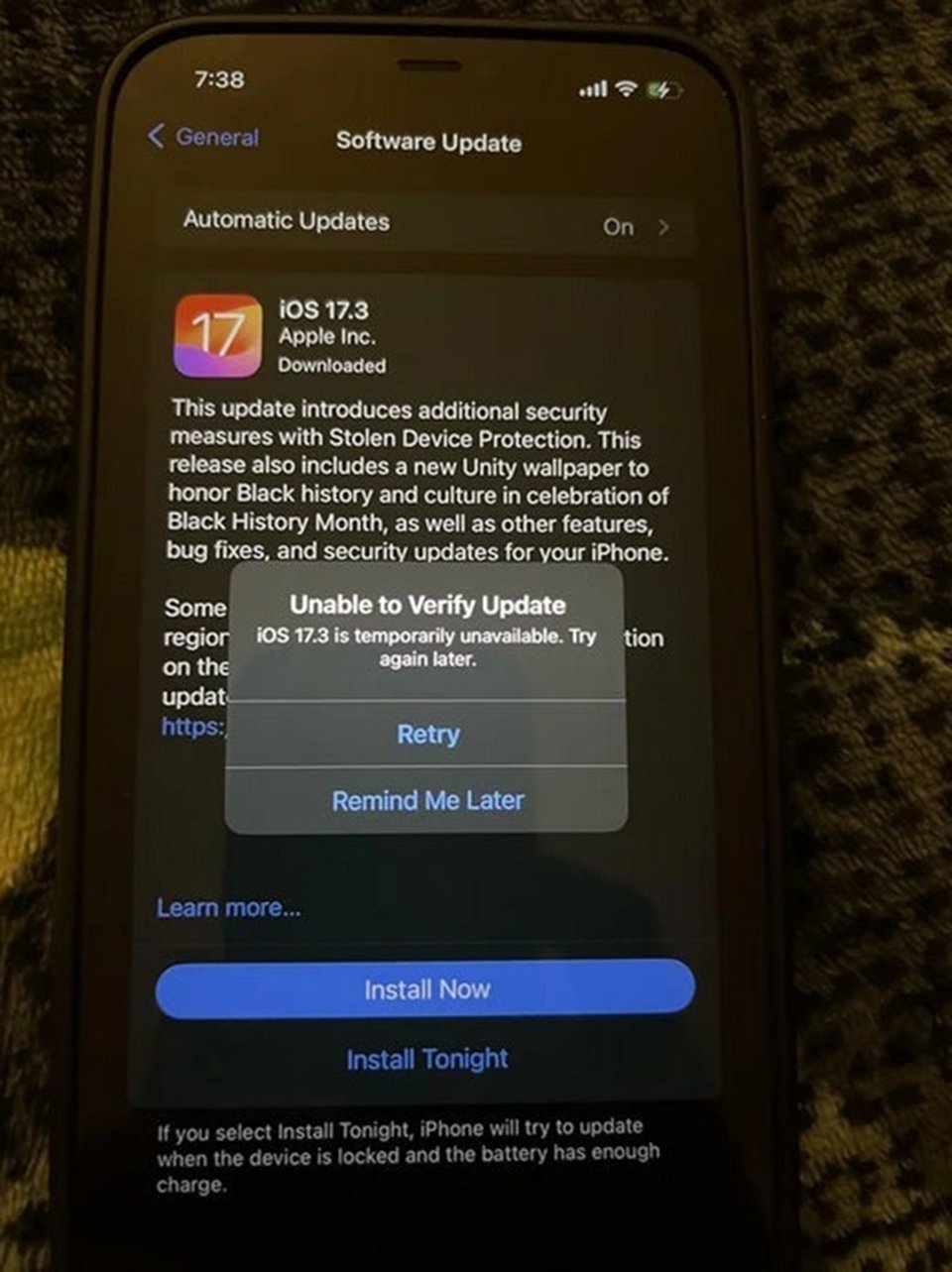
The screen displays an error message indicating that iOS 17.3 cannot be installed.
After the issue was raised, a user named ShibamMandal suggested that iPhone users unable to install iOS 17.3 should go to Settings > General > iPhone Storage . From there, remove the iOS 17.3 update from the app list. Next, force a restart of the iPhone by following these steps:
- Press and release the volume up button quickly.
- Press and release the volume down button quickly.
- Press and hold the power button.
- When the slider appears, slide it to turn off your iPhone.
- Next, press and hold the power button to turn your iPhone back on.
After restarting your iPhone, go to the Settings app > General > Software Update to try reinstalling iOS 17.3. Other users say this is how they used to help resolve the issue of downloading 'stubborn' software updates.
It's worth noting that while downloading the update, users should try to prevent their internet connection from being interrupted, as some believe this is the main reason why software updates cannot be installed on their iPhones.
Source link



































































































Comment (0)