

The iPhone flash is a tool that provides extra light for the camera when taking pictures in low-light conditions, helping to produce sharper and clearer photos.
The iPhone flash is designed to be located within the rear camera module. In addition, the flash has numerous useful features. This article will share with you some of the interesting features of the iPhone flash.
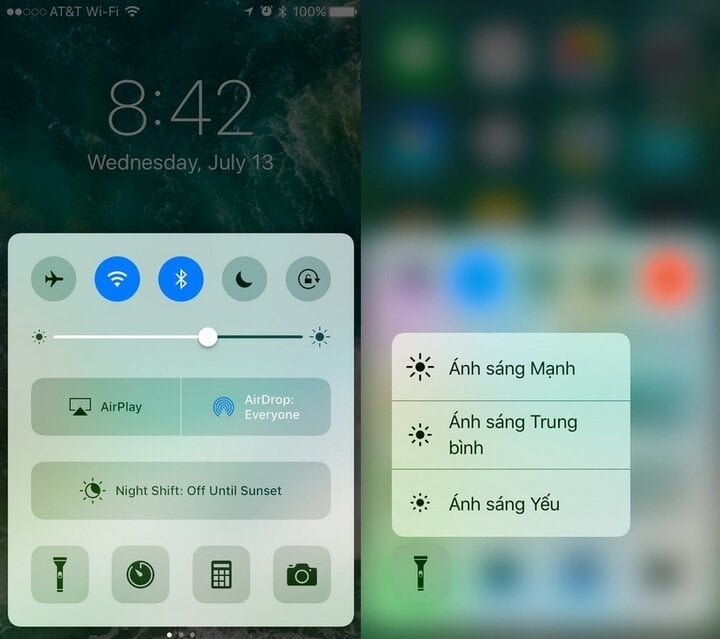
Use 3D Touch to change the flashlight intensity.
Flashlights are useful tools that help illuminate situations for smartphone users in low-light conditions. Additionally, with iOS 10, 3D Touch allows iPhone users to adjust the flashlight's brightness.
Currently, the flashlight icon is integrated into the control center, allowing you to quickly turn it on for illumination, or use 3D Touch to change the light intensity to three levels: strong, medium, and weak.
It becomes a room light when the power goes out.
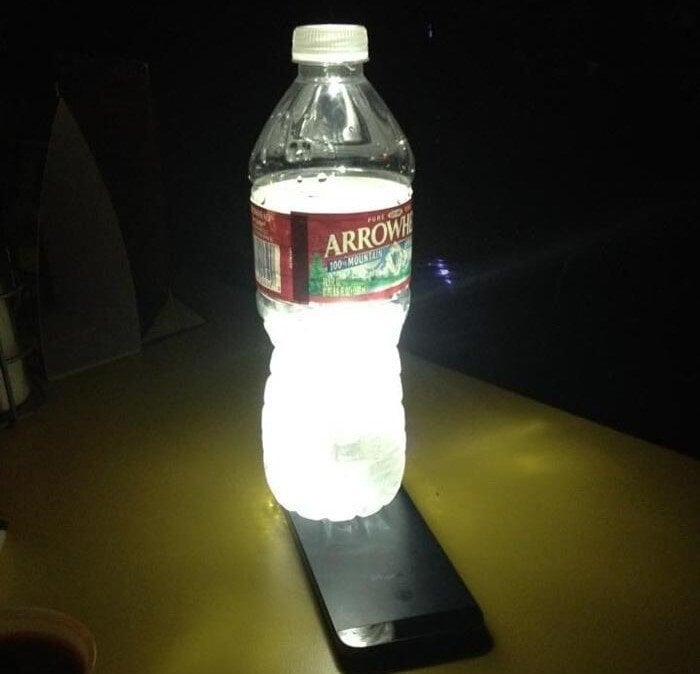
You can easily make a makeshift lamp for camping or during a sudden power outage using only your iPhone's flash and a water bottle. First, turn on the flash, point the light upwards, and place a water bottle on top of it.
Water will diffuse light to illuminate a wider area. You can use water bottles of different colors to create different effects.
The flashlight flashes when there is an incoming call.
Besides providing extra light when taking photos, the flash can also serve as a notification light for incoming calls or messages, ensuring you don't miss any alerts.
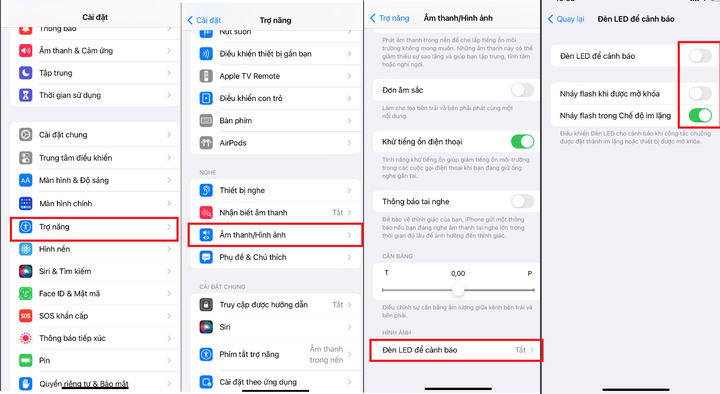
Apple has integrated an LED flash notification feature into its iOS operating system. To activate this feature, go to "Settings," select "Accessibility," then select "Audio/Visual," scroll down and select "LED Alerts." Check all the boxes below until they light up.
Above are three interesting features of the flash on your iPhone. Feel free to try them out and experience these useful functions.
Khanh Son (Compiled)
Source


![[Image] Nearly 125,000 Hanoi students completed the Literature exam for the 10th grade entrance exam.](https://vphoto.vietnam.vn/thumb/1200x675/vietnam/resource/IMAGE/2026/05/30/1780117233041_ndo_br_thiet-ke-chua-co-ten-2-png.webp)






























































































Comment (0)