

Turning off an iPhone can be confusing for many users, especially when the device freezes. Here are 5 ways to turn off your iPhone even if the screen is frozen!
 |
Turning off your iPhone can sometimes be difficult, especially when it freezes. Don't worry! This article will guide you through 5 simple and effective ways to quickly turn off your iPhone, helping you solve the problem easily.
Instructions on how to turn off a frozen or unresponsive iPhone using the physical buttons.
If your iPhone freezes or becomes unresponsive and you can't turn it off normally, you can use the power buttons to shut it down. Here's how to do that:
Applies to iPhone 12, iPhone 11, iPhone X, iPhone XR/XS
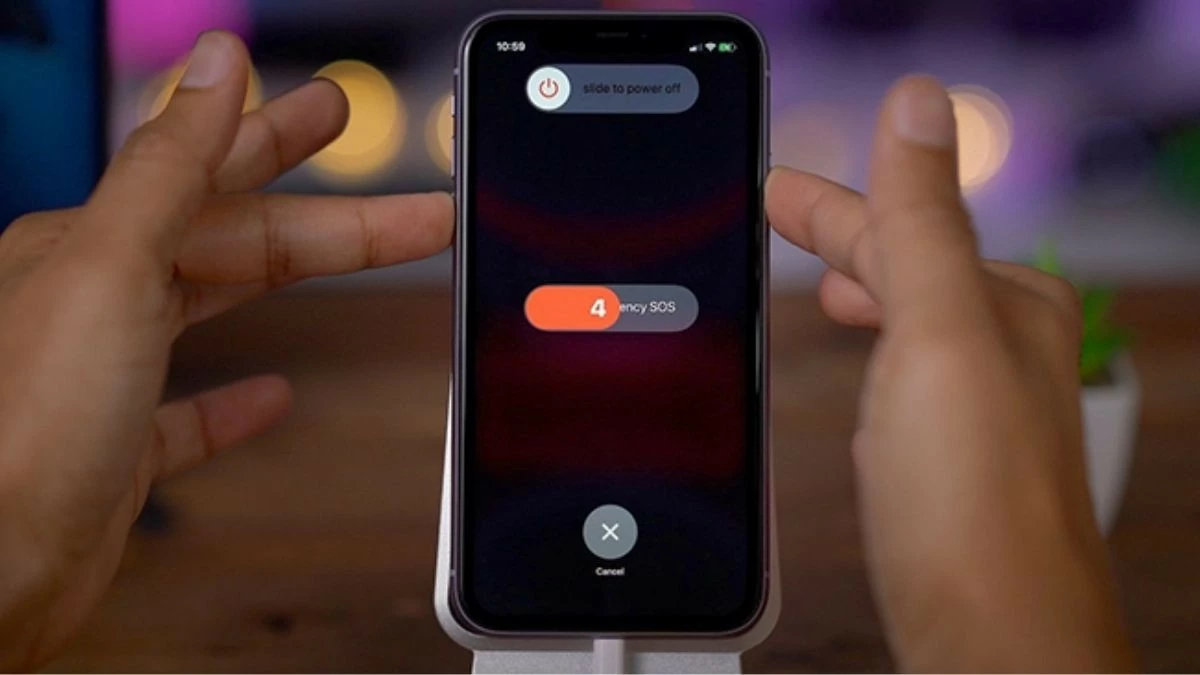
On newer iPhone models such as the iPhone 12, iPhone 12 Pro Max, iPhone 11, iPhone X, and iPhone XR/XS, there is no physical Home button, and the Power button is located on the side. To turn off the power using the physical button, you can do the following:
Step 1: Simultaneously hold down the Power button and one of the Volume buttons (Up or Down).
Step 2: When the power-off slider appears on the screen, you can release your finger.
Step 3: Drag the slider to the right and wait about 30 seconds for the phone to completely power off.
To turn your iPhone back on, press and hold the Power button on the right side until the Apple logo appears on the screen, then release.
 |
Applies to iPhone 13 and 14 models.
To quickly turn off your iPhone 14 or 13 using the physical power button, you just need to follow a few simple steps. Here are the detailed instructions:
Step 1: Simultaneously hold down one of the Volume Up or Down buttons and the power button on the right side of the device.
Step 2: Next, a slider will appear on the screen to turn off the power.
Step 3: Drag the circle on the slider to the right to turn off your iPhone.
To restart your iPhone, press and hold the Power button on the right until the Apple logo appears on the screen.
 |
Instructions on how to turn off your iPhone using Assistive Touch (virtual Home button)
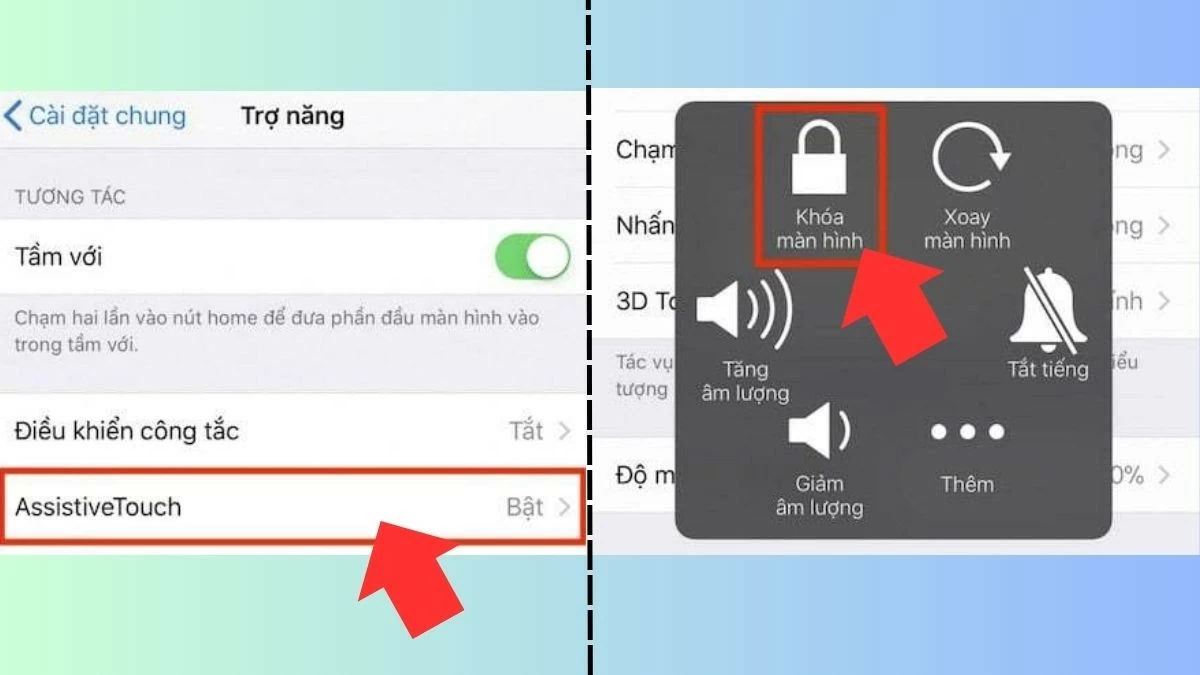
Assistive Touch, also known as the virtual Home button, is a familiar feature for iPhone users. With this tool available on all iPhone models, you can turn off your device in just a few seconds. To turn off your iPhone using Assistive Touch, you first need to activate this feature.
Step 1: Go to Settings = Accessibility = Touch.
Step 2: Next, turn on the Assistive Touch feature.
Step 3: Once this feature is activated, tap the virtual Home button displayed on the screen.
Step 4: Next, select 'Devices' and hold your finger on the Lock screen icon until the 'Slide to power off' interface appears.
Step 5: Simply slide the slider to the right and your iPhone will power off.
Using Assistive Touch is very convenient when the power button on your device is broken, allowing you to turn off the device quickly and easily.
 |
How to turn off your iPhone using Settings
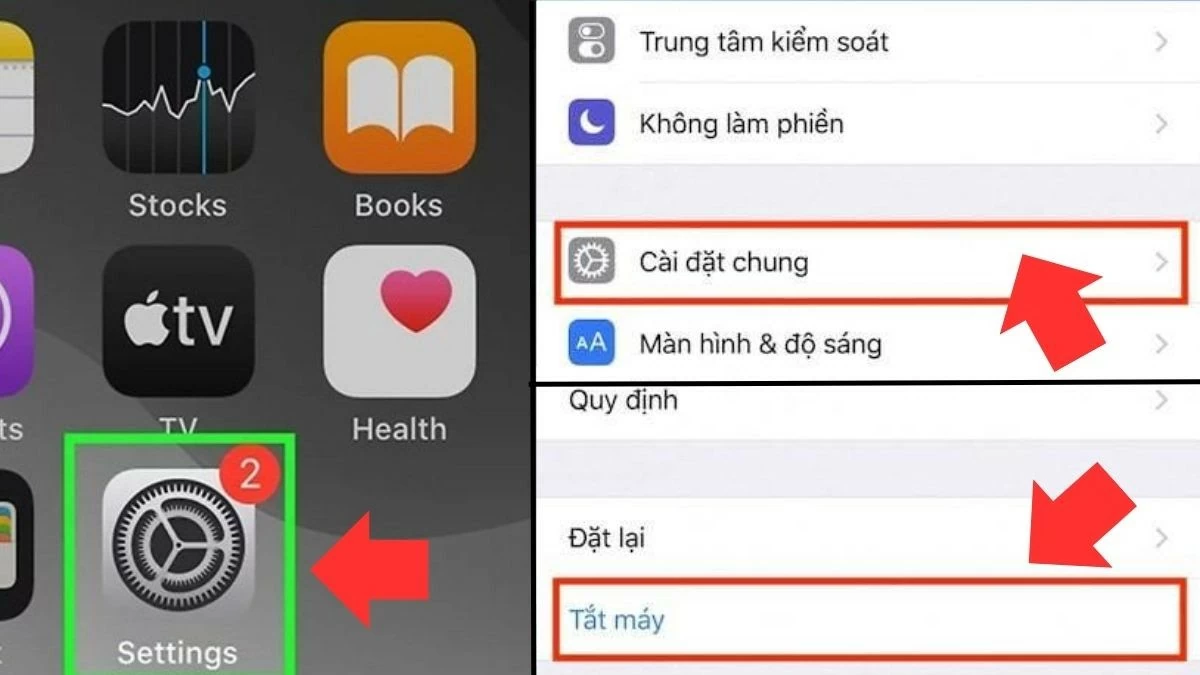
To turn off your iPhone through Settings, follow these steps:
Step 1: First, on your iPhone's home screen, tap the Settings icon.
Step 2: Next, in the Settings interface, scroll down and select General Settings.
Step 3: Next, scroll to the bottom of the page and select "Shut down."
Step 4: Finally, you will see the "Slide to power off" interface appear. Simply drag the slider to the right, and your iPhone will power off.
 |
Instructions on how to turn off your iPhone using software.
You can quickly and easily turn off your iPhone using third-party software. Currently, applications like iTools, 3uTools, and Tongbu on computers support this feature when iTunes is installed.
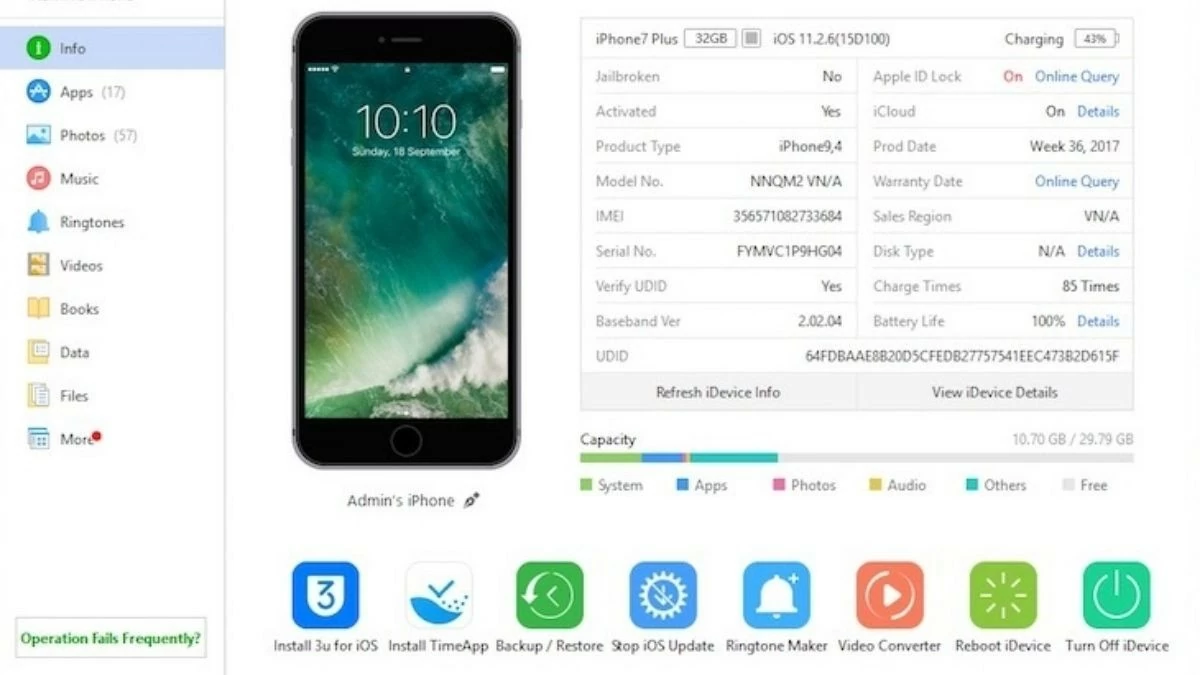 |
To do this, simply open the corresponding application, then find and select the "Shut down" or "Turn Off" button to quickly shut down your computer.
Instructions on how to turn off your iPhone using the Hard Reset option.
Turning off your iPhone by performing a Hard Reset is a useful solution when other methods fail, especially when the phone is locked. However, you should only perform a Hard Reset after other shutdown methods have failed. Below are instructions on how to perform a Hard Reset:
Step 1: First, press and hold the Power button and the Home button simultaneously for about 10 seconds or longer until the Apple logo appears on the screen.
Step 2: When the Apple logo appears, release your finger and let the phone restart normally.
 |
The above information is essential and comprehensive for your reference. Mastering the correct ways to turn off your iPhone, especially when it freezes or encounters other problems, not only saves battery but also resolves technical issues. Hopefully, this guide will help you turn off your iPhone easily and effectively.
Source: https://baoquocte.vn/5-cach-tat-nguon-iphone-dung-cach-284831.html











































































































Comment (0)