

Restricted Lists on Facebook is a feature that allows you to limit who can see your posts without having to unfriend them. When you add friends to this list, they can only see posts you share publicly or posts where you tag them.
 |
| How to add friends to your restricted list on Facebook |
If you want to limit who can see your posts without unfriending them, the restrictions feature is a useful option. To learn how to restrict friends on Facebook using your phone, check out the instructions below.
Individual restriction methods
If you want to add individual people to your Facebook restricted list, please refer to the steps below.
Step 1: Open the Facebook app and go to the profile of the friend you want to restrict.
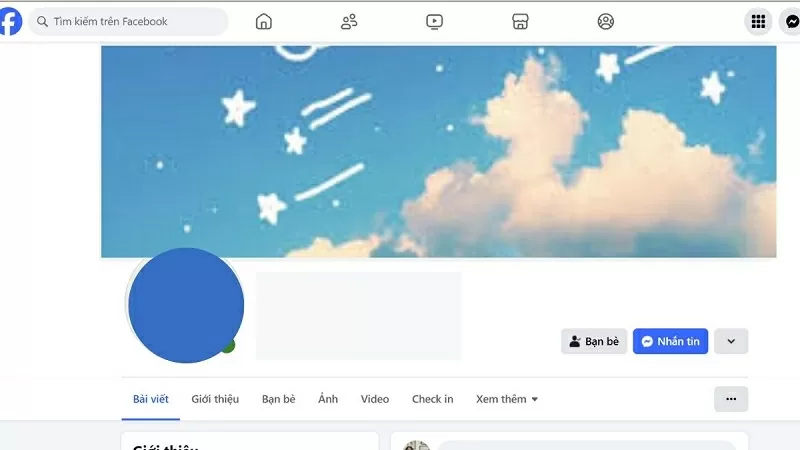 |
| Go to the profile page of the person you want to set up restrictions for. |
Step 2: Next, click on the three-dot icon on that profile page, then select "Friends".
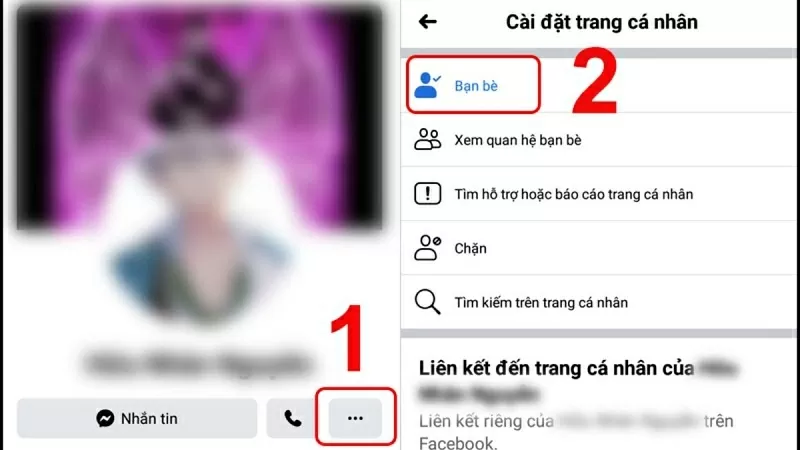 |
| Click on the three dots and select Friends. |
Step 3: Click on the “Edit Friend List” option and then click on “Restricted” to limit their access to your posts.
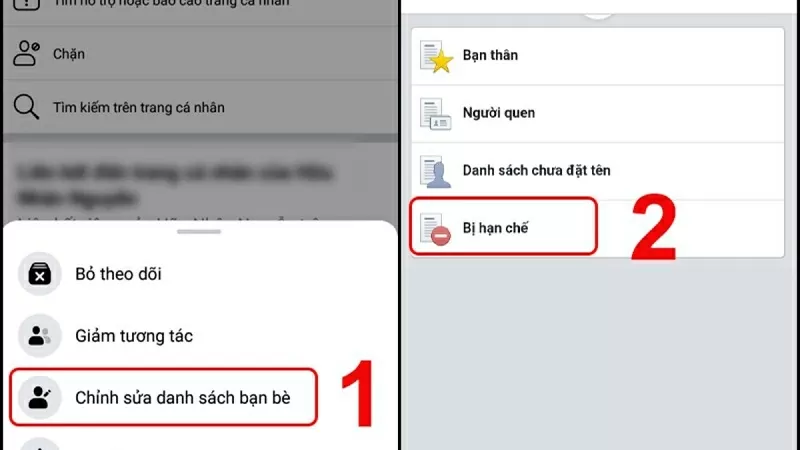 |
| Click on Restricted |
Ways to limit the number of people at the same time.
Besides adding people to your restricted list one by one, you can also apply this feature to multiple people at once. Below is how to add people to your restricted list on Facebook; let's get started.
Step 1: Access Facebook and go to your profile page. Then, select the "Friends" section.
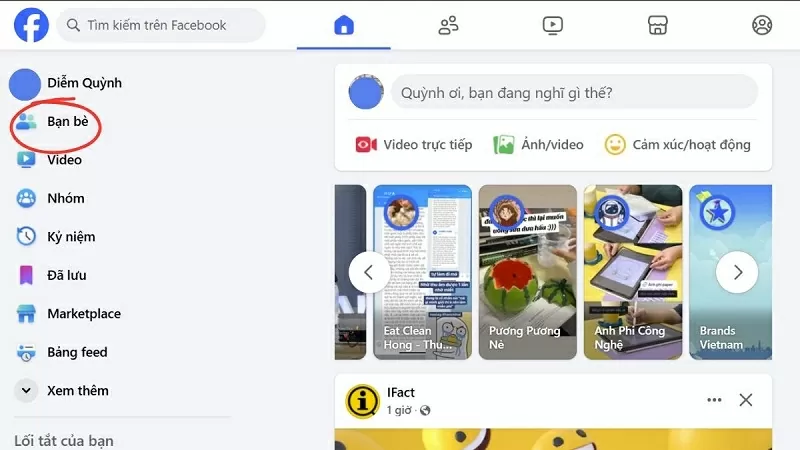 |
| Click on the Restricted item. |
Step 2: Next, select "Custom List" and then select "Restricted".
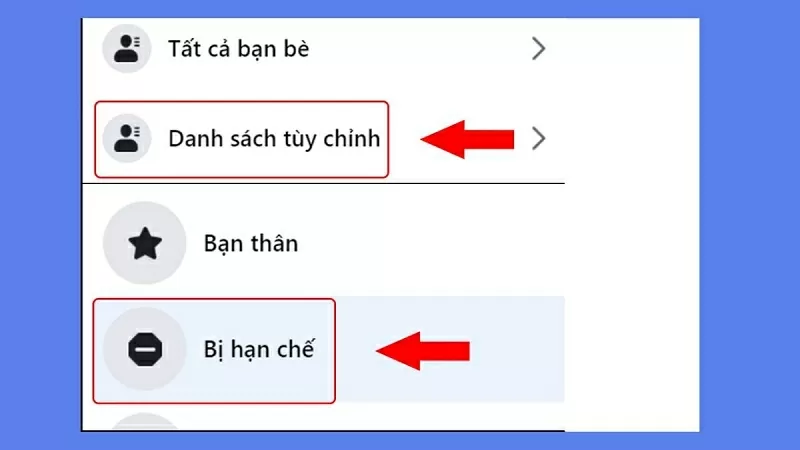 |
| Select Custom Lists, then select Restricted. |
Step 3: Finally, click on "Add friends" and select the accounts you want to add to the restricted list on Facebook to complete the process.
 |
| Select the accounts you want to add to the restricted list. |
How to remove restrictions on Facebook
If you want to remove the restrictions feature on Facebook, follow these steps.
Step 1: Open the Facebook app, go to your profile page, and select "Friends".
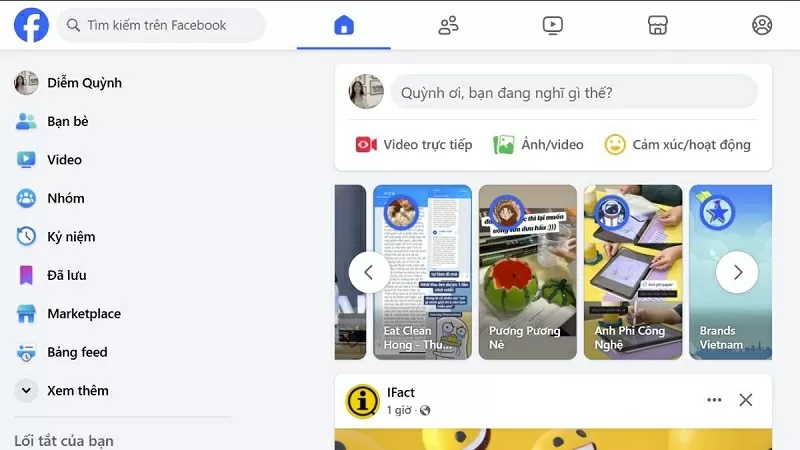 |
| Go to your profile page and select the Friends section. |
Step 2: Click on “Custom Lists,” then select “Restricted” to check which accounts are on the restricted list on Facebook.
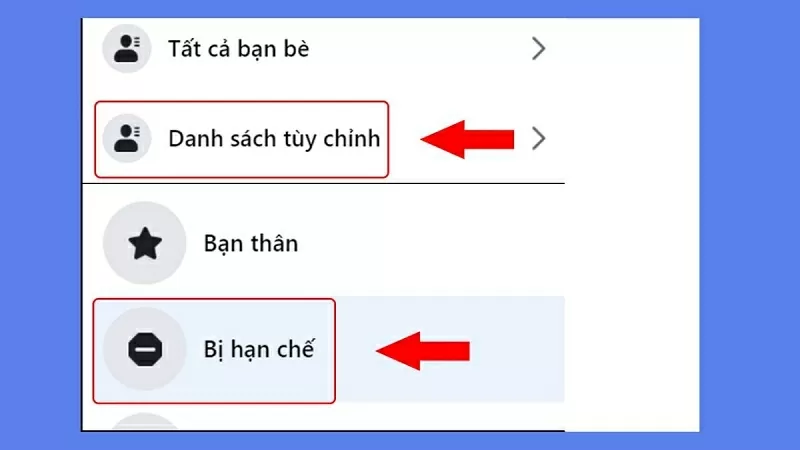 |
| Select the "Restricted" option to view the list. |
Step 3: Finally, click the "X" next to remove the restrictions on Facebook.
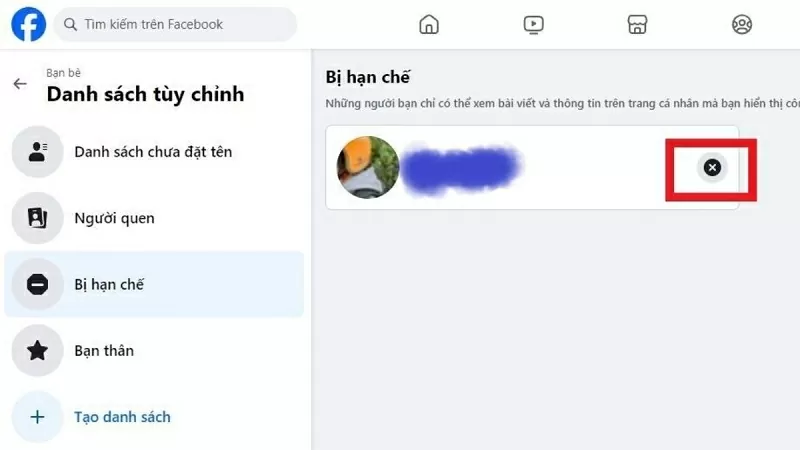 |
| Press the X to remove the restriction. |
The article above has just shared with you how to add friends from a restricted list on Facebook. Thank you for reading.
Source


![[Photo] Prime Minister Pham Minh Chinh attends the Conference on the Implementation of Tasks for 2026 of the Industry and Trade Sector](/_next/image?url=https%3A%2F%2Fvphoto.vietnam.vn%2Fthumb%2F1200x675%2Fvietnam%2Fresource%2FIMAGE%2F2025%2F12%2F19%2F1766159500458_ndo_br_shared31-jpg.webp&w=3840&q=75)




































































































Comment (0)