

How to register for VNEID
Step 1: Download the app to your device.
For devices using the Android operating system: On your mobile device, open the CH Play app => In the search bar => Search for the keyword "VNEID" => After the app you want to download appears => Select "Install" to download the VNEID application to your device.
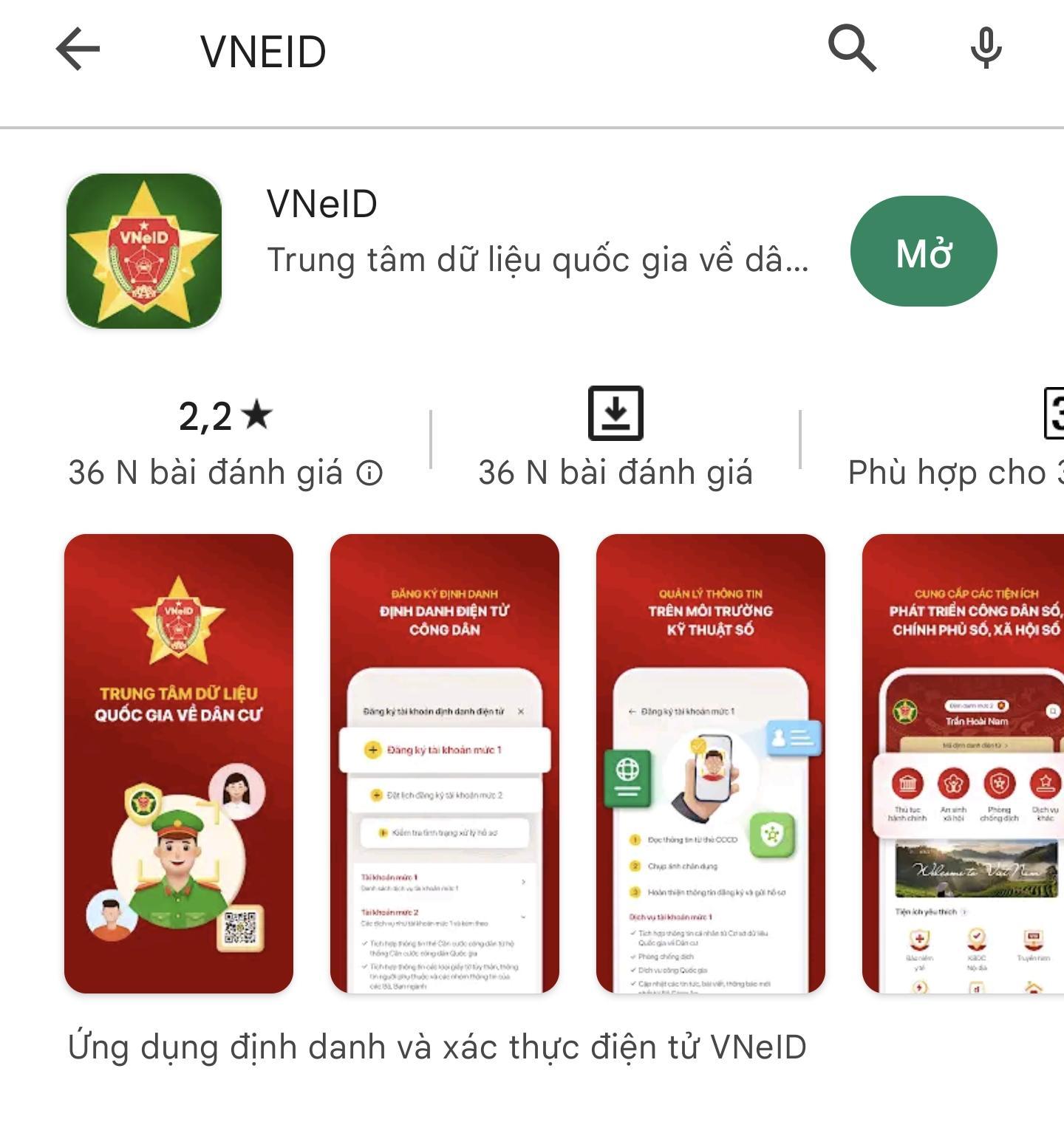
Screenshot.
For devices using the iOS operating system: On a mobile device, open the App Store => In the Search section => Search for the keyword “VNEID” => After the app to be downloaded appears => Select “Get” to download the VNEID application to your phone.
Step 2: Open the application
After downloading, users can tap the VNEID app on their home screen or select "Open" on the App Store/CH Play to start using it.
Step 3: Register for a VNEID application account.
Open the VNEID app and register for an account by selecting Register.
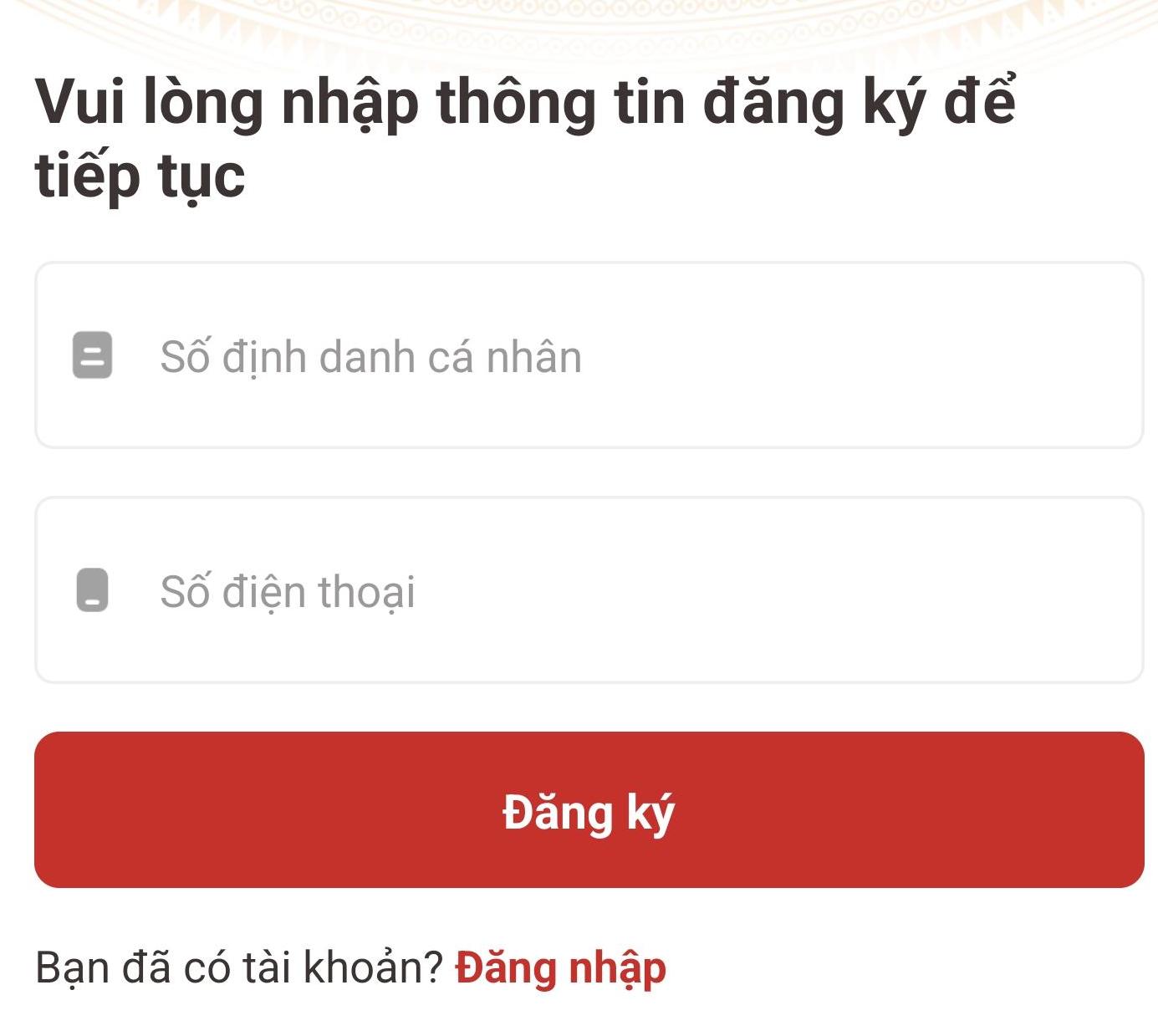
Screenshot
On the registration screen, citizens enter their personal identification number and phone number to register.
Step 4: Enter the OTP code sent to your registered phone number => Set a password for your VNeID account => Press Confirm.
Step 5: Log in to your VNEID application account.
On the login screen, users enter their newly registered personal identification number and password to log in to their VNEID application account.
Instructions for Registering a Level 1 VNeID Account
Step 1 : After successfully logging in, select Register for Level 1 Electronic Identity Account => Click Start.
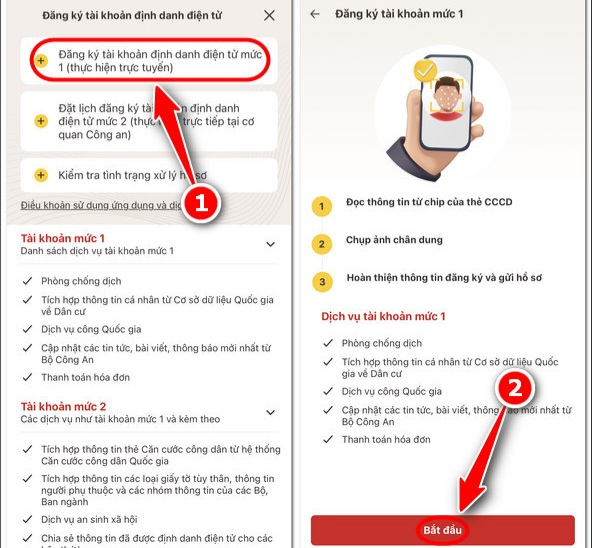
Step 2 : If your mobile device supports NFC, a notification screen will appear => To start reading card information using NFC, tap "I understand."
-If your device does not support NFC or the NFC reading feature is broken => Scan the QR code on the surface of the chip-embedded citizen ID card. After a successful NFC or QR scan => A result notification screen will appear => Press Continue.
Step 3 : A message will appear suggesting you watch a tutorial video on taking selfies => Select "Watch video" to start watching the tutorial video => Select "Skip" after you have finished watching the tutorial.
Step 4 : Take a portrait photo following the instructions on the application. A notification screen will appear showing the result => Select Confirm.
Step 5 : Select Return to Homepage => Check the results/registration status/processing of your Level 1 electronic identity verification account.
After completing the Level 1 electronic identity registration process, if your application is approved, your electronic identity account will be activated so you can start using the application.
Source
![[Photo] Standing Committee member of the Party Central Committee Tran Cam Tu working with the Central Inspection Committee](https://vphoto.vietnam.vn/thumb/1200x675/vietnam/resource/IMAGE/2026/05/28/1779969579668_ndo_br_bnd-2495-jpg.webp)























![[GALLERY] A "billion-dollar" game that hasn't even been released yet is already driving gamers crazy.](https://vphoto.vietnam.vn/thumb/402x226/vietnam/resource/IMAGE/2026/05/28/1779977371733_goi-3-png.webp)






















































































Comment (0)