

 |
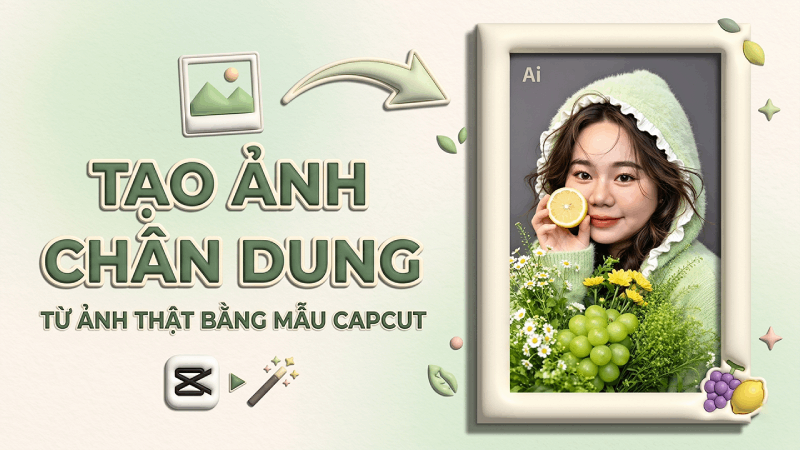
| How to create portraits from real photos using the unique CapCut AI template. |
On CapCut phones, the AI portrait feature that creates portraits from real photos is very popular thanks to its ability to transform images naturally and beautifully. Users simply upload a photo, select a suitable AI template, and the system will automatically create a new photo while preserving familiar facial features. If you don't know how to do it, here are detailed instructions.
How to create a portrait from a real photo using CapCut easily
CapCut now integrates many intelligent AI features, most notably the ability to create portraits from real photos in various styles, producing beautiful, natural images while still preserving your familiar facial features.
Step 1: Open the CapCut app on your phone. On the main interface, find the search bar and enter the keyword #AI to display AI models that are being widely used.
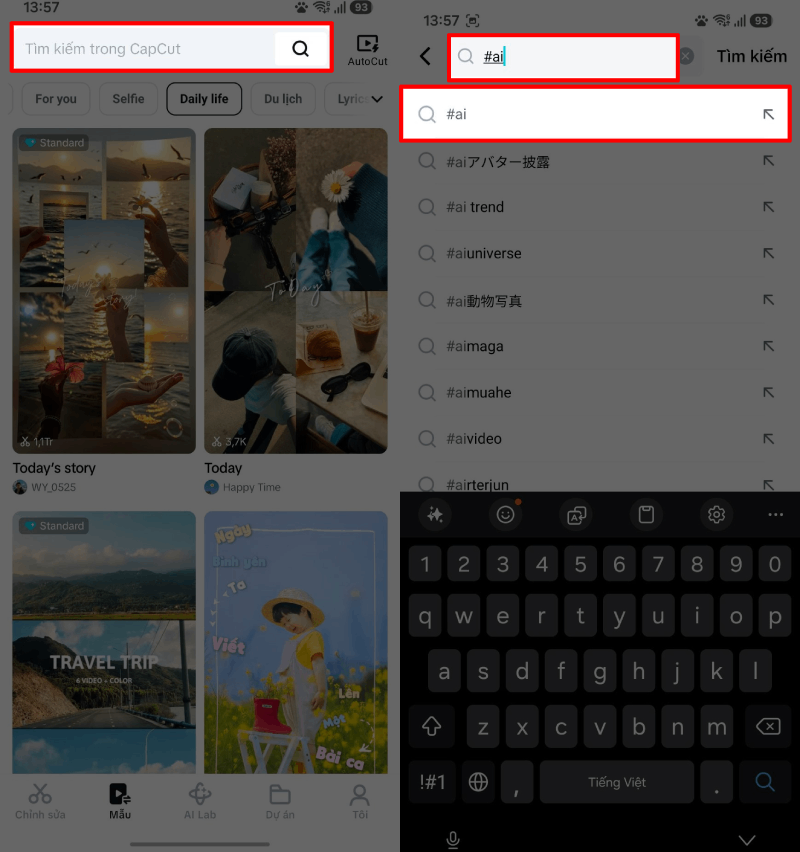 |
| Open the CapCut app on your phone. |
Step 2: After searching, the system will display many AI image templates with various styles such as portrait, art, historical, travel , or creative photos. Choose your favorite template and press Use to start creating your photo.
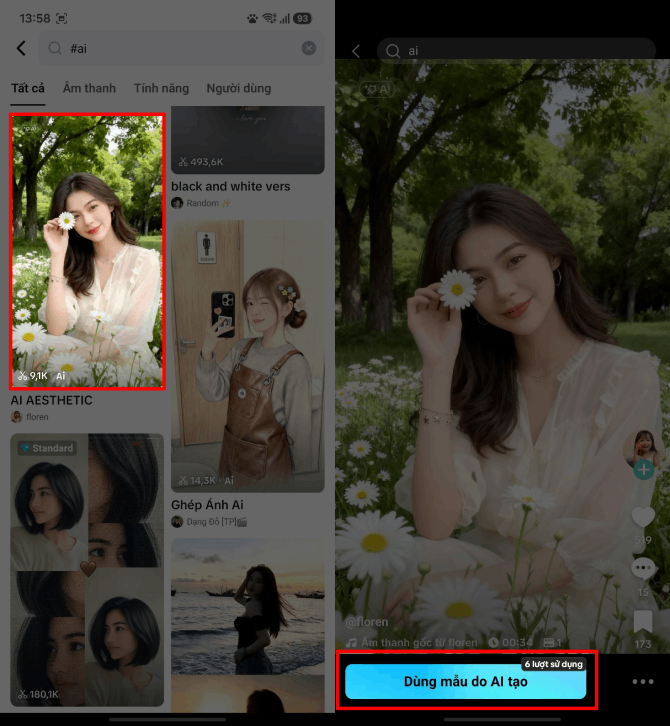 |
| After the search, the system will display many AI image samples. |
Step 3: Next, select a clear photo of your face from your phone's gallery. CapCut's AI will automatically recognize your face and process it in seconds to create a new image in your chosen style while preserving your natural features.
Step 4: After the image creation process is complete, click Export , then select Export without watermark to save the image or video to your computer with the best quality.
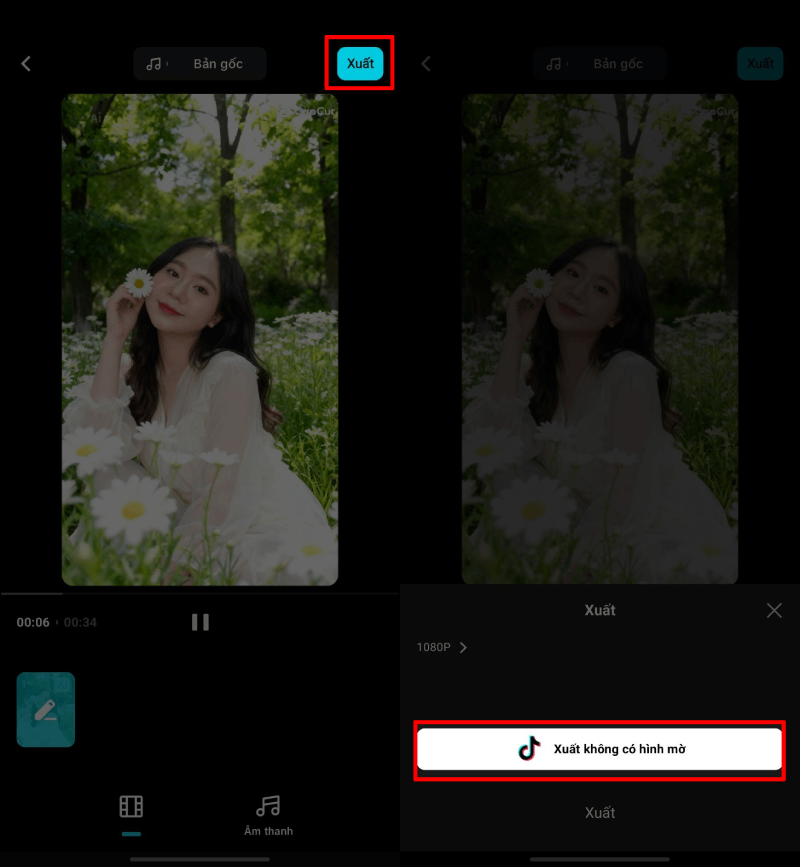 |
| After the image creation process is complete, click Export. |
With just a few simple steps, you can create unique, creative, and incredibly impressive portrait photos right on CapCut.
Thus, with just a few simple steps on CapCut, you can create stunning and creative portrait photos from real images. This AI feature not only helps you refresh your personal images but also provides many unique styles to share on social media in a more impressive way.
Source: https://baoquocte.vn/cach-tao-anh-chan-dung-tu-anh-that-bang-mau-capcut-ai-doc-dao-396485.html



















![[Photo] Reception to welcome General Secretary and President To Lam and his wife on their State visit to the Philippines](https://vphoto.vietnam.vn/thumb/1200x675/vietnam/resource/IMAGE/2026/06/01/1780295488620_vna-potal-chieu-dai-chao-mung-tong-bi-thu-chu-tich-nuoc-to-lam-va-phu-nhan-tham-cap-nha-nuoc-toi-philippines-8798060-7855-jpg.webp)




















































Comment (0)