

This week, Meta's Messenger messaging app began receiving several new feature updates, making them available to users in more markets around the world , including Vietnam.
One of the most notable changes is the ability to send HD (High Definition) images, ensuring better quality and reducing blur. The ability to send high-quality photos and videos has been available for some time, but only in about nine major markets such as the US, Canada, the UK, Australia, Japan, and South Korea.
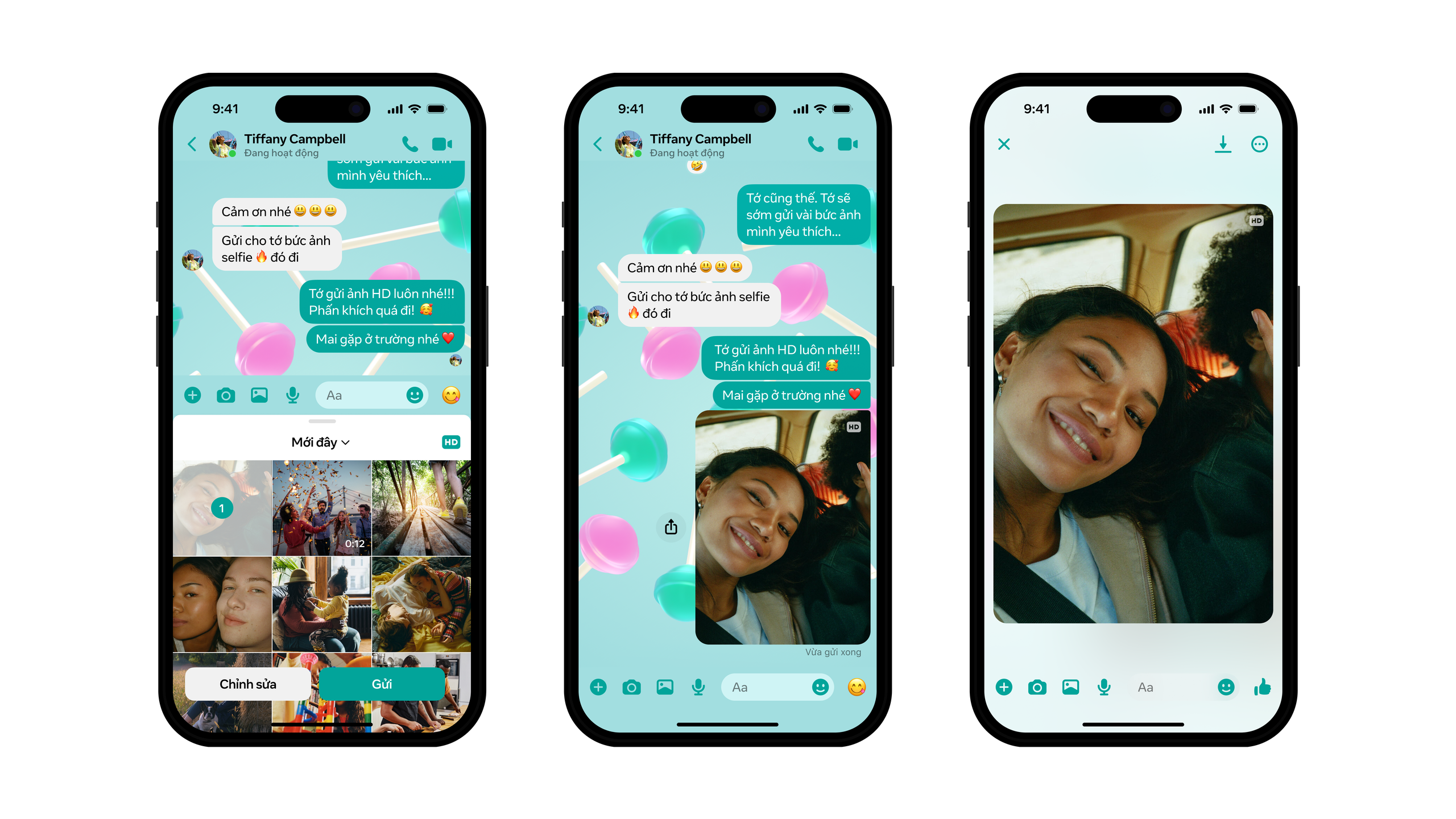
Users need to select the HD icon in the upper corner of the editor before sending to maintain high image quality.
In addition, Messenger has increased the maximum file size for files sent through the platform to 100 MB, supporting all popular file formats including Word, PDF, Excel, and zip. Users also have the option to share photo albums and connect with friends using QR codes. All of this can be done directly from a mobile device.
To send high-quality photos in a Messenger chat, users select photos from their device's library, then tap the HD icon on the right side of the screen and tap "Send". If sharing multiple photos at once, select all the photos you want to send before tapping the HD icon.
The feature to create shared albums within group chats is expected to roll out in the next few weeks, aiming to help users share and organize cherished moments with friends and family more conveniently. To create a new album in a group chat, members select multiple photos from the editing tool or press and hold photos in the chat and select "Create album".
All group members can view, add, delete, or download images and videos included in the album.
Source link

![[Photo] Prime Minister Pham Minh Chinh attends the Conference on the Implementation of Tasks for 2026 of the Industry and Trade Sector](/_next/image?url=https%3A%2F%2Fvphoto.vietnam.vn%2Fthumb%2F1200x675%2Fvietnam%2Fresource%2FIMAGE%2F2025%2F12%2F19%2F1766159500458_ndo_br_shared31-jpg.webp&w=3840&q=75)




































































































Comment (0)