 |
If you still don't know how to watch videos on the TikTok app anywhere without an internet connection, check out the steps below.
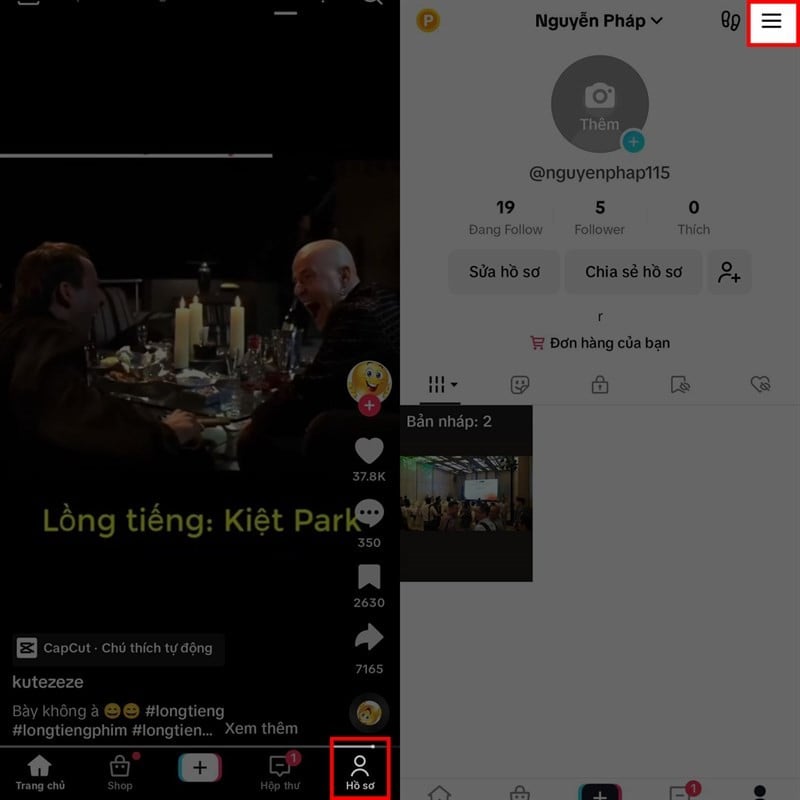
Step 1 : First, update the TikTok app to the latest version.
Step 2 : Once the update is complete, open the app and tap the personal icon located in the upper right corner of the app's navigation bar. Next, tap the three horizontal lines menu icon in the upper right corner of the screen.



 |
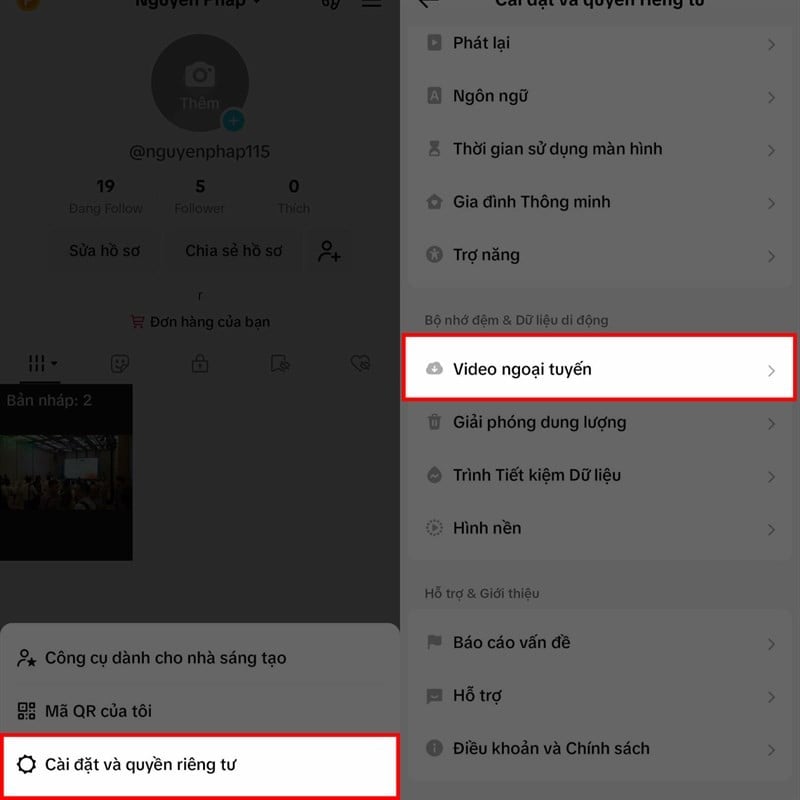
Step 3 : Next, several options will appear; select "Settings and Privacy" to continue. When the app's settings interface appears, scroll down and tap on "Offline Videos".
 |
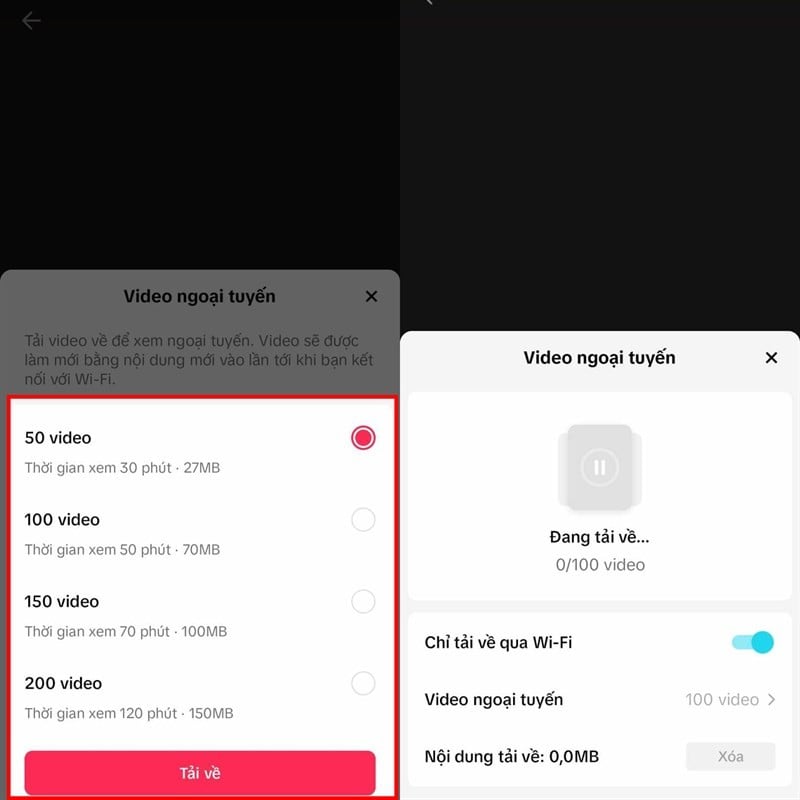
Step 4 : The app will display a series of options for the number of videos: 50, 100, 150, or 200. Choose a number that is sufficient for viewing and then press Download. Note that the more videos you download, the more storage space your device will use.



 |
Source
![[Photo] Prime Minister Le Minh Hung presides over the thematic session on promoting science and technology development and innovation.](https://vphoto.vietnam.vn/thumb/1200x675/vietnam/resource/IMAGE/2026/06/23/1782207872934_ndo_br_dsc-1724-jpg.webp)