

Accurately locating a lost or misplaced iPhone is crucial. This article will guide you through 8 of the quickest ways to find your iPhone!
 |
How to locate your iPhone using iCloud easily
To locate your iPhone, use iCloud and follow these steps:
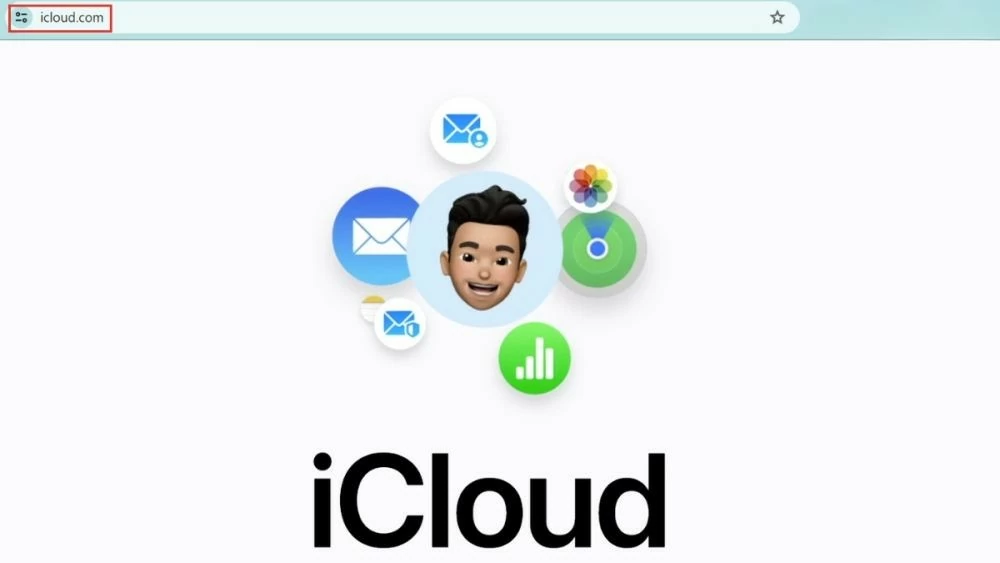
Step 1: Use a computer, another iPhone, or iPad (not an Android phone) to access the iCloud website.
 |
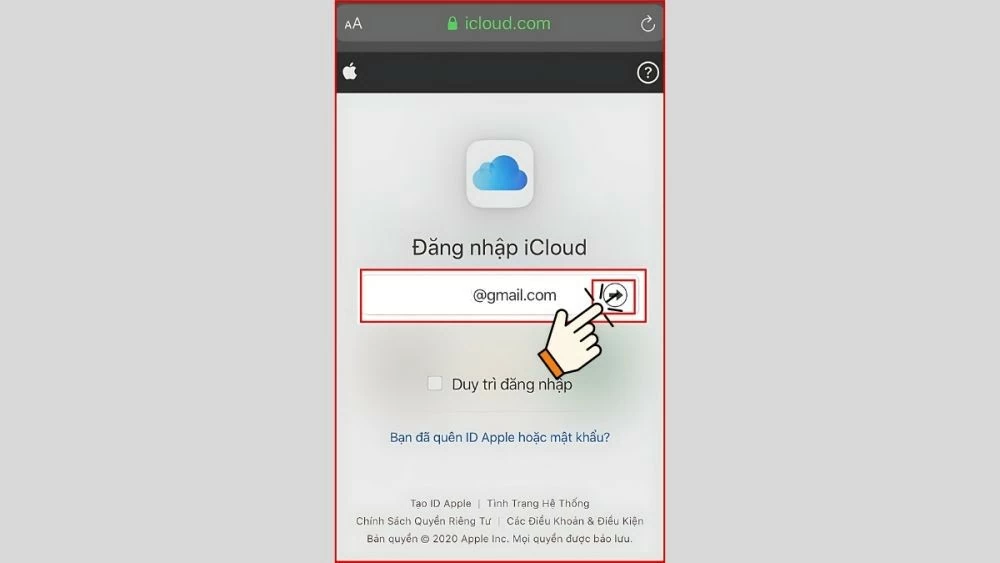
Step 2: Next, enter the iCloud account currently in use on the lost phone. Then, tap the right arrow to continue.
 |
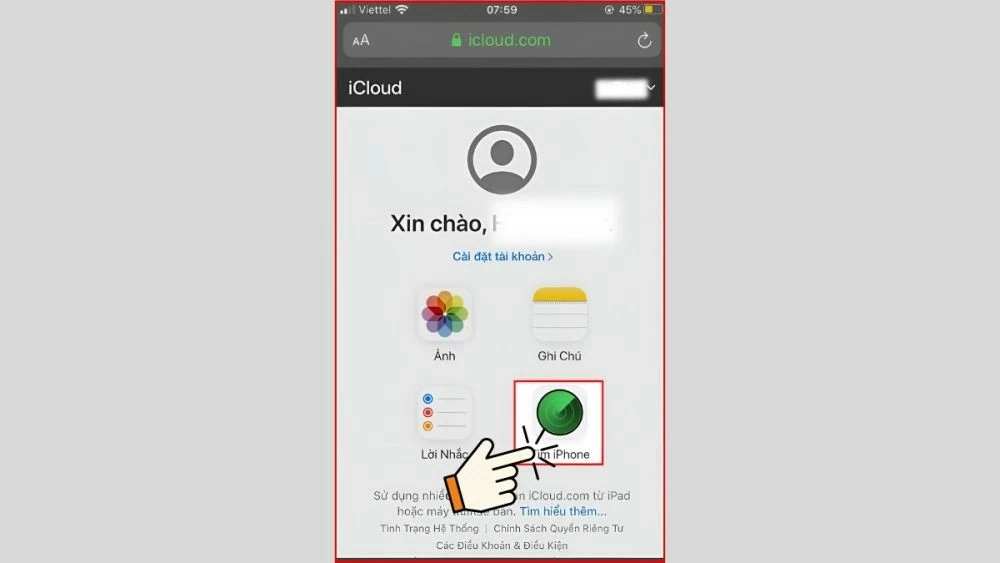
Step 3: Next, access the "Find iPhone" section to quickly locate your iPhone via iCloud.
 |
Step 4: After logging into your iCloud account, the system will automatically display a list of devices linked to your account. Scroll down the screen to view the list and select the device you want to locate.
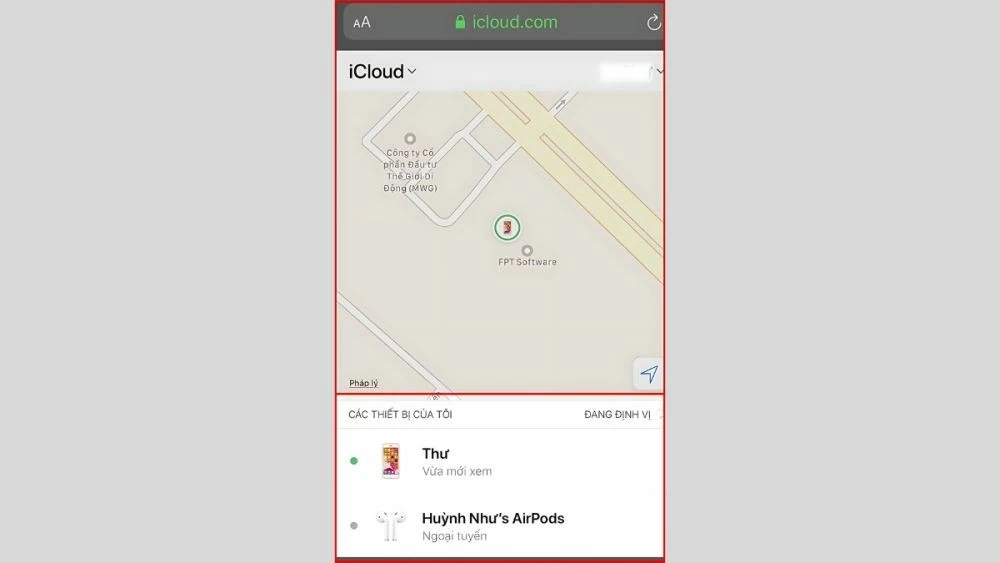 |
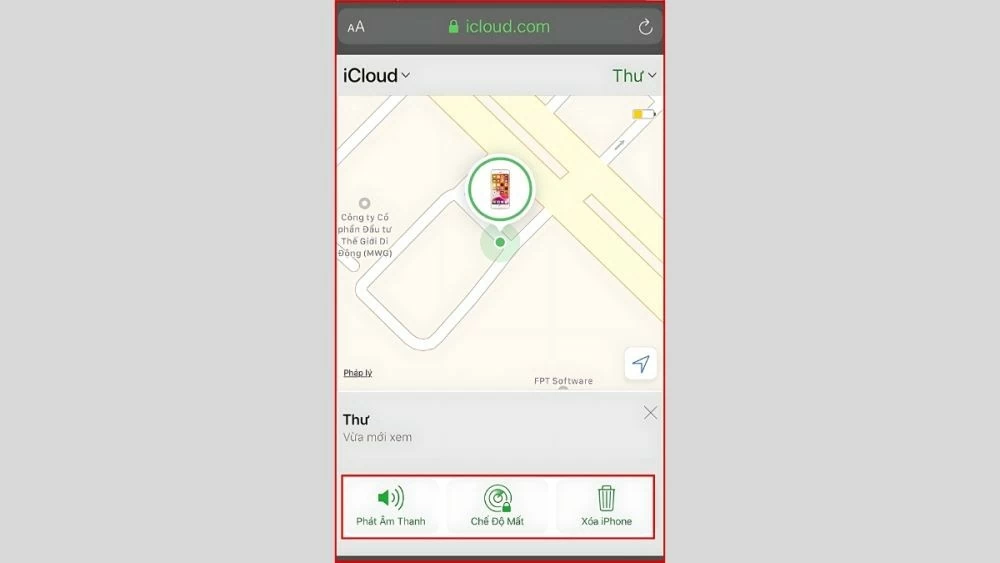
Step 5: Here, you can choose one of the following three modes:
- Play Sound : If your phone is lost near you, this mode will play a sound to help you easily find the device, even if it's in silent mode.
- Lost Mode : Use this mode when your phone is lost and has no network connection.
- Erase Device : Select this option to erase all data on your iPhone or iPad to protect your personal information.
 |
Instructions on how to locate someone else's iPhone using IMEI Tracker.
Absolutely! Besides the method above, you can also locate someone else's iPhone using its phone number, even if the device is turned off. This is a newer, lesser-known method. All you need is the phone's IMEI code. To look up the IMEI, simply dial *#06#. Once you have the IMEI code, you can follow these steps.
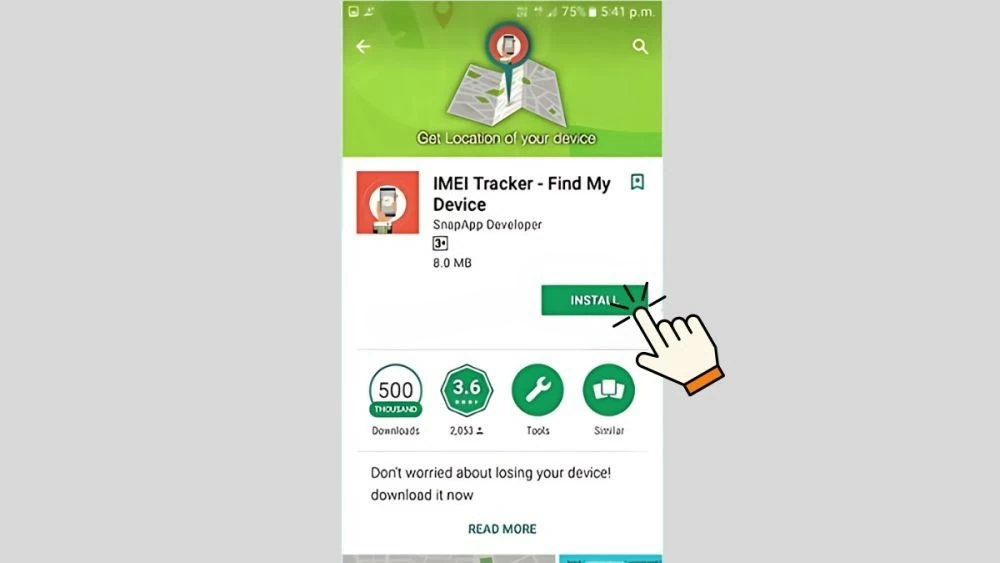
Step 1: First, download and install the IMEI Tracker app. After installation, you will need to grant the necessary access permissions to the IMEI Tracker app on your device.
 |
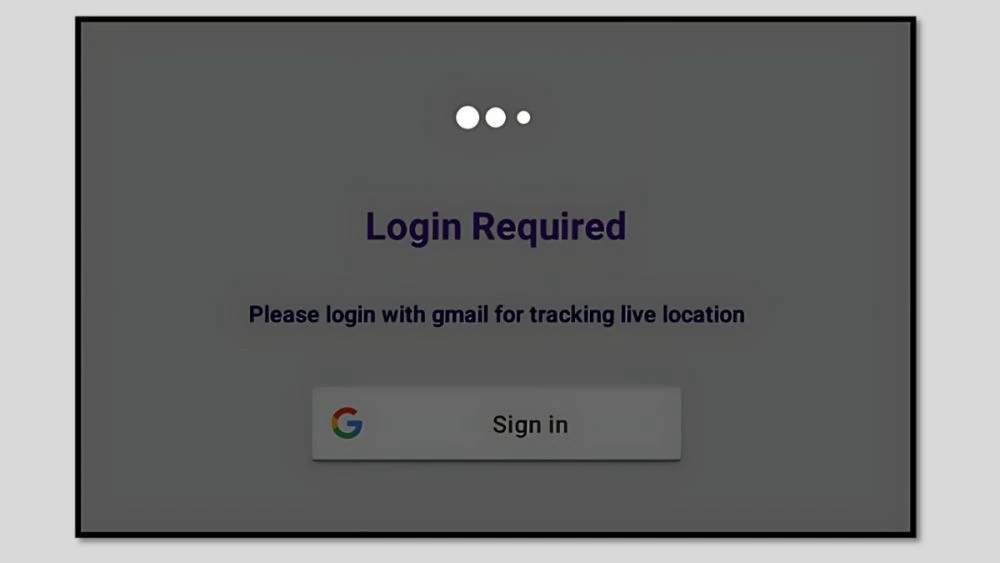
Step 2: After installing the app and granting access permissions, you will be asked to enter the phone number of the person you want to locate.
 |
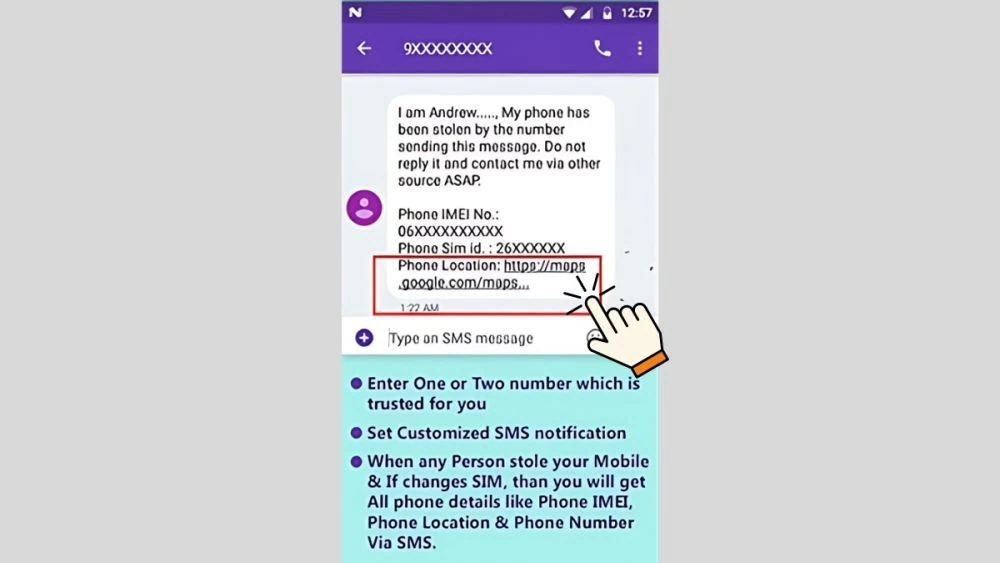
Step 3: After entering the phone number, you will see the phone's location on Google Maps. You will also receive detailed directions to that location. This way, you can quickly locate someone else's iPhone.
 |
Instructions on locating your iPhone using the Find My iPhone feature.
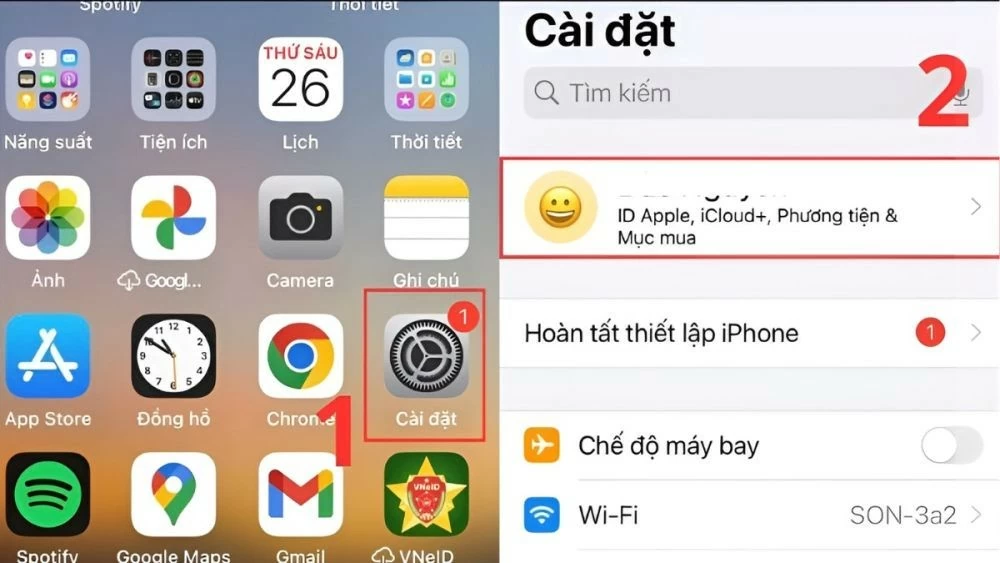
To use the iPhone location feature, you need to activate the "Find iPhone" function on your device first. Below are detailed steps to easily locate your iPhone:
Step 1: Open the "Settings" app on your iPhone, then select your iCloud account name.
 |
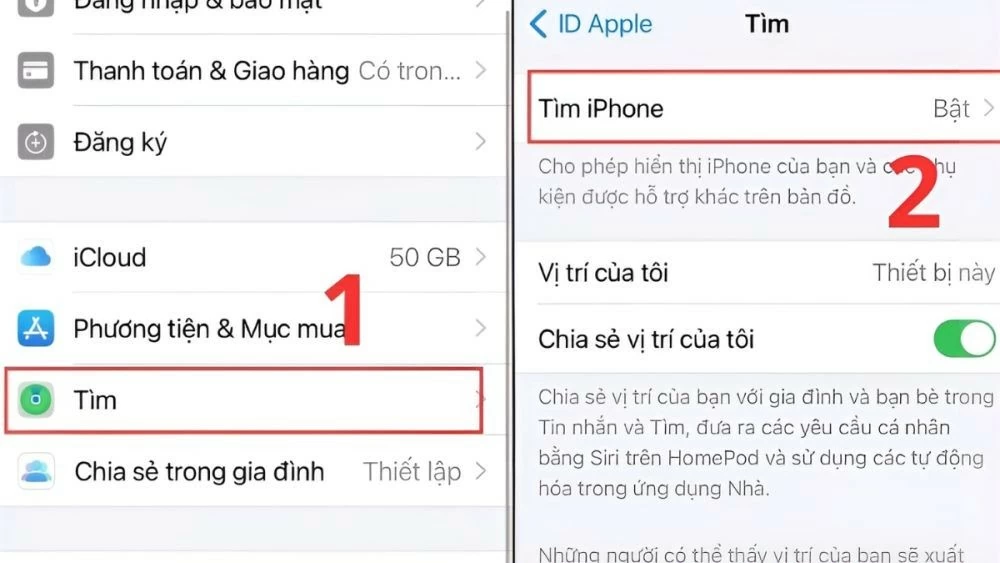
Step 2: Go to the "Find" section, then select the "Find My iPhone" option.
 |
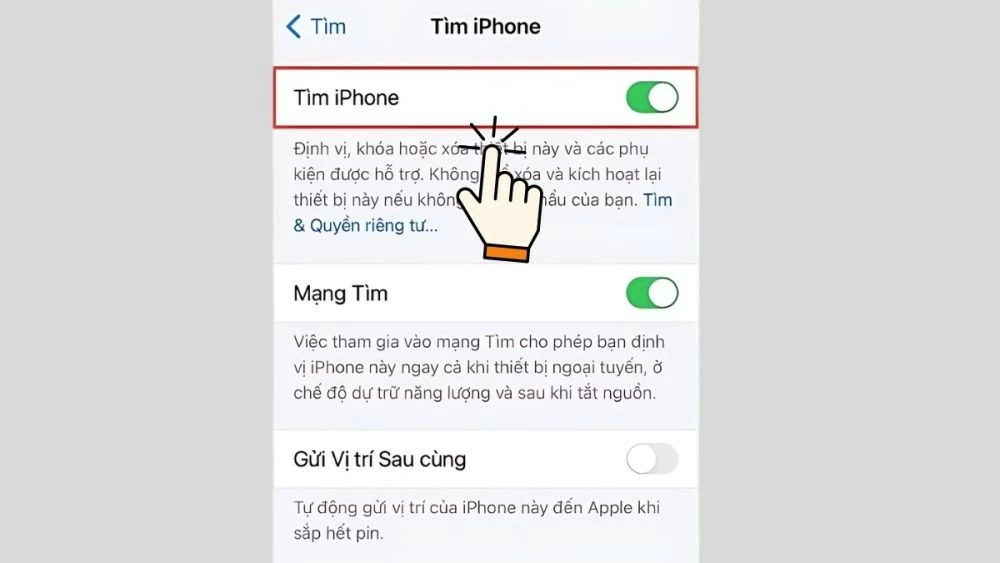
Step 3: To activate the feature, turn on the switch next to "Find My iPhone". When the switch turns green, the iPhone location tracking feature has been successfully enabled.
 |
How to locate your iPhone using Apple Watch
To locate your iPhone when it's turned off via Apple Watch simply and effectively, follow the steps below:
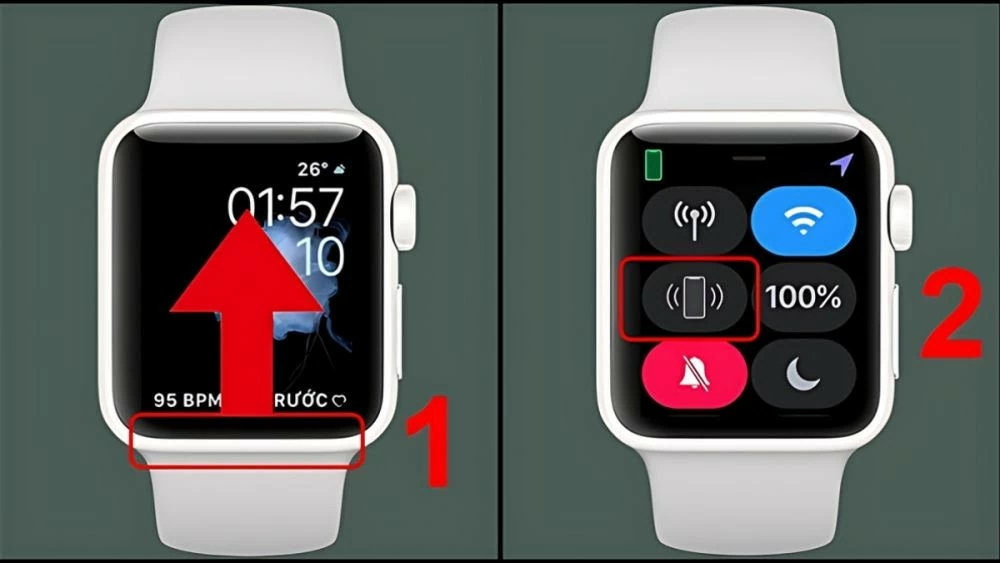
Step 1 : First, open Control Center on your Apple Watch by swiping up from the bottom of the screen. Then, select the vibrating iPhone icon.
 |
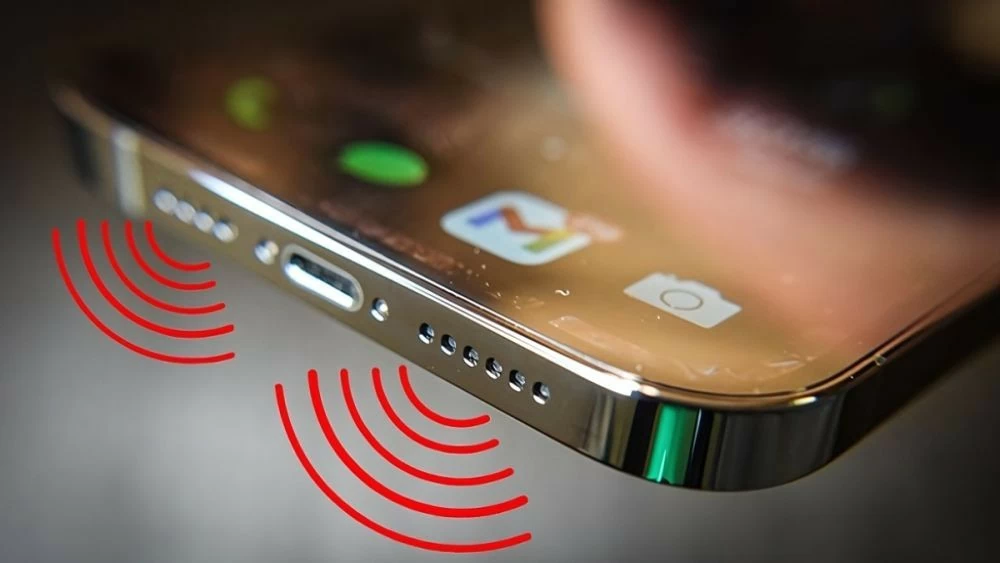
Step 2: Your iPhone will immediately emit a loud alert sound, making it easy to find the device nearby. The sound will continue to play even when the iPhone is in silent mode.
 |
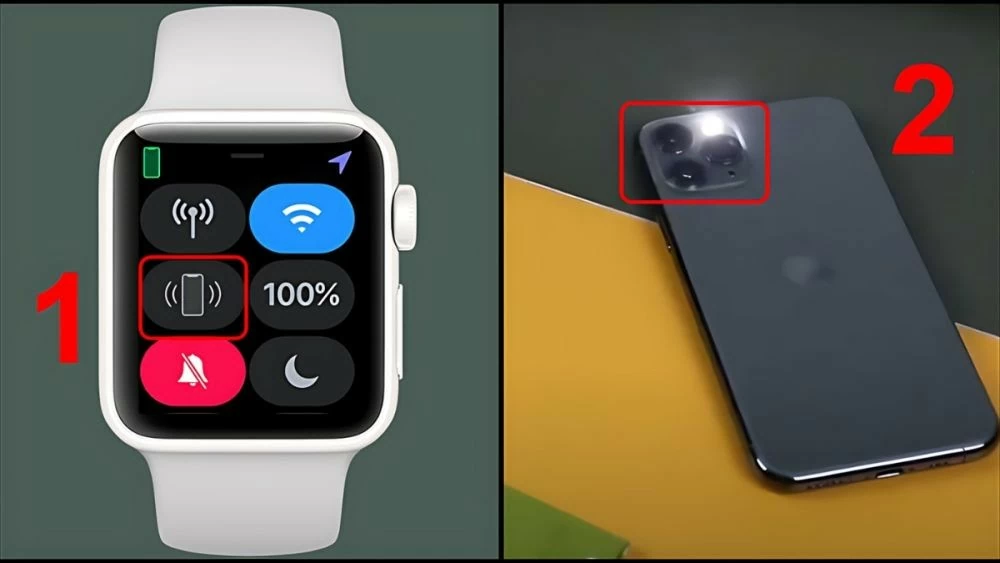
Step 3: If you still can't find your iPhone, press and hold the vibrating iPhone icon. The iPhone will activate the LED flash to help you easily identify the device in low light conditions.
 |
Instructions on how to locate your iPhone using built-in features.
To locate your iPhone when it's turned off using the built-in features, you can follow these simple and effective steps:
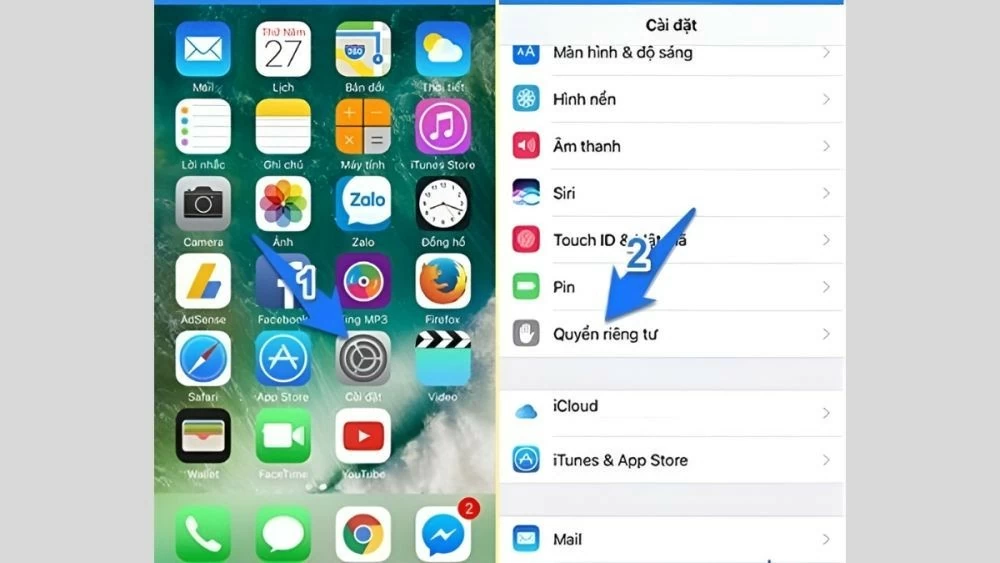
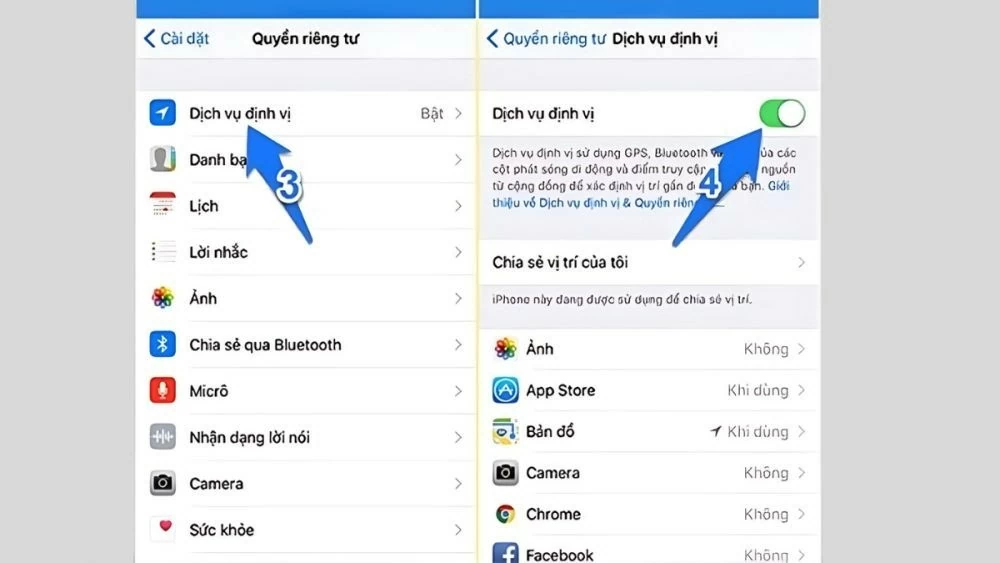
Step 1: Open the Settings app on your phone, then select "Privacy" from the list.
 |
Step 2: Go to the "Location Services" section and slide the switch to the right to activate this feature.
 |
Step 3: Scroll down and select “System Services”. Then, select “Frequently Visited Locations” and enable this feature by toggling the switch to the ON position.
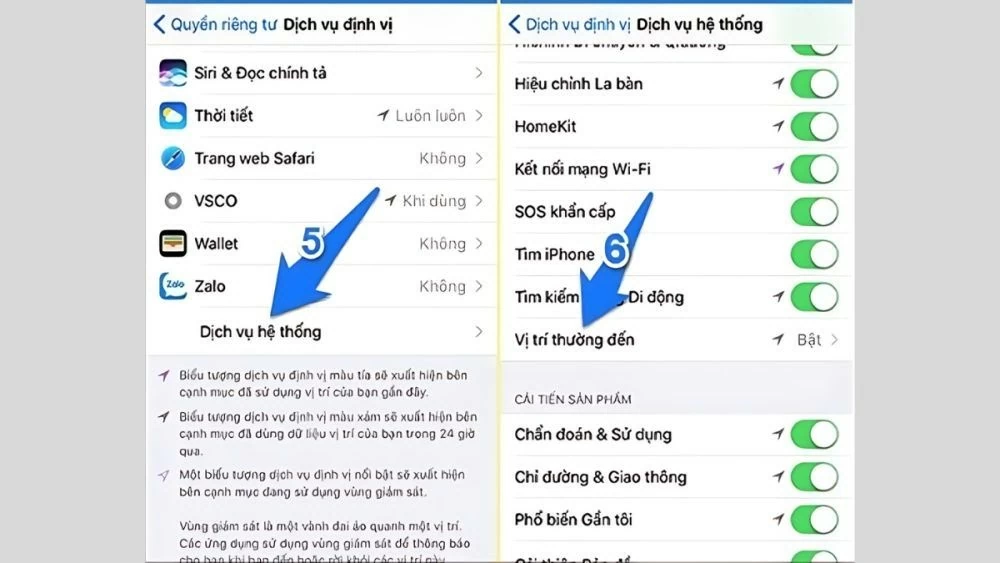 |
This method allows you to easily determine a user's location based on the places they've visited. It's a convenient method that doesn't require additional software installation, helping you quickly locate and manage iPhones effectively.
Instructions on how to locate someone else's lost iPhone using Sharing Location.
To locate someone else's iPhone using the Location Sharing feature, you can follow these steps:
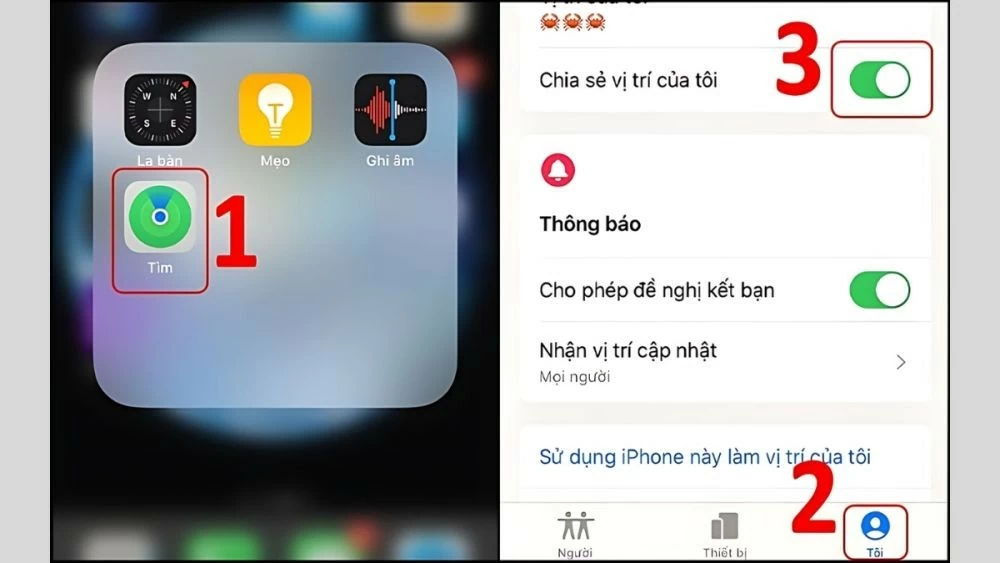
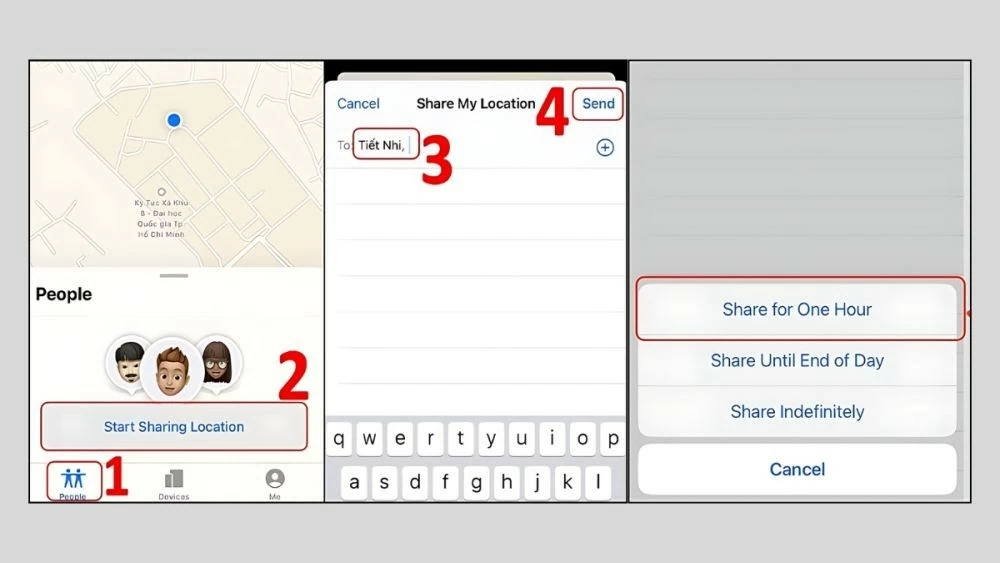
Step 1: On device A, open the Find app and go to the "Me" tab. Then, activate the "Share my location" feature. Next, go to the "People" tab and select "Start sharing location". Choose device B that you want to share your location with and send a request from there.
 |
Step 2: Choose the time period for location sharing. For example, if you want to locate your husband's iPhone for one hour, select "Share for One Hour".
 |
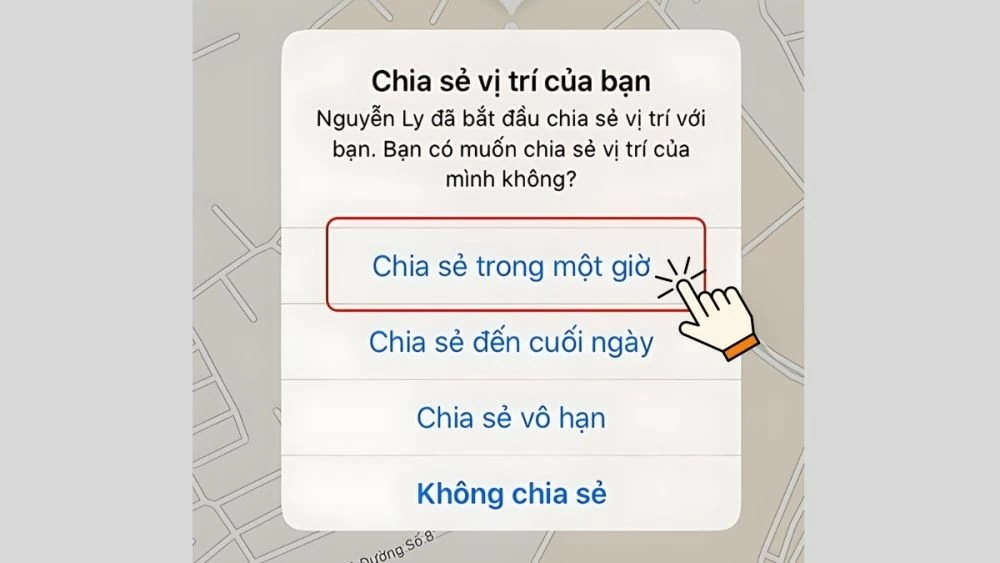
Step 3: Device B will receive a location sharing request from Device A. You can choose when and for how long you want to share your location. To protect your privacy, if you do not want to reveal your current location, select the "Do not share" option.
 |
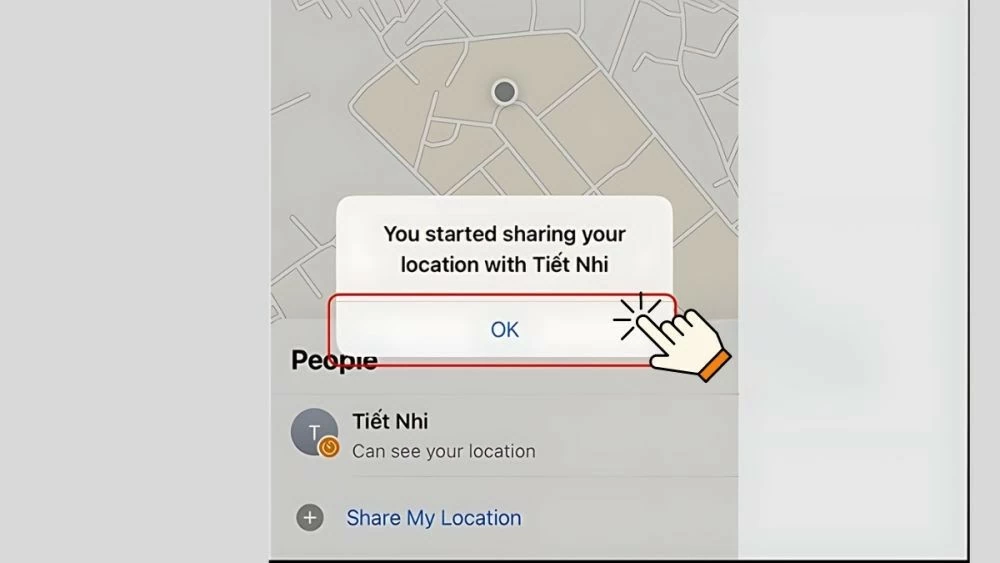
Step 4: Once device B agrees to share its location, device A will receive an automatic confirmation notification. Simply press the "OK" button, and the location sharing between the two phones is quickly and easily completed.
 |
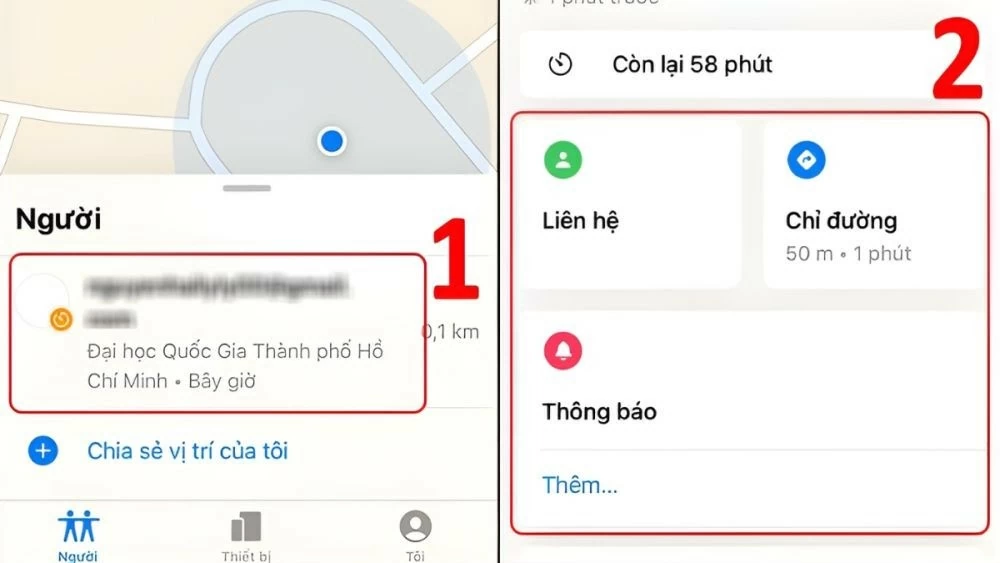
Step 5: To locate device A from device B, go to the "People" tab and select a search method:
- Contact Information : Displays A's contact details.
- Notification : Send a notification when device A connects to the network or powers back on.
- Directions : Open the map app to get directions to location A.
 |
Instructions on how to locate someone else's iPhone using Find My Friends.
An effective way to locate someone else's iPhone, such as your spouse's or a friend's, is to use the Find My Friends app. Follow the steps below to easily locate their iPhone:
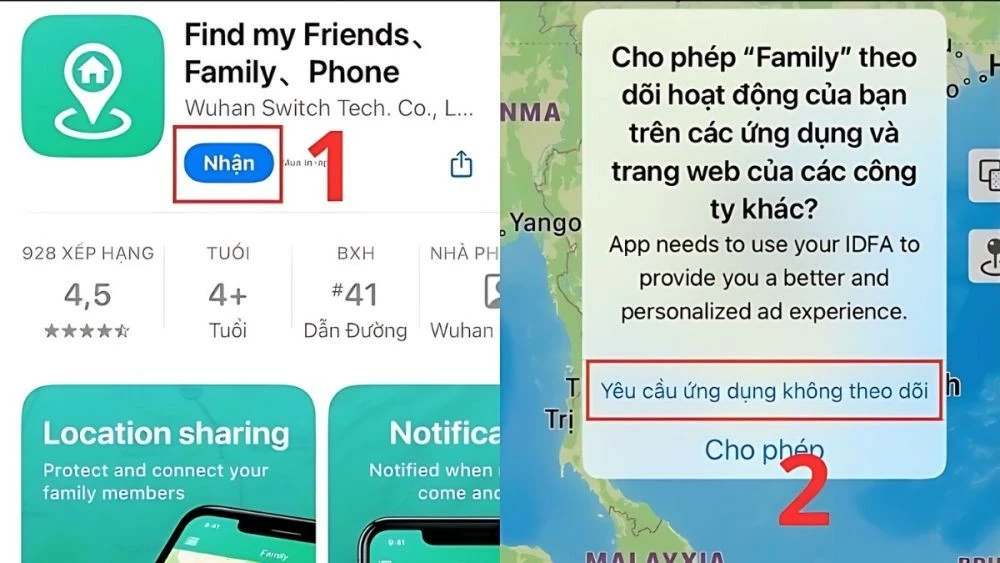
Step 1: First, download and install the Find My Friends app from the App Store on your iOS device.
 |
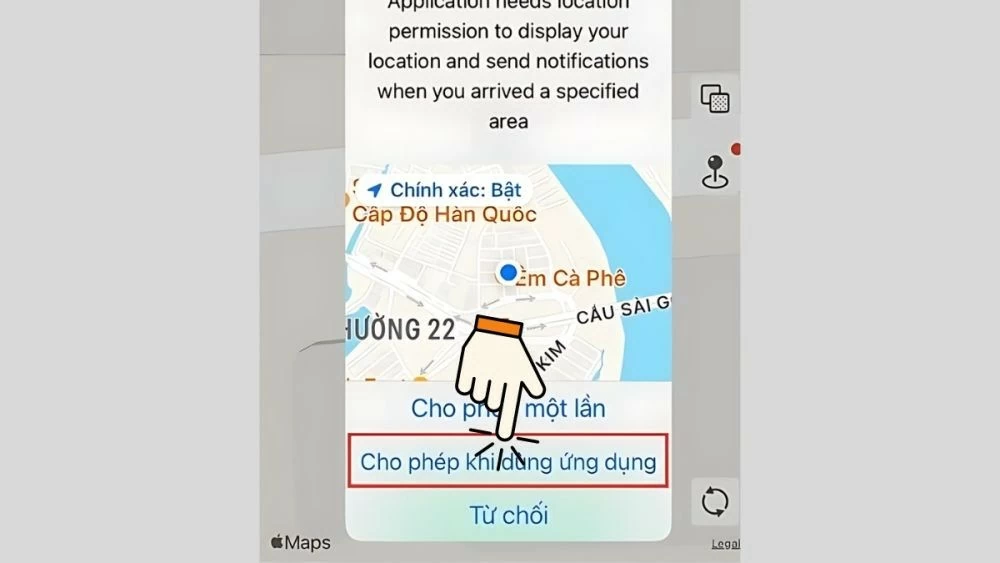
Step 2: After installation is complete, open the app and select "Do Not Track". Next, allow the app to access your device's location by tapping the "Allow when using the app" option.
 |
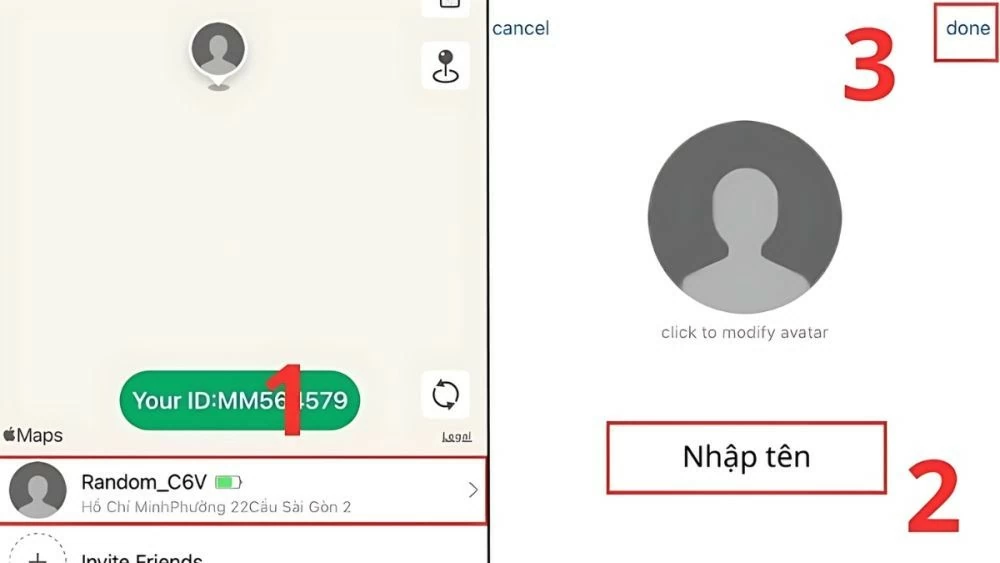
Step 3: In this step, you can edit your profile picture and set a new name for your account. When finished, click "Done".
 |
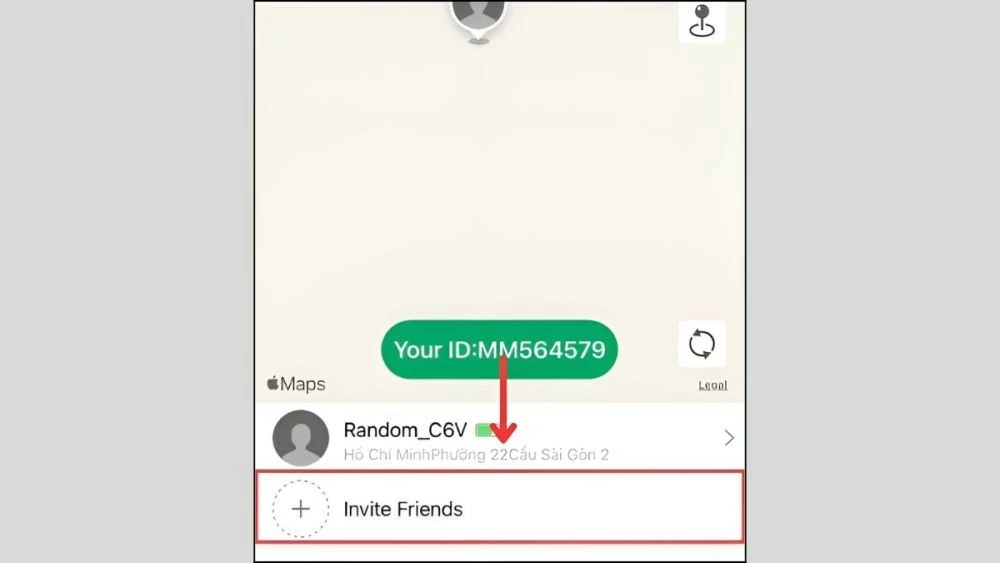
Step 4: Next, click the "Invite Friends" button to add other people.
 |
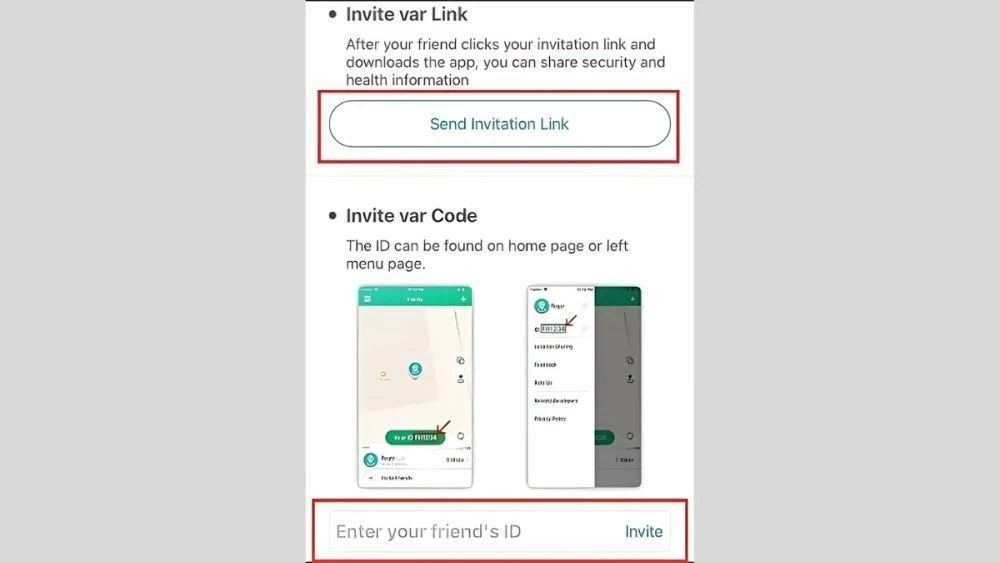
Step 5: There are two ways to invite friends to join:
- Send a link: Click "Send invitation link" to send the link to the friend you want to connect with.
- Enter ID: If they already have an account, enter their "ID" and then click "Invite".
Once that person confirms, you can easily track their location on your phone anytime, anywhere.
 |
Instructions on how to share your iPhone location using the Zalo app.
Want to find your lost iPhone? Zalo will help you locate it quickly and accurately through the following steps:
Step 1: Install the Zalo and Google Maps apps on both phones from the app store.
 |
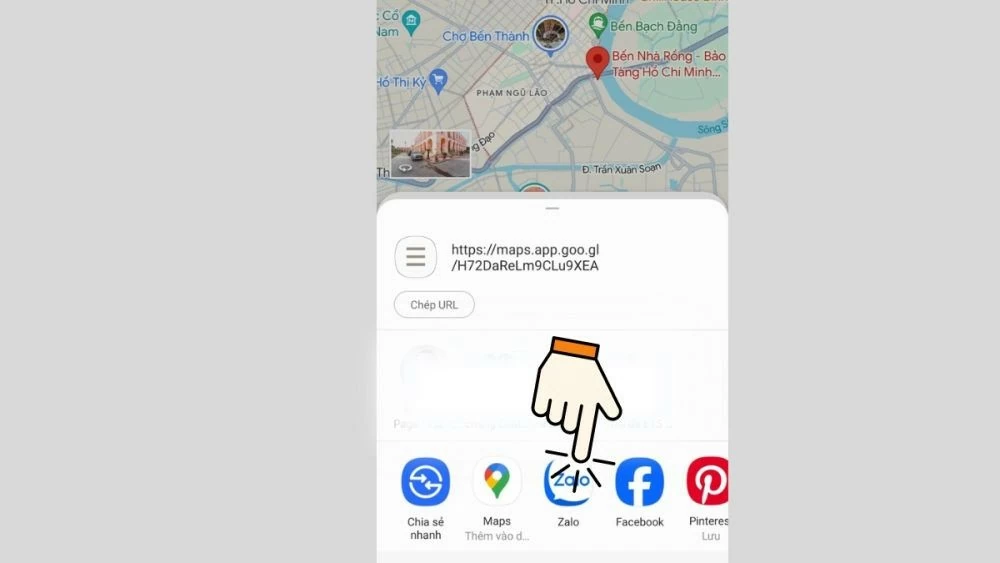
Step 2: Open the Google Maps app, select "Share location," and then select "Send via Zalo."
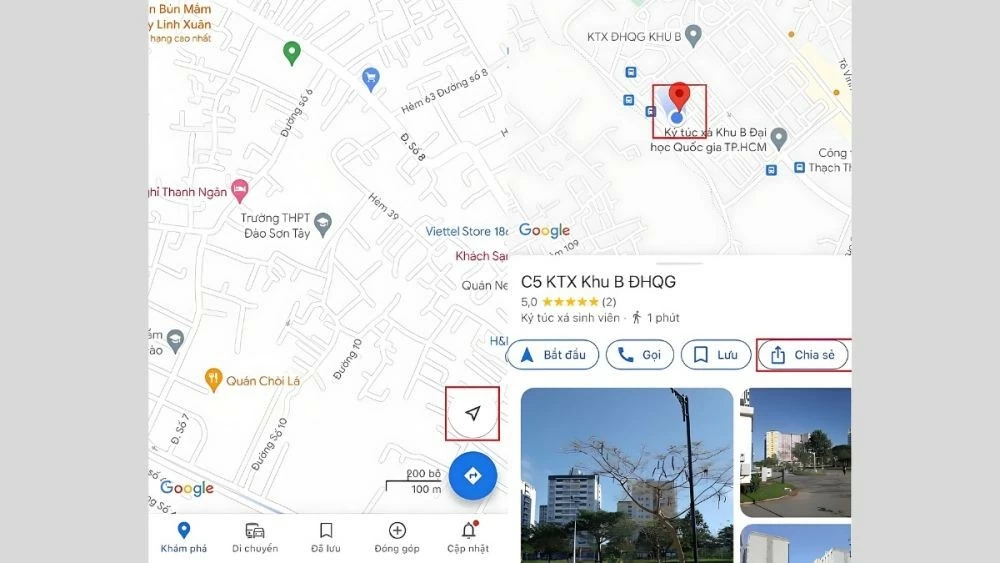 |
Step 3: Zalo will display a list of your friends so you can select the people you want to share your location with.
 |
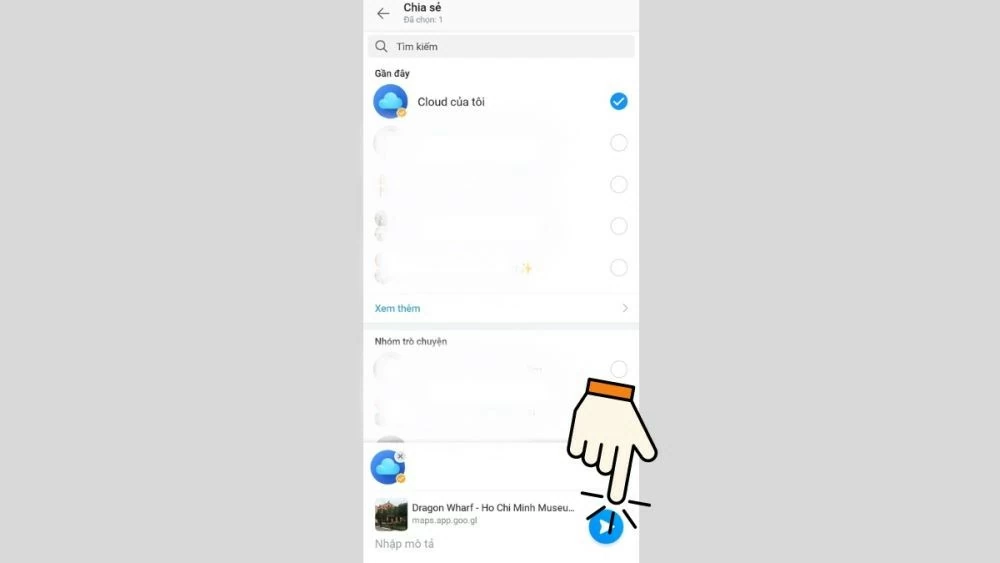
Step 4: Click the "Accept" button (green arrow icon) to start sharing your location.
 |
Want to know what your loved ones are doing? iCloud, Zalo, and many other apps can help you track their location easily and accurately. Remember, using these features should be done responsibly and with respect for privacy.
Source: https://baoquocte.vn/mach-ban-8-cach-dinh-vi-iphone-nhanh-chong-va-chinh-xac-nhat-287131.html


![[Photo] Prime Minister Pham Minh Chinh presides over a meeting on private sector economic development.](/_next/image?url=https%3A%2F%2Fvphoto.vietnam.vn%2Fthumb%2F1200x675%2Fvietnam%2Fresource%2FIMAGE%2F2025%2F12%2F20%2F1766237501876_thiet-ke-chua-co-ten-40-png.webp&w=3840&q=75)

































































































Comment (0)