

Try out the exciting Galaxy AI feature on your Samsung phone to get the photo you want. Just follow these simple steps below!
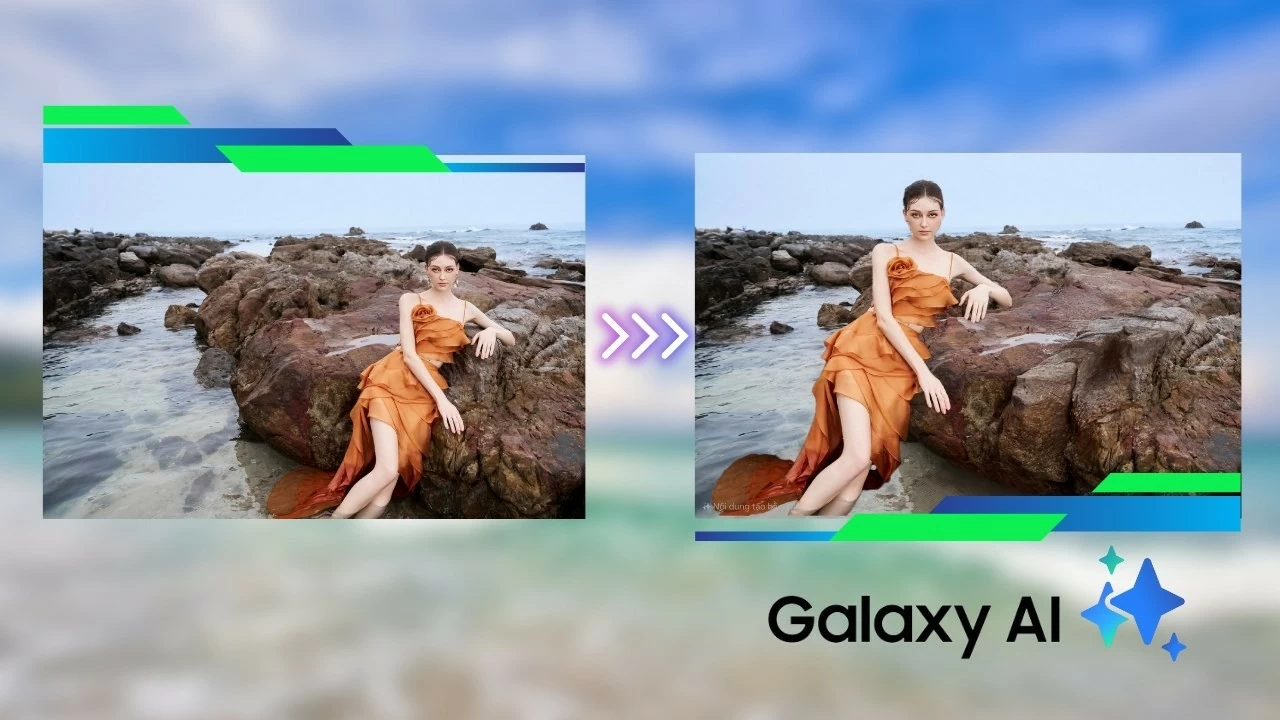 |
With Galaxy AI on Samsung devices, you can easily move people and objects in photos or quickly sketch them out. To move people in a photo using Galaxy AI, follow these steps:
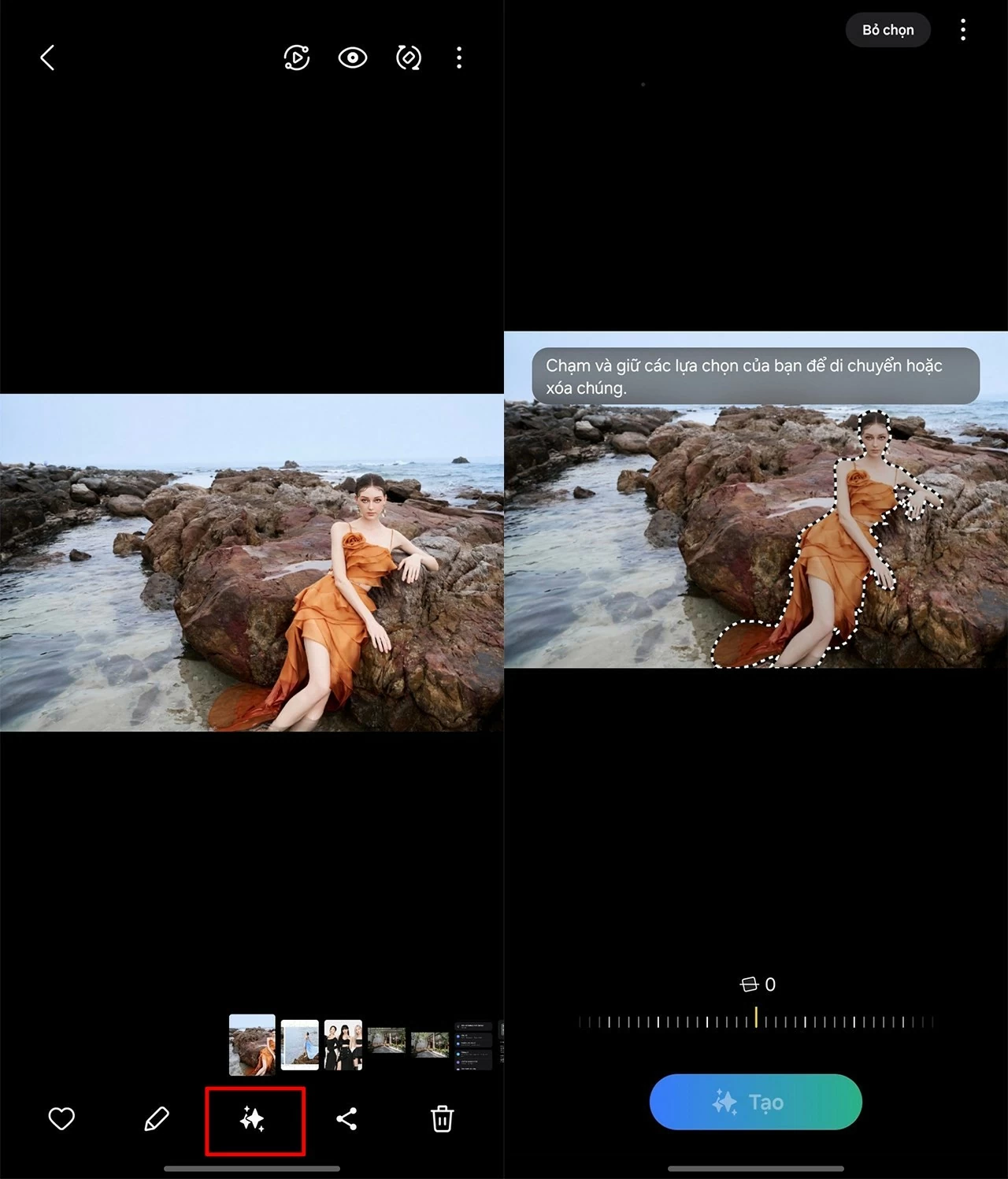
Step 1: To move people or objects in a photo using Galaxy AI, open the photo you want to edit, then tap the Galaxy AI icon . Next, tap or draw around the person or object you want to move.
 |
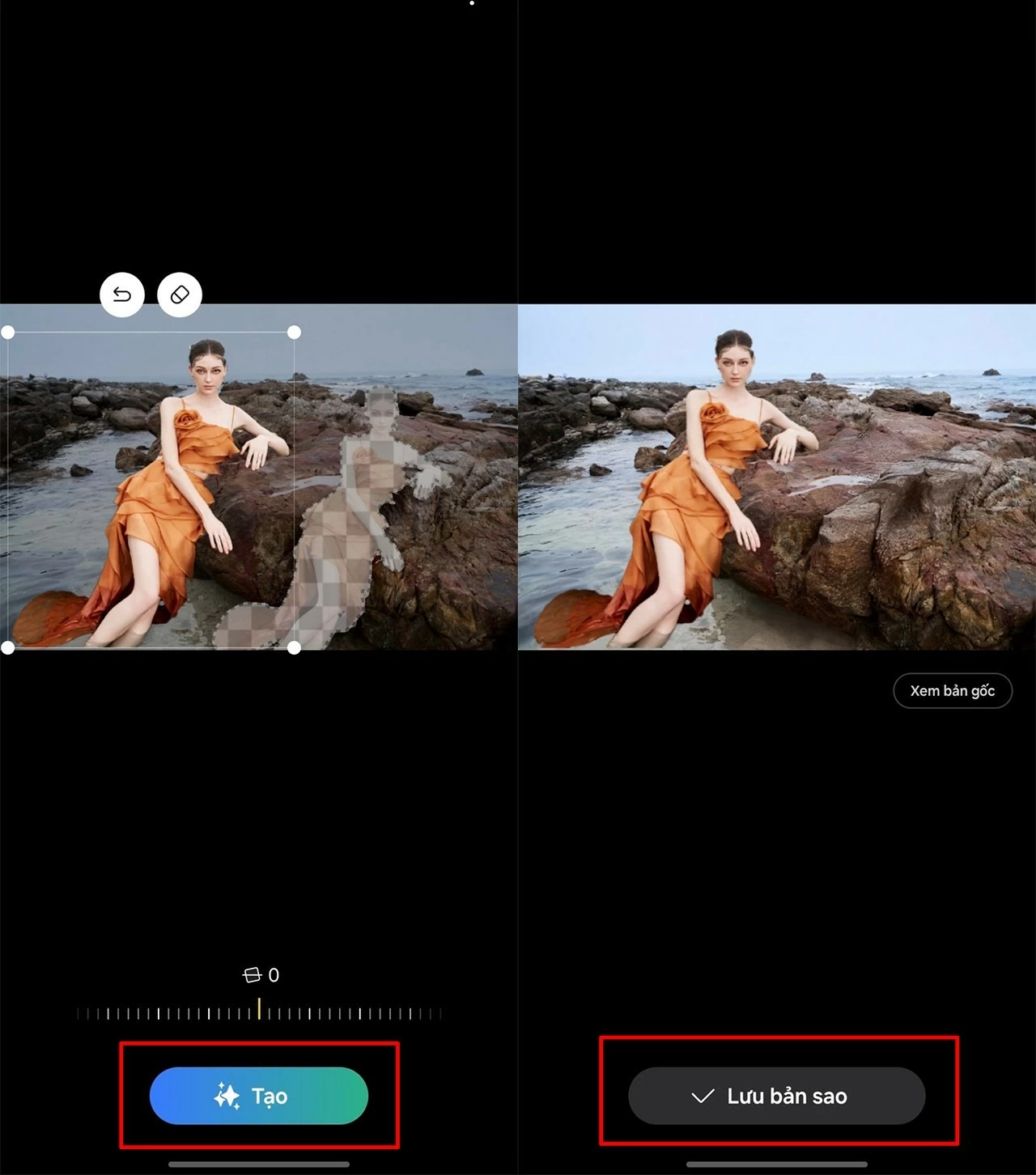
Step 2: Tap the object you want to move and drag it to the desired position. You can also customize the size and angle to your liking. After placing the object in the new position, press "Create" and wait for Galaxy AI to process it. In a few seconds, you will have the perfect picture you wanted.
 |
Below is a photo where I successfully tested moving objects using Galaxy AI.
 |
With its smart and user-friendly features, Galaxy AI on Samsung phones allows you to quickly move people in photos, providing an exciting and creative experience. Explore and utilize this technology to make your photos more perfect and unique than ever before.
Source: https://baoquocte.vn/su-dung-ai-de-di-chuyen-chu-the-trong-anh-tren-samsung-280633.html

![[Photo] Enchanting ancient rose garden on the mountainside in Nghe An](/_next/image?url=https%3A%2F%2Fvphoto.vietnam.vn%2Fthumb%2F1200x675%2Fvietnam%2Fresource%2FIMAGE%2F2025%2F12%2F19%2F1766109900916_vuon-hong-chin-do-thu-hut-du-khach-toi-check-in-o-ha-noi-3-20162778-1671624890024-1671624890104198100259.jpeg&w=3840&q=75)


![[Photo] General Secretary To Lam visits the exhibition space showcasing books, photo exhibitions, and achievements of digital transformation in journalism.](/_next/image?url=https%3A%2F%2Fvphoto.vietnam.vn%2Fthumb%2F1200x675%2Fvietnam%2Fresource%2FIMAGE%2F2025%2F12%2F19%2F1766110879215_1766110240024-jpg.webp&w=3840&q=75)










































































Comment (0)