

This feature, also known as dual-camera recording, is perfect for vlogging, reaction videos , or capturing multiple camera angles simultaneously. If you're unsure how to use it, here's a simple guide on how to record video with two cameras at the same time on Android.
1. What is dual-shot video recording?
Dual-camera video recording is a filming mode that allows you to display multiple camera angles in the same video instead of using just one camera as usual. When this feature is enabled, the phone will simultaneously record from multiple lenses to create a more visual and dynamic video. This is a very useful feature for those who frequently create vlogs, product reviews, or record videos to share their real-life emotions.
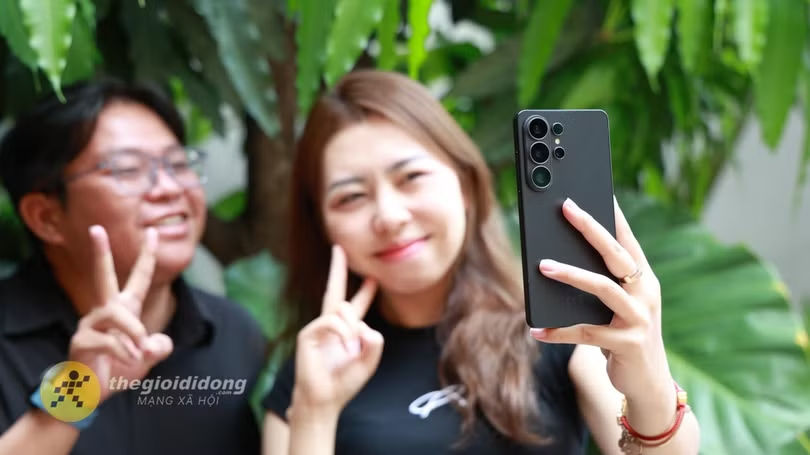
2. How to record video with two cameras simultaneously on Android
This guide was created using a Samsung phone, so the interface may look slightly different from other Android devices.
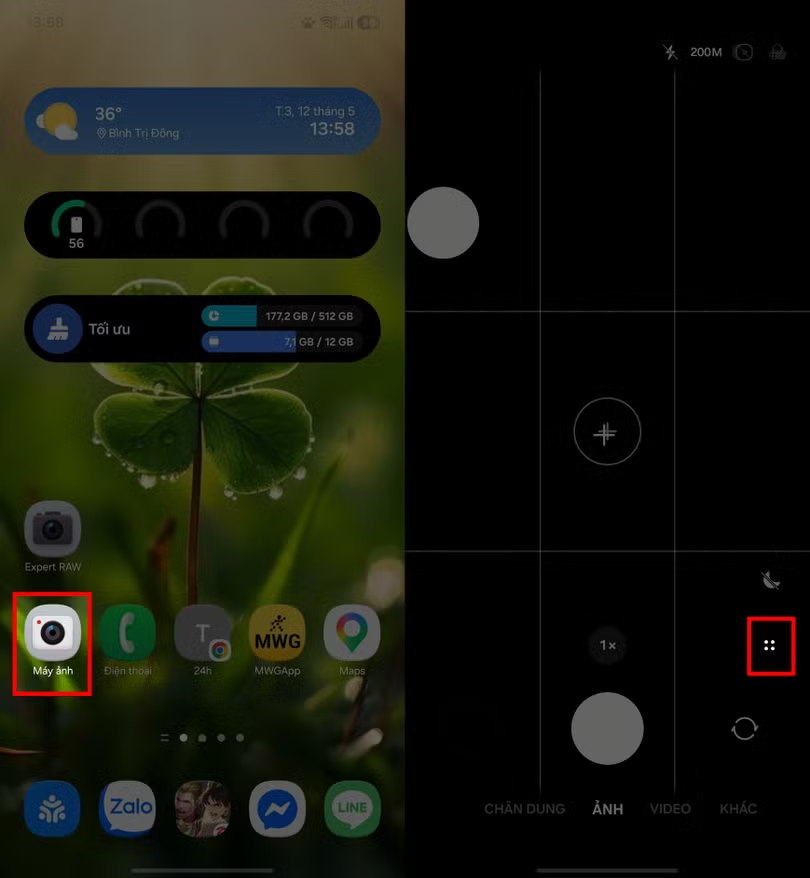
Step 1: Open the Camera app on your Android phone > Switch to Video mode and then tap the four-dot icon as shown in the image to open more video recording options.
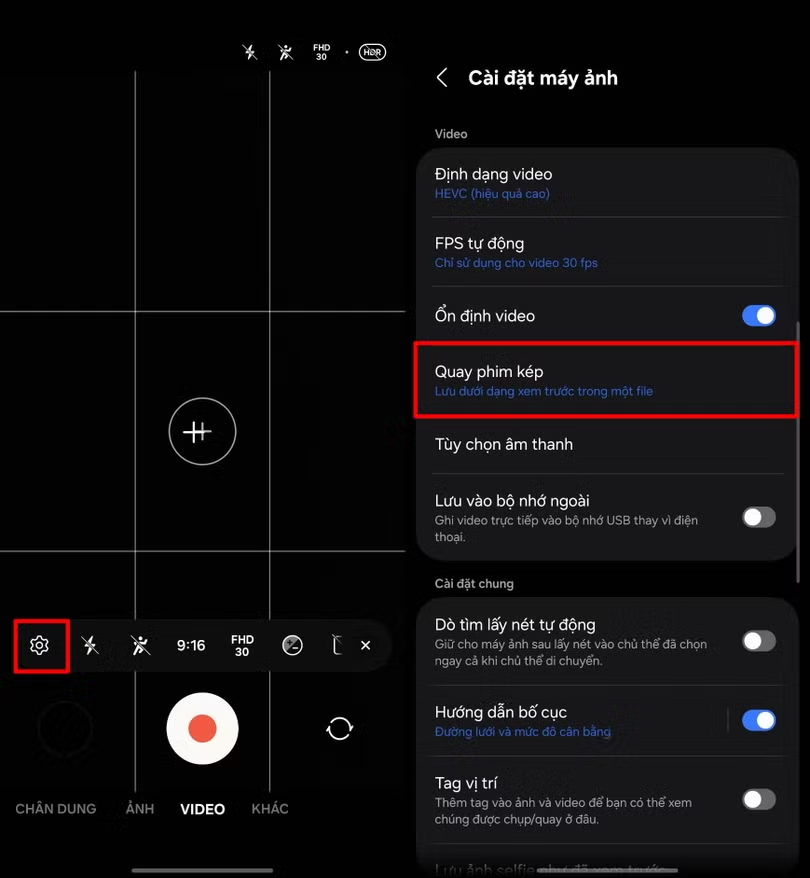
Step 2: Tap the Settings icon > Find the Dual Video Recording option. to choose how to save the video.
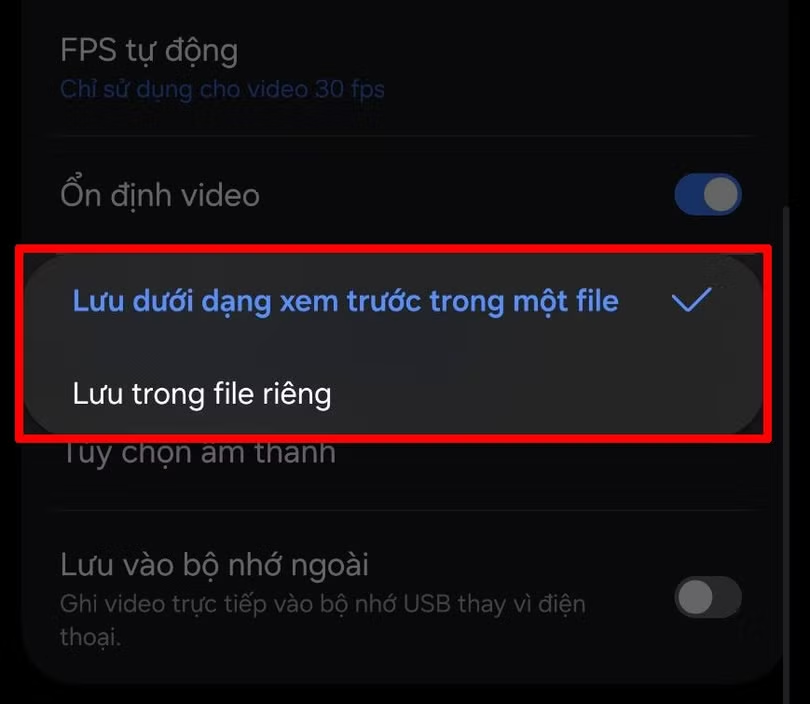
Step 4: In the Dual Recording section, you can choose how to save the video, such as saving it as a preview in a single file or saving it as separate files, depending on your needs.
Step 5: After enabling it, return to the video recording home page, tap the square icons as shown in the image > Both the front and rear cameras will appear on the screen so you can adjust the shooting angle > Press the video recording button to start dual-camera recording on Android.
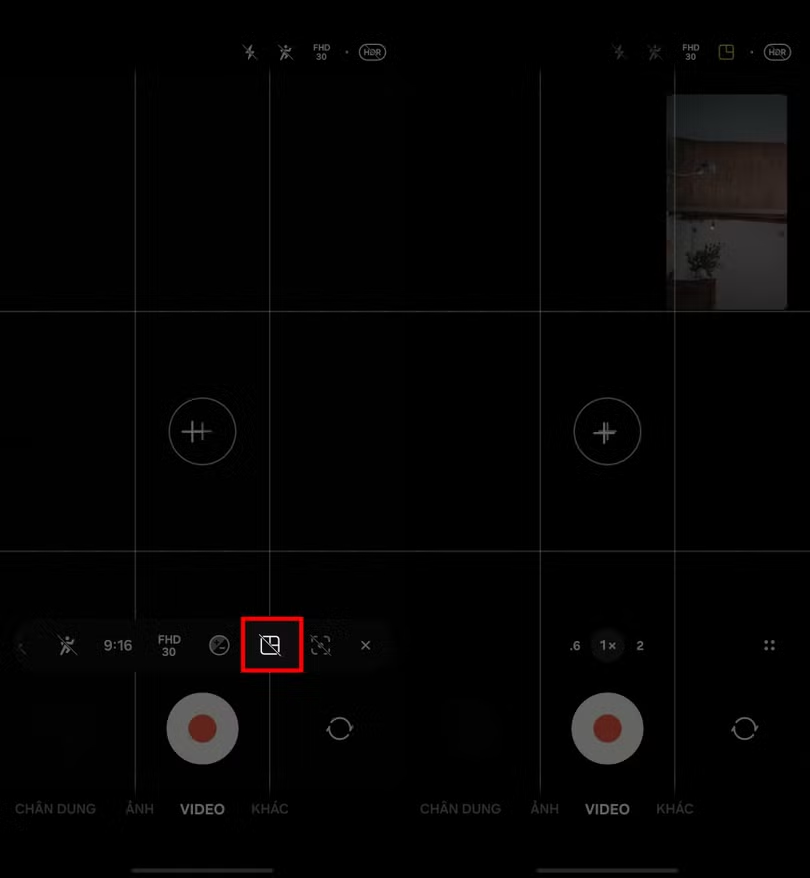
With dual video recording capabilities, you can easily capture multiple interesting angles in a single take, making it incredibly convenient and professional.
Source: https://baohatinh.vn/cach-quay-video-2-camera-cung-luc-บน-android-post310796.html

![[Photo] General Secretary and President To Lam receives Amazon's Senior Vice President David Zapolsky](https://vphoto.vietnam.vn/thumb/1200x675/vietnam/resource/IMAGE/2026/05/22/1779466547770_a1-bnd-3513-6601-jpg.webp)







































































Comment (0)