

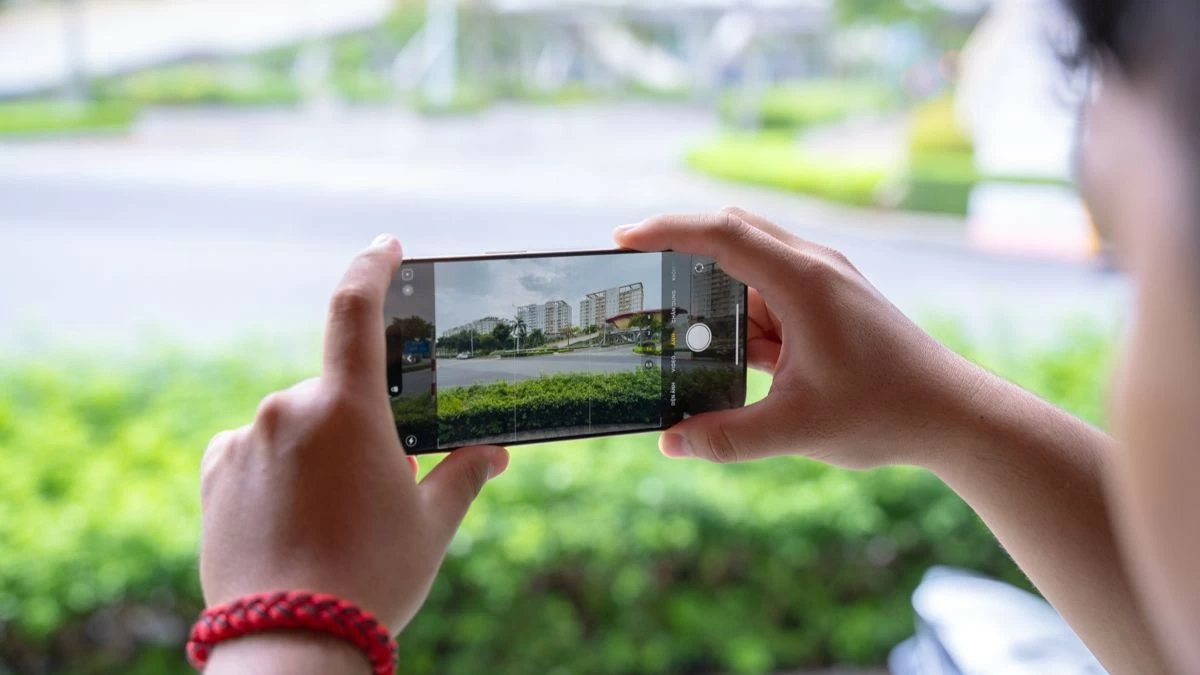
Want to optimize your iPhone 16 Series camera to create stunning photos? Discover how to turn every moment into a unique work of art!
 |
How to set up the basic iPhone 16 Series camera.
Make effective use of the "Photography Style" feature .
The "Photography Styles" feature on the iPhone 16 Series allows you to customize color and contrast before shooting, resulting in unique photos that require minimal post-editing. You can choose between styles such as vibrant, high-contrast, warm, or cool, depending on the mood and context you want to express. To use this feature, simply go to Settings > Camera > Photography Styles , then select your preferred style.
The great thing is that these customizations only affect the color processing without reducing detail or image quality. Thanks to the ability to customize the style, you can create photos with a personal touch without going through complicated editing steps.
Control the exposure of your phone.
Controlling exposure on the iPhone 16 Series is very simple. Just tap and hold the screen at the point you want to focus on. When the focus area appears, drag the sun icon up or down to adjust the brightness. This allows you to actively increase or decrease the amount of light to suit the scene you are shooting.
Note that excessive exposure can cause overexposure, especially when shooting in bright light environments such as outdoors. Therefore, adjustments are necessary to ensure that details in the image are clear and not lost in both bright and dark areas.
Control Aspect Ratio on your phone.
To change the aspect ratio, simply open the Camera app, tap the upward-pointing arrow icon in the middle of the top edge of the screen. Then, select the aspect ratio option and adjust it to your liking.
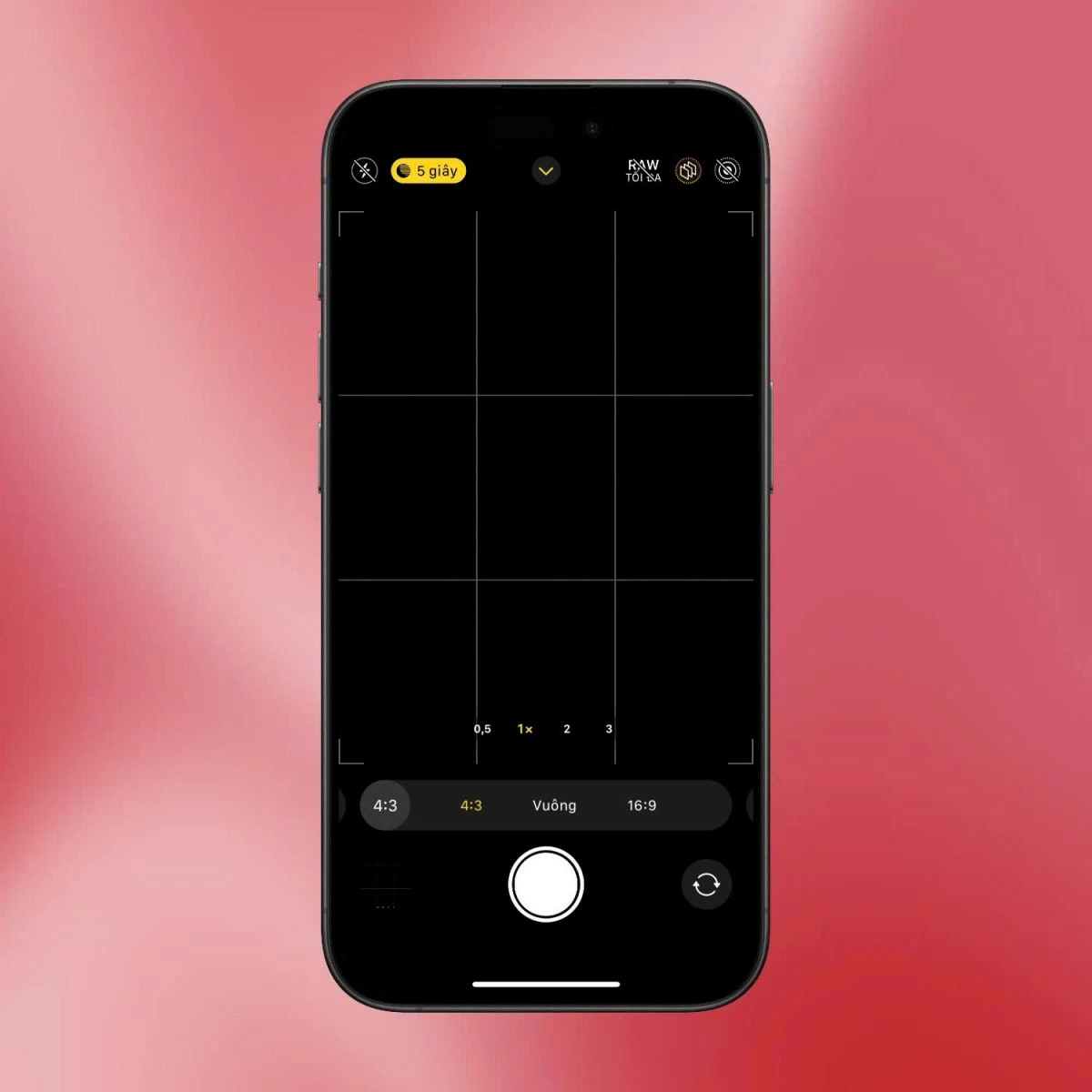 |
Adjusting the aspect ratio is an effective way to optimize the composition for different types of photos. On the iPhone 16 Series, you can choose between options like 4:3, 16:9, or 1:1 directly in the camera interface. The 4:3 ratio is commonly used for everyday photography, providing a more standard and natural frame. Conversely, if you want to emphasize width, the 16:9 ratio is ideal for outdoor landscape photos or large spaces. Depending on your purpose and the type of photo, you can adjust the aspect ratio to create an aesthetically pleasing image.
Make the most of Live Photos and Portrait Mode.
Live Photos allows you to capture exciting moments without worrying about missing out. When this feature is enabled, each photo will save a short video clip before and after shooting, creating a lively animated effect. You can easily activate Live Photos by tapping the circular icon in the upper left corner of the camera interface to experience this fun feature.
Additionally, Portrait mode is a great tool for highlighting the subject in photos. By blurring the background, this mode creates depth in the image and draws attention to the main subject. You can also adjust the degree of background blur by changing the virtual aperture, helping to create professional-looking portraits right on your iPhone.
Set the image to ProRAW format.
To capture higher-quality photos and make editing easier later, you can enable Apple ProRAW mode on the iPhone 16 Series. Simply go to Settings, select Camera, then Format, and turn on ProRAW & Resolution Control. RAW files retain more detail than JPEG format, allowing you to edit photos accurately without losing important information.
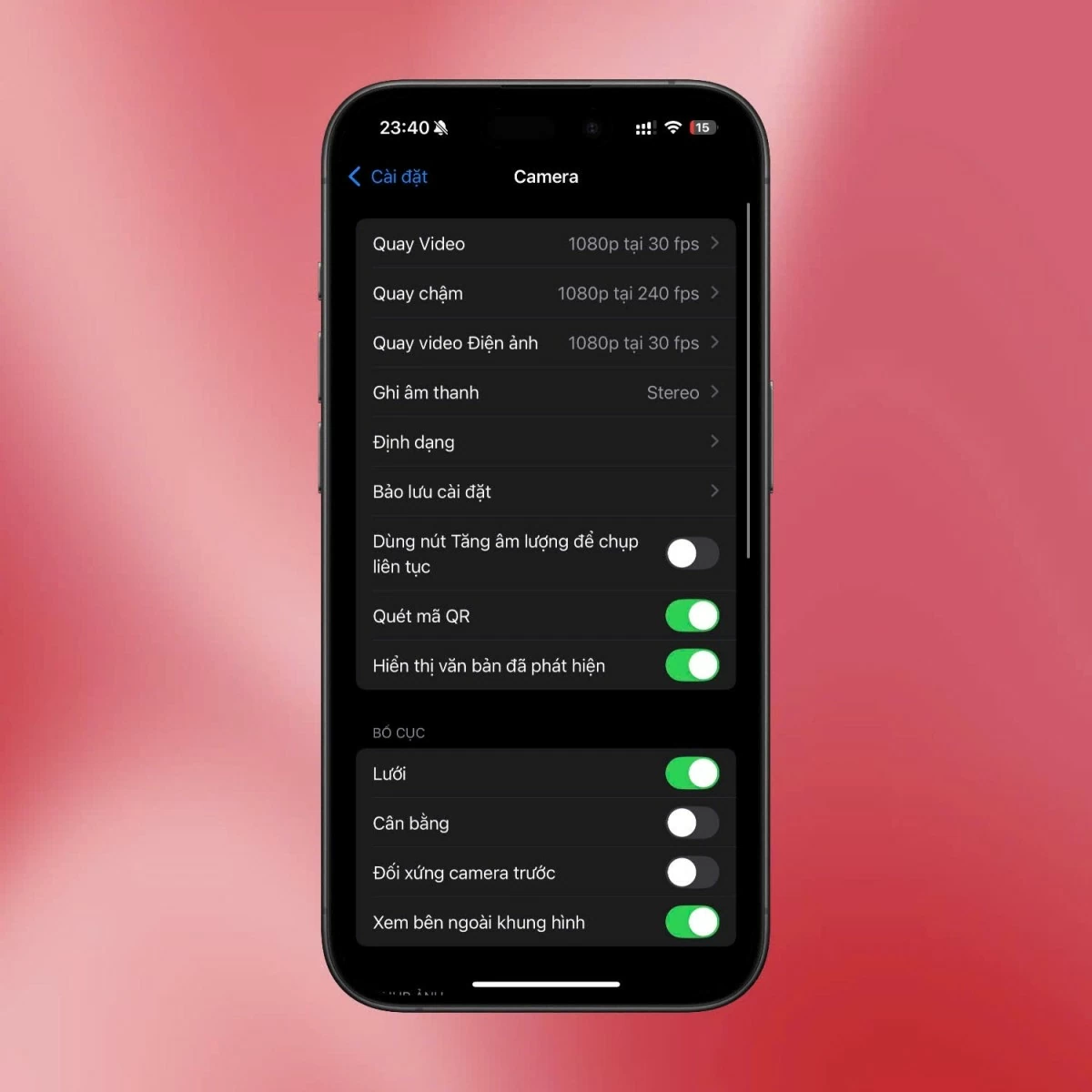 |
ProRAW is the perfect choice when you want to adjust color, contrast, or other elements after shooting, while maintaining maximum image quality. It's a powerful tool that helps you be more creative and work with photos more professionally.
Grid Control
Enabling Grid on the iPhone 16 Series camera will help you compose your photos more accurately. To activate this feature, go to Settings > Camera and turn on Grid. Grid will divide the frame into sections, allowing you to apply the rule of thirds to place subjects in prominent positions within the frame, creating balance and visual appeal in your photos.
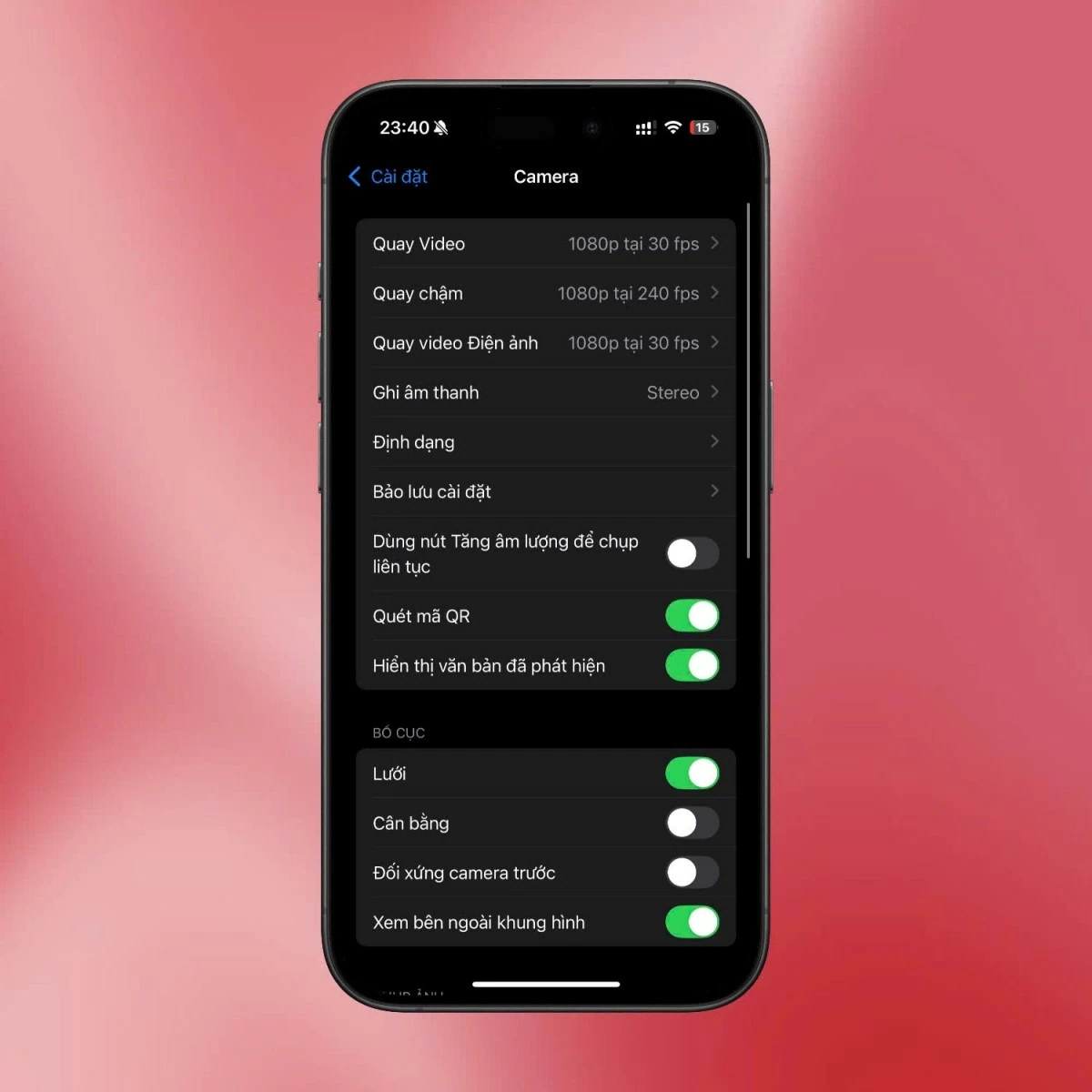 |
This tool is especially useful when shooting landscapes, architecture, or when you need to align elements in your photos to create harmony. Using a grid not only improves photo composition but also helps you hone your observation skills and arrange elements within the frame more professionally.
These are the basic camera settings for the iPhone 16 Series to help you create better photos. Don't forget to practice regularly to familiarize yourself with the features and improve your photography skills!
Source

![[Photo] Prime Minister Pham Minh Chinh presides over the conference announcing the establishment of the International Finance Centre in Vietnam.](/_next/image?url=https%3A%2F%2Fvphoto.vietnam.vn%2Fthumb%2F1200x675%2Fvietnam%2Fresource%2FIMAGE%2F2025%2F12%2F21%2F1766309817714_ndo_br_dsc-3400-jpg.webp&w=3840&q=75)


![[Photo] Prime Minister Pham Minh Chinh presides over a meeting on private sector economic development.](/_next/image?url=https%3A%2F%2Fvphoto.vietnam.vn%2Fthumb%2F1200x675%2Fvietnam%2Fresource%2FIMAGE%2F2025%2F12%2F20%2F1766237501876_thiet-ke-chua-co-ten-40-png.webp&w=3840&q=75)


















































































Comment (0)