

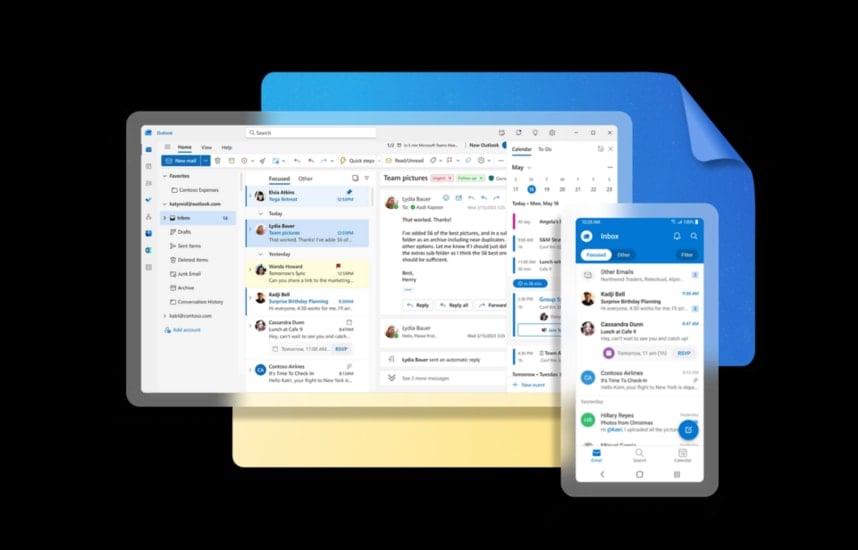
Although Gmail currently leads the market, Microsoft Outlook still boasts many powerful features capable of optimizing workflows significantly. However, many useful tools in Outlook are not enabled by default, causing users to miss out on opportunities to transform a cluttered inbox into a professional workspace. Below are some important tips to enhance your email management experience.
Enhance privacy and block tracking.
Businesses often use hidden "tracking pixels" in emails to know when you open them. To protect your privacy on Outlook.com, go to Settings (gear icon) > Mail > Junk email . Under Security options , select Block attachments, pictures, and links from anyone not in my Safe senders and domains list . This helps prevent covert tracking and phishing attempts.
Additionally, you can go to Mail > Layout to turn off "Don't show sender images" and in the Message handling tab, uncheck the option to display sender logos related to shopping. To ensure important emails don't get lost, add trusted addresses to Safe senders in the same settings menu.
Clean up your inbox automatically with the Sweep feature.
The Sweep feature is a powerful tool that automates the cleaning up of emails from specific senders. For example, you can set Outlook to only keep banking transaction emails from the last 10 days and automatically archive older emails.
To do this, select an email, click the Home tab, and choose Sweep . A window will appear with four main processing options:
- Move all messages out of the Inbox.
- Move all current and future messages.
- Only keep the most recent messages.
- Automatically move messages older than 10 days.
Speed up processing with swipe gestures and Gmail shortcuts.
On the mobile app, you can customize the left or right swipe gesture to delete, archive, or flag emails by going to Settings > Email > Swipe Options . For computer users familiar with Google's keyboard shortcuts, Outlook allows switching to Gmail's keyboard shortcuts in Settings > General > Accessibility > Keyboard shortcuts .
One feature worth noting is Quick Steps. This tool allows you to combine multiple actions into a single click, such as marking an email as read and moving it to the archive folder. You can set this up at Mail > Quick Steps .
Control AI and supplementary features.
If you want absolute data security and don't want to use Copilot AI, you can go to Settings > Copilot to turn this feature off. Additionally, in the Privacy and data section, you should disable options for collecting diagnostic data and content analysis to ensure Microsoft doesn't collect information from your emails.
Finally, enable the Undo send feature in Mail > Compose and reply . You can set a timeout of up to 30 seconds to allow you to recall misdelivered or erroneous emails before they are actually sent.
Source: https://baonghean.vn/cach-toi-uu-hoa-outlook-de-quan-ly-email-hieu-qua-hon-gmail-10338732.html

![[Image] Nearly 125,000 Hanoi students completed the Literature exam for the 10th grade entrance exam.](https://vphoto.vietnam.vn/thumb/1200x675/vietnam/resource/IMAGE/2026/05/30/1780117233041_ndo_br_thiet-ke-chua-co-ten-2-png.webp)




































































































Comment (0)