

How to create engaging and trending TikTok videos ? Let's explore 4 ways to create million-view TikTok videos from existing images and videos right now!
 |
A guide on how to create engaging and memorable TikTok videos from a single image.
With just one image, you can create engaging TikTok videos without spending a lot of time editing. This is a simple way to attract millions of views. Here are the steps:
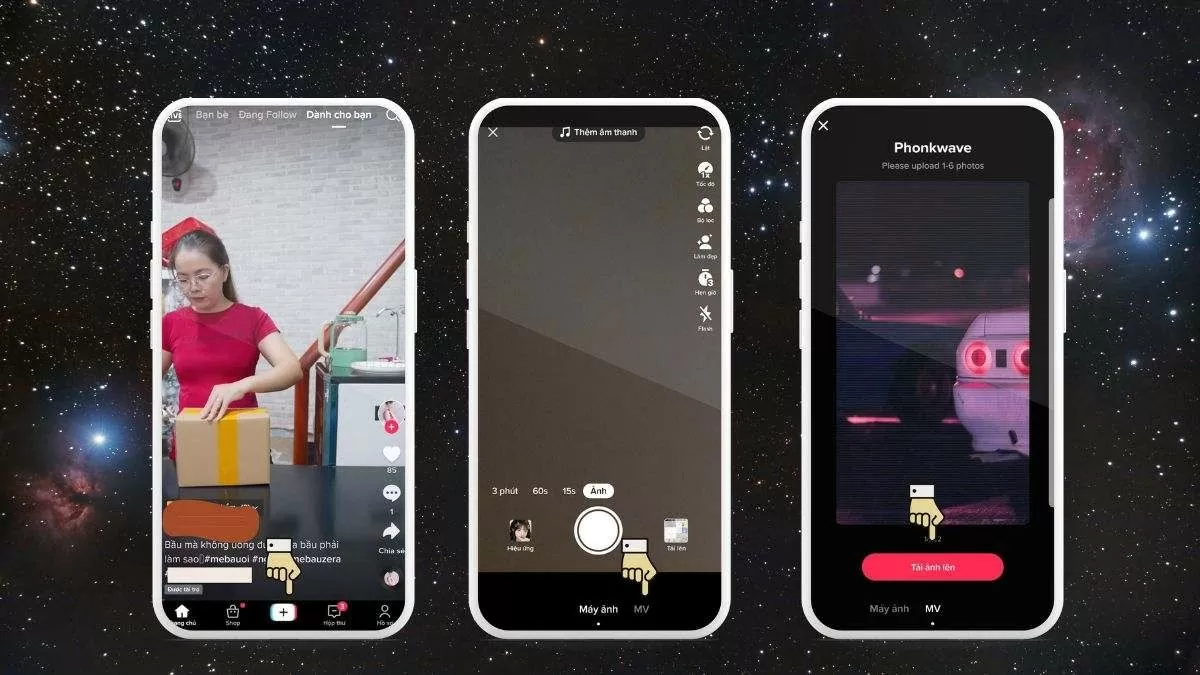
Step 1: First, open the TikTok app and tap the plus icon. Select MV to create a video from an image.
Step 2: Scroll down and select Upload image to add images to the video.
 |
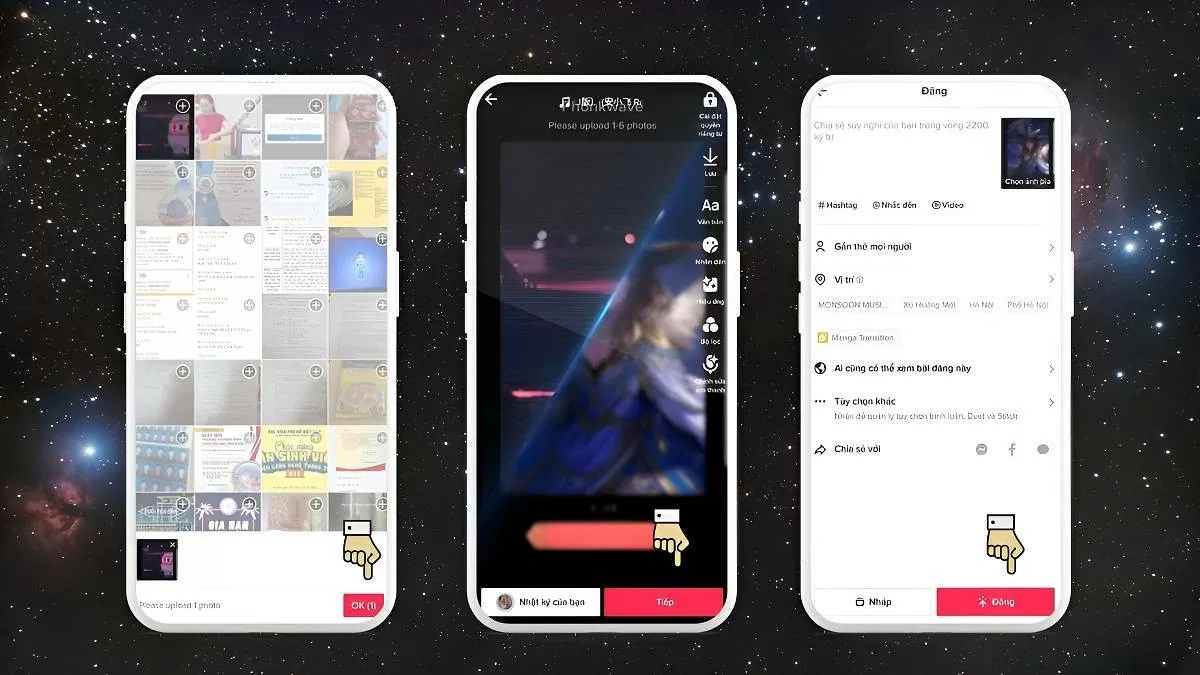
Step 3: Select the image you want to use, then press OK. You can edit the video using features such as filters, sound, voiceovers, effects, and add text to your TikTok video. Once finished, press Next.
Step 4: Click Post to upload the video to TikTok.
 |
Instructions on how to create TikTok videos from multiple images.
Besides creating TikTok videos from a single image, you can also combine multiple images to create a unique video. Here's a simple guide on how to do it:
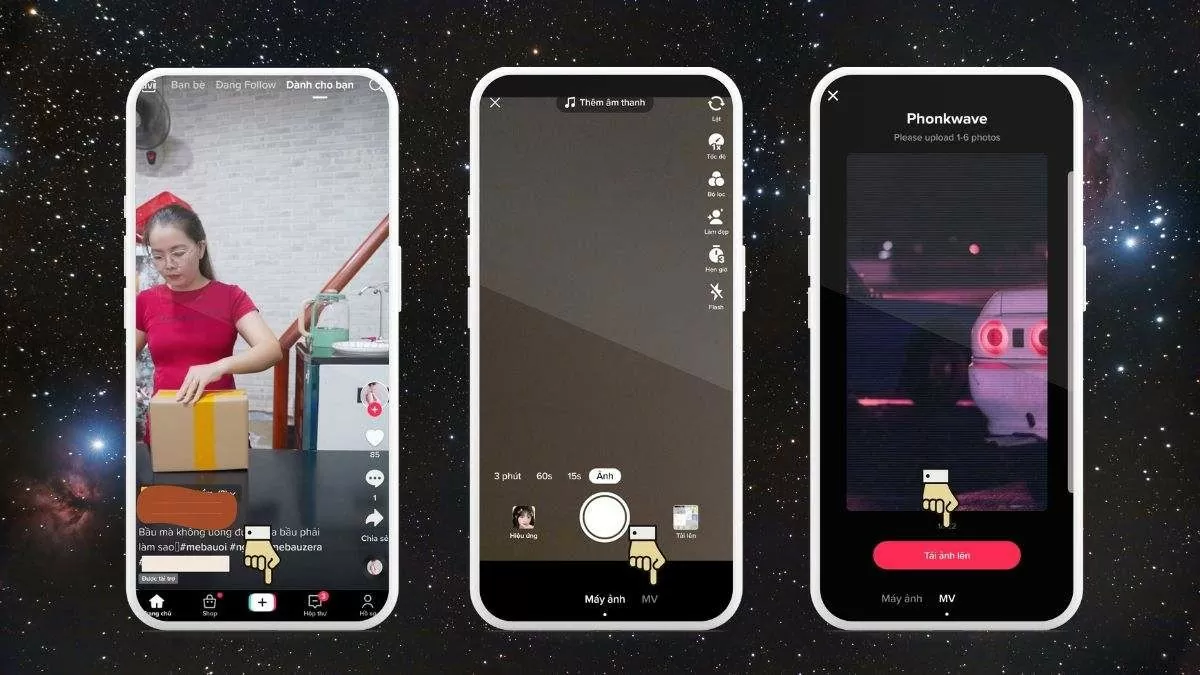
Step 1: Open the TikTok app and tap the plus (+) icon at the bottom of the screen. Then, select MV to start creating your video.
Step 2: Choose a template that supports combining multiple photos.
 |
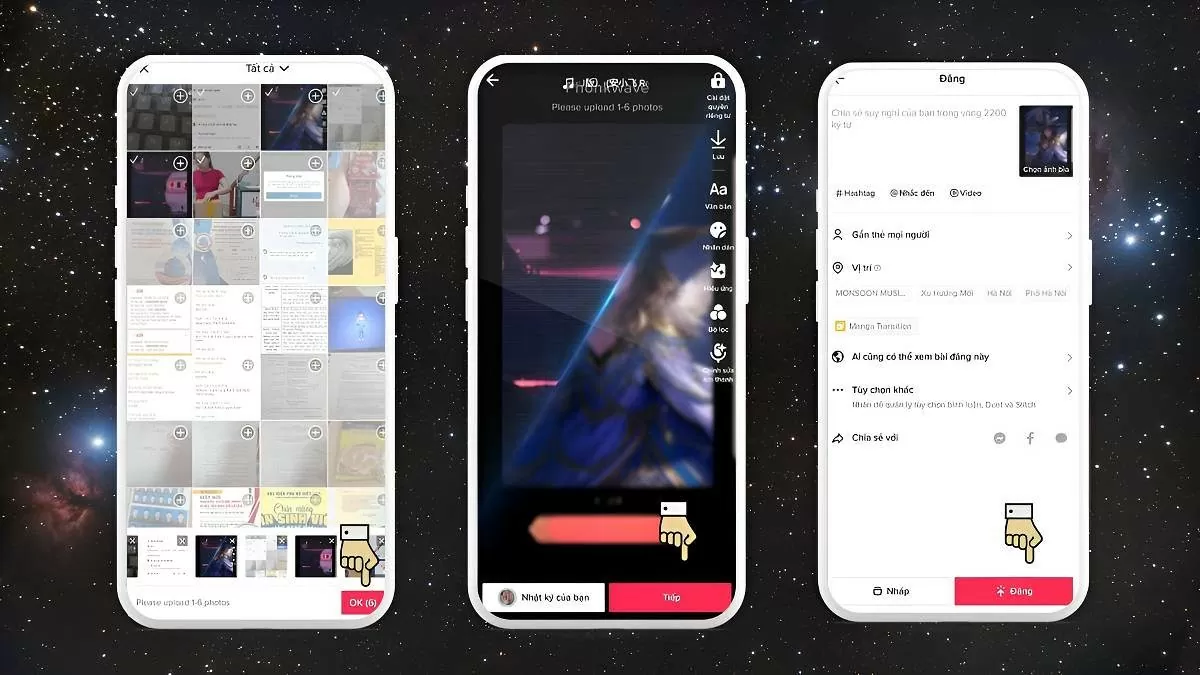
Step 3: Select the photos you want to use from your collection and press OK.
Step 4: TikTok will display a demo video, allowing you to customize it with stickers, music , text, etc. After you've finished editing, press Next.
Step 5: Before uploading, you can add friend tags, hashtags, a caption, or share the video on other social media. Press Publish to complete.
 |
A guide on how to quickly create TikTok videos from existing videos.
Besides creating videos from images, you can also create TikTok videos from existing videos. The steps are very simple:
Step 1: First, open the TikTok app and tap the plus icon at the bottom of the screen. Select Upload to open your phone's video library.
Step 2: Select the video you want to use, then press OK to complete.
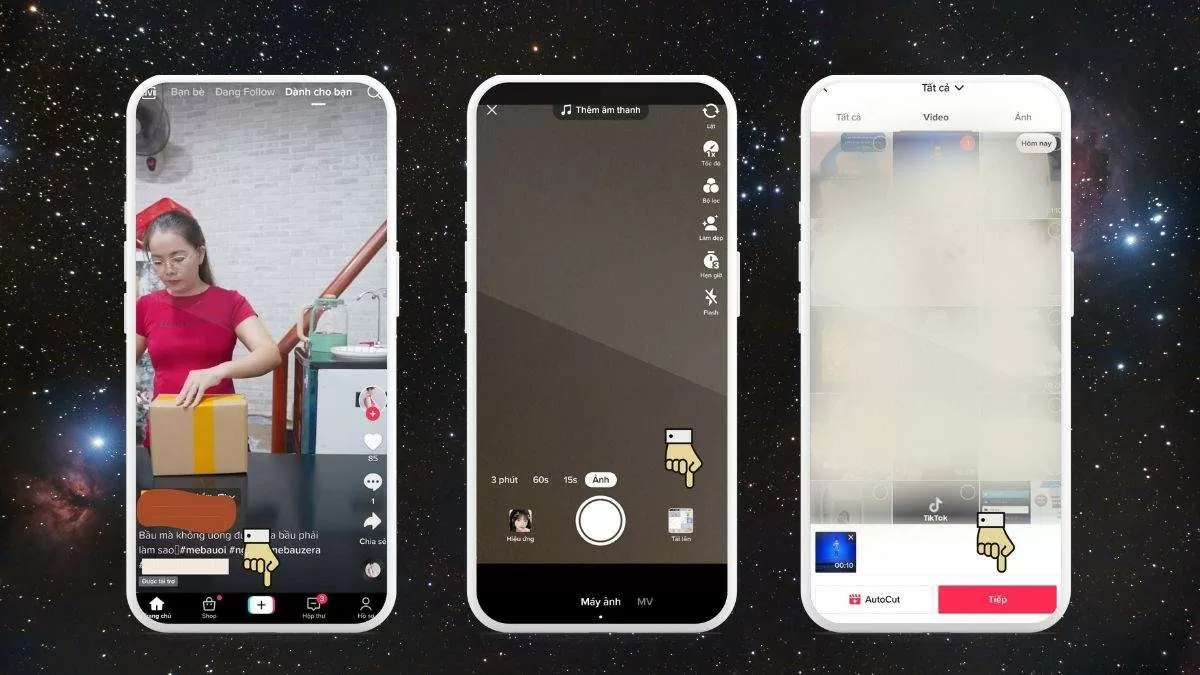 |
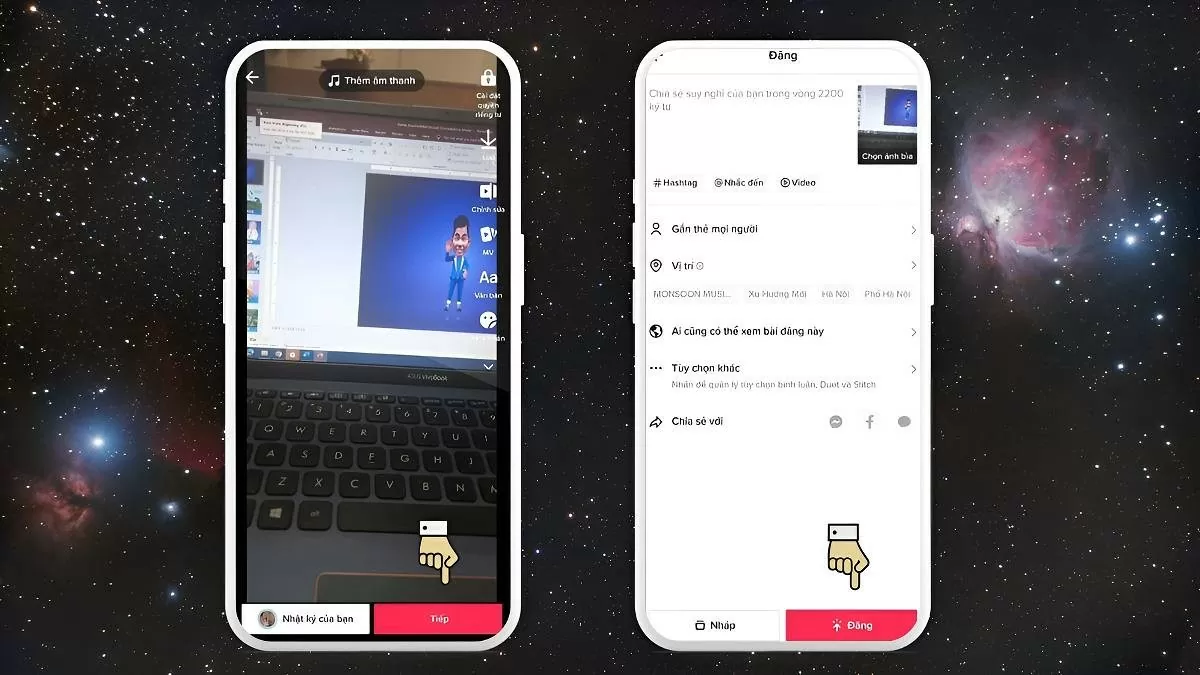
Step 3: Edit the video to your liking by adding text, stickers, sound, or effects. Then, press Next.
Step 4: Once you've finished editing, press Post to share the video on TikTok.
 |
How to make TikTok videos using the VivaVideo app
If you want to create unique and creative TikTok videos, VivaVideo is a great option to turn your ideas into engaging videos. Here are the steps:
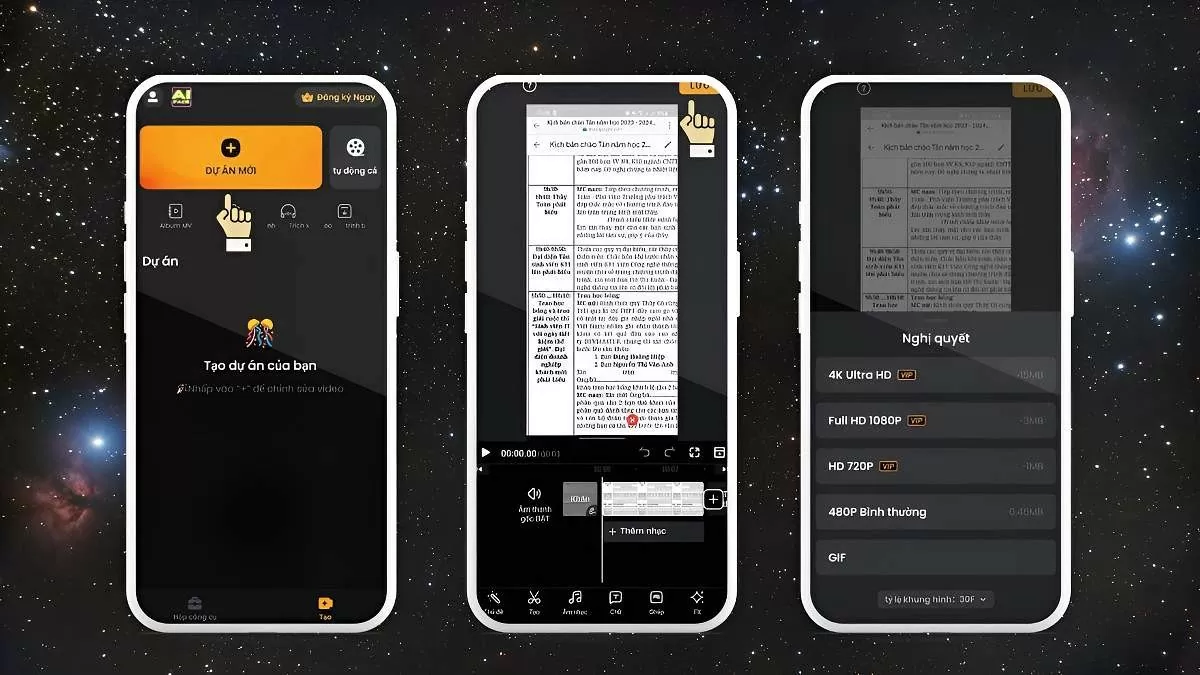
Step 1: Open the VivaVideo app, select "New Project," choose the images you want to use to create the video, and then tap Next.
Step 2: Add music, text, themes, or other elements to make the video more interesting and trending. When finished, select Save and choose the export file size so the video automatically saves to your device.
 |
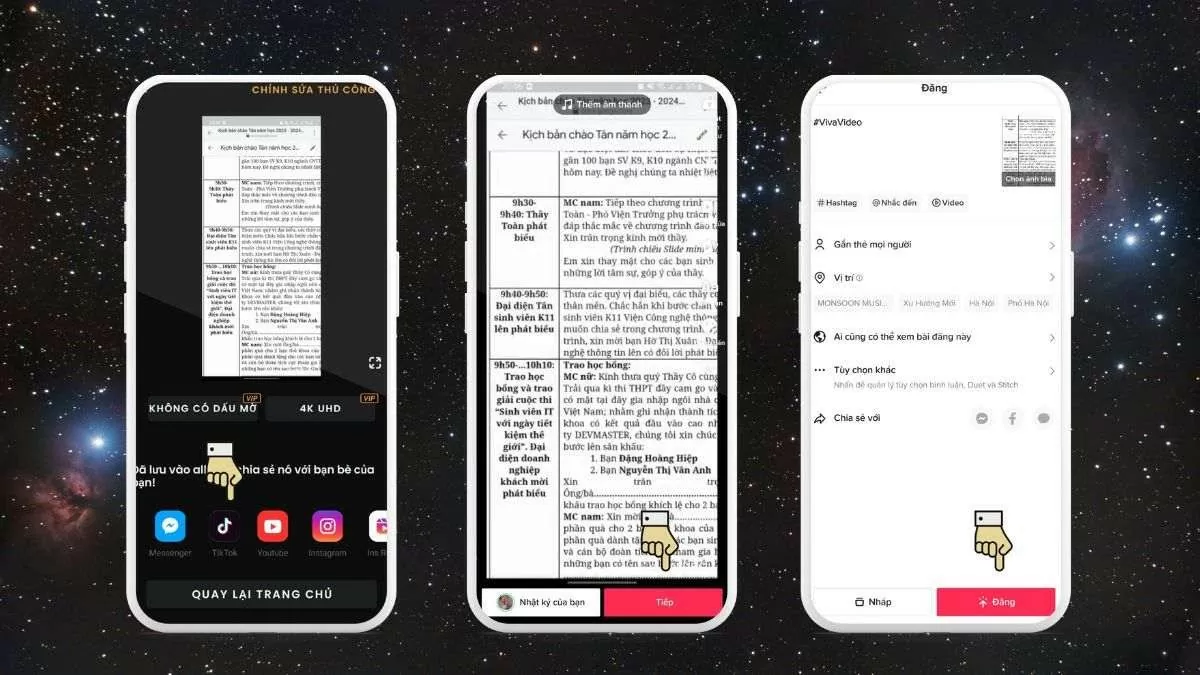
Step 3: Select the TikTok icon at the bottom of the screen to share the video. Customize the video with tools such as filters, voice effects, music, text, stickers, and other effects.
Step 4: Tap "Next" in the bottom right corner, then add a description, hashtags, tag friends, and choose a cover image for the video. After that, adjust your privacy settings if needed.
Step 5: Press "Post" to share the video on TikTok, or share it via other platforms such as Zalo, Messenger, or Facebook by selecting the corresponding icon.
 |
A simple guide on how to create TikTok videos using Capcut.
CapCut is one of the most popular TikTok video editing tools currently available. Below is a guide on how to create high-quality TikTok videos with CapCut:
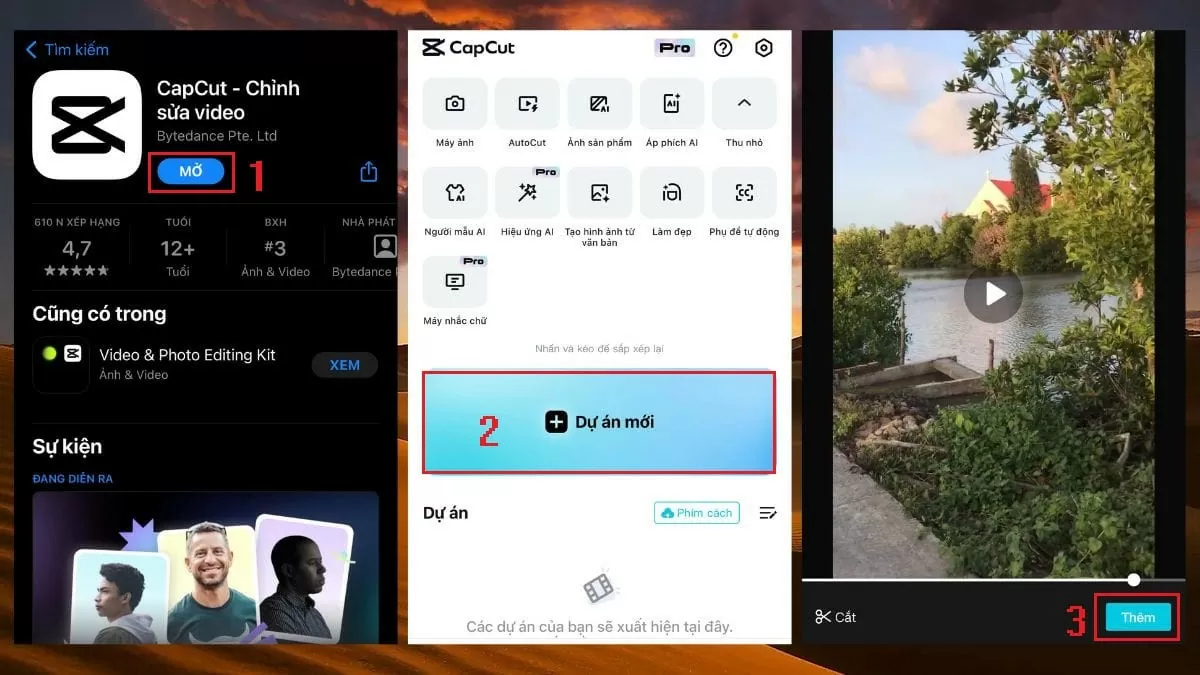
Step 1: First, download the CapCut app from the AppStore or CH Play.
Step 2: Next, open the app and select "Edit". Then, tap "New Project" and choose the video you want to edit.
 |
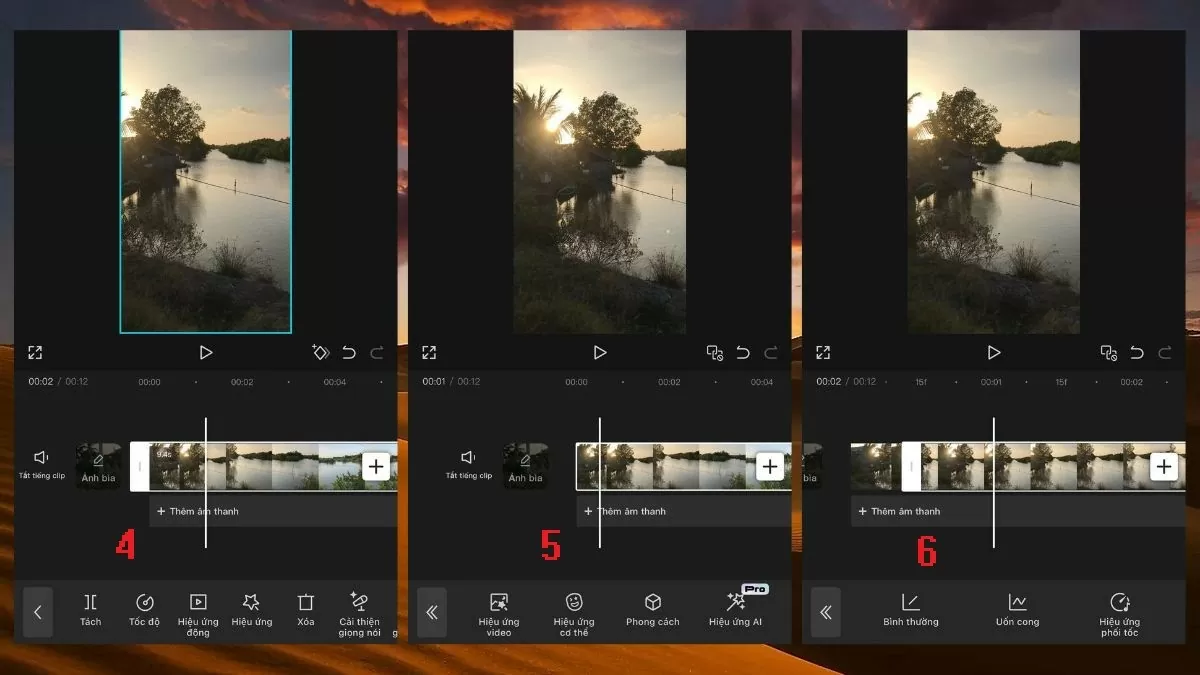
Step 3: Next, to edit the video, you can use the following tools:
- Trim video : Remove unnecessary sections.
- Adjust speed : Increase or decrease video speed.
- Effects : Add effects to make the video more lively.
 |
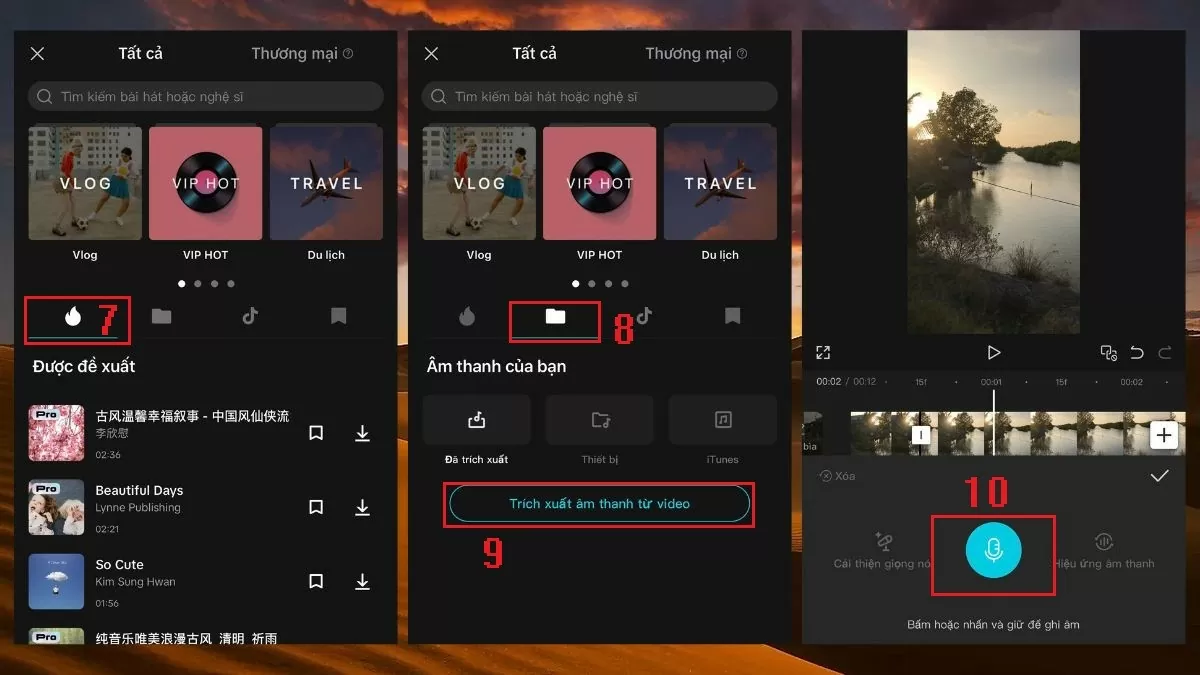
Audio : You can choose music from the available library, upload your own custom audio, or record directly to add to your video, making it catchier and more trending.
 |
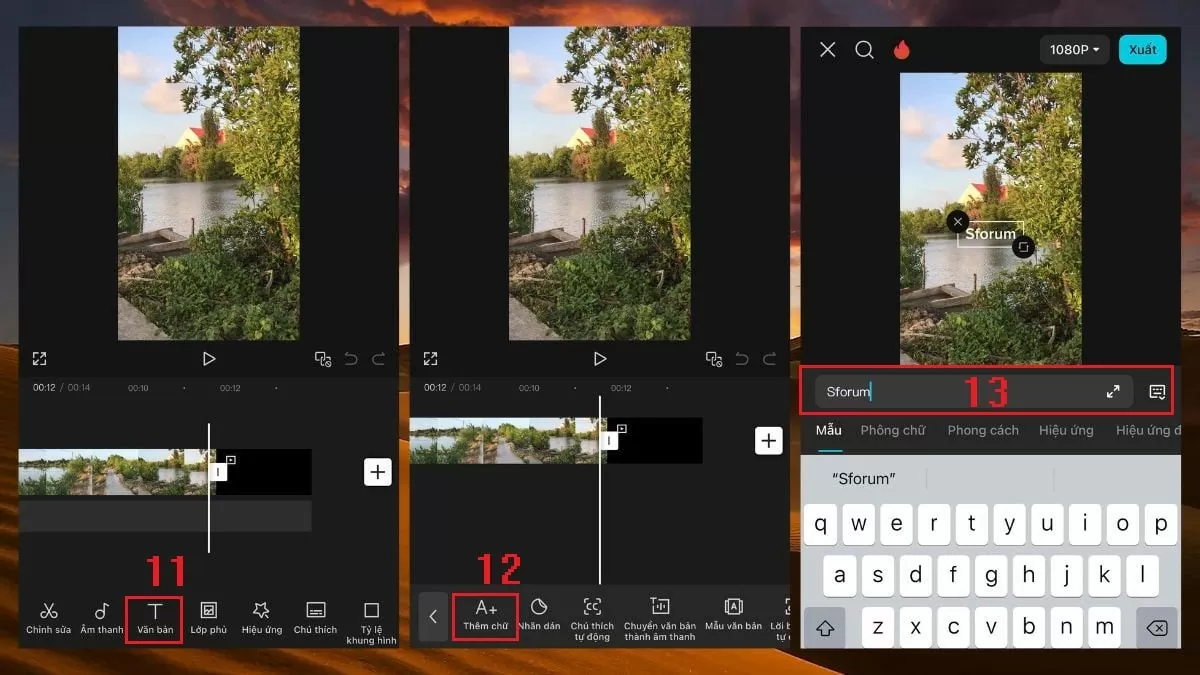
Text : Add text, stickers, or notes to your videos with a wide variety of fonts and colors.
 |
Filters : This feature allows you to adjust the video's colors, highlight emotions, and create a more impactful viewing experience.
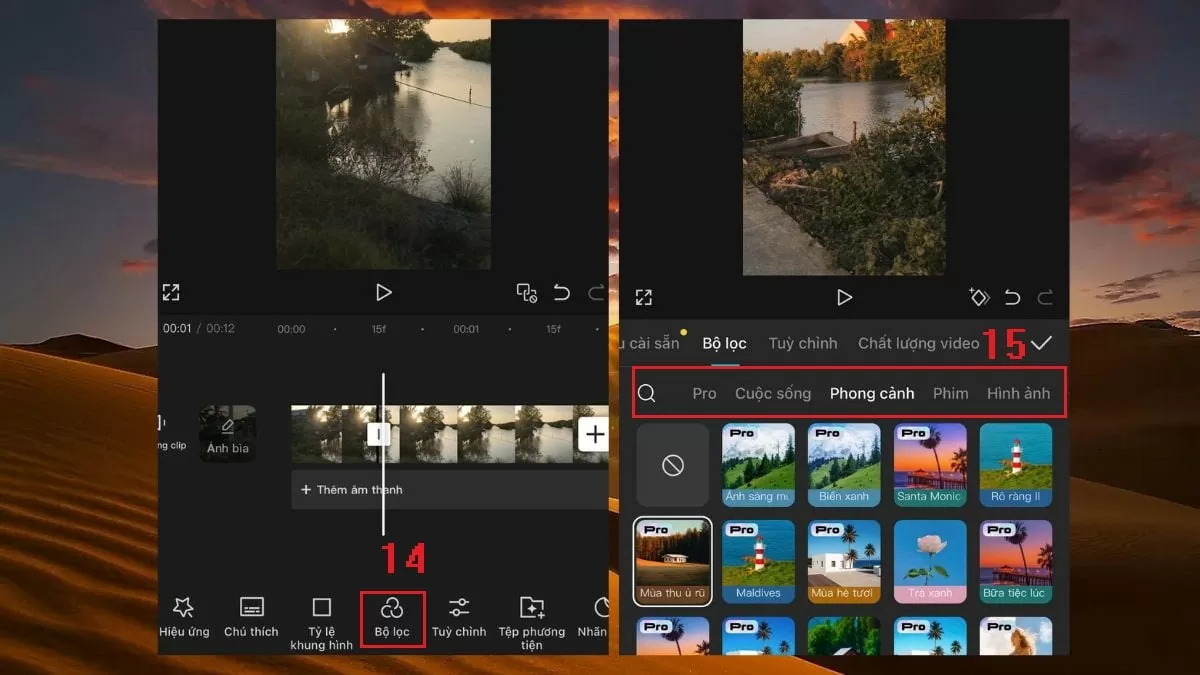 |
In addition, CapCut offers many other useful features such as: inserting images, transitions, adjusting colors, adding backgrounds... allowing you to freely create your videos.
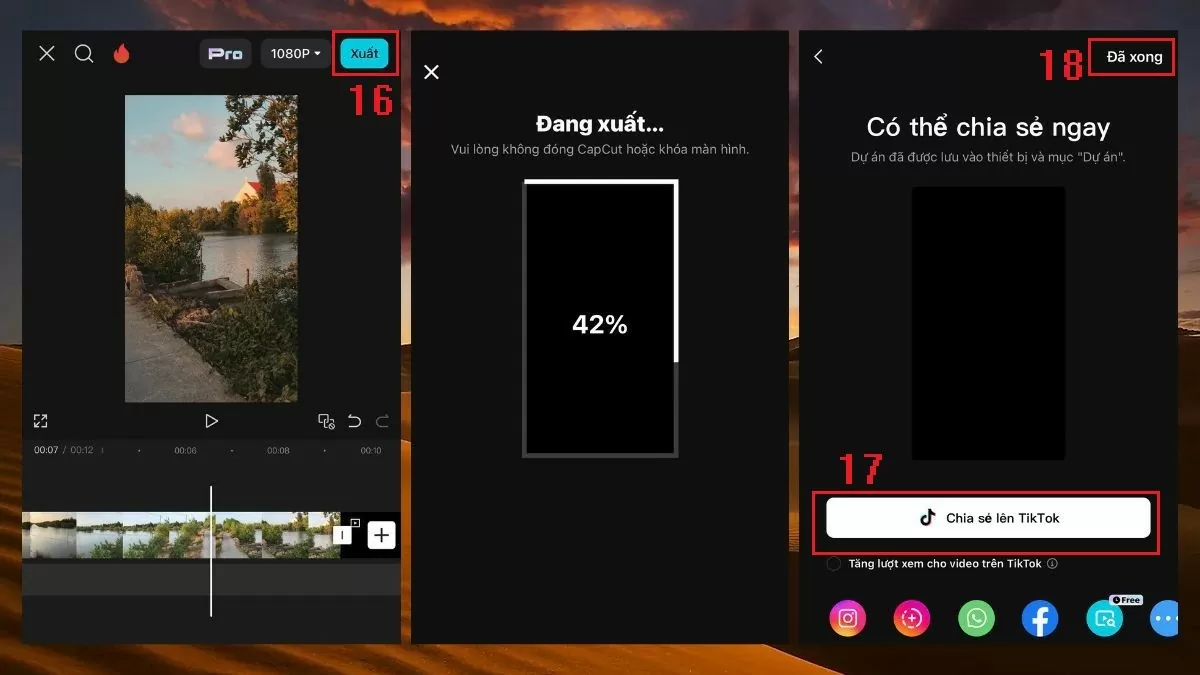
Step 4 : Once you've finished editing, tap "Export" to share the video to TikTok or other platforms. If you want to save the video to your library, simply tap "Done" to complete the process.
 |
Instructions on how to create TikTok videos combining text and images.
One popular way to create TikTok videos nowadays is by combining text and images. Here are detailed instructions on how to do it:
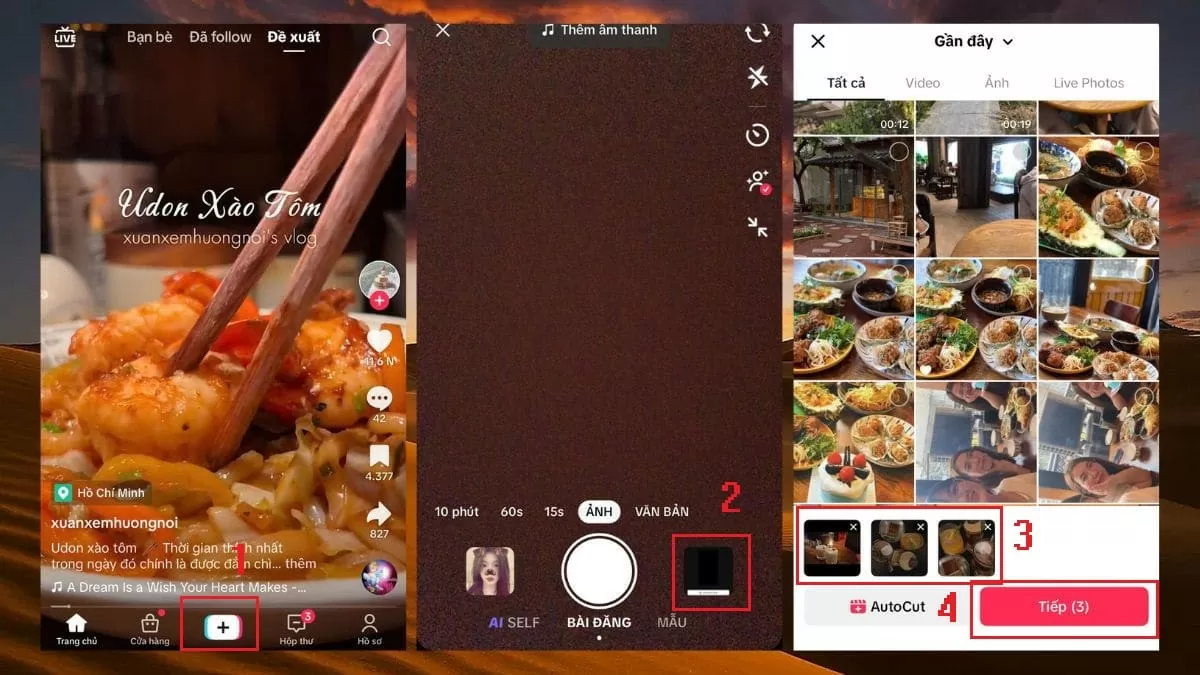
Step 1 : First, open the TikTok app and tap the plus icon in the middle of the screen.
Step 2 : Select "Library" and choose the photos you want to use for the video.
 |
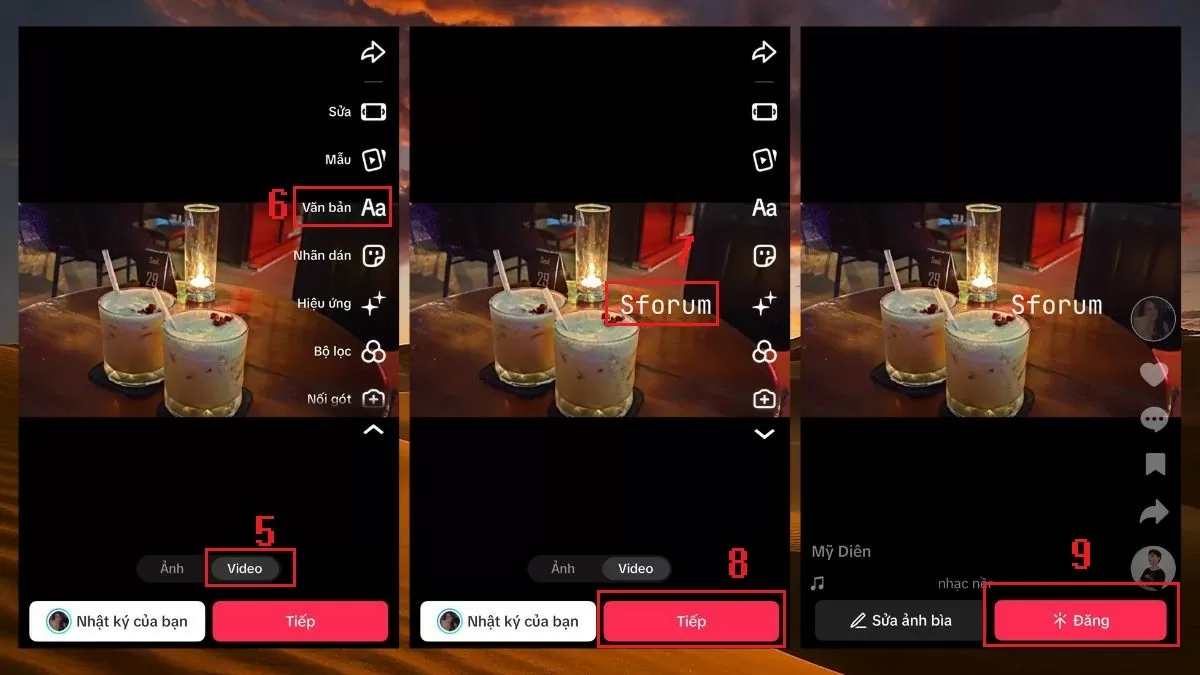
Step 3 : Next, select "Video" to combine the photos into a clip. Then, click "Text" on the toolbar and add the content you want to display in the video.
Step 4 : Once complete, click "Next" and then select "Post" to share the video to your personal page.
 |
Above are the steps to create engaging TikTok videos that easily go viral from existing images and videos. By leveraging TikTok's convenient features, you can create unique videos that attract millions of views on this platform.
Source




![[Photo] Delegation attending the 14th Congress of the Vietnam Trade Union visits the Mausoleum of President Ho Chi Minh.](https://vphoto.vietnam.vn/thumb/1200x675/vietnam/resource/IMAGE/2026/06/03/1780451842301_ndo_br_img-3824-jpg.webp)






















































































Comment (0)