

The current habit of using social media has led many people to need to edit videos and images to preserve memories and share them with friends and family. For average, non-professional users, video editing doesn't require too many complex skills, so the supporting software is quite simple and there are several free options.
Capcut
This is considered the most convenient and simple software, suitable for all users, especially those who are new to video editing. Even with the free plan, users still have many features to create content to their liking, including many trendy effects and pre-made templates; just tap and the system will do the rest.
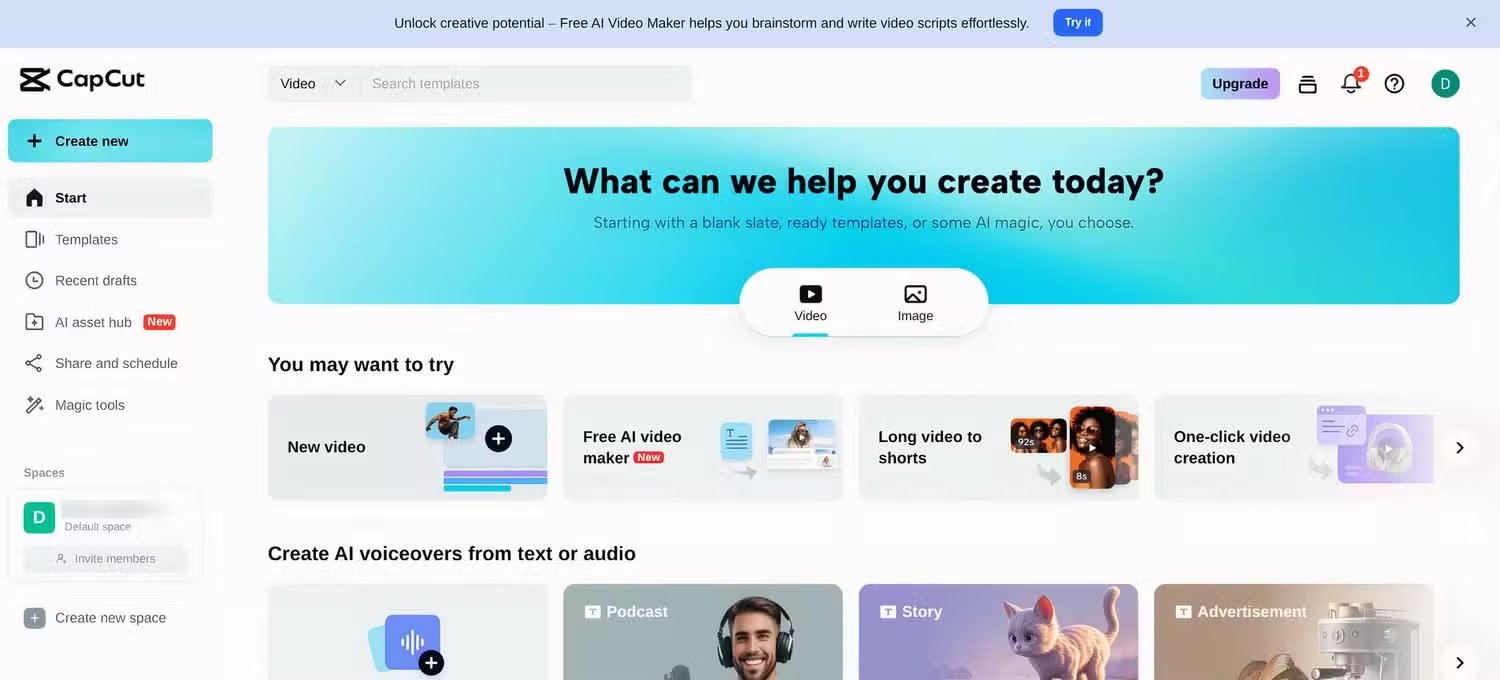
Capcut is a popular free video editing software currently available.
Capcut is a product of ByteDance – the parent company of TikTok – so the application is specifically designed to be compatible with this short video sharing platform. The program features Magic Tools to do almost the entire process for the user: simply drag and drop clips, and adjust the length. The software can export files in MP4 and MOV formats (compatible with most online platforms and operating systems today). Not only for mobile devices, the application is also available on computers running Windows and macOS. Capcut also includes artificial intelligence (AI) tools to automatically create subtitles, voiceovers, effects, etc., all for free.
There are some features or tools that require users to pay to use, but the free versions are sufficient to meet the needs of the vast majority of internet users.
Canva
Canva has quite a lot of ads and is widely used by marketers to design displays in advertising campaigns. But this software also supports free video editing, with an interface that looks quite similar to Capcut when first logged in. Users can choose to edit content in landscape (popular) or portrait format (compatible with some social media platforms).
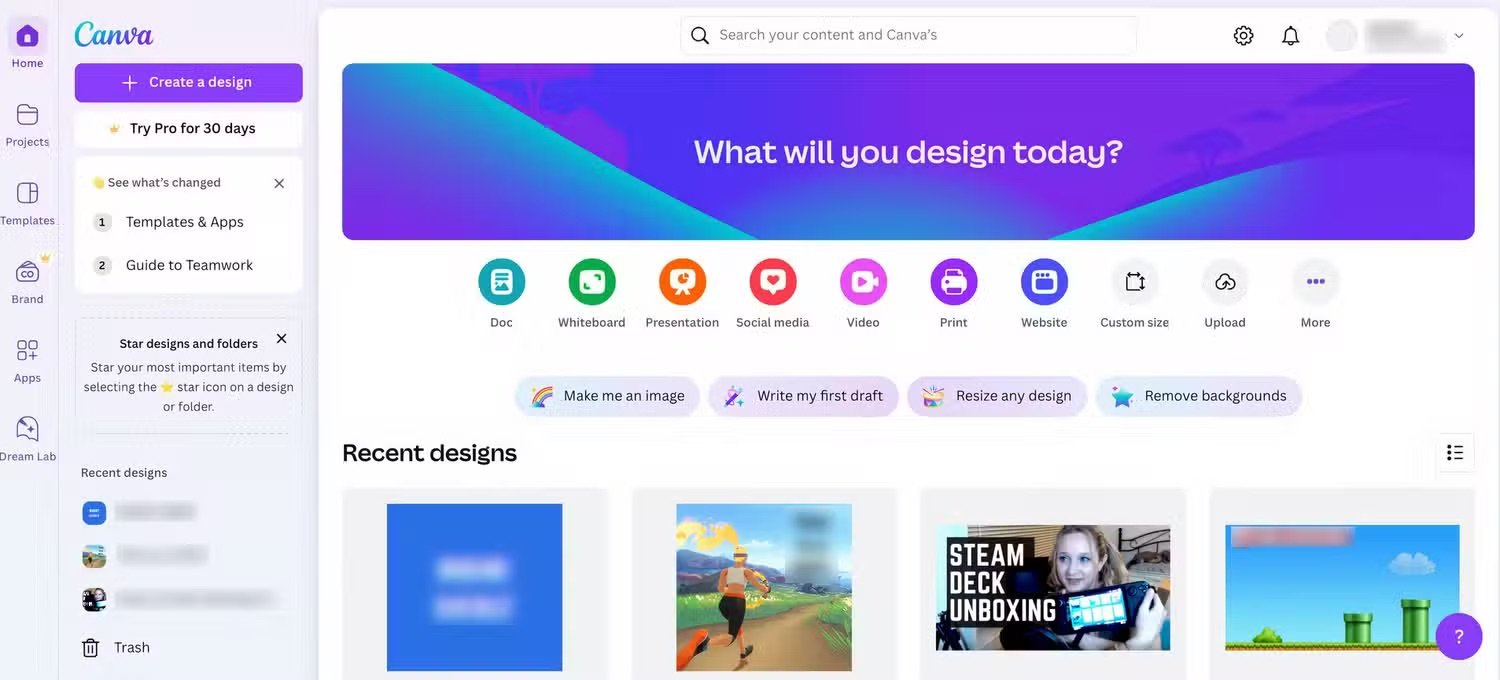
Canva is geared towards graphic design, but it still has full features for video editing.
Although primarily focused on visual creation, Canva's video editing features offer many useful, easy-to-use functions, including dynamic transitions. Users mainly drag and drop videos into the editing panel, change clip length, add titles, and add background music (free). Canva has many high-quality templates, great music, and AI tools, but requires a paid version.
If you don't need too many complicated things for the final product, users can still use the free version to create videos in popular formats like MP4, GIF, etc., but it won't support MOV. Besides the app, Canva also has a web version.
Adobe Express
Adobe is renowned globally for its video and image editing software. On the web, the company offers a free program called Adobe Express, which has many video editing features similar to Capcut and Canva, but surpasses them in the quality of its available image and video libraries.
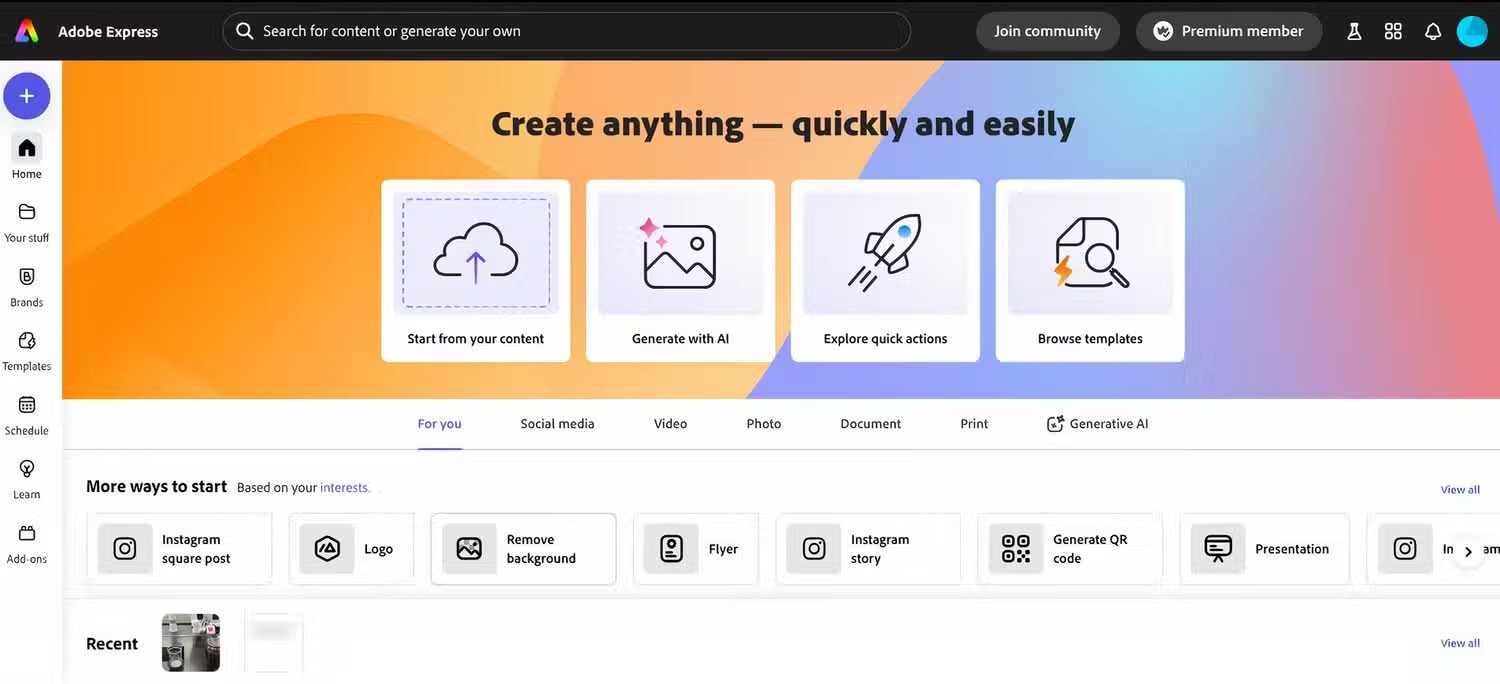
Adobe Express is used on the web.
This software also has an AI-powered generation tool that can create many design images, as long as the user has the ability to imagine and describe details using commands, thereby reducing reliance on high-quality original image libraries (which require payment to access and use). Overall, this would be a good free software to use, but it may be less convenient than the two mentioned above.
iMovie - video editing software specifically for Apple enthusiasts.
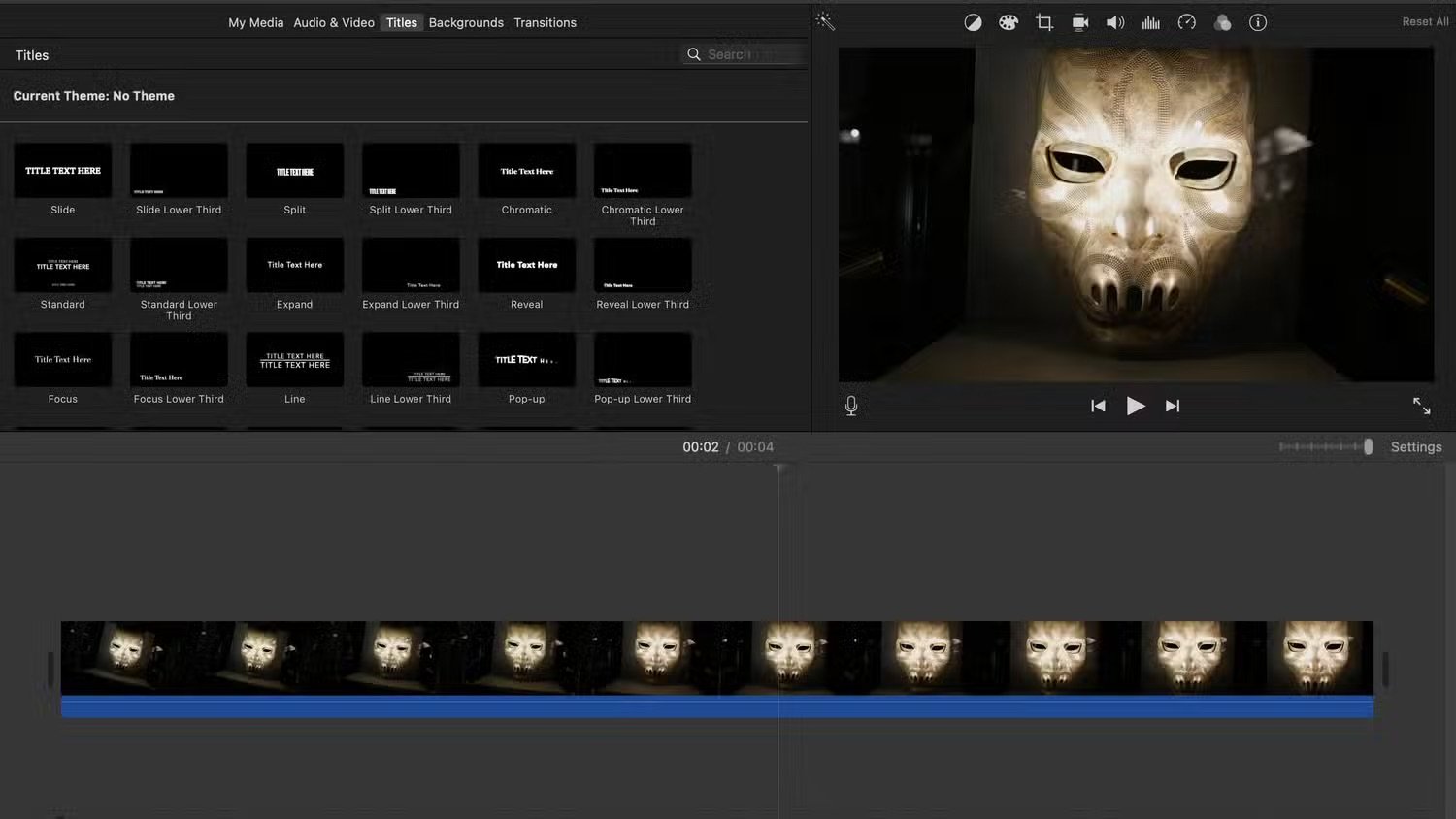
iMovie is not available for Windows or Android users.
If you use a Mac or iPad, you're probably familiar with iMovie. It's a built-in application, pre-installed on most Macs on the market, or available for download on the App Store for use with iPhones and iPads. Therefore, users of Windows computers or Android devices will not be able to use this program.
iMovie is also a basic "drag-and-drop" video editor, suitable for both beginners and those with some editing knowledge. The special thing is that the program is completely free, with no paid options, so all Apple users have equal access to its features.
Source: https://thanhnien.vn/kham-pha-4-ung-dung-chinh-sua-video-mien-phi-185250203093335761.htm




































































































Comment (0)