

This article reflects the personal opinion of technology reviewer Philip Berne at Tech Radar.
What I hate most about smartphones is the Settings menu. Organizing the Settings menu is a very difficult task for manufacturers, and phones these days prove that. Even the best phones have terrible Settings menus.
But that's precisely why I want to focus on Settings in my argument to explain why Samsung's OneUI software is so bad and why Apple's iOS is better. Get ready, because while Settings is bad everywhere, it's especially bad on Samsung phones.
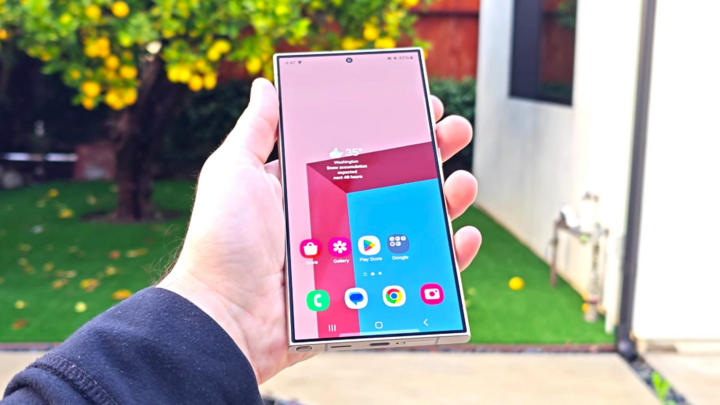
Samsung Galaxy S24 Ultra. (Image: Notebookcheck)
What's the best I can expect from the Settings menu? Nothing. Honestly. I hope I never have to use Settings. On an ideal smartphone, Settings wouldn't exist. The AI revolution on smartphones is leading to this stage. Eventually, AI will manage Settings. You'll tell the AI what you need, and it will adjust itself.
To achieve that goal, Samsung could well have the best Settings app on any smartphone. Bixby, Samsung's much-criticized digital assistant, is built to manage Settings. Most of what you want to do with your Galaxy, and what I'll complain about below, can be simplified by Bixby.
Hold down the Bixby button and ask your phone to “turn on the Wi-Fi hotspot” or “change the display mode to Live,” and Bixby will do it. Bixby knows Settings better than any human. That’s part of the problem: Galaxy settings are so complex that they need AI in charge.
The settings should be minimalist.
Returning to my original argument: The simpler and less time-consuming the installation, the better.
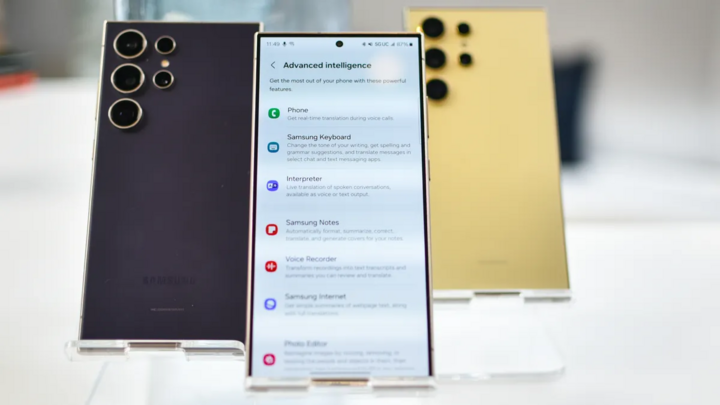
Settings on Galaxy devices are often "buried deep and hidden." (Image: Future)
The most common settings on a phone should be accessible with just a swipe. On the iPhone 15, I swipe down from the top right corner of the screen and can instantly access not only screen brightness and Wi-Fi but also quickly tap Do Not Disturb, activate Power Saver, remotely open Apple TV, or even create a new reminder.
On the Samsung Galaxy S24, I swiped down from the top of the screen and I saw six Quick Settings buttons as well as a bunch of notifications. To find all the Quick Settings, I needed to swipe again. That's the difference between Apple and Samsung. Too many tasks require extra steps on a Samsung phone.
Samsung fans will scream at me because it's actually only a single swipe to see all the Quick Settings buttons, but it's an option you need to manually enable. Where do you enable this option? After swiping down twice, you'll see a small 'Customize' pencil icon. Tapping that icon can activate several useful features, such as seeing all Quick Settings with just one swipe.
You can also set up a hot corner to display all Quick Settings at once, just like Apple does. Of course, good luck finding this option, although it should ideally be enabled by default. In fact, good luck finding any of these options.
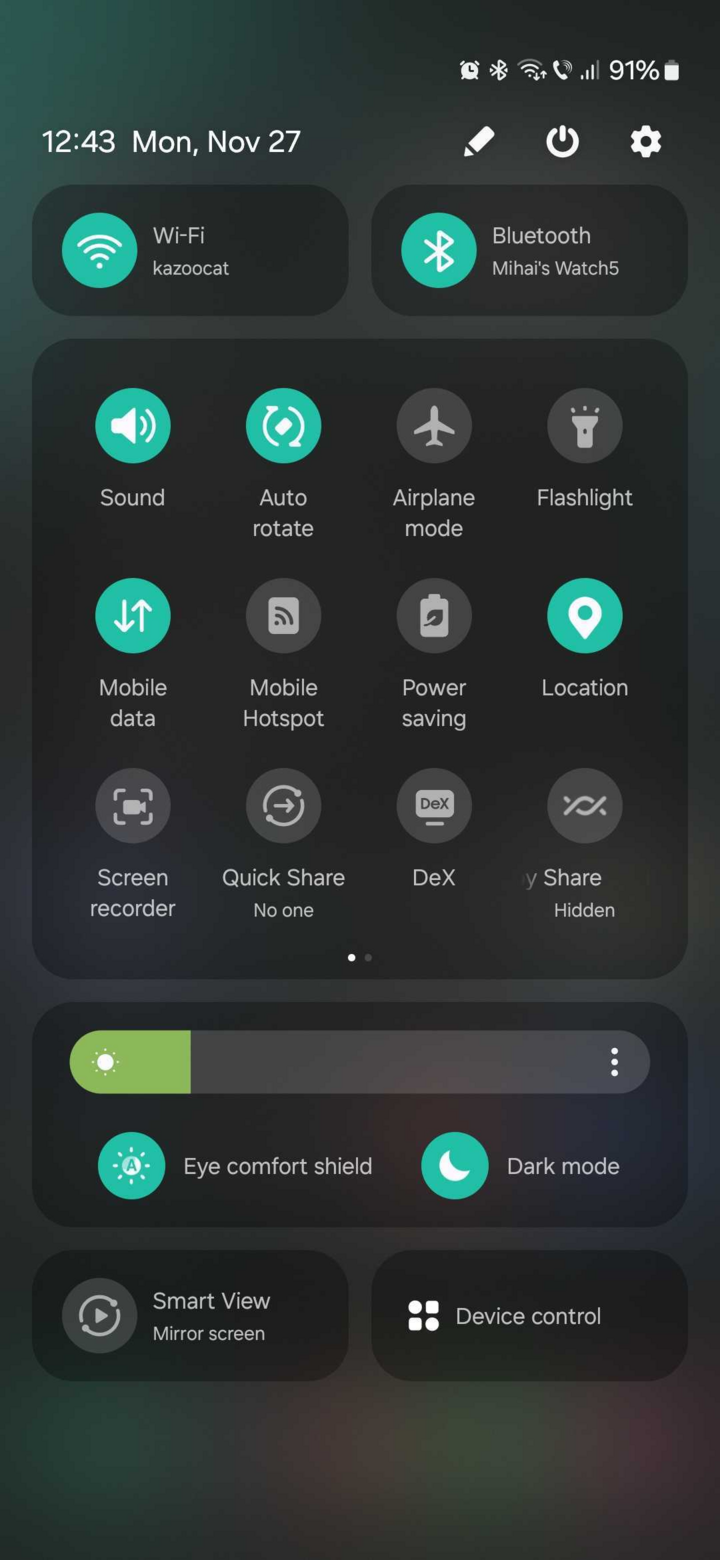
Quick settings menu on Galaxy. (Image: Sammobile)
Just think, those options aren't actually in the Settings app. Want to see the Quick Settings buttons with just one swipe? That option isn't anywhere in the Settings menu. It's only found in the little pencil menu I mentioned above, which can only be accessed by swiping down twice. Suddenly, my Galaxy S24 Ultra felt more like navigating a maze than a modern smartphone.
The user interface (UI) should be consistent.
Regarding the Settings app, Apple and Samsung have very different philosophies. On the iPhone, all your settings are in the Settings app. All settings for every app you use, as well as all the basic phone settings, are in one place. Therefore, the Settings list is very long because it includes every app on your phone.
On the Galaxy S24, like all Android phones, there are Settings within each app. It would be fine if Settings were well organized. My Gmail settings are in Gmail and my Facebook settings are in Facebook, but all the other settings on my phone should be in the Settings app. Sadly, this isn't how Samsung phones organize things, and there doesn't seem to be any consistent arrangement at all.
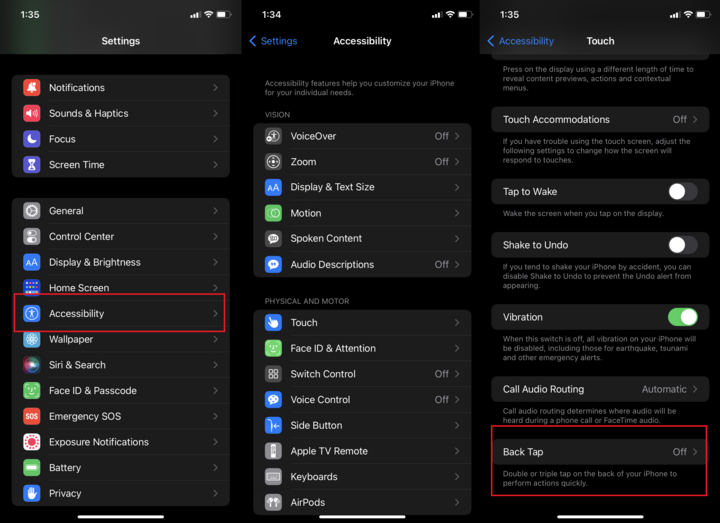
The menus on iOS are lengthy but not difficult to get used to. (Image: PCMag)
Sometimes settings are located within the Settings app. Sometimes they're hidden under strange little icons, like the 'pencil' example above. If you see a mysterious set of dots anywhere on your Galaxy, a series of stacked pixels, it could be a hidden settings menu.
Worst of all, Samsung's Settings app is a huge mess. While Apple's Settings app has a very long list, once you start exploring it, it's very easy to get used to. Whatever feature you're looking for, you'll get there in a step or two.
To test this, I selected 10 common reasons why I use the Settings menu. Without using any advanced shortcuts, such as pressing and holding the Quick Settings button, and not just searching for the Settings I wanted, I mapped out the number of steps needed to accomplish my Settings goal on an iPhone 15 and a Galaxy S24. The results were clear.
| Function | iPhone/iOS 17 | Galaxy/OneUI 6.1 | Number of steps (iPhone/Galaxy) | The winning side |
| Turn on the Wi-Fi hotspot. | Settings > Personal Hotspot > Allow others to connect | Settings > Connections > Mobile Hotspot and Connection Sharing > Toggle Mobile Hotspot | 3/4 | iPhone |
| Change wallpaper | Settings > Wallpaper | Settings > Wallpaper and Style | 2/2 | Peace |
| Turn on battery saver mode. | Settings: Battery > Low Power Mode | Settings > Device Care > Tap "Battery" > Power Saving | 3/4 | iPhone |
| Add Bluetooth devices | Settings > Bluetooth | Settings > Connections > Bluetooth > Tap "Bluetooth" | 2/4 | iPhone |
| Turn on Dark mode | Settings > Display & Brightness > Select "Dark" | Settings > Display > Dark | 2/2 | Peace |
| Free up memory space. | Settings > General > iPhone Storage > Suggested | Settings > Device Care > Tap "Storage" > Review old files; "Unused apps"; "Duplicate files"; "Large files" | 4/4 | Peace |
| Check for system updates | Settings > General > Software Update | Settings > Device Care > Software Update | 3/3 | Peace |
| Change screen lock password | Settings > Face ID & Passcode > Change Passcode | Settings > Lock screen and security > Screen lock type > PIN/Pattern/Etc. | 3/4 | iPhone |
| Turn off Tinder app notifications. | Settings > Notifications > Tinder > Allow notifications toggle | Settings > Notifications > App Notifications > Tinder > Allow Notifications toggle | 4/5 | iPhone |
| Reset to factory settings. | Settings > General > Transfer or Reset iPhone > Prepare for New iPhone / Reset / Erase All Content and Settings | Settings > General Management > Reset > Reset ... all settings / Mobile network settings / Wi-Fi and Bluetooth settings / Accessibility settings / Factory data restore | 4/4 | Peace |
Galaxy phones are never faster than their competitors. For half of these Settings, the iPhone takes fewer steps than the Galaxy. For the other half, the Settings section takes the same number of steps on each phone. Nothing is faster on Galaxy phones.
Samsung may have a faster processor, more megapixels, and all the specifications they want. But they can't beat Apple if the user experience isn't better. This is proof that Samsung phones are more complicated to use. More steps mean slower performance. It's time for Samsung to significantly improve its software if it wants to have the best and fastest phone currently available.
Source


![[Image] Nearly 125,000 Hanoi students completed the Literature exam for the 10th grade entrance exam.](https://vphoto.vietnam.vn/thumb/1200x675/vietnam/resource/IMAGE/2026/05/30/1780117233041_ndo_br_thiet-ke-chua-co-ten-2-png.webp)

























![[Photo] Admire the coral "masterpiece" amidst the million-year-old heritage of Dak Lak province.](https://vphoto.vietnam.vn/thumb/1200x675/vietnam/resource/IMAGE/2026/05/30/1780107638639_y25-jpg.webp)








































































Comment (0)