

With today's smartphones, there are many ways to secure your privacy, such as using alphanumeric characters, patterns, fingerprints, and facial recognition, allowing users to protect their private information on their phones.
In daily routines, users rely on fingerprint and facial recognition as their primary methods for unlocking their phones. Over time, not using numeric or pattern passwords can lead to forgetting your phone's password. However, in this situation, users don't need to worry because there are still ways to unlock their phones when they forget their passwords through software and actions on the phone itself.
Instructions on how to unlock an Android phone.
The security of Android devices is constantly improving. Consequently, recovering a forgotten password to unlock your device has become much more complicated. Below are two ways to unlock your Android phone when you've forgotten your password:
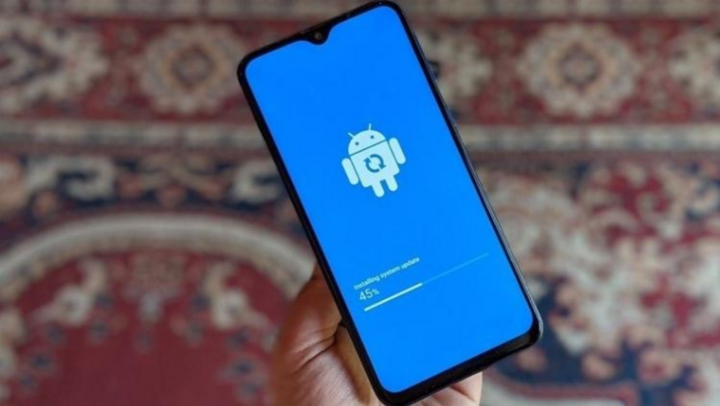
Unlock your phone using your Google account.
If you happen to forget your phone password, don't worry, you can unlock your phone using your Google account. However, this method only works if you are already logged into your Google account on your phone.
Step 1: On the lock screen, tap "Forgot password".
Step 2: Fill in your Google account login information and password > click OK
Step 3: At this point, the Screen Password setting will appear > select Turn off screen unlock and you can use your phone.
Restore factory settings to unlock your phone.
One of the most effective ways to unlock your phone when you've forgotten your password is to perform a factory reset. This method is applicable if your phone isn't logged into your Google account or you've forgotten your Google account password.
For Samsung phones: Simultaneously hold down the Power button + Home button + Volume up button > select Wipe data/factory reset > select Yes > select Reboot system now
For other Android phones: Press and hold the Power button + Volume Down button simultaneously > Select Wipe data > tap Wipe all data and removable application > tap OK > select Reboot and OK to complete.
A small note: restoring your phone to factory settings will also mean that all data on your phone will be lost. Therefore, you should consider this before trying this method.
How to unlock your iPhone
One of the most common problems iPhone users encounter is the iPhone being unable to connect to iTunes. The biggest reason for this is that users accidentally forget their password and enter it incorrectly too many times.
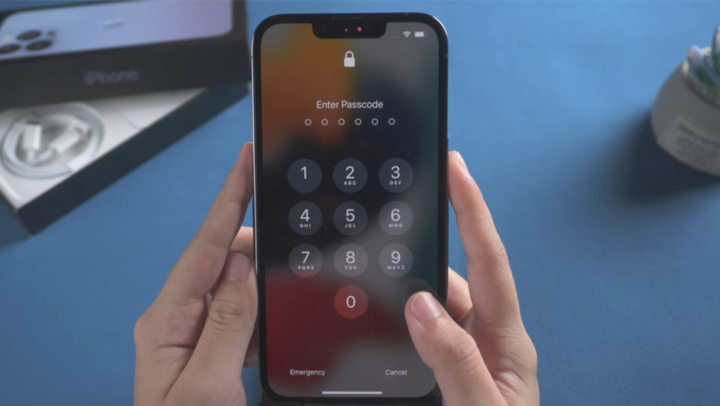
Unlock your iPhone using iCloud.
Here are the steps to unlock your iPhone using iCloud:
Step 1: Access the link icloud.com/#find on your computer.
Step 2: Log in to your Apple ID account > then select Settings
Step 3: Select "My Device" and tap the X to restore your password. Once complete, select "Restore Backup" to retrieve your data.
Unlock your iPhone using iTunes
You can also easily unlock your iPhone if you forget your password by using iTunes.
Step 1: Download iTunes to your computer and connect your iPhone > log in to your iCloud account.
Step 2: Select the phone icon in the iTunes app > tap Back Up Now
Step 3: Select Restore iPhone to restore data > then select Restore Backup.
The article above has guided you on how to unlock your phone when you forget your password on both Android and iPhone platforms. If you encounter this situation, try applying these methods immediately to unlock your device.
Source


![[Photo] Admire the coral "masterpiece" amidst the million-year-old heritage of Dak Lak province.](https://vphoto.vietnam.vn/thumb/1200x675/vietnam/resource/IMAGE/2026/05/31/1780221235105_anh-man-hinh-2026-05-31-luc-16-53-27.png)
![[Photo] The General Secretary, President and his wife begin their state visit to the Philippines.](https://vphoto.vietnam.vn/thumb/1200x675/vietnam/resource/IMAGE/2026/05/31/1780230559452_anh-man-hinh-2026-05-31-luc-19-28-11.png)
![[Photo] Solemn bathing ceremony and Buddha procession in Hue](https://vphoto.vietnam.vn/thumb/1200x675/vietnam/resource/IMAGE/2026/05/31/1780228263543_1-jpg.webp)






















![[Video] Sunset at Lap An Lagoon – Where the sun sets over the fishing nets](https://vphoto.vietnam.vn/thumb/340x192/vietnam/resource/IMAGE/2026/05/31/1780192137701_beach-landscape-sea-water-nature-grass-745871-pxhere-com.jpeg)


































![[Photo] Admire the coral "masterpiece" amidst the million-year-old heritage of Dak Lak province.](https://vphoto.vietnam.vn/thumb/402x226/vietnam/resource/IMAGE/2026/05/31/1780221235105_anh-man-hinh-2026-05-31-luc-16-53-27.png)
































Comment (0)