

According to GizChina , Firefox was once the leading web browser and dominated the internet . However, the emergence of Google Chrome has completely overshadowed Firefox. Chrome now holds an overwhelming user base, with Chrome and Chromium-based browsers dominating up to 75% of the market. Despite this, Firefox has steadfastly maintained its own dominance, becoming a top alternative for those concerned about privacy and wanting to escape Google's influence.
Why should you choose Firefox over Chrome?
Besides being independent from Google, Firefox is also strong in protecting user privacy. Mozilla, the organization behind Firefox, has always focused on tracking blocking, encryption, and advanced security tools. Recently, Google has also raised concerns with changes to the Chrome Extensions API Manifest V3, which may limit tracking blocking capabilities and user protection.

Firefox is trusted for its privacy advantages.
If you're looking for a secure browser that respects your privacy, Firefox is a great choice. Here are some ways to enhance the browser's security using add-ons and built-in settings.
Multi-Account Containers
Multi-Account Containers is one of Firefox's notable add-ons. This tool helps users improve both privacy and flexibility on the web by separating different tabs within the same window, called a container.
Each container acts as a separate browser, completely isolated in terms of cookies, local storage, and session data. This offers significant privacy benefits, potentially completely limiting tracking via cookies and keeping problematic websites at bay.
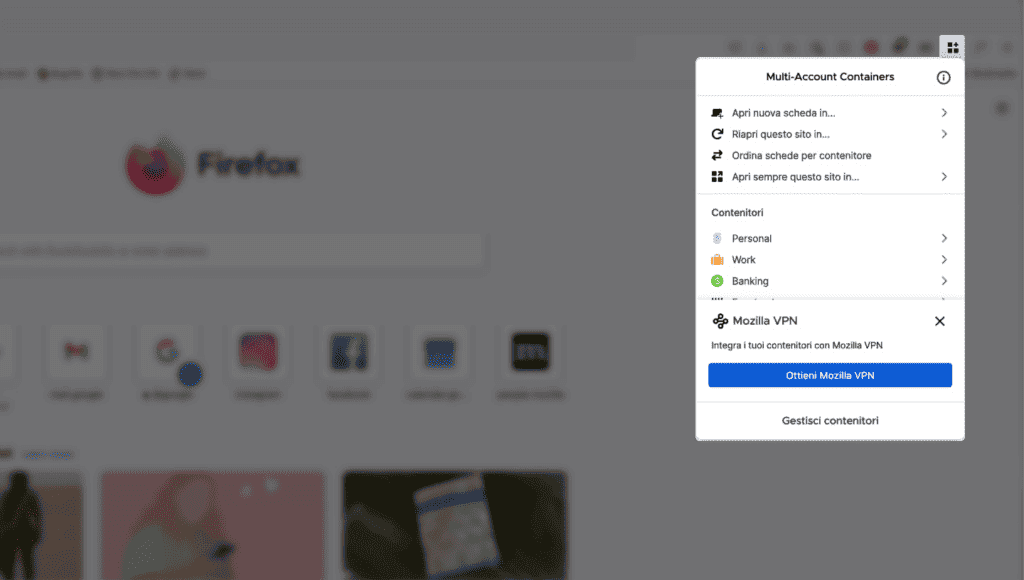
Firefox browser's Multi-Account Containers add-on
However, Multi-Account Containers aren't just for private browsing. Users can also take advantage of this feature to:
- Log in to multiple accounts on the same website. For example, use separate containers for your personal and work Facebook accounts.
- Separate your online "identities": Keep shopping, entertainment, and work activities separate in different containers.
- Enhance tab organization and management: Easily categorize tabs by purpose with an intuitive color-coded system.
To explore Multi-Account Containers, you can install the add-on directly from the Mozilla Add-Ons store. The strength of this feature lies in its transparency. The source code of Multi-Account Containers is open on GitHub, allowing experts to easily inspect any changes and verify the security of the code.
uBlock Origin
uBlock Origin is not just an ordinary ad blocker, but also an effective privacy shield, deserving its place at the top of the list of essential add-ons for Firefox.
Today, web applications are largely based on JavaScript, making uBlock Origin extremely important. Because scripts run directly in the browser, they play a key role in the development of modern web applications. However, this very influence also makes JavaScript a favorite target for many malicious actors, from cryptocurrency mining to stealing user information.
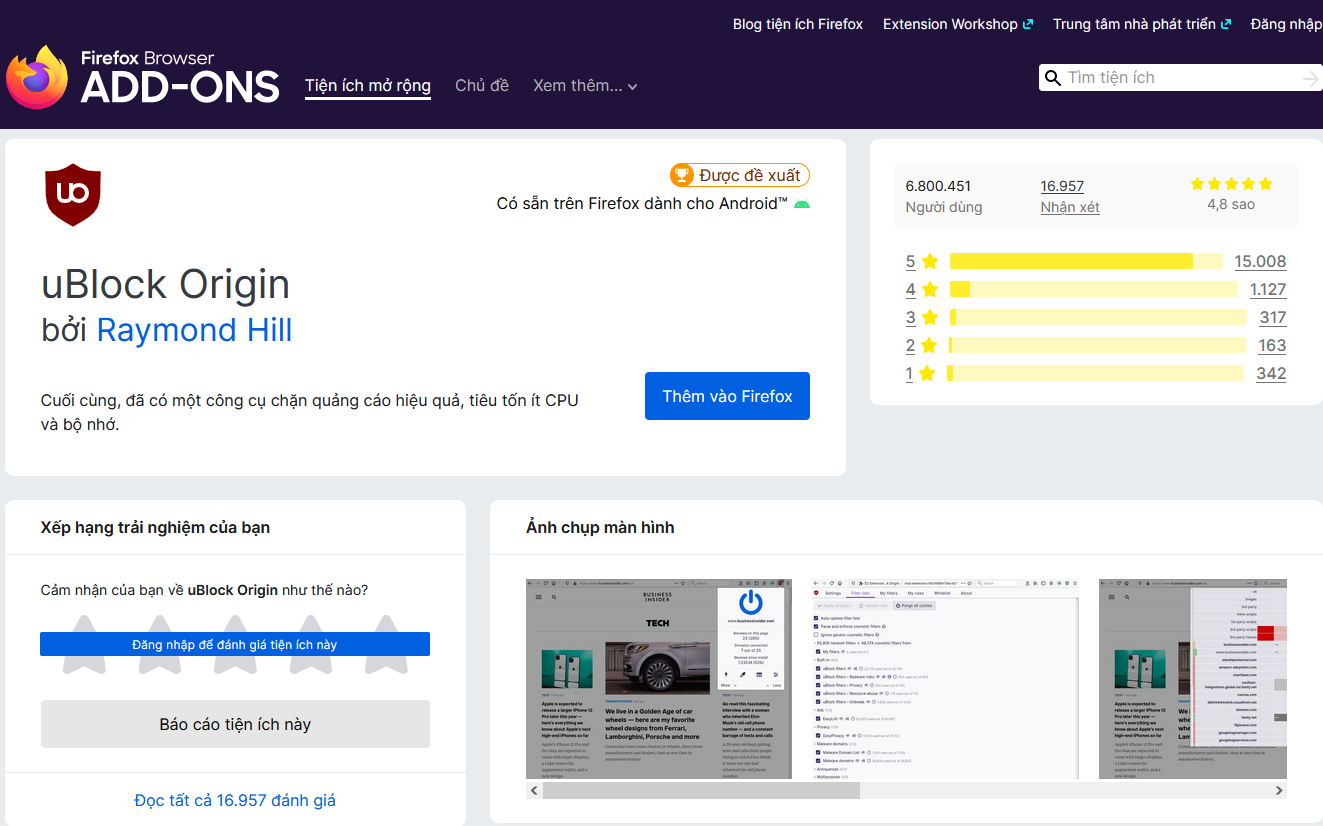
uBlock Origin is more than just an ad blocker.
uBlock Origin works by maintaining a large set of rules and filters, ensuring flexible ad and tracking blocking capabilities. It's also a highly customizable add-on. You can create your own content rule and filter lists or set exceptions for trusted websites.
For professional users, uBlock Origin also offers an advanced mode with more complex customization options.
You can easily find uBlock Origin on the Mozilla Add-Ons store. Additionally, the uBlock Origin community on subreddit is a rich resource with plenty of helpful information and tutorials.
HTTPS Everywhere
Safe web browsing isn't just about powerful add-ons; the browser itself plays a crucial role in protecting personal information. Firefox offers two valuable features that enhance security: HTTPS-Only Mode and DNS-over-HTTPS.
HTTPS-Only Mode
The HTTPS protocol plays a crucial role in keeping web browsing as secure as possible. It encrypts all data exchanged between the user and the website, preventing malicious actors from stealing sensitive information such as passwords or financial information.
To enable HTTPS-Only Mode in Firefox, go to Settings > Privacy & Security > HTTPS-Only Mode and select 'Enable HTTPS-Only Mode in all windows'. This mode will force all websites to use HTTPS, ensuring maximum security for your browsing.
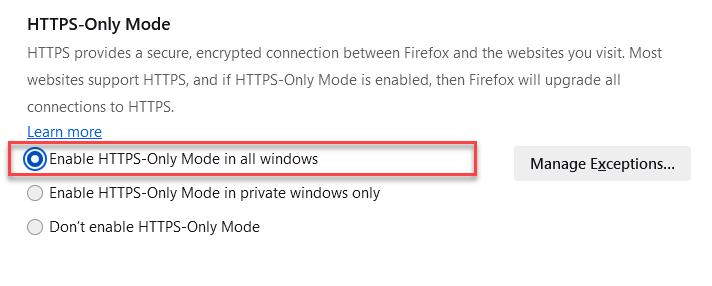
Enable HTTPS-Only mode in Firefox.
DNS-over-HTTPS
The Domain Name System (DNS) acts as an internet directory, making it easy to access websites by name instead of remembering IP addresses. However, traditional DNS systems are not encrypted, making query data easily stolen.
Firefox includes built-in DNS-over-HTTPS (DoH) encryption, which encrypts DNS queries, preventing malicious actors from tracking users' browsing activity. Although DoH is enabled automatically, the level of security can still be customized to suit individual needs.
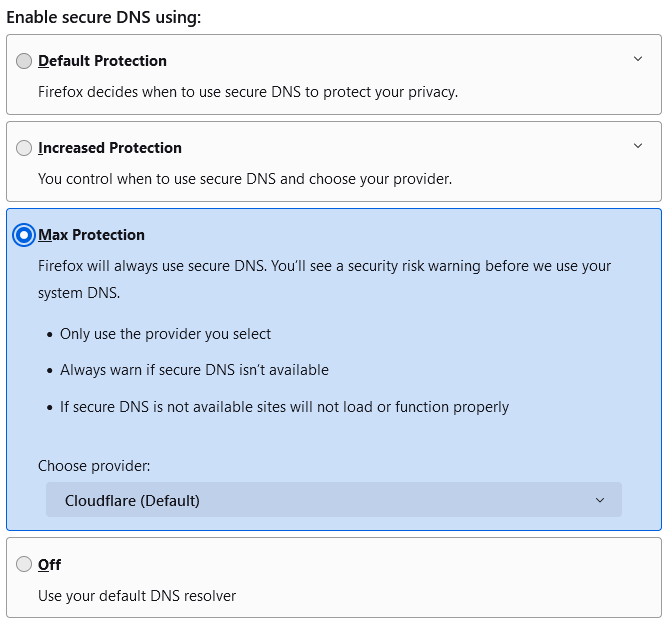
Customize the DoH security level on Firefox.
To change your DoH settings, go to Settings > Privacy & Security > Scroll Down and find 'DNS Security'. Here, you can choose the level of strictness, from automatically using DoH to always using your preferred DNS resolver.
Source link
![[Photo] Opening Ceremony of the National People's Council Conference on the Implementation of Directions and Tasks for the 2026-2031 Term](https://vphoto.vietnam.vn/thumb/1200x675/vietnam/resource/IMAGE/2026/05/28/1779939257690_ndo_br_bnd-1991-jpg.webp)
![[Image] Checking the security conditions at the exam site, ready for the 10th grade exam.](https://vphoto.vietnam.vn/thumb/1200x675/vietnam/resource/IMAGE/2026/05/28/1779943458889_z7872507660648-d764421a26e8cd7b61d70d142a48a685-jpg.webp)











































































































Comment (0)