

Smartphones are essentially miniature computers in the palm of your hand. However, while desktop computers or laptops are regularly shut down, smartphones are constantly running. This prolonged operation is silently leading to significant problems, and even simply "swiping to close an app" won't solve them.
When RAM is full of 'junk', it causes minor errors.
Many people think that simply swiping away background apps will make their device run smoother. In reality, this only shuts down the surface applications and doesn't reset the core system services running hidden beneath the surface. Over time, data scraps and resource leaks from old apps accumulate. These don't damage the phone immediately, but they cause motion effects to start lagging, the device to overheat, and the battery to drain abnormally.

You should restart your phone regularly to optimize performance and fix errors.
PHOTO: PHONG DO
At this point, a simple reboot is a simple but effective solution. This will help clear the cache and force faulty services to restart from scratch. Even Google includes this advice in its top troubleshooting guide for its Pixel devices.
Besides making your phone run smoother, turning it off and on again once a week is also an official security recommendation from the US National Security Agency (NSA).
Currently, dangerous malware such as zero-click malware can infiltrate your computer without you clicking on any suspicious links. They often hide in temporary RAM memory to avoid detection by hard drive scans. When you restart your computer, all temporary memory is cleared, meaning the attacker's attack chain is completely broken.
Slow network connection and incomplete updates.
Furthermore, keeping the device running continuously for months can cause the phone to constantly cling to a weak Wi-Fi signal even when the surrounding 4G/5G network is strong. Or, Bluetooth might suddenly refuse to connect to headphones or the Android Auto screen in a car. Restarting the device will force the radio transceivers to shut down and establish a completely new connection state.
Furthermore, the Android operating system automatically downloads background updates. These code snippets cannot be installed over the system while the device is running, so they remain in a waiting state. If the device is not restarted, these security patches will remain dormant, leaving your phone inadvertently outdated and vulnerable to security flaws.
Let your phone take a proper break.
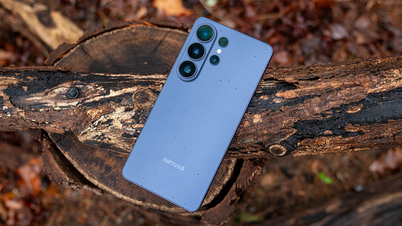
Recognizing the importance of this, Samsung has integrated an auto-restart feature into the Device Care settings of its Galaxy line of devices. The device will automatically refresh the system when the user is asleep or the battery is above 30%. This demonstrates that periodic restarts are a scientifically proven maintenance process, not just an outdated technological belief.
If you don't have an automation feature like Samsung's, establish a habit of restarting your phone weekly. This applies whether you're using Android or iOS. While restarting can't save a worn-out battery or a storage full of photos, it's certainly the easiest and free way to extend the lifespan of your beloved phone.
Source: https://thanhnien.vn/thoi-quen-tai-hai-khien-dien-thoai-cang-dung-cang-cham-185260522131323385.htm
![[Image] Pleasant weather helps students enter the 10th grade entrance exam with confidence.](https://vphoto.vietnam.vn/thumb/1200x675/vietnam/resource/IMAGE/2026/05/29/1780034401612_ngay-1-thi-lop-10-minh-duy-8-5009-jpg.webp)




![[Photo] Ba Lang An Lighthouse - the "eye of the sea" amidst the "rock museum" of Quang Ngai province.](https://vphoto.vietnam.vn/thumb/1200x675/vietnam/resource/IMAGE/2026/05/29/1780038698840_anh-man-hinh-2026-05-29-luc-14-10-42.png)







![[GALLERY] The million-dollar 007 blockbuster is causing a sensation on Steam, is it worth buying?](https://vphoto.vietnam.vn/thumb/402x226/vietnam/resource/IMAGE/2026/05/29/1780064112088_ta-2-png.webp)



























































































Comment (0)