

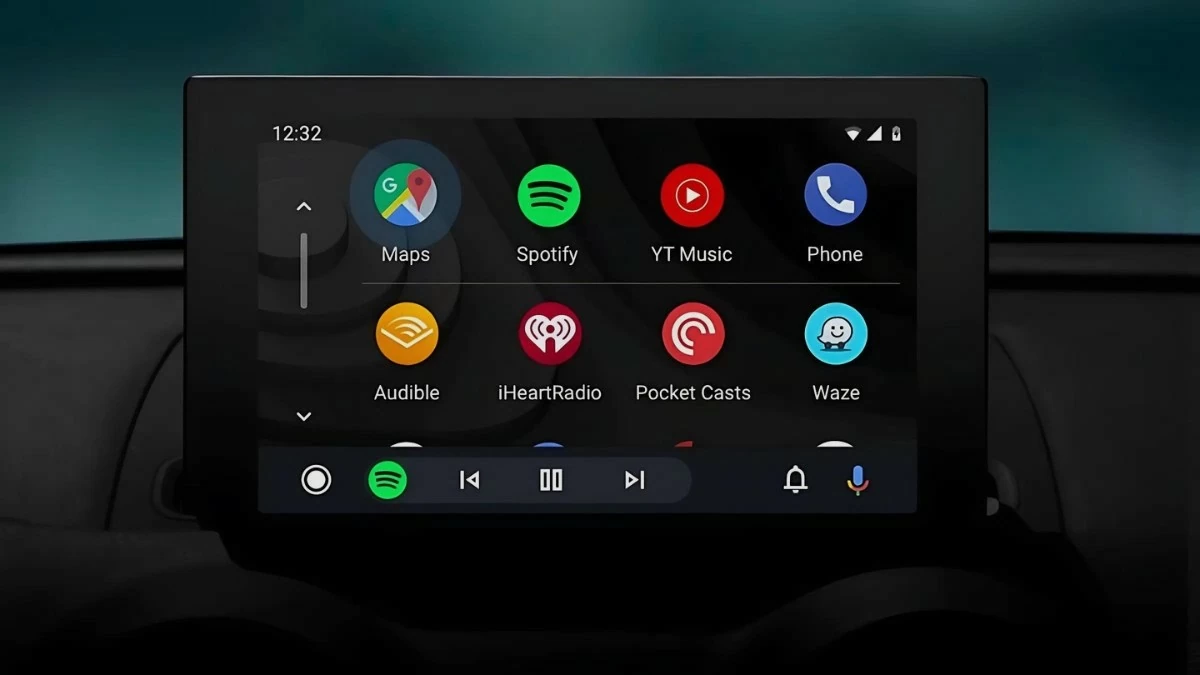
Connecting to Android Auto, both wired and wireless, allows drivers to utilize modern features. See how to connect your phone to your car's screen via this app!
 |
Revealing 3 quick and effective ways to connect Android Auto.
To optimize their driving experience, many drivers choose to connect their phones to their car's display screen. Below are instructions for connecting Android Auto both wired and wirelessly.
Connect via the Android Auto app.
Android Auto is an effective solution for syncing your phone with your car. Here are the steps:
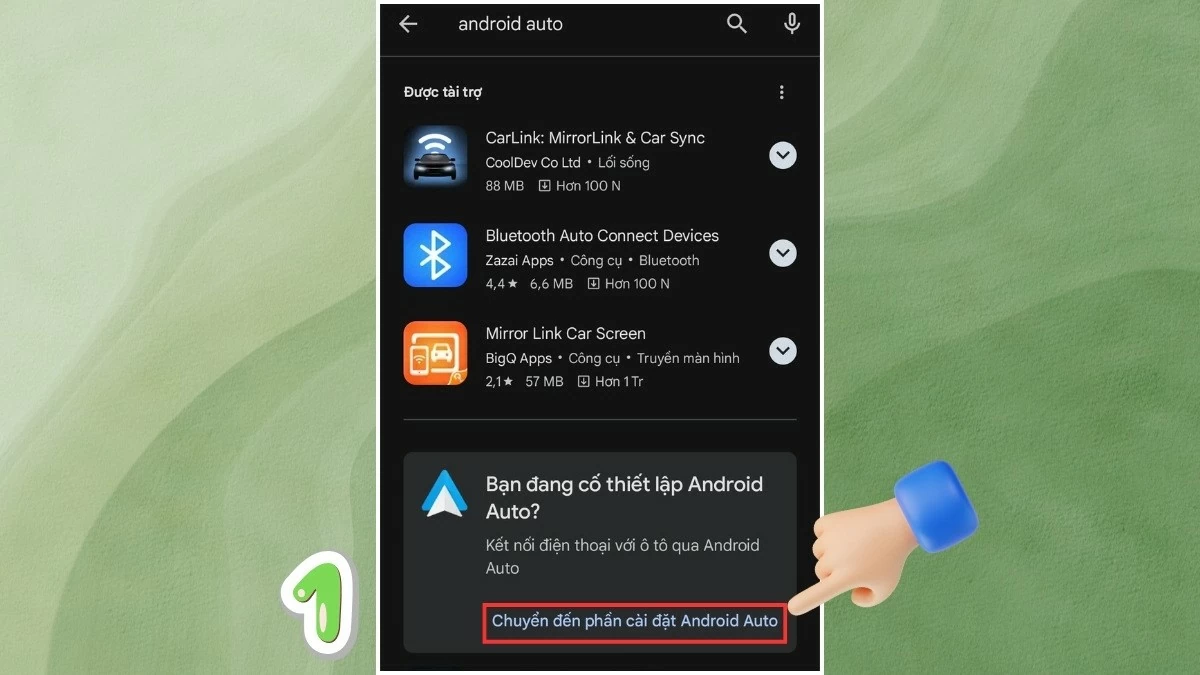
Step 1 : First, download the Android Auto app to your phone. If the app is already installed, you will receive a notification from the Play Store saying "You are trying to set up Android Auto" and you can go to settings to continue.
 |
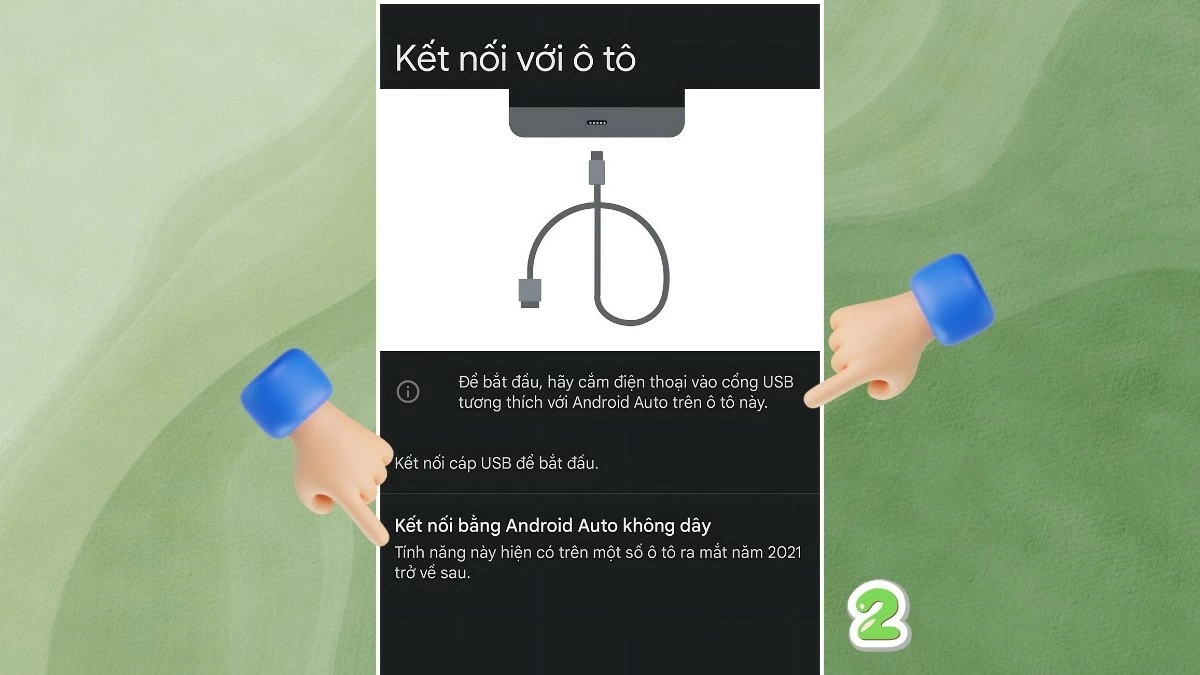
Step 2 : After downloading Android Auto, you can connect your phone to your car via Bluetooth or USB cable.
 |
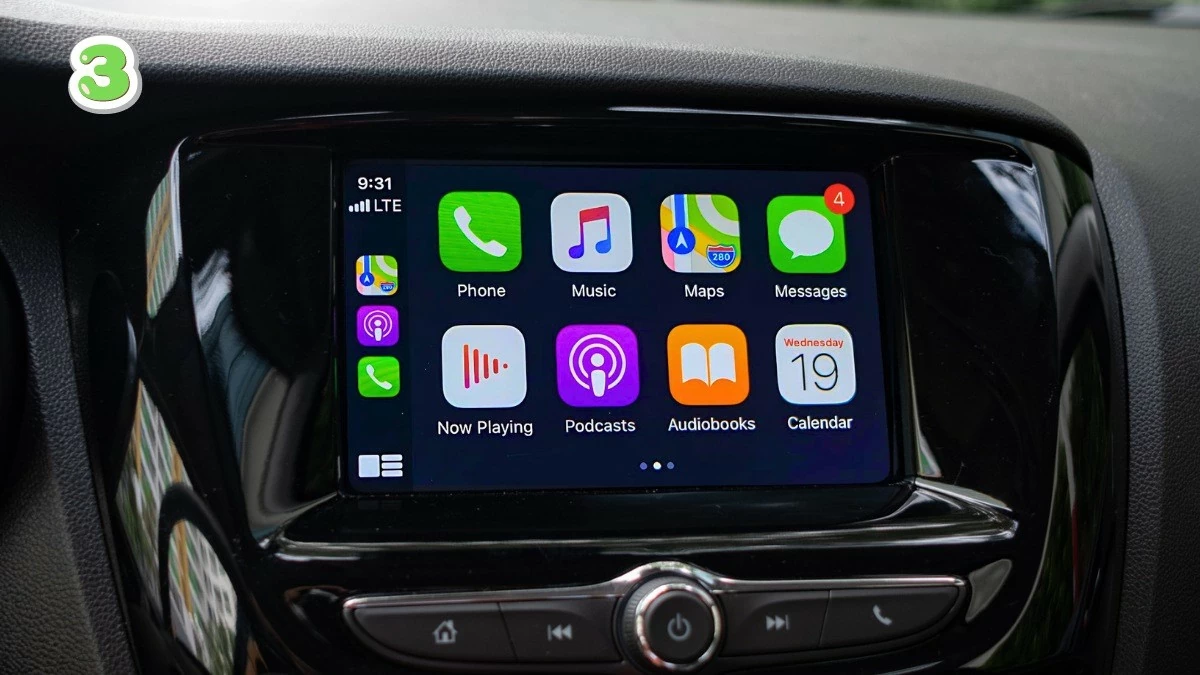
Step 3 : Follow the confirmation instructions to begin using the app's features.
 |
Connect via USB cable.
For vehicles that support USB ports, you can easily connect Android Auto using a USB cable.
Step 1 : Download the Android Auto app from the Play Store.
Step 2 : Open Android Auto on your phone and grant the necessary permissions.
Step 3 : Start the car and connect your phone via USB cable. Follow the instructions displayed on the car's screen to complete the connection process.
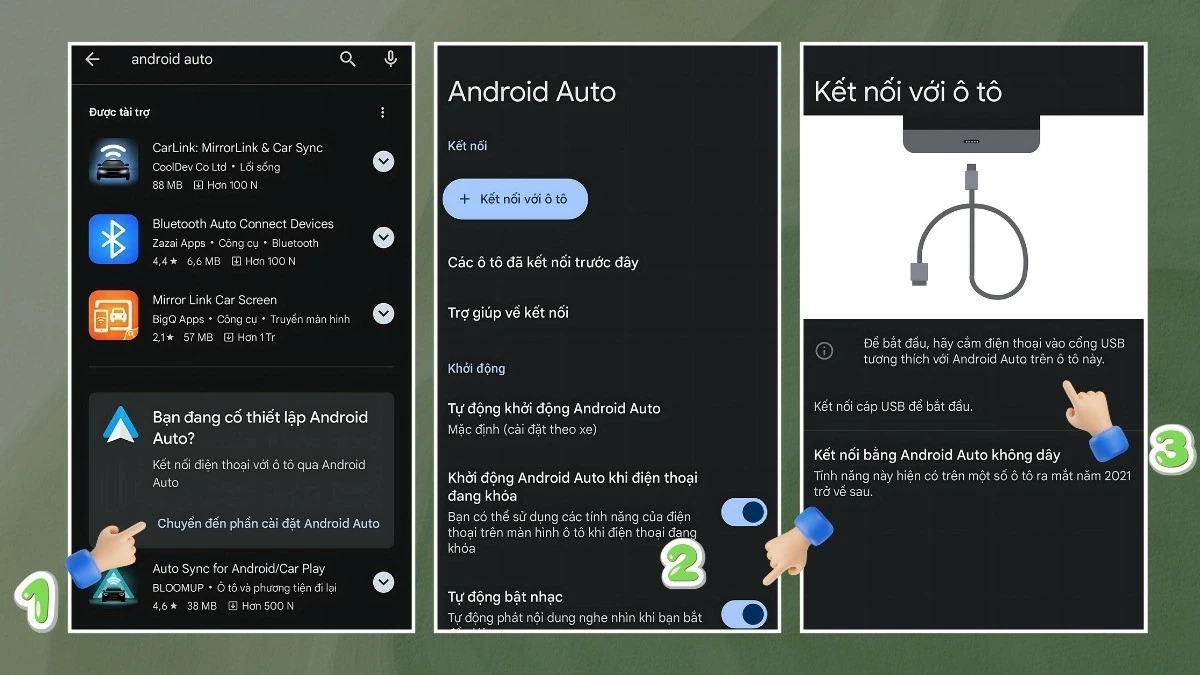 |
After completing the steps above, the Android Auto interface will appear on your car's screen. You can use features such as Google Maps, listen to music, make calls, and send messages. For subsequent connections, simply open the app and plug in the cable to use it immediately without further confirmation.
Connect via Bluetooth
Connecting Android Auto via Bluetooth is a popular method among drivers. If your car supports Bluetooth connectivity, you can follow these steps:
Step 1 : Download Android Auto from the "Play Store" to your phone.
Step 2 : Turn on Bluetooth on both your phone and your car.
Step 3 : After pairing, follow the on-screen instructions to verify the connection.
For first-time use, you need to grant the app permission to connect successfully. After that, simply turn on Bluetooth to pair and start using it immediately.
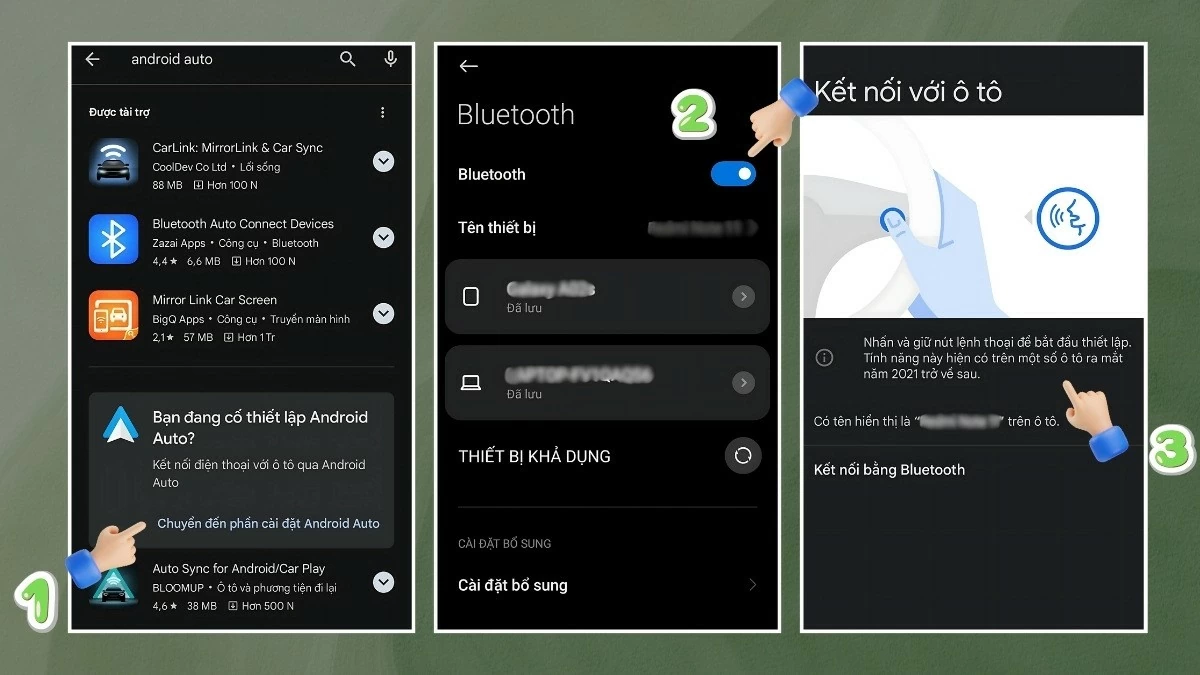 |
Above are simple wired and wireless ways to connect Android Auto, making it easy to connect your phone to your car's screen. With these methods, your journeys will become more convenient, safer, and more enjoyable.
Source
![[Photo] The heat at the fireworks display site on the opening night of the Da Nang International Fireworks Festival 2026](https://vphoto.vietnam.vn/thumb/1200x675/vietnam/resource/IMAGE/2026/05/27/1779889741485_ndo_br_z7872039145157-fecaba5112f39e8352544099d7ef4738-5140-jpg.webp)

![[Photo] The courage of new recruits of Brigade 144 on the training ground.](https://vphoto.vietnam.vn/thumb/1200x675/vietnam/resource/IMAGE/2026/05/27/1779881651341_anh-man-hinh-2026-05-27-luc-18-32-52.png)


























































![[Photo] The courage of new recruits of Brigade 144 on the training ground.](https://vphoto.vietnam.vn/thumb/402x226/vietnam/resource/IMAGE/2026/05/27/1779881651341_anh-man-hinh-2026-05-27-luc-18-32-52.png)



























Comment (0)