

If you accidentally delete messages on your Samsung phone, you can recover them by installing software. Here are 5 methods to help you retrieve deleted SMS messages!
 |
5 simple ways to recover SMS messages on Samsung.
Samsung phones have built-in tools for recovering deleted messages, and in some cases, you may need to use a supporting app. Here are 5 ways to retrieve deleted SMS messages:
Recover SMS messages using the Trash feature:
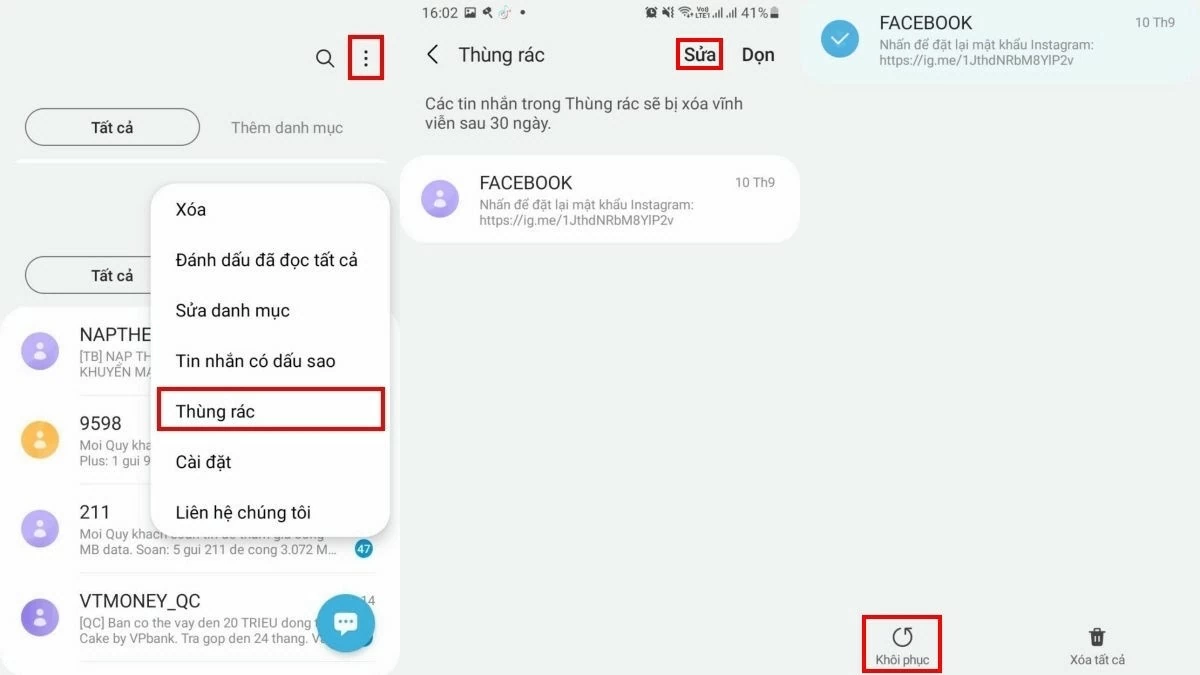
With this feature, you can easily recover deleted SMS messages in the Messages app without downloading any additional software. Here's how:
Step 1: Open the Messages app, tap the three dots, and select "Trash".
Step 2: Select "Edit," then check the boxes next to the messages you want to restore.
Step 3: Press "Restore" to retrieve the messages.
 |
Recover deleted SMS messages on Samsung using Samsung Cloud effectively.
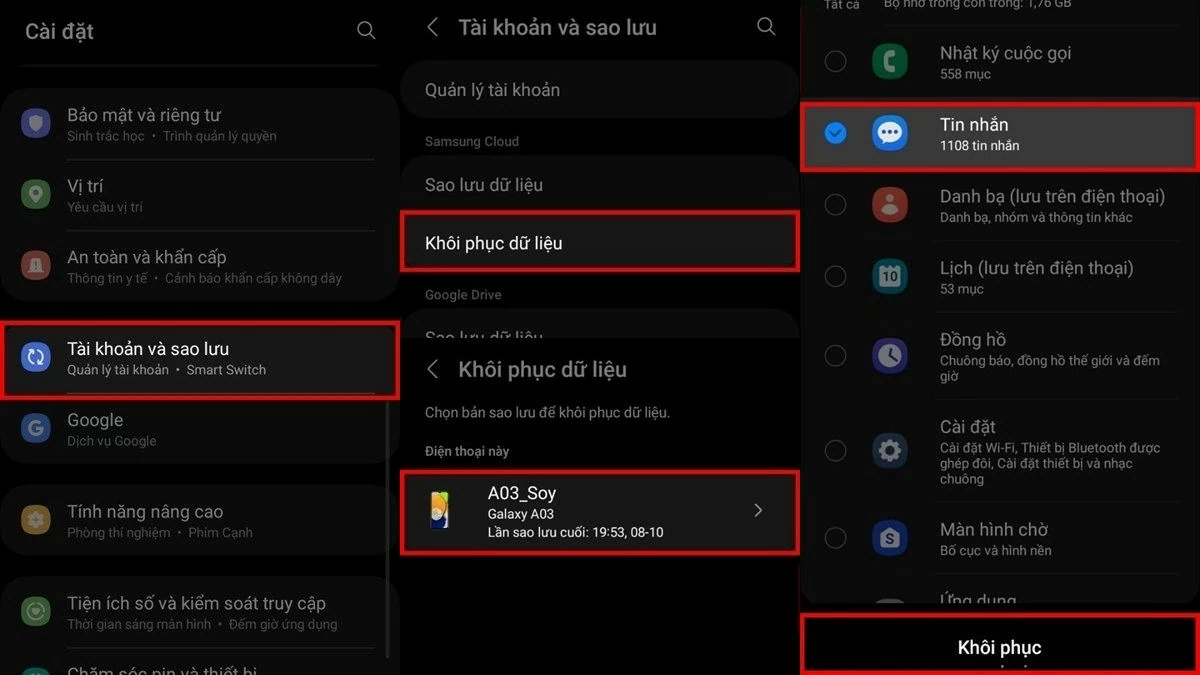
If you've backed up your messages to Samsung Cloud, recovering deleted messages is easy and efficient. Here are the steps:
Step 1: Go to Settings , find and select Accounts and backup .
Step 2: Select Restore data , then choose the backup you want to restore (usually your phone's name).
Step 3: Select Messages and tap Restore to retrieve deleted messages.
 |
Recovering SMS messages on Samsung devices is easy with Samsung Smart Switch.
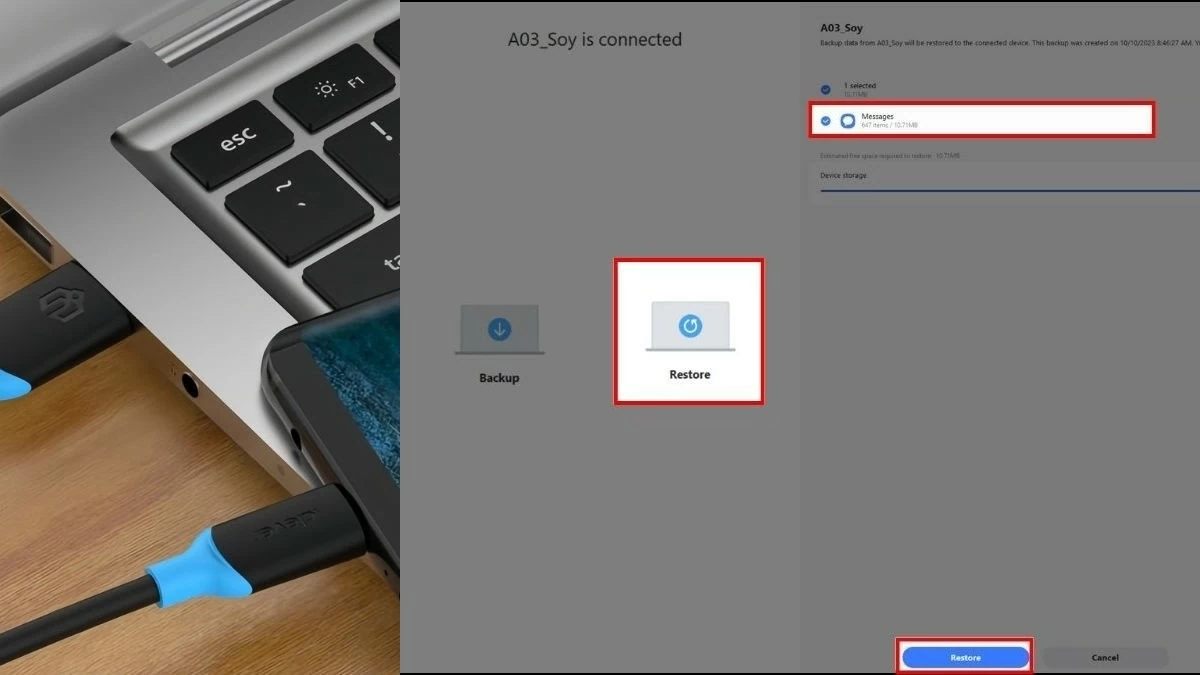
If you've backed up your SMS messages using Samsung Smart Switch, you can easily restore them by following these steps:
Step 1: First, connect your Samsung phone to your computer.
Step 2: Next, open Samsung Smart Switch on both devices and select Restore .
Step 3: Select Messages and press Restore to recover deleted messages.
 |
Recover SMS messages within 24 hours: Contact your mobile carrier as soon as possible.
If you want to recover deleted SMS messages within the last 24 hours, mobile carriers can help you. However, please note that only messages deleted within the last 24 hours can be recovered. Below is contact information for popular carriers where you can request support:
Recover SMS messages on Samsung using MobiKin Doctor
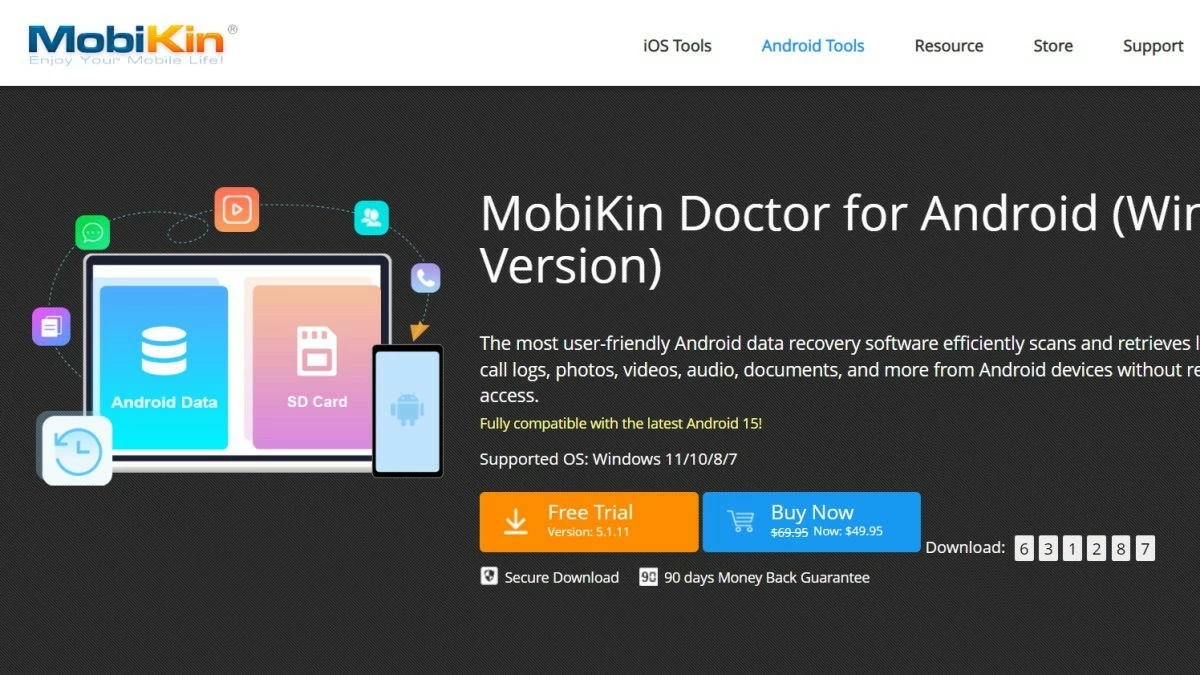
To recover SMS messages on a Samsung phone using MobiKin Doctor, you will need a computer and follow these steps:
Step 1: Visit https://www.mobikin.com/doctor-for-android/ to download and install MobiKin Doctor on your computer.
 |
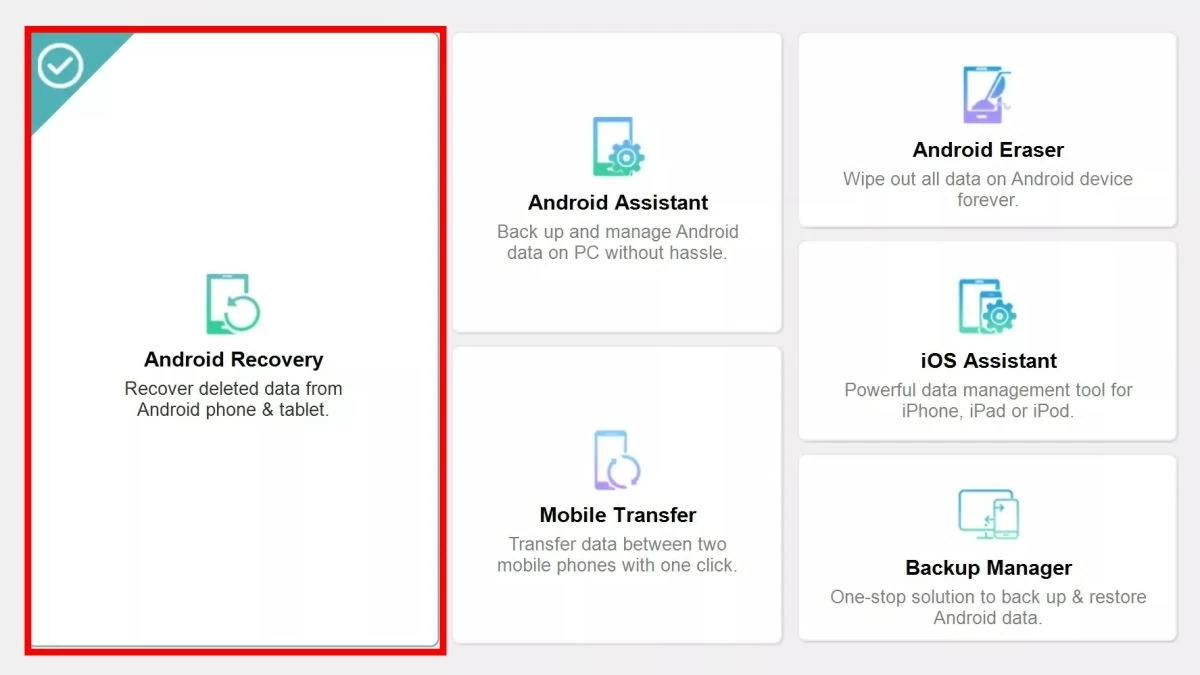
Step 2: Open MobiKin Doctor and select "Android Recovery" to access the data recovery feature.
 |
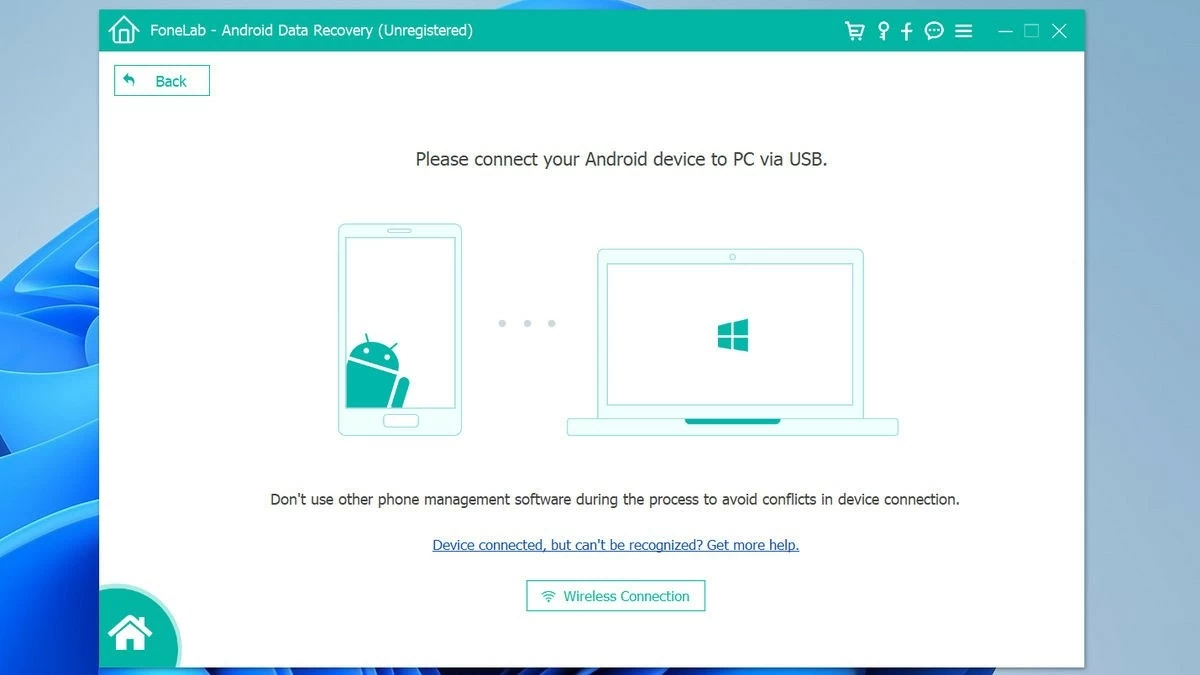
Step 3: Connect your Samsung phone to your computer, then tap "Allow" on your phone to continue.
 |
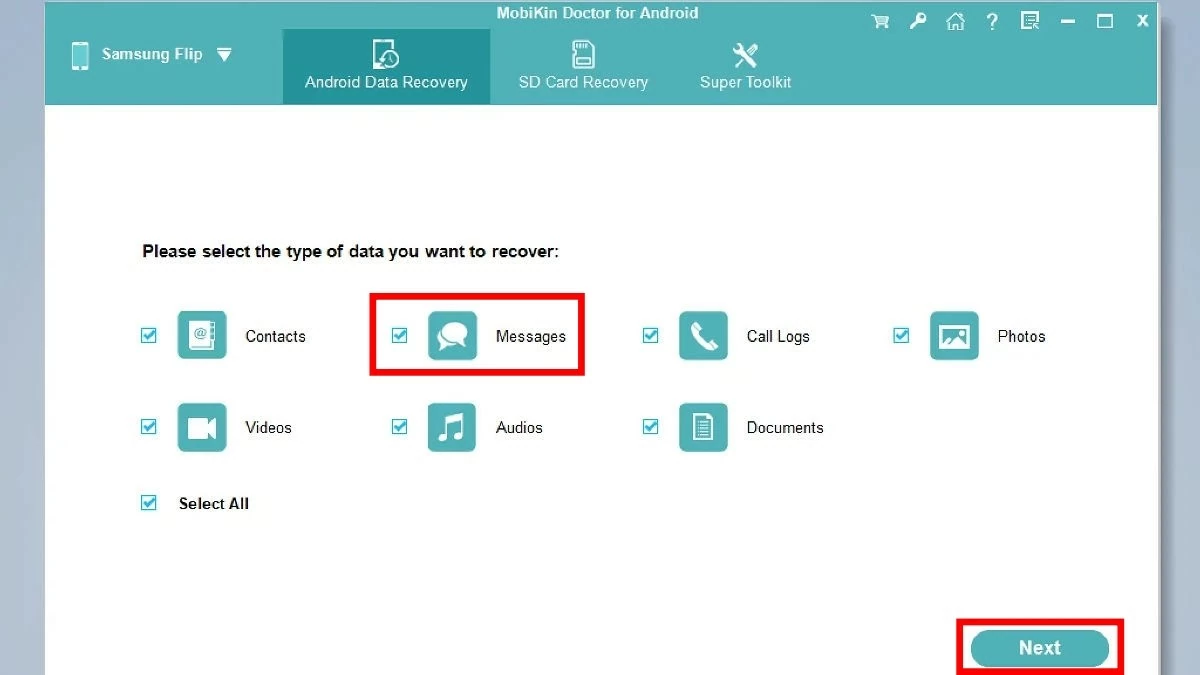
Step 4: Select "Messages" and then press "Next" to continue the process.
 |
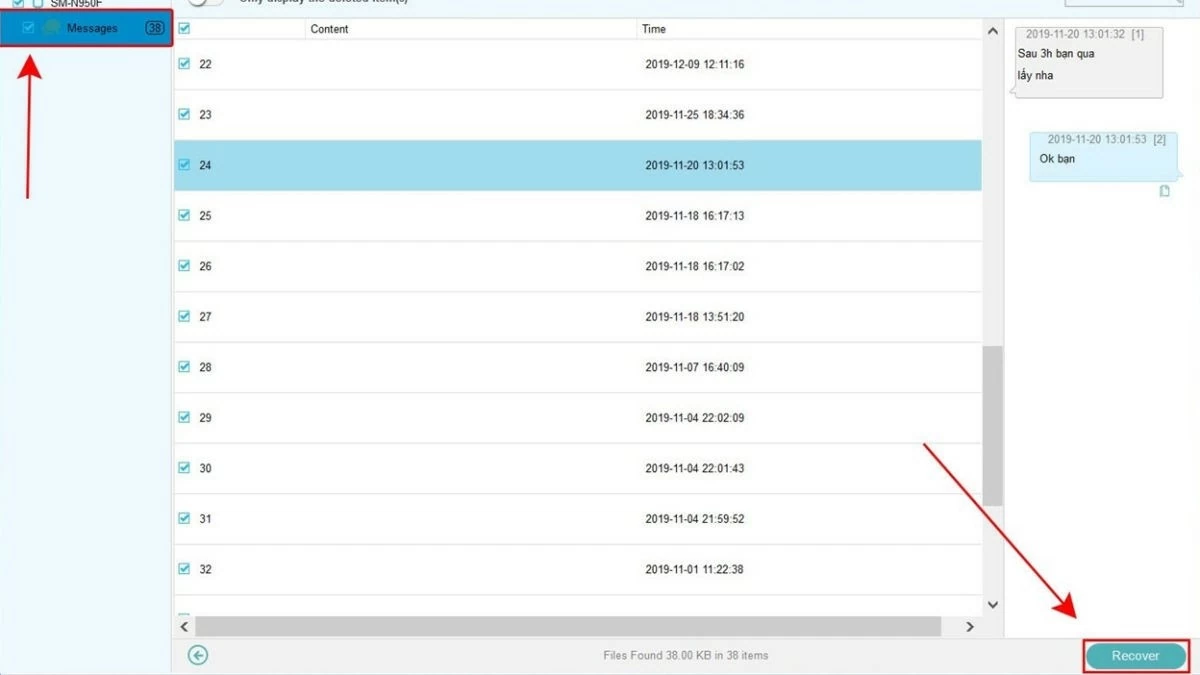
Step 5: Select the messages you want to recover, or to select all, you can tap "Messages" on the left and choose "Recover".
 |
Simple ways to prevent SMS messages from being permanently deleted on Samsung.
Although there are many ways to recover SMS messages on Samsung devices, if you don't back them up in time, you could lose your data permanently. To avoid this, back up your data regularly.
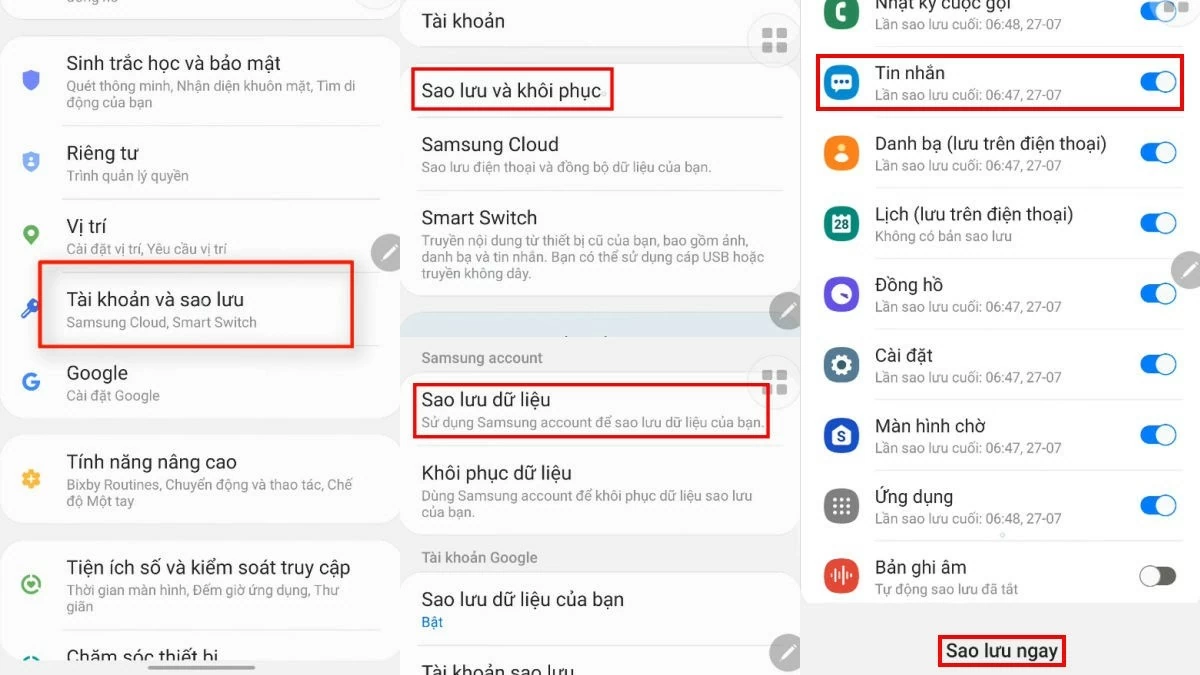
Here are the steps to back up your SMS messages:
Step 1: First, go to "Settings," then select "Accounts and backups."
Step 2: Click "Backup and restore" and then select "Backup data".
Step 3: Toggle the switch for the apps you want to back up (select "Messages") and press "Back Up Now" to complete the process.
 |
Additionally, before updating your Samsung phone's operating system, you should carefully read the information to avoid affecting your data. Also, avoid clicking on links or applications from unknown sources, as they may contain malware that exposes information or steals data.
Above are effective ways to recover SMS messages on Samsung phones. While the methods may vary slightly depending on the model, the steps are generally similar to those shared.
Source
![[Photo] Secretary of the National Assembly Party Committee, Chairman of the National Assembly presides over the meeting of the Standing Committee and Executive Committee of the National Assembly Party Committee.](https://vphoto.vietnam.vn/thumb/1200x675/vietnam/resource/IMAGE/2026/06/03/1780480353201_ndo_br_bnd-2585-jpg.webp)
![[Photo] General Secretary and President To Lam presides over a meeting with the Central Organizing Committee.](https://vphoto.vietnam.vn/thumb/1200x675/vietnam/resource/IMAGE/2026/06/03/1780482764658_a1-bnd-4741-3342-jpg.webp)
![[Photo] First session of the 14th Congress of the Vietnam Trade Union](https://vphoto.vietnam.vn/thumb/1200x675/vietnam/resource/IMAGE/2026/06/03/1780465947883_ndo_br_img-3852-jpg.webp)











































![[Video] Sunset at Lap An Lagoon – Where the sun sets over the fishing nets](https://vphoto.vietnam.vn/thumb/1200x675/vietnam/resource/IMAGE/2026/05/31/1780192137701_beach-landscape-sea-water-nature-grass-745871-pxhere-com.jpeg)




























Comment (0)