

You can find several ways to temporarily suspend or limit mobile data usage for apps.

Turn off unnecessary mobile data plans to optimize your mobile phone.
Shutterstock
Completely block the use of background applications.
The simplest way is to disconnect your mobile data. However, this also prevents all apps that use or update data from running in the background. Here's how:
- Open Settings and select Network & Internet.
- Select Internet, then find your service provider.
- Tap the Settings icon (gear icon) next to the service provider's name.
- Turn off the Mobile Data option.
Choose to use background data for each application.
If you only need to use some, not all, of your installed apps, such as a map app, or want to check email regularly, you can disable network access for apps you don't need at the time, according to SlashGear .

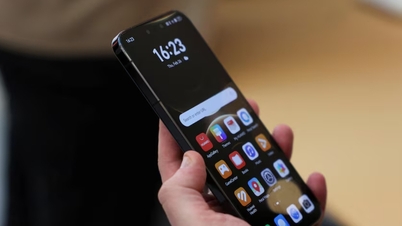
Many apps running in the background can slow down your phone.
Shutterstock
For Android 7.0 and above: You can enable Data Saver so that your device limits most apps to Wi-Fi only.
- Open Settings, select Network & Internet.
- Tap the Data Saver option, then turn on Data Saver.
- Once complete, select Unlimited Data and scroll through the list of apps, turning off the option for any apps you don't want to use your mobile data.
For versions older than Android 7.0 : You must manually change app permissions.
- Open Settings and tap Apps, then select the app you want to restrict mobile data usage for.
- Select permission settings (Location, Contacts, Phone...) and change the setting to Not Allowed.
- Alternatively, if you want to restrict permissions by type, open Settings and tap Security & Privacy, then select Privacy and tap Permission Manager.
- Select the type of permission to restrict (Location, Contacts, Phone , etc.) and scroll through the list of installed apps.
- Select the app you want to restrict, then change the permission setting to "Not Allowed".
The downside to this method is that some applications may still use a small amount of data when you don't want them to.
Source: https://thanhnien.vn/cach-tat-cac-ung-dung-android-chay-ngam-ngon-du-lieu-di-dong-185230905201945026.htm




![[Image] Hanoi's urban life under the challenge of a "scorching hot" environment](https://vphoto.vietnam.vn/thumb/1200x675/vietnam/resource/IMAGE/2026/05/25/1779706979265_nang-nong-t5-2026-minh-duy-7-4636-jpg.webp)












![[INFOGRAPHIC] Redmi Watch 6 upgrades to AMOLED screen, battery life remains excellent.](https://vphoto.vietnam.vn/thumb/402x226/vietnam/resource/IMAGE/2026/05/26/1779767297957_thumb-redmi-watch-6-jpg.webp)


















































































Comment (0)