


This feature promises to help users save considerable time when searching for and locating places (Photo: ST).
The "Screenshot" feature allows Google Maps to automatically identify locations in your screenshots and display their locations directly within the app.
This is especially useful when you're storing many screenshots from travel blogs, articles, or social media to plan your trip.
Instead of having to review screenshots and manually search for location names on Google Maps, AI will take over the task of recognizing names in images and automatically searching the map.
This simplifies the process and significantly improves the user experience.
To use this feature, go to "Your places," then select "Screenshots."
Google Maps will request access to your photo library. If you agree, every time you take a screenshot containing a place name, Google Maps will automatically recognize it and notify you of places you might want to consider.
If you don't want to grant access to your photo library, you can still use this feature by manually uploading screenshots for the AI to scan and locate.
The launch of the "Screenshot" feature once again confirms the increasingly important role of AI in enhancing user experience across everyday applications.
Google says it intends to further integrate the potential of AI into all of its products, aiming to deliver practical solutions that meet user needs.
In the near future, Google Maps is expected to add another feature powered by Gemini, allowing users to ask questions about a specific location and the AI to provide interesting insights.
Previously, this GPS application had also been significantly improved thanks to AI, most notably with voice search and real-time suggestions.
Currently, the "Screenshot" feature is available on the English version of Google Maps. Google is committed to rolling out this feature to Android devices soon and may expand it to other regions.
Source: https://dantri.com.vn/cong-nghe/google-maps-ra-mat-tinh-nang-moi-huu-ich-cho-nguoi-di-du-lich-20250510143959728.htm
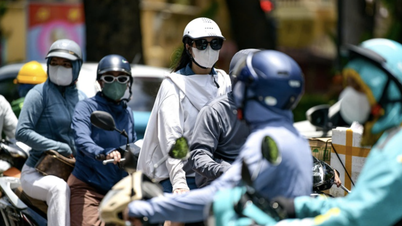
![[Image] Hanoi's urban life under the challenge of a "scorching hot" environment](https://vphoto.vietnam.vn/thumb/1200x675/vietnam/resource/IMAGE/2026/05/25/1779706979265_nang-nong-t5-2026-minh-duy-7-4636-jpg.webp)

![[Image] Close-up view of the interchange connecting the two expressways and Long Thanh Airport.](https://vphoto.vietnam.vn/thumb/1200x675/vietnam/resource/IMAGE/2026/05/25/1779703378210_ndo_br_z7863716673926-224453a31600126cce10622af6290afd-4549-jpg.webp)

















































































Comment (0)