

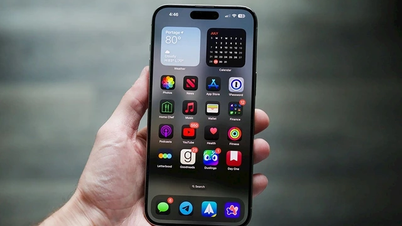
Customize your lock screen.
With this feature, you can adjust the clock style, shortcuts, font, and wallpaper for a better experience.
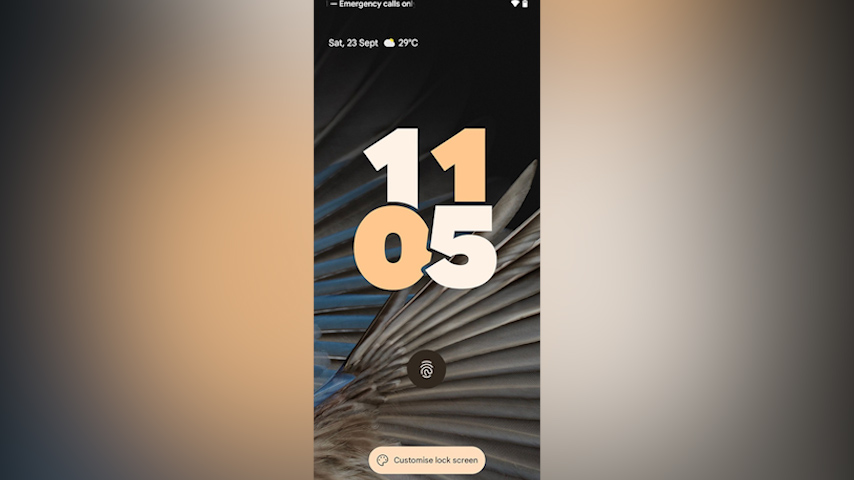
Users can use their favorite emoji as the home screen wallpaper of their phone, while the lock screen will use a different image, and the clock also comes with many different styles for smartphone owners to choose from.
This improvement seems to be inspired by iOS 16, and while Google's implementation is good, it still falls short of what Apple offers on iPhones and iPads. You still can't place widgets on the lock screen of Pixel phones, although this might change in a future Android release.
Automatic PIN verification
When setting up a new product running Android 14, the OS will encourage you to set a 6-digit PIN. After entering the correct PIN, your phone will automatically unlock. You won't have to press Enter to confirm your action (automatic PIN confirmation is only available when using a PIN of 6 digits or more).
Flash notification
This is an important new accessibility feature in Android 14: support for flash notifications. If you have trouble figuring out when your phone is ringing, you can set up flash notifications for better awareness.
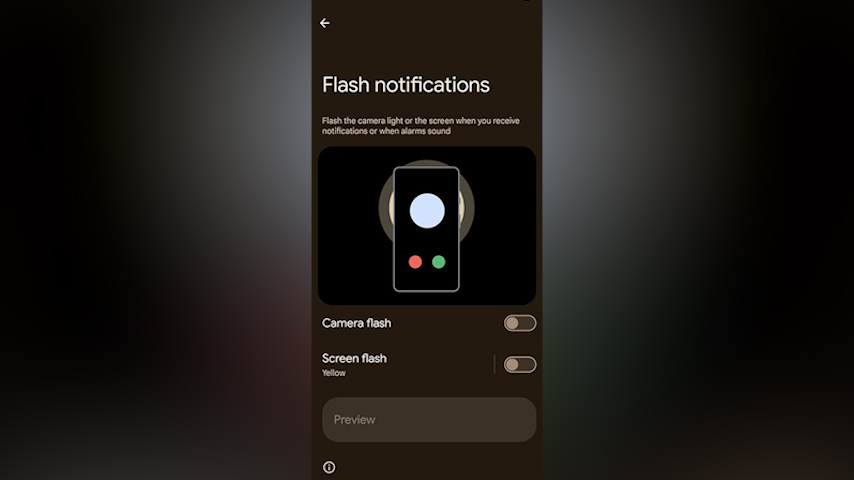
To use this feature, you need to open the Settings app > Accessibility > Flash Notifications, and you'll find the option to flash your camera or screen light whenever you receive a new notification or alarm sound.
Health Connect integration
This application is a synchronization service for health apps – allowing apps to privately and securely share your fitness data such as heart rate, steps, calories, etc., with your permission. Instead of forcing all apps to build their own solutions to work better with other services, this is supposed to provide a single, simple solution.
Health Connect was previously available as a standalone app on the Play Store. But with Android 14, Google is integrating it directly into the operating system. You can find Health Connect in Settings > Privacy on Pixel phones running Android 14.
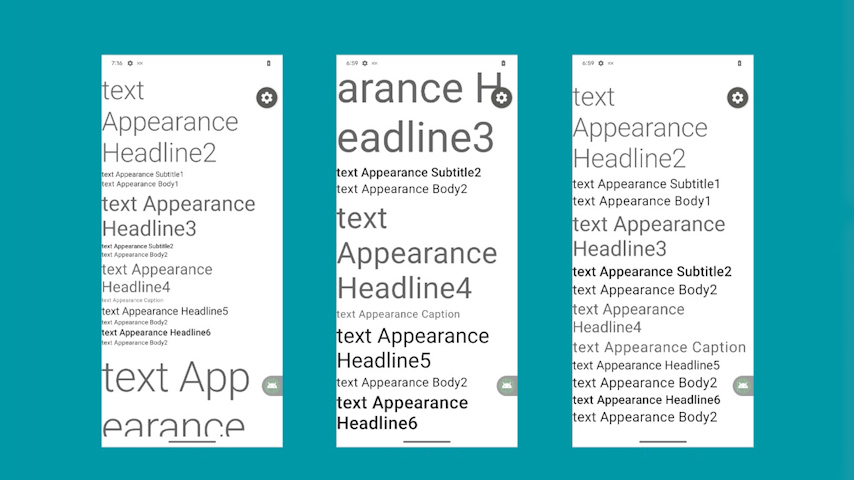
Non-linear text scaling
With this feature, you can scale the font size up to 200%, but because the scaling is non-linear, it won't crop UI elements or look too odd. This feature will be extremely useful for users with poor eyesight.
Custom actions in Sheets
With Android 14, Google is allowing third-party apps to add custom actions to the native share panel. This will allow developers to use the operating system's native share panel without having to build their own custom implementations. All app-specific actions will appear at the top of the share panel.
Source
![[Photo] Secretary of the National Assembly Party Committee, Chairman of the National Assembly presides over the meeting of the Standing Committee and Executive Committee of the National Assembly Party Committee.](https://vphoto.vietnam.vn/thumb/1200x675/vietnam/resource/IMAGE/2026/06/03/1780480353201_ndo_br_bnd-2585-jpg.webp)


![[Photo] General Secretary and President To Lam presides over a meeting with the Central Organizing Committee.](https://vphoto.vietnam.vn/thumb/1200x675/vietnam/resource/IMAGE/2026/06/03/1780482764658_a1-bnd-4741-3342-jpg.webp)
![[Photo] First session of the 14th Congress of the Vietnam Trade Union](https://vphoto.vietnam.vn/thumb/1200x675/vietnam/resource/IMAGE/2026/06/03/1780465947883_ndo_br_img-3852-jpg.webp)





































![[Video] Sunset at Lap An Lagoon – Where the sun sets over the fishing nets](https://vphoto.vietnam.vn/thumb/1200x675/vietnam/resource/IMAGE/2026/05/31/1780192137701_beach-landscape-sea-water-nature-grass-745871-pxhere-com.jpeg)

































Comment (0)