

According to SlashGear , while it's possible to revive a battery that's been left completely discharged for too long without charging, this depends on the battery's condition. The main reason stems from lithium-ion batteries, which are common in Android phones in particular and many electronic devices in general.

Android phone users should take note of how to store their phones for extended periods.
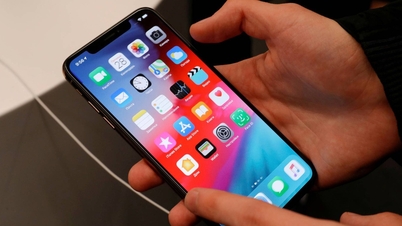
PHOTO: REUTERS
Although rechargeable, lithium-ion batteries can only be used a few hundred to 1,000 times before failing. However, if a lithium-ion battery remains discharged for too long, it can swell and become damaged. Lithium-ion batteries are made up of components such as anodes, cathodes, and electrolyte, but internal chemical reactions can lead to gas buildup and swelling. This can be caused by overcharging, voltage issues, or inappropriate temperatures.
Damage can also occur if the device is still charging after a complete charging cycle or when stored at excessively high or low temperatures. Experts say that the frequency and rate of battery charging affect battery life, and battery recovery becomes more difficult if the battery is completely discharged for an extended period.
How to properly protect your Android phone battery.
To protect your battery, unplug the charger when the battery reaches 100% and store your phone at a temperature between 0°C and 35°C. If your Android phone won't charge, the battery may be damaged, or the USB cable or charging port may be faulty. In the case of a swollen battery, the best option is to recycle it. If the battery still has sufficient capacity and is not swollen, users can check the battery status in the device settings.
If your Android phone isn't used for extended periods, charge the battery every few months to prevent it from draining quickly. If all else fails, restoring a dead Android battery may require assistance from a service center. Another option is to replace the old battery with a new one to save on the cost of buying a new device.
To protect battery life, it's best to periodically turn off the device and unplug the charger when the battery level is around 80%. Avoid letting the battery completely drain and plug it in to charge when the battery level is around 20%.
Source: https://thanhnien.vn/vi-sao-khong-nen-de-dien-thoai-android-het-pin-qua-lau-185260529185055721.htm

![[Photo] Admire the coral "masterpiece" amidst the million-year-old heritage of Dak Lak province.](https://vphoto.vietnam.vn/thumb/1200x675/vietnam/resource/IMAGE/2026/05/31/1780221235105_anh-man-hinh-2026-05-31-luc-16-53-27.png)
![[Photo] Solemn bathing ceremony and Buddha procession in Hue](https://vphoto.vietnam.vn/thumb/1200x675/vietnam/resource/IMAGE/2026/05/31/1780228263543_1-jpg.webp)
![[Photo] The General Secretary, President and his wife begin their state visit to the Philippines.](https://vphoto.vietnam.vn/thumb/1200x675/vietnam/resource/IMAGE/2026/05/31/1780230559452_anh-man-hinh-2026-05-31-luc-19-28-11.png)
![[Image] Hanoi Police officially crowned champions of V-League 2025/2026](https://vphoto.vietnam.vn/thumb/1200x675/vietnam/resource/IMAGE/2026/05/31/1780244769054_ndo_br_039d561b692be875b13a-jpg.webp)














![[GALLERY] Summer mistakes that cause phone batteries to drain extremely quickly](https://vphoto.vietnam.vn/thumb/402x226/vietnam/resource/IMAGE/2026/05/31/1780231867344_sac-4-png.webp)








![[Video] Sunset at Lap An Lagoon – Where the sun sets over the fishing nets](https://vphoto.vietnam.vn/thumb/340x192/vietnam/resource/IMAGE/2026/05/31/1780192137701_beach-landscape-sea-water-nature-grass-745871-pxhere-com.jpeg)








































![[Photo] Admire the coral "masterpiece" amidst the million-year-old heritage of Dak Lak province.](https://vphoto.vietnam.vn/thumb/402x226/vietnam/resource/IMAGE/2026/05/31/1780221235105_anh-man-hinh-2026-05-31-luc-16-53-27.png)


































Comment (0)