

 |
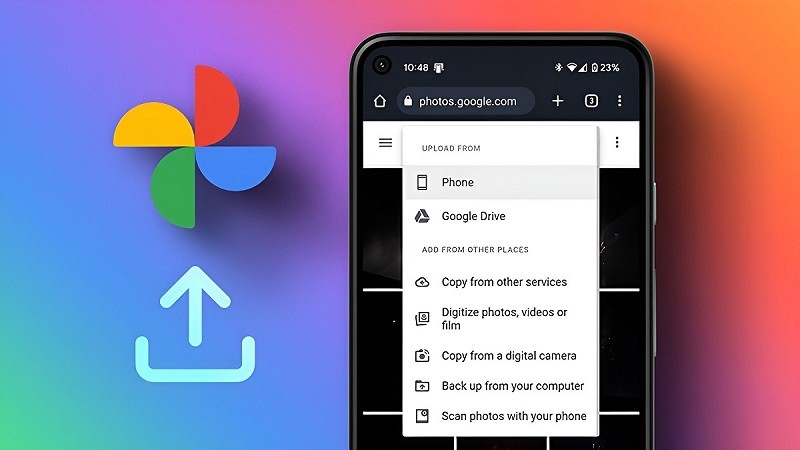
Turning off photo backups on Google Photos varies depending on the phone you use. For example, it will be different on an iPhone than on an Android phone. You can refer to the detailed instructions on how to turn off automatic backups on Google Photos below.
On iOS phones
To turn off photo backups on Google Photos on your iPhone, follow these steps.
Step 1: Access Google Photos on your iPhone.
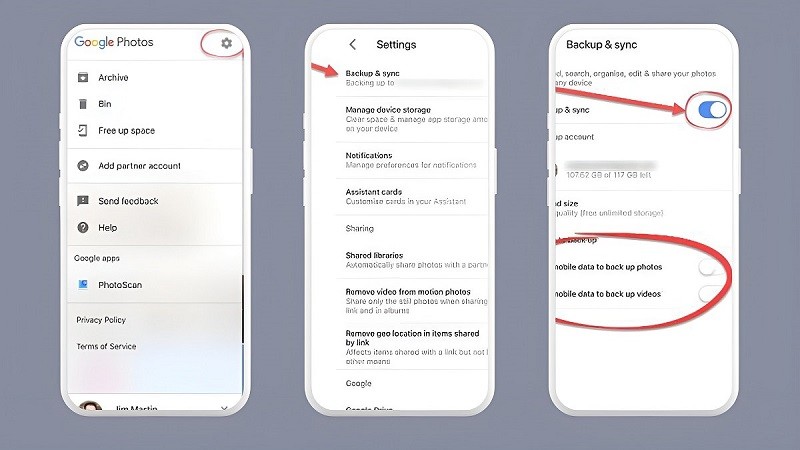
Step 2: Tap the profile icon in the upper right corner of the screen. Then, go to Settings.
Step 3: Click on the Backup and sync option.
Step 4: Turn automatic backup on/off by tapping the toggle switch next to Backup and sync. You have now successfully disabled photo backup on Google Photos on your iPhone.
 |
On Android phones
Here are the simple steps to turn off photo backups on Google Photos on your Android phone.
Step 1: First, access Google Photos from your Android home screen.
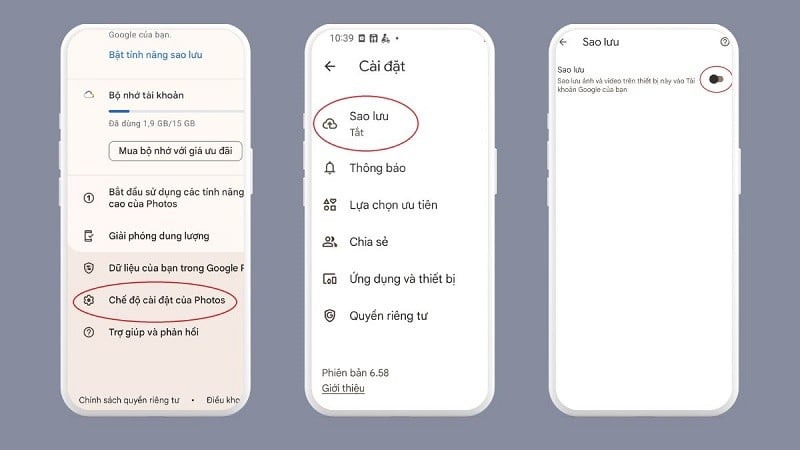
Step 2: Tap the account icon in the corner of the screen and select Photo Settings.
Step 3: Click on the Backup option.
Step 4: Move the horizontal bar to the right in the Backup section. When the green button turns white, you have successfully disabled photo backup on Google Photos on your Android phone.
 |
After disabling automatic photo backup, your device will stop uploading data to Google Photos. Photos will then only be stored on your device.
The article above shared with you how to turn off photo backups on Google Photos on iPhone and Android phones. Turning off automatic photo backups will help you save a significant amount of Drive storage.
Source




















![[Photo] Reception to welcome General Secretary and President To Lam and his wife on their State visit to the Philippines](https://vphoto.vietnam.vn/thumb/1200x675/vietnam/resource/IMAGE/2026/06/01/1780295488620_vna-potal-chieu-dai-chao-mung-tong-bi-thu-chu-tich-nuoc-to-lam-va-phu-nhan-tham-cap-nha-nuoc-toi-philippines-8798060-7855-jpg.webp)


































































Comment (0)