

After a period of use, users' email inboxes often become "filled" with old emails, unnecessary mass subscriptions, or promotional emails. To help users save time, email services like Gmail offer a feature that allows users to automatically delete emails, although this feature also has its advantages and disadvantages.

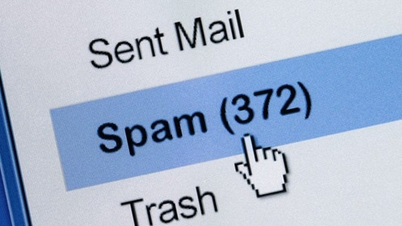
Should you enable automatic email deletion? (Illustrative image)
Should I enable automatic email deletion?
Most people recommend setting your email to automatically delete, as this type of information quickly becomes outdated and no longer needed. Too many emails can also make it difficult to find truly important information, or cause you to miss new emails.
Regardless of whether emails are organized into folders or not, when you need to find information again, scanning through 50 emails is much easier than scanning through 500 emails on a device. Gmail's email filtering feature is often ineffective when there are too many emails.
Besides search speed, having too many emails can also affect the operating system, especially when using a local email program – email management software on your computer or laptop. The more emails you have, the longer it will take for the email program to start up and synchronize with the server.
For this reason, backups will take longer to appear. Therefore, even if you have plenty of hard drive space, keeping your mailbox to a minimum is always the best solution.
How to manually delete all emails on your computer.
Step 1: Log in to your Gmail account as usual.
Step 2: On the Gmail interface, in the left-hand menu bar, click on "All Mail". If you don't see this option, click on "More" to see more options.
Please click on the "All Mail" option.
Step 3: On the right side of the screen, you will see a list of all your Gmail emails, including all archived emails. To delete all of these emails, first select them all by clicking the "Select" option (square icon) at the top of the Gmail interface.
Click on the “Select” option (square icon) at the top of the Gmail interface.
Step 4: At this point, all emails displayed here will be selected. To select emails that do not appear on this page, click the “Select All X Conversations in All Mail” button at the top of the email list, where “X” is the number of emails in the “All Mail” folder.
You click the “Select All X Conversations in All Mail” button at the top of the email list.
Step 5: Now all your emails are selected. To begin deleting, at the top of the Gmail interface, click the "Delete" option (the trash can icon). A confirmation message will then pop up. Click "OK".
Automatically delete emails on Gmail
If you want to make things more convenient, you can set up a filter that automatically deletes old emails from your inbox.
Step 1: Open your Gmail account in your browser.
Step 2: In your Gmail inbox, on the right side of the screen, click the "Settings" icon. Then, select "See all settings".
Step 3: On the Settings page, select “Filters and Blocked Addresses”. From this menu, select “Create a new filter”.
Step 4: In the pop-up box, enter “old_than:X”. The X in this command will be the time frame for which you want to delete old messages. The command will be “d” for the day, “w” for the week, “m” for the month, and “y” for the year. For example, if you want the time frame to be four years, you will have to change X to 4y. Then, select Create filter.
Step 5: A pop-up box will then appear asking if you want to create a filter. Select OK.
Step 6: Finally, select the "Delete it" option and then choose "Create filter".
Now, emails older than 30 days (or any number of days you choose) will be automatically deleted.
Mint (Compilation)
Source

![[Photo] Admire the coral "masterpiece" amidst the million-year-old heritage of Dak Lak province.](https://vphoto.vietnam.vn/thumb/1200x675/vietnam/resource/IMAGE/2026/05/31/1780221235105_anh-man-hinh-2026-05-31-luc-16-53-27.png)
![[Image] Hanoi Police officially crowned champions of V-League 2025/2026](https://vphoto.vietnam.vn/thumb/1200x675/vietnam/resource/IMAGE/2026/05/31/1780244769054_ndo_br_039d561b692be875b13a-jpg.webp)
![[Photo] Solemn bathing ceremony and Buddha procession in Hue](https://vphoto.vietnam.vn/thumb/1200x675/vietnam/resource/IMAGE/2026/05/31/1780228263543_1-jpg.webp)
![[Photo] The General Secretary, President and his wife begin their state visit to the Philippines.](https://vphoto.vietnam.vn/thumb/1200x675/vietnam/resource/IMAGE/2026/05/31/1780230559452_anh-man-hinh-2026-05-31-luc-19-28-11.png)



















![[Video] Sunset at Lap An Lagoon – Where the sun sets over the fishing nets](https://vphoto.vietnam.vn/thumb/340x192/vietnam/resource/IMAGE/2026/05/31/1780192137701_beach-landscape-sea-water-nature-grass-745871-pxhere-com.jpeg)

































![[Photo] Admire the coral "masterpiece" amidst the million-year-old heritage of Dak Lak province.](https://vphoto.vietnam.vn/thumb/402x226/vietnam/resource/IMAGE/2026/05/31/1780221235105_anh-man-hinh-2026-05-31-luc-16-53-27.png)
































Comment (0)