

iOS 18 is a major update for iPhone users, bringing a host of new features not only to familiar apps like Notes, Reminders, and Photos, but also significantly upgrading the Apple Maps app. Below are some of the highlights that iOS 18 brings to this application.
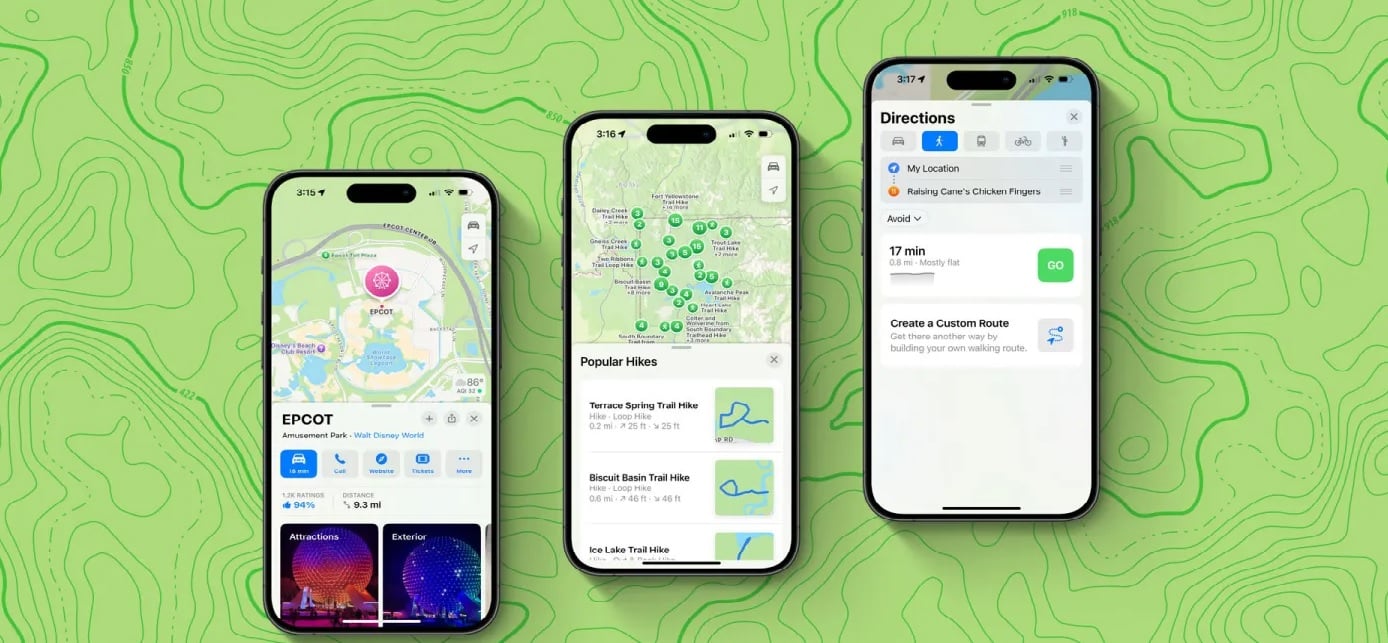
Apple Maps in iOS 18.
Location saving feature
One of the key improvements to Apple Maps in iOS 18 is the location saving feature. Users can now easily save their favorite locations with a quick tap of the + button on the map list.

All saved locations will be grouped in the new Library menu, where you can also find guides, pinned locations, and more. Locations previously saved by users, such as those added to the Guides section, will automatically sync to the "Saved Locations" list. This makes it easy to manage locations by name, distance, or date added. Importantly, you can choose to display these locations as a list or grid, depending on your preference.
Personal notes for the saved location
One of the standout features of saving locations in Apple Maps is the ability to add personal notes. Each time you review a location in your map list, the note you created will appear, helping you remember important details about that place. This is a great way to save reference information, especially useful for users who need to remember small or important details about places they frequently visit.
Custom Walking Routes in iOS 18 allows users to create custom walking routes in Apple Maps, enhancing the personalized experience. When using walking directions, you'll have the option to create your own route by tapping the map to design the path. This feature is very useful when you want to explore more scenic routes or simply follow a longer route for exercise.
These customized routes can be saved for later use, saving time on future trips.
Hiking feature
- A major focus of Apple Maps in iOS 18 is providing better support for hikers. The update brings many new features, including:
- Topographic maps: Apple Maps now integrates detailed topographic maps, with trail networks and information on national parks in the US, giving users a more comprehensive overview when planning hiking trips.
- Offline hiking: Apple has integrated thousands of hiking trails into Maps, and users can download them for offline use, which is helpful in places without internet access.
- Create hiking routes: Similar to creating regular hiking routes, you can also create your own hiking routes in Maps, providing flexibility in planning personal adventures.
- Save notes for trail routes: To enhance convenience, iOS 18 also allows users to save personal notes about selected trail routes, making it easy to refer back to them when returning to old routes.

Apple Maps in iOS 18 not only improves features but also offers greater flexibility and a more personalized user experience. From saving locations and creating custom routes to strong support for hiking trips, this update is sure to please those who use Maps daily. Apple Maps is increasingly becoming a reliable and useful tool for the iPhone user community.
Hung Nguyen (According to 9to5mac)
Source: https://www.congluan.vn/nhung-buoc-dot-pha-moi-trong-ung-dung-apple-maps-cua-ios-18-post315030.html



























































































Comment (0)