

 |
You frequently use Twitter and come across tweets with sensitive or inappropriate content, making you feel uncomfortable. Don't worry, here's how to hide sensitive content displayed on the Twitter app on both your phone and computer.
Hide sensitive content displayed on Twitter using your phone.
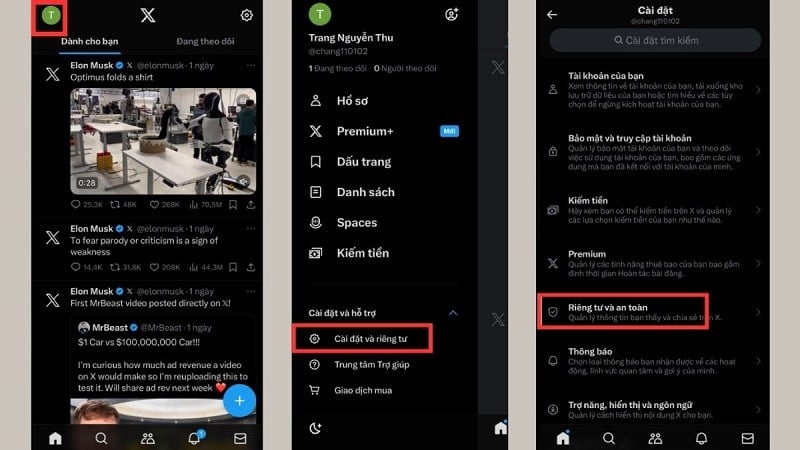
Step 1: First, open the Twitter app on your phone. Then, tap the account icon in the top left corner of the screen.
Step 2: Tap on “Settings and Privacy”. Then tap on “Privacy and Security” to change Twitter settings on your phone.
 |
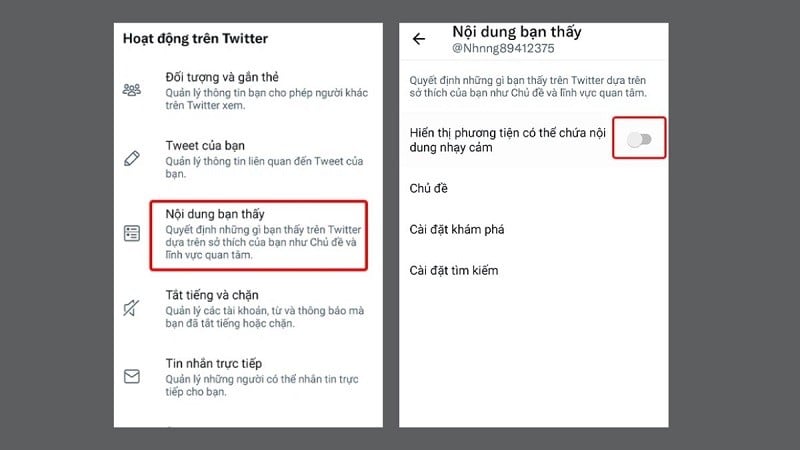
Step 3: Select "Content you see". Then find and toggle the switch next to "Show media that may contain sensitive content" to the left to turn off the feature.
 |
Hide sensitive content displayed on Twitter using a computer.
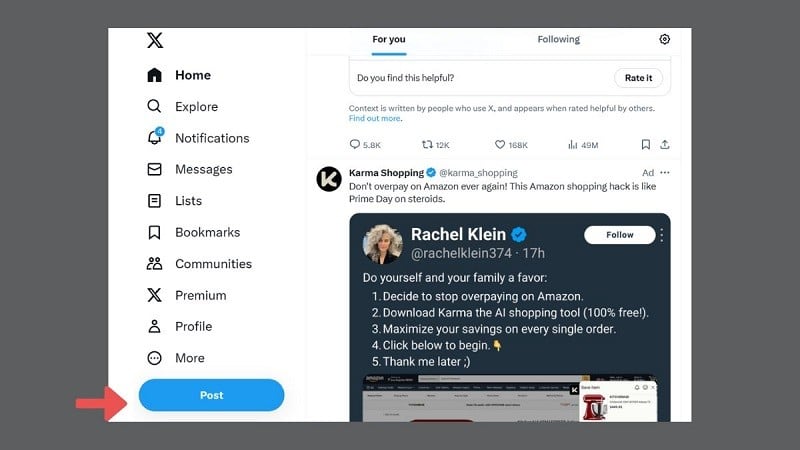
Step 1: Access your Twitter account on your computer. Click on the "More" icon (represented by three horizontal lines) located in the upper right corner.
 |
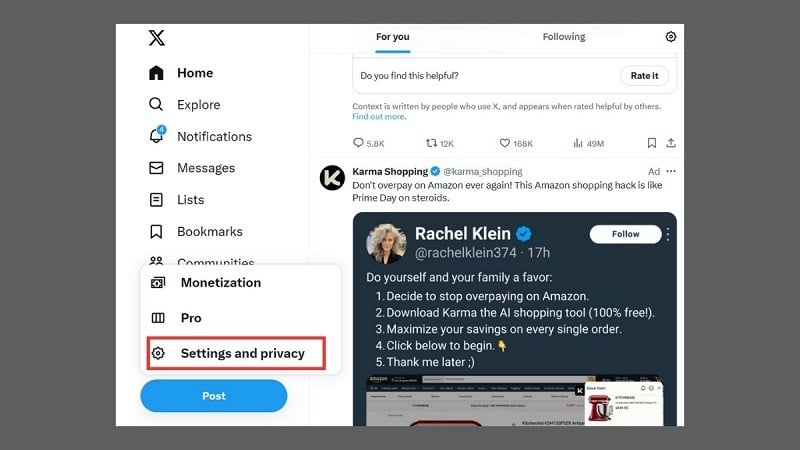
Step 2: Click on "Settings and privacy" in the menu that appears to change your Twitter settings.
 |
Step 3: Now, select "Privacy and safety". Then, select "Content you see".
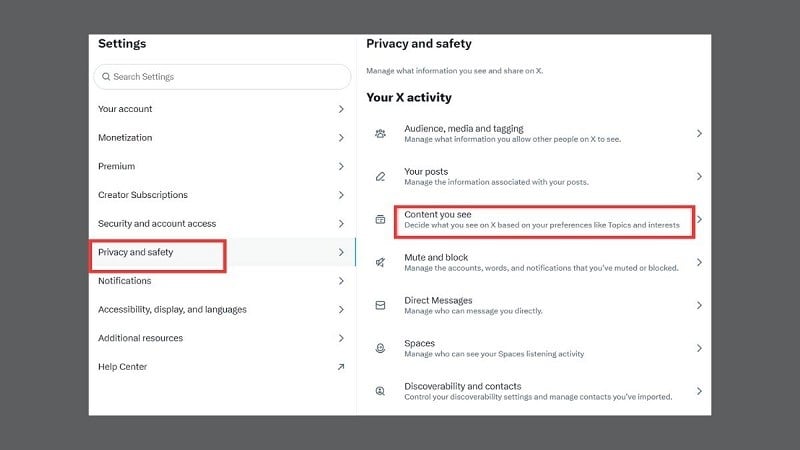 |
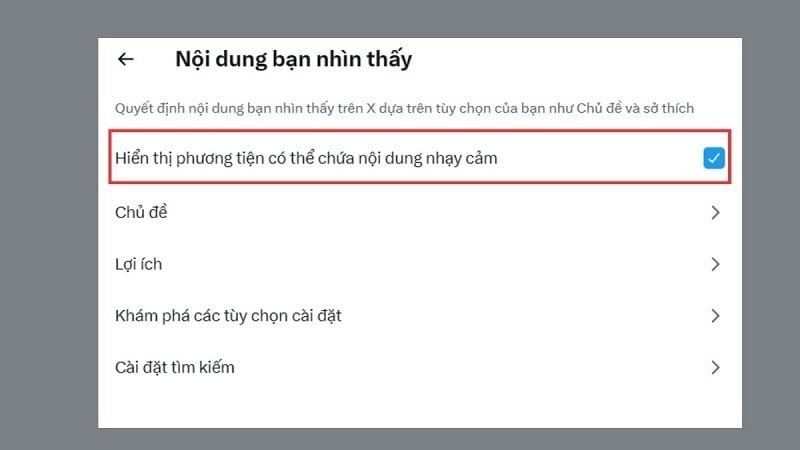
Step 4: Here, simply uncheck the box next to "Show multimedia information". This will hide sensitive content on your account.
 |
The article above has guided you on how to hide sensitive content displayed on the Twitter app. We hope you succeed.
Source


![[Image] Central Party Office summarizes work in 2025](/_next/image?url=https%3A%2F%2Fvphoto.vietnam.vn%2Fthumb%2F1200x675%2Fvietnam%2Fresource%2FIMAGE%2F2025%2F12%2F18%2F1766065572073_vptw-hoi-nghi-tong-ket-89-1204-jpg.webp&w=3840&q=75)

































































































Comment (0)