

Many users have a habit of never restarting their Smart TV until it malfunctions, unaware that this device also needs periodic operating system 'refreshes' just like computers.
Smart TV: A computer hidden in the living room.
Gone are the days of bulky CRT televisions where you could simply press a power button to cut off all electricity. Today's trendy flat-screen Smart TVs are essentially complex computer systems running on specialized operating systems like Android TV, Tizen, or WebOS.
Because they are essentially computers, smart TVs also face issues like full cache memory, background app conflicts, and RAM overflow after prolonged use. However, a large number of users today have a habit of simply turning off the TV with a quick press of a button on the remote.
In reality, this only puts the TV into a temporary sleep (standby) state for easier quick startup later, while faulty processes and system junk continue to run silently in the background day after day, causing the device to become increasingly sluggish.
Golden frequency and expert solutions
According to technology experts, the ideal frequency for performing a full restart (soft reset) on a Smart TV is at least once a month, or even once a week if used frequently. Regular resets thoroughly free up RAM, clear any frozen background processes, and ensure that firmware updates are executed correctly, helping the TV maintain smooth responsiveness.
For busy or forgetful people, a helpful tip is to connect your TV to a smart power outlet. Through a management app on your phone, you can easily set up a schedule to automatically turn off and on the TV late at night when not in use. This solution not only helps the TV automatically 'clean' its system periodically but also eliminates 'phantom power' – the wasted energy that the TV silently consumes in standby mode.
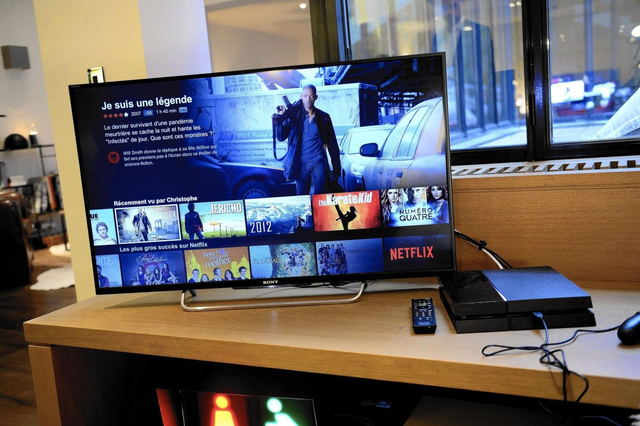
Using a smart plug allows you to restart your TV periodically.
PHOTO: AFP
Distinguishing between different reset types to save your TV when it malfunctions.
If your TV starts to freeze or become unresponsive, you need to understand these three levels of troubleshooting to apply the correct solution:
- Soft Reset : Instead of simply pressing the power button on the remote, press and hold the power button for a few seconds. This will force the TV's operating system to completely shut down and reload from scratch. You can also find this option in your TV's system settings.
- Power Cycling : This is used when the TV loses network connection or fails to recognize external devices. You need to turn off the TV, unplug it from the wall outlet, and press and hold the power button on the TV for a few seconds to discharge any excess electricity in the internal capacitors before plugging it back in.
- Factory Reset : This is the last resort when the device has a serious system error or when you need to sell the device. This feature is located in the system settings and will delete all applications and account data to return the TV to its original state as when it was first manufactured.
Properly maintaining your Smart TV with a regular restart is the simplest way to extend its lifespan, ensuring uninterrupted entertainment for your family.
Source: https://thanhnien.vn/dieu-gi-khien-smart-tv-cang-su-dung-cang-cham-chap-185260517113228526.htm


![[Photo] First session of the 14th Congress of the Vietnam Trade Union](https://vphoto.vietnam.vn/thumb/1200x675/vietnam/resource/IMAGE/2026/06/03/1780465947883_ndo_br_img-3852-jpg.webp)





















![[Photo] Delegation attending the 14th Congress of the Vietnam Trade Union visits the Mausoleum of President Ho Chi Minh.](https://vphoto.vietnam.vn/thumb/1200x675/vietnam/resource/IMAGE/2026/06/03/1780451842301_ndo_br_img-3824-jpg.webp)



































































Comment (0)