

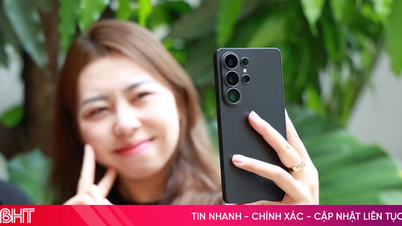
Starting last week, many mobile subscribers in Vietnam were surprised to find their smartphones displaying a notification that they were connected to the 5G network. Initially, 5G networks were only available in the central areas of major cities, but many people later realized that 5G coverage had expanded to more areas.
Currently, major mobile network operators in Vietnam such as Viettel, MobiFone , and Vinaphone have expanded 5G network coverage throughout the country, allowing users to experience the new mobile network technology with faster connection speeds.
Previously, the Ministry of Information and Communications stated that 2024 would be the year of 5G network commercialization. According to the telecommunications infrastructure plan, Vietnam aims for a minimum 5G network speed of 100Mbps by 2025. By 2030, 5G coverage will reach 99% of the population.
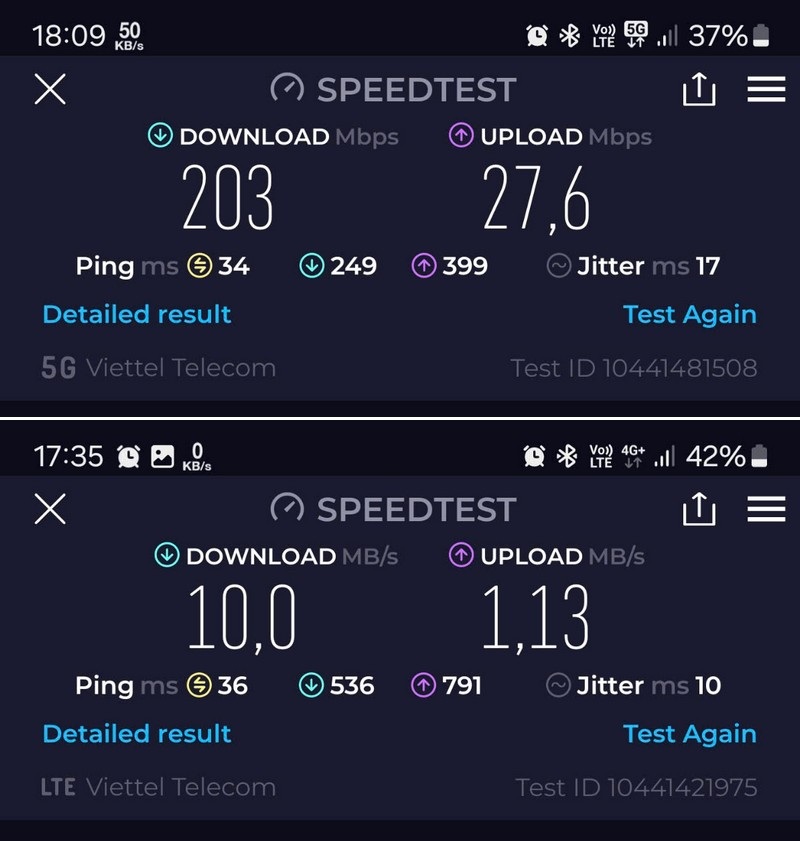
Initially, subscribers nationwide can use 5G on their devices with their existing SIM cards and plans, without needing to switch SIM cards or plans, as long as their smartphones support 5G connectivity.
Initial user experiences indicate that 5G networks offer significantly faster connection speeds compared to the previous 4G network.
How to check if your smartphone is connected to 5G.
To use 5G, your smartphone must support this new network technology. To check if your smartphone is 5G-enabled and to activate 5G on your smartphone, follow the instructions below.
For Android smartphones
The method for setting up and activating 5G on Android smartphones varies depending on the manufacturer. However, the basic setup steps are quite similar. This article demonstrates the process using a Samsung phone; users of Android smartphones from other manufacturers can follow similar steps.
– First, users access the settings on their smartphone, select "Connections," and then select "Mobile networks." For some other smartphone brands like Xiaomi or Oppo, users can select "SIM and mobile network" in the settings interface.
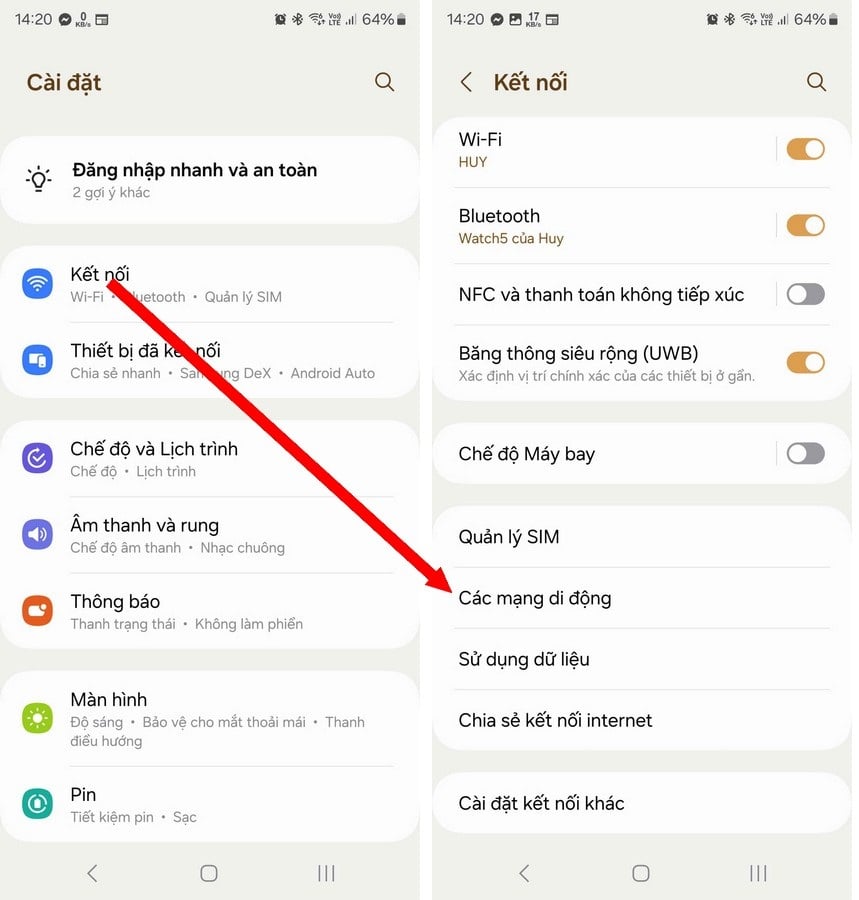
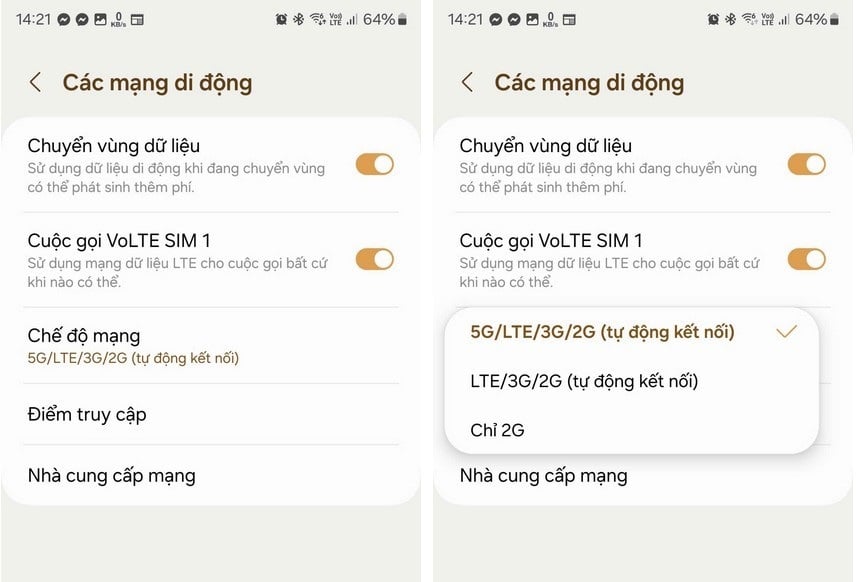
– On the screen that appears, select “Network Mode”, then tap the “5G/LTE/3G/2G” option. If only “LTE/3G/2G” is displayed, it means the smartphone does not support 5G and only allows connection to 4G.
For iPhone phones
Apple first equipped the iPhone 12 series, launched in 2020, with 5G connectivity. Therefore, users of iPhone models from the 12 series onwards will have the ability to connect to 5G networks.
If you're using an iPhone model that supports 5G, but it's unclear why the 5G connection isn't showing up, you can follow these steps to activate 5G connectivity on your smartphone.
– Access the settings on your iPhone, scroll down and select "Cellular" from the menu that appears. Then activate the "5G automatically" option so that your iPhone prioritizes connecting to the 5G network when a signal is available.
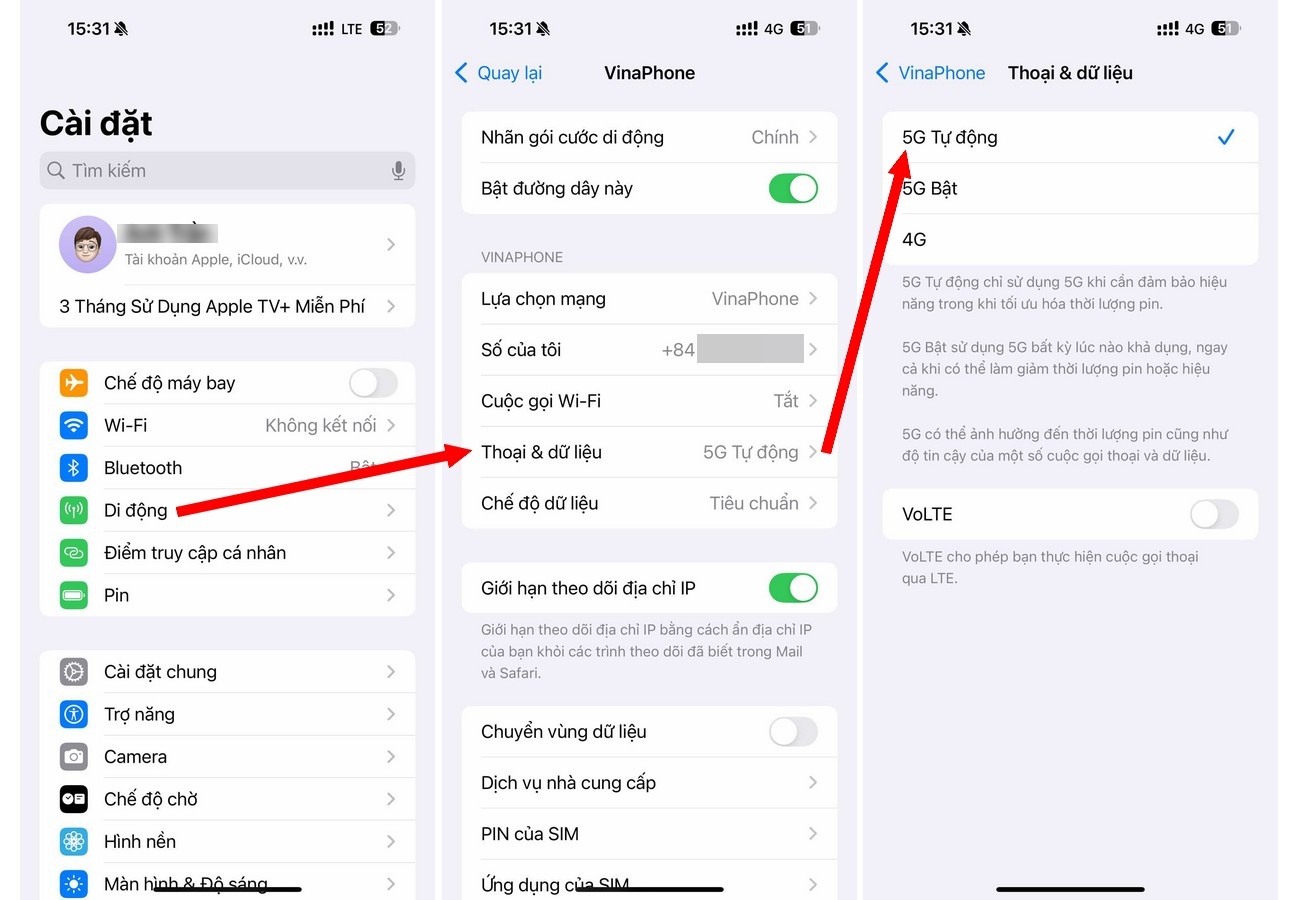
Thus, you can now activate 5G network connectivity on your Android and iPhone smartphones, allowing you to enjoy the next-generation mobile network technology with faster connection speeds.
Dantri.com.vn
Source: https://dantri.com.vn/suc-manh-so/huong-dan-kich-hoat-ket-noi-5g-บน-dien-thoai-iphone-va-android-20241016144216990.htm





![[Photo] General Secretary and President To Lam presides over a meeting on preparations for the review of one year of operation of the three-tiered government system.](https://vphoto.vietnam.vn/thumb/1200x675/vietnam/resource/IMAGE/2026/06/02/1780391821195_a1-bnd-4595-9717-jpg.webp)






















































































Comment (0)