

MacBook users often wonder if they can download YouTube to their computers. This article will guide you on how to easily download YouTube to your MacBook. Let's explore !
 |
Installing YouTube for MacBook is easy and simple.
Follow these steps to install YouTube on your MacBook:
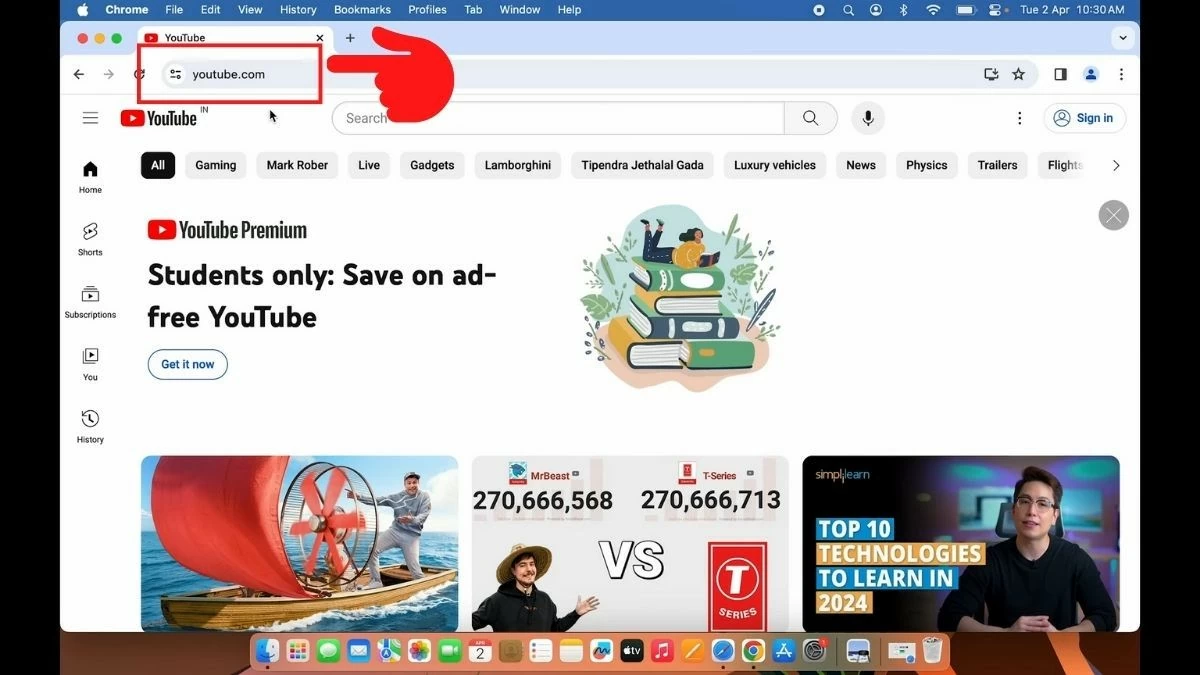
Step 1: First, open Google Chrome or any browser on your MacBook and go to YouTube.com.
 |
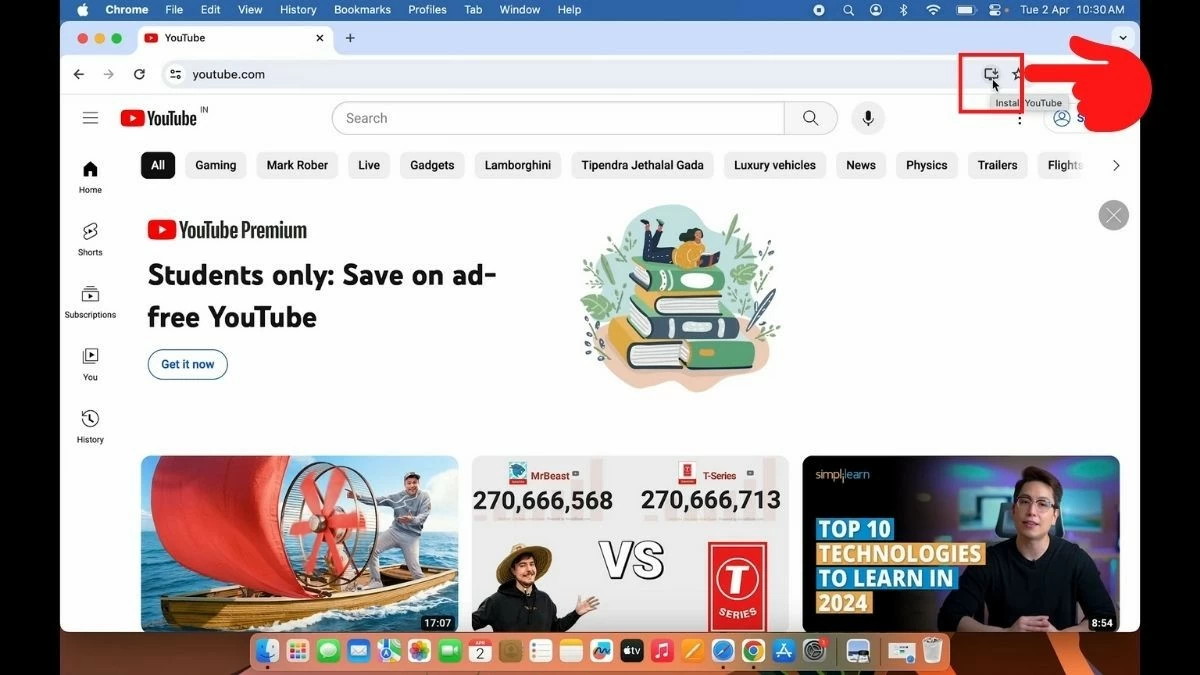
Step 2: Click on the "screen with a downward arrow" icon in the upper right corner of the address bar.
 |
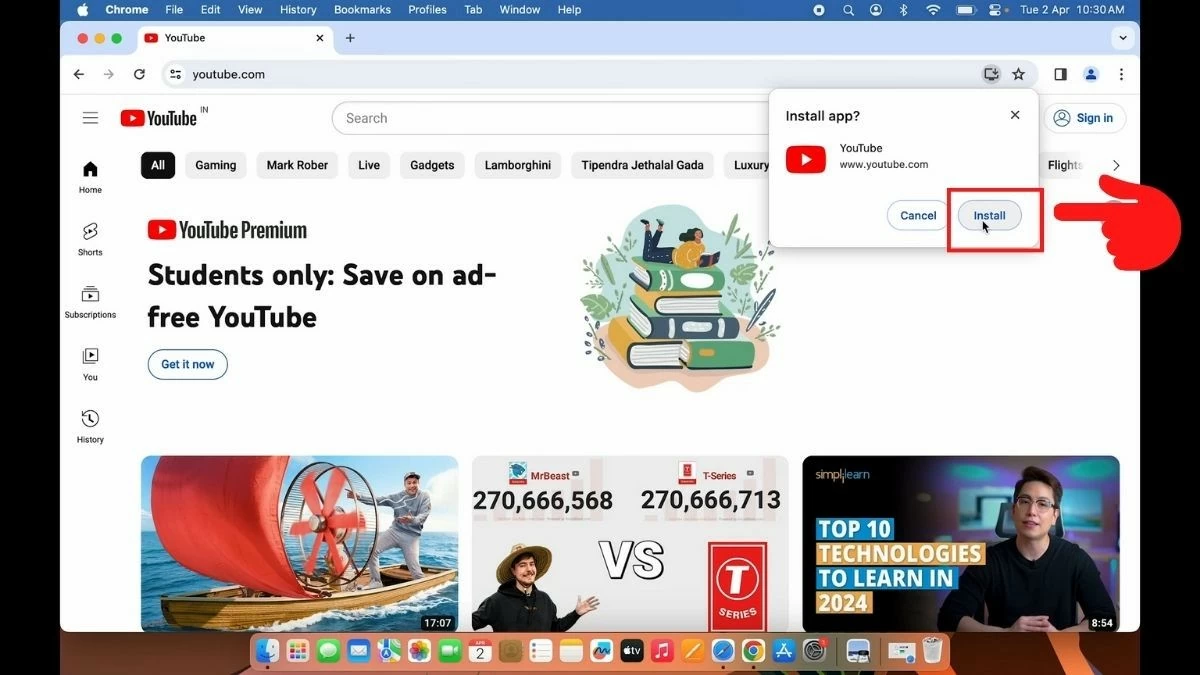
Step 3: Select "Install" to begin installing YouTube.
 |
Step 4: Once the installation is complete, the YouTube app will open automatically.
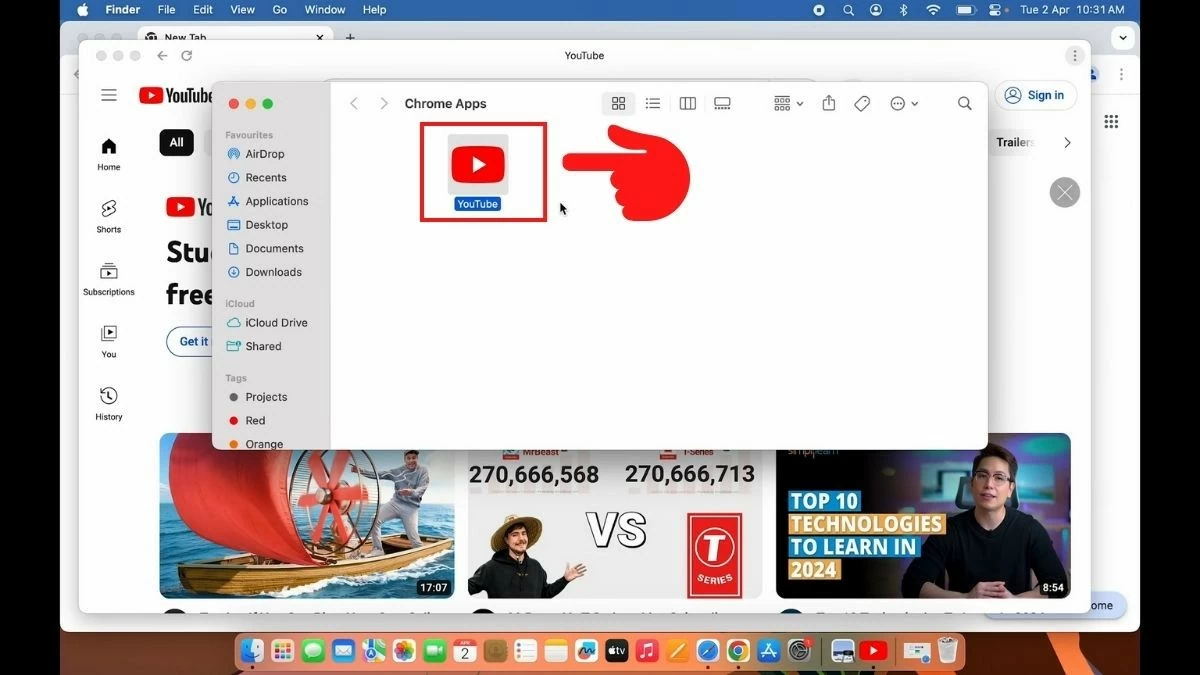 |
Step 5: If the application doesn't open automatically, open Launchpad and search for YouTube. You can watch videos and listen to music online (YouTube Music) through the YouTube app on your MacBook.
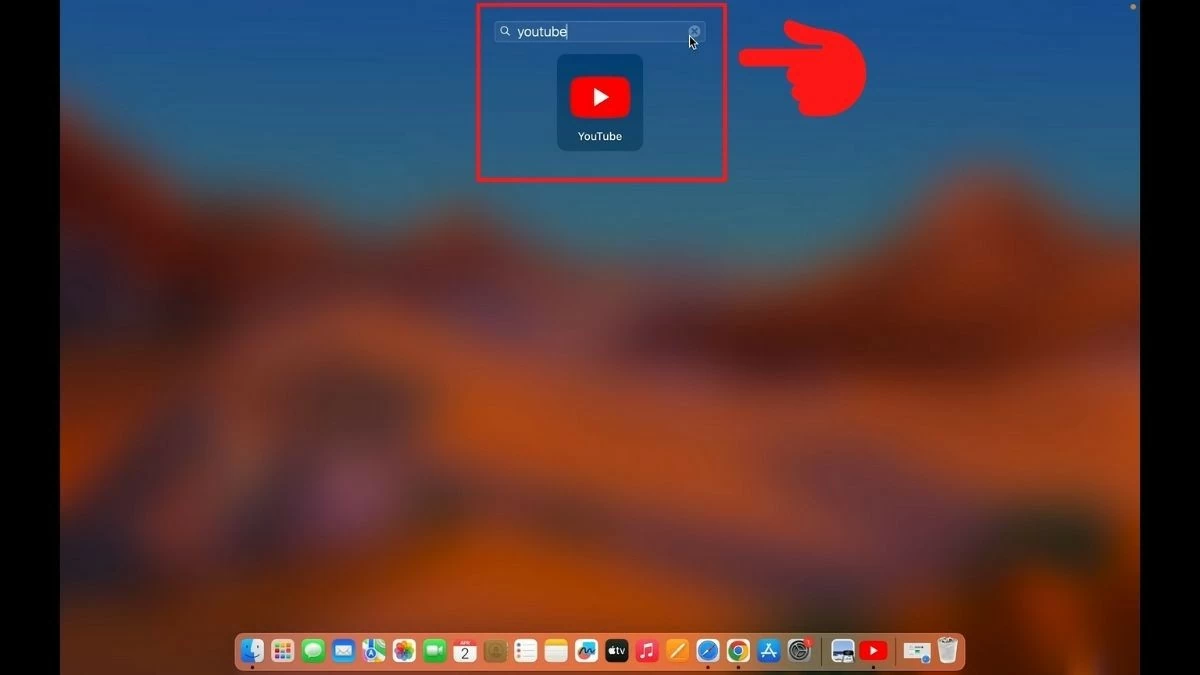 |
In summary, this article has guided you on how to easily install YouTube on your MacBook. We hope you successfully download the application to your Mac. Don't forget to share this article with your friends!
Source: https://baoquocte.vn/huong-dan-tai-youtube-app-cho-macbook-cuc-de-dang-va-nhanh-chong-287234.html
![[Photo] Prime Minister Pham Minh Chinh attends the Conference on the Implementation of Tasks for 2026 of the Industry and Trade Sector](/_next/image?url=https%3A%2F%2Fvphoto.vietnam.vn%2Fthumb%2F1200x675%2Fvietnam%2Fresource%2FIMAGE%2F2025%2F12%2F19%2F1766159500458_ndo_br_shared31-jpg.webp&w=3840&q=75)











































































































Comment (0)