

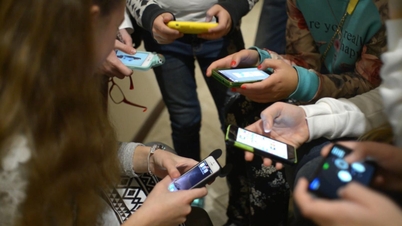
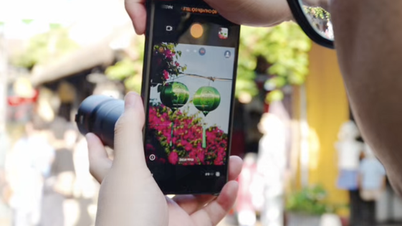
You often open many tabs when using your phone and computer. Therefore, minimizing the YouTube screen helps optimize your experience. Here's how to minimize the YouTube screen!
 |
How to effectively minimize the YouTube screen on your computer.
Minimizing the YouTube screen on your computer is very easy; just follow these steps:
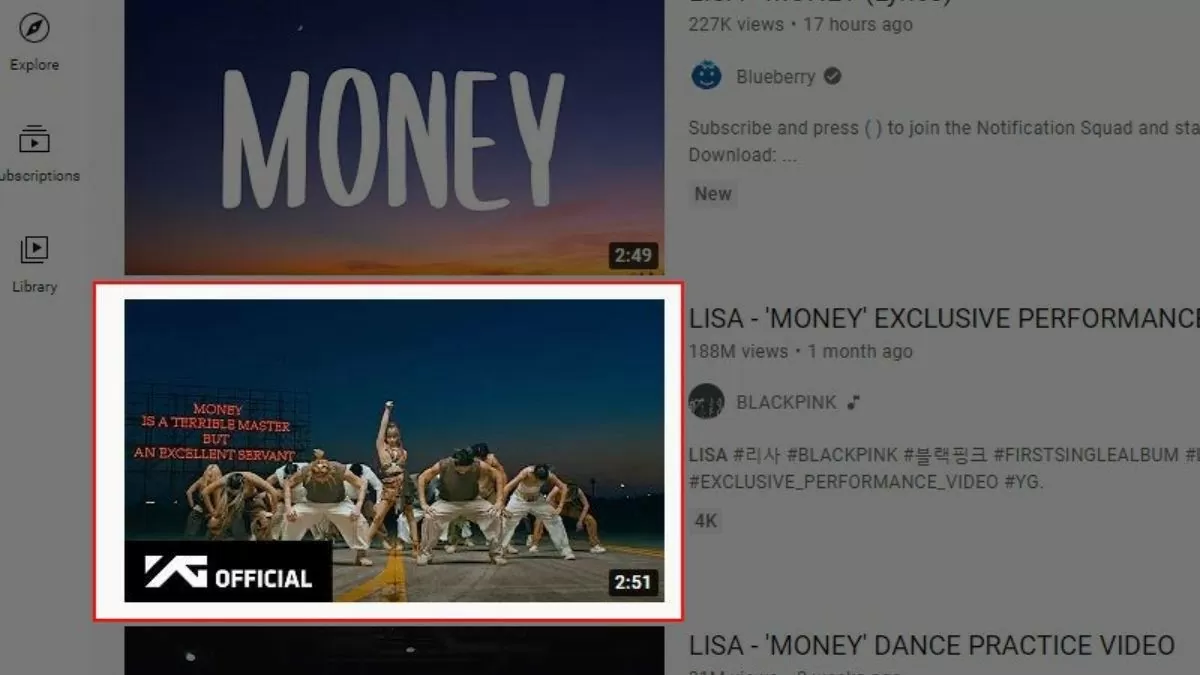
Step 1: Go to the YouTube website at www.youtube.com and open the video you want to minimize.
 |
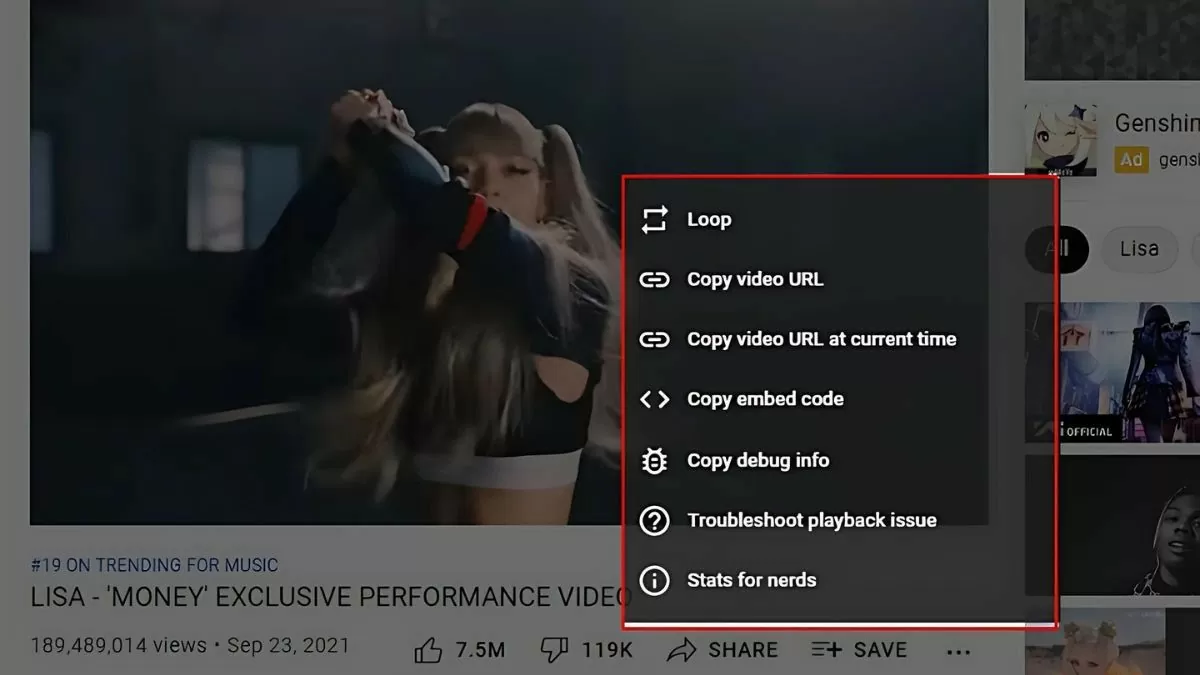
Step 2: On the video interface, right-click to open the options menu.
 |
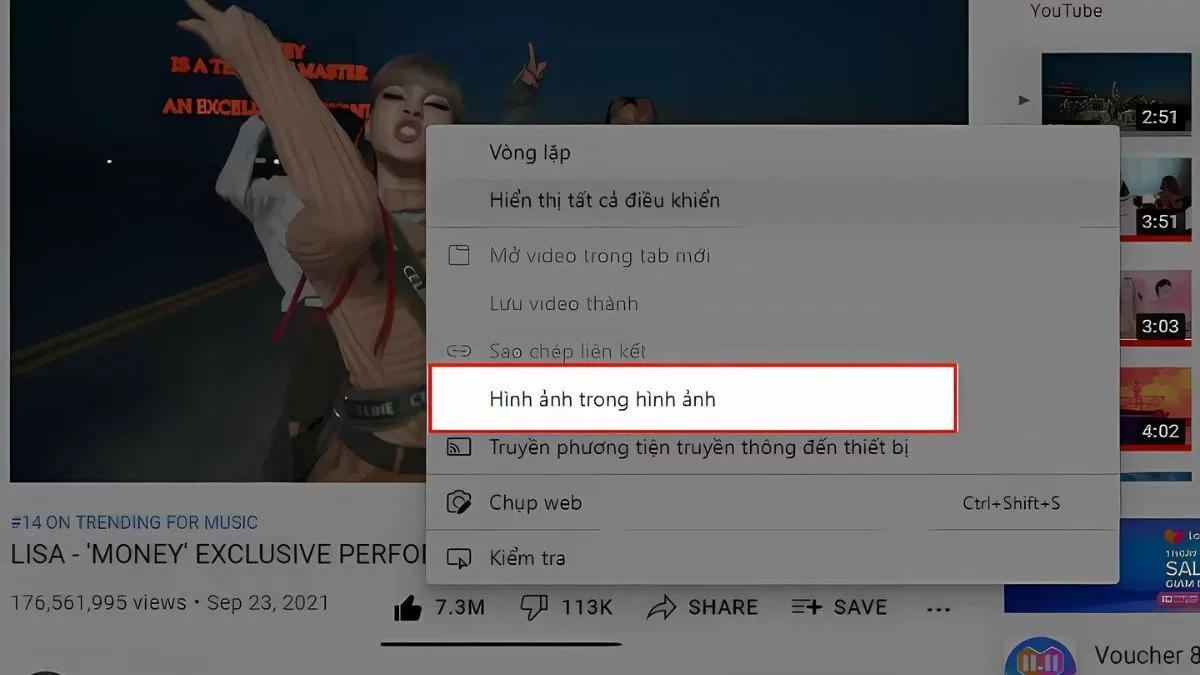
Step 3: Right-click again and select "Picture-in-Picture" to minimize the video. The video will appear in the corner of the screen, allowing you to open other tabs and continue using your computer while still watching the video.
 |
Instructions on how to quickly minimize the YouTube screen on your phone.
For mobile phones, each Android and iOS operating system has a different way to minimize the YouTube screen. Below are specific instructions for each operating system:
For Android
If you are using Android on devices such as Samsung, Xiaomi, Oppo, or Vivo, follow these steps:
Step 1: Open Settings > select Application Management > in the Application List section, find and select YouTube .
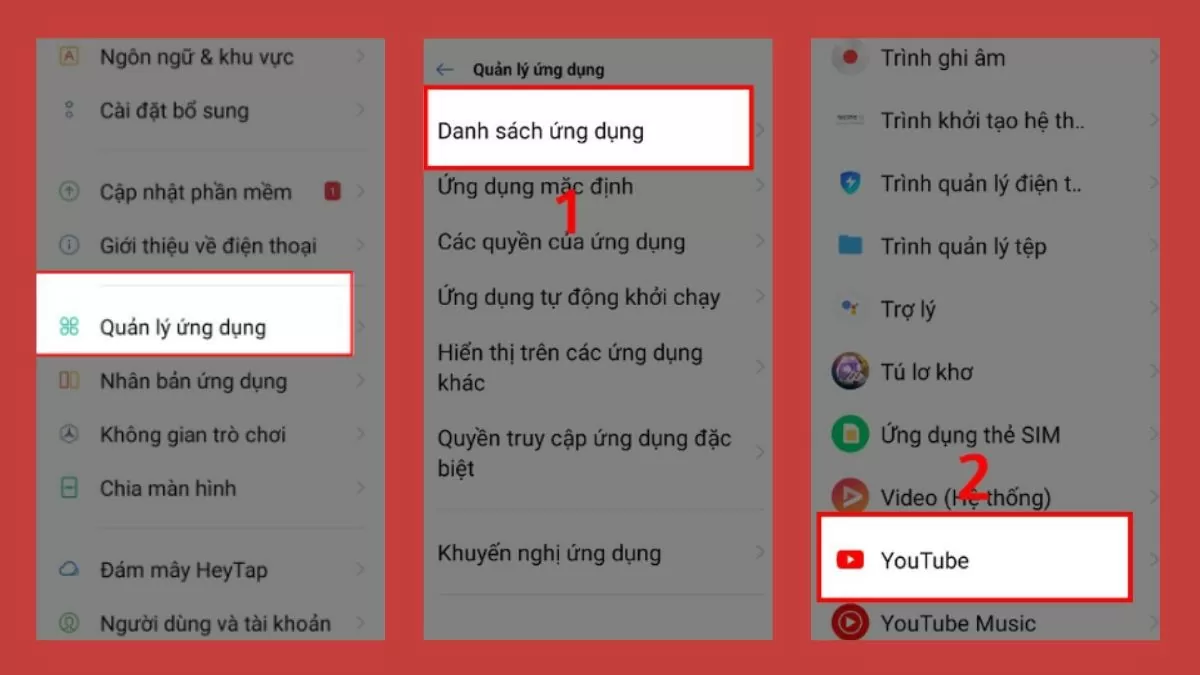 |
Step 2: In YouTube settings, scroll down and select PIP (Picture-in-Picture) > toggle the switch to the right to activate Picture-in-Picture mode.
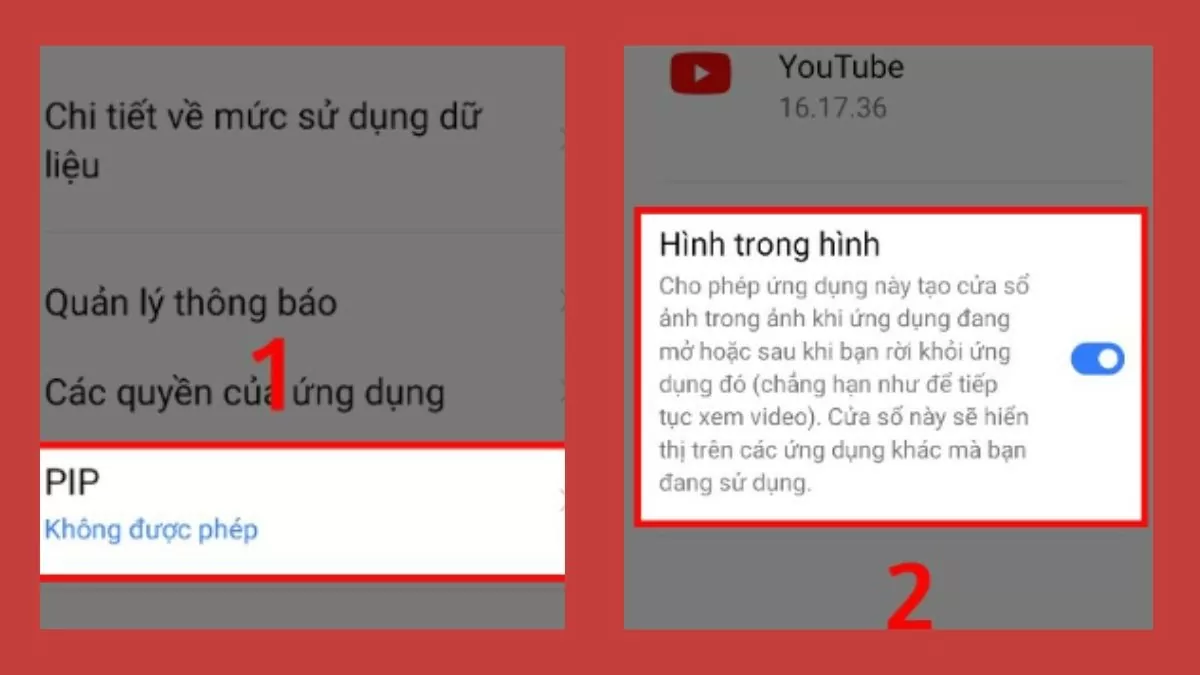 |
Step 3: Open the YouTube app and select a video to play, then simply press the Home button; the video will automatically minimize to a corner of the screen.
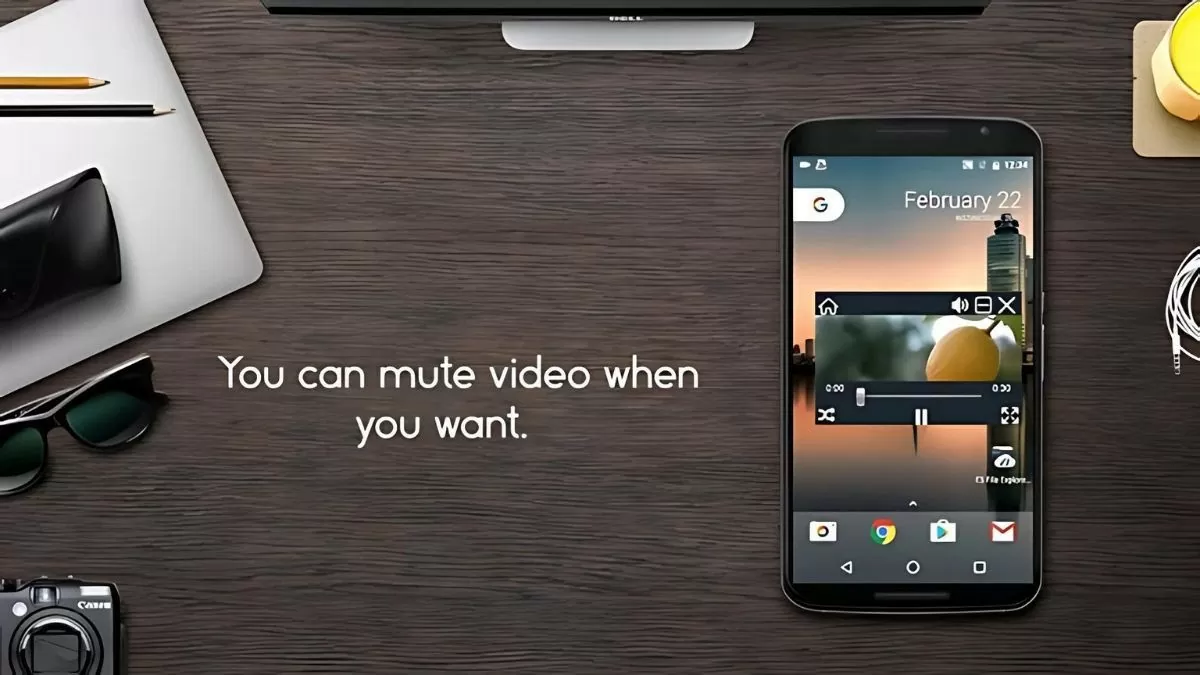 |
For iOS operating system
If you are using an iPhone with the iOS operating system, you can minimize the YouTube screen as follows:
Step 1: Open Settings , select General , then find the "Picture in Picture Automatically" option and toggle the switch to the right to enable "Start PiP Automatically".
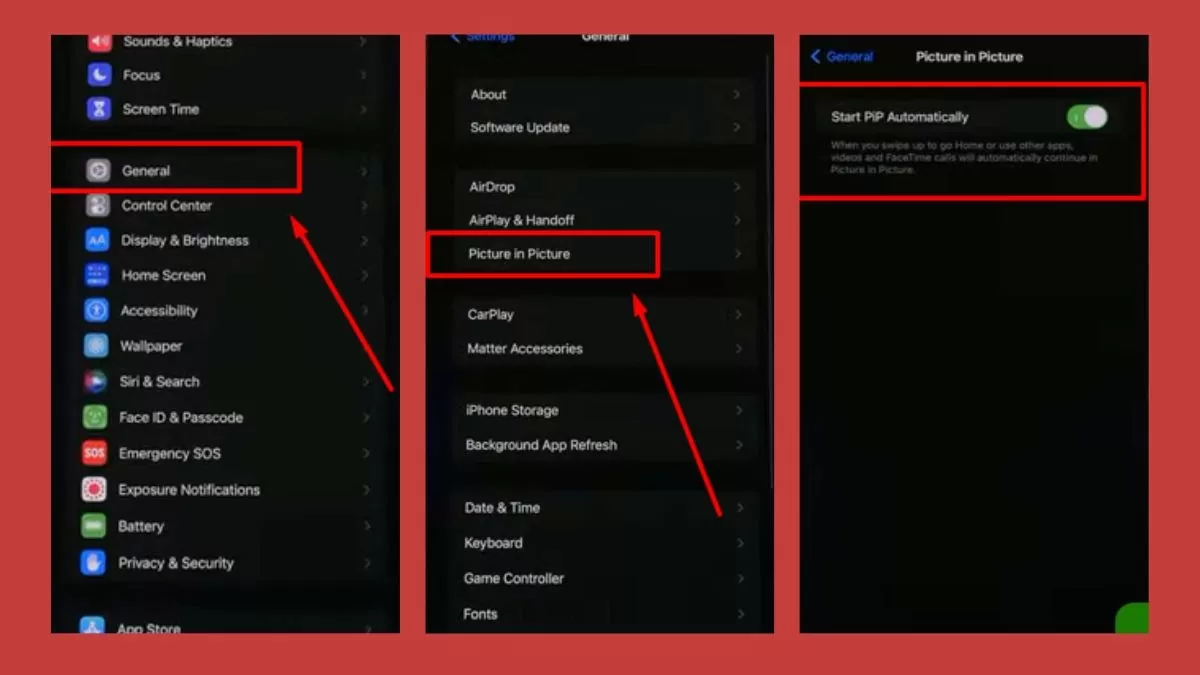 |
Step 2: Open the YouTube app, tap your avatar, select Settings > then go to General Settings and turn on “Picture in Picture”.
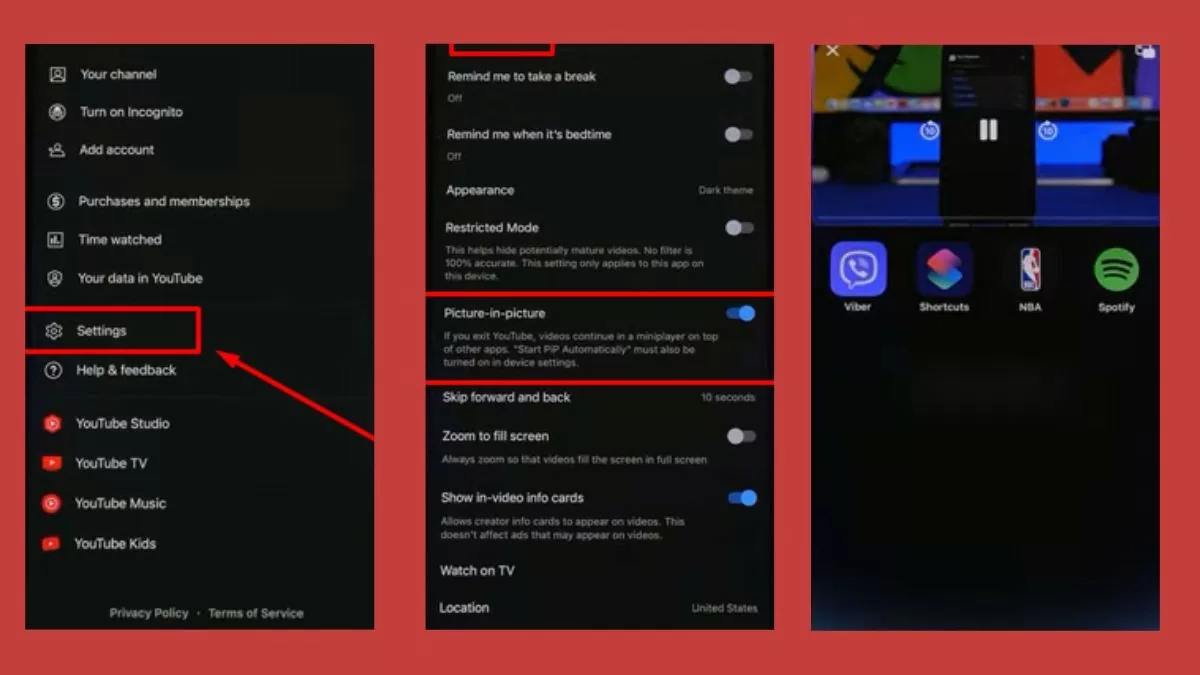 |
Step 3: Select the video you want to watch, then press the Home button to minimize the video and move it to the corner of the screen.
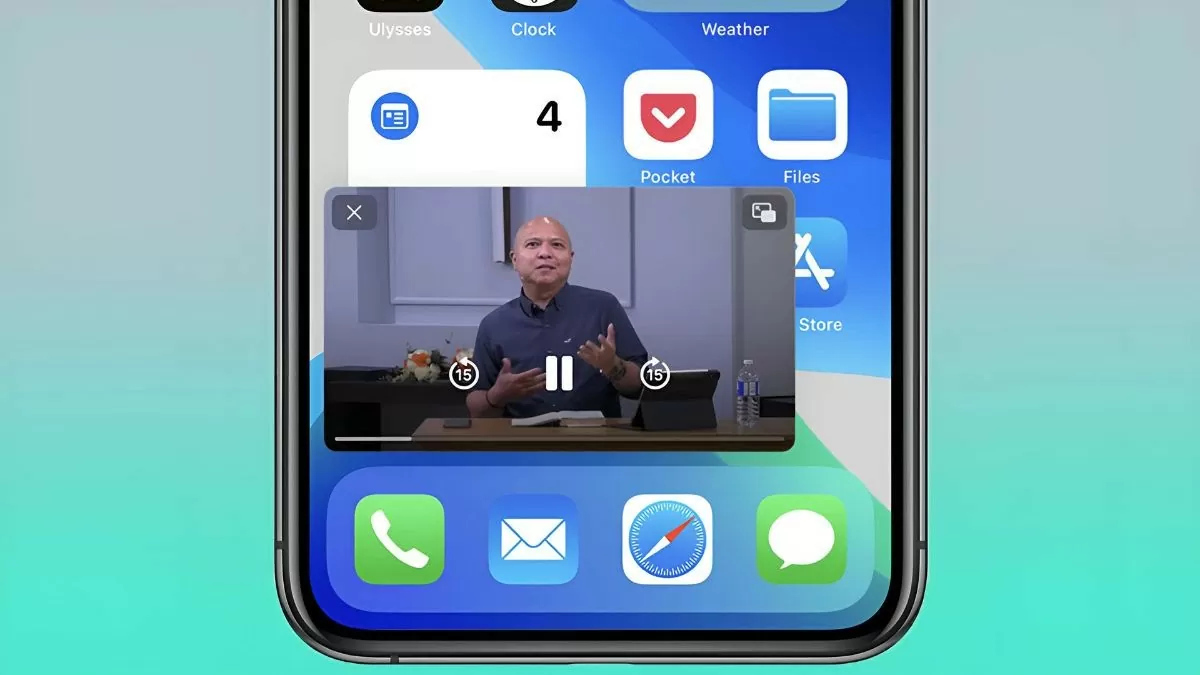 |
This article has guided you on how to minimize your YouTube screen on your phone and computer. Try it now so you can both watch engaging YouTube videos and utilize your screen space more efficiently for work and study.
Source
![[Photo] Capturing the moment the tide recedes at Yen Binh Son rapids - a million-year-old scenic spot in Quang Ngai.](https://vphoto.vietnam.vn/thumb/1200x675/vietnam/resource/IMAGE/2026/05/19/1779175463885_yen9-1199-jpg.webp)
![[Photo] National Assembly Chairman Tran Thanh Man attends the groundbreaking ceremony for the National Highway 1A spatial axis project.](https://vphoto.vietnam.vn/thumb/1200x675/vietnam/resource/IMAGE/2026/05/19/1779161360398_ndo_br_bnd-1412-jpg.webp)





















































![[Photo] General Secretary and President To Lam receives Indian Defense Minister Rajnath Singh](https://vphoto.vietnam.vn/thumb/402x226/vietnam/resource/IMAGE/2026/05/19/1779184046302_anh-man-hinh-2026-05-19-luc-16-46-58.png)

























Comment (0)