

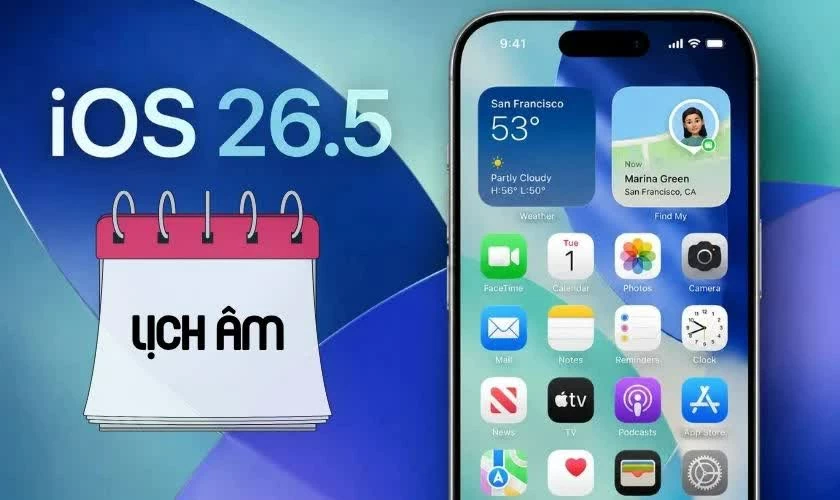
 |
| How to easily set the lunar calendar on the lock screen for iOS 26.5. |
If you want to view the lunar calendar directly on your iPhone running iOS 26.5, you can set it to display lunar dates and auspicious/inauspicious days directly on the lock screen without installing any additional apps. Below is a detailed guide to help you do it quickly from A to Z.
How to quickly set up the lunar calendar on iOS 26.5
If you want to view the lunar calendar directly on your iPhone, setting it up in iOS 26.5 is quite easy and can be done directly in Settings without needing an external app. With just a few simple steps, you can track the lunar date alongside the Gregorian calendar every day.
Step 1: Open the Settings app on your iPhone from the home screen.
Step 2: Select the Calendar option from the app settings list to access related options.
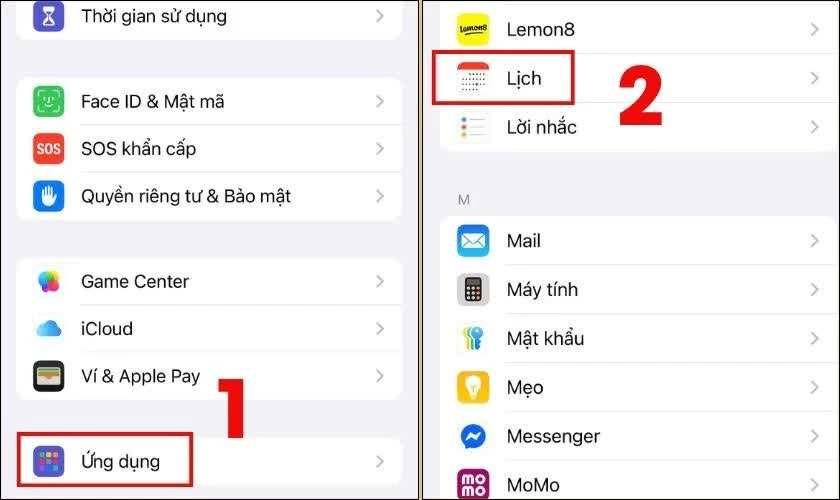 |
| Select the Calendar option from the list of app settings. |
Step 3: Find and tap on Alternative Calendar , a feature that allows you to display an additional calendar on your device.
Step 4: Select the Lunar Calendar to activate the display of lunar dates alongside the Gregorian calendar.
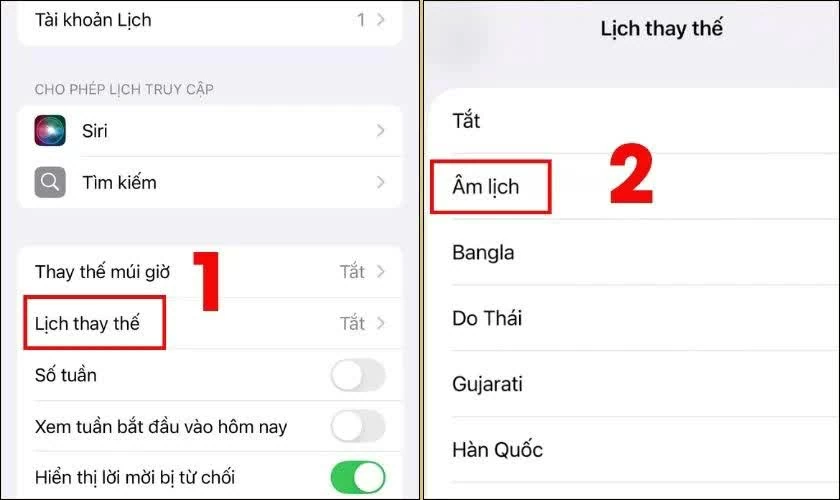 |
| Select Lunar Calendar to enable the display of lunar dates alongside the Gregorian calendar. |
Once completed, the iPhone will automatically display the lunar calendar in the Calendar app, making it easier to keep track of auspicious and inauspicious days and manage your time more conveniently.
How to effectively display the lunar calendar on the iOS 26.5 lock screen.
If you want to quickly check the lunar calendar directly on your iPhone without opening the app, you can add a calendar widget to your lock screen. This makes keeping track of lunar dates more convenient in your daily life.
Step 1: Press and hold your iPhone's lock screen for a few seconds to enter Edit mode, then select Customize .
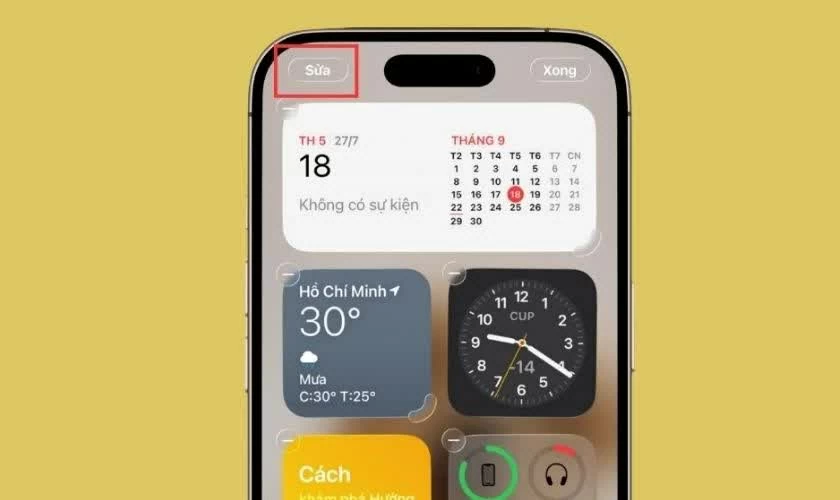 |
| Press and hold the iPhone lock screen. |
Step 2: Select the "Add widget" area, then tap on the calendar app that supports displaying the lunar calendar (it could be the default calendar or a third-party app) and add the widget to the desired location.
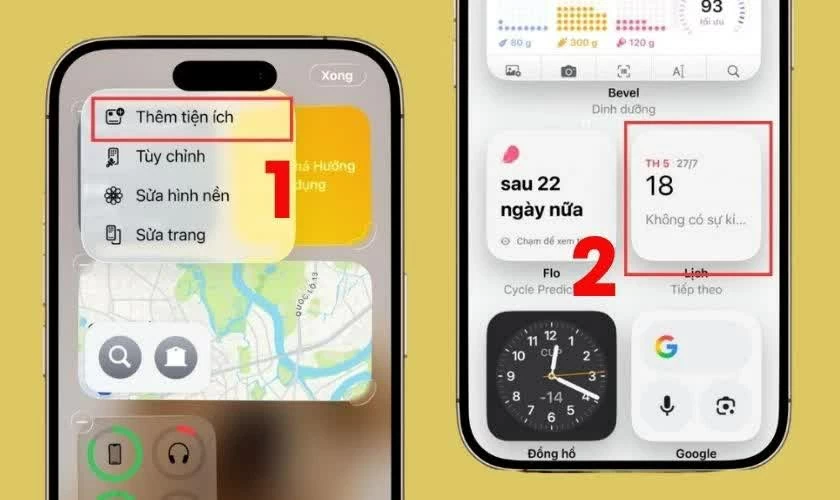 |
| Select the area. Add a gadget. |
Step 3: Press Done to save all settings.
Once completed, the lunar calendar will be displayed directly on the lock screen, allowing you to check it quickly without having to open the Calendar app as before.
The easiest way to turn off the lunar calendar on iOS 26.5
If you no longer want to display the lunar calendar on your iPhone, you can easily turn this feature off directly in the system settings without any complicated steps.
Step 1: Open Settings , scroll down and select Calendar to access related options.
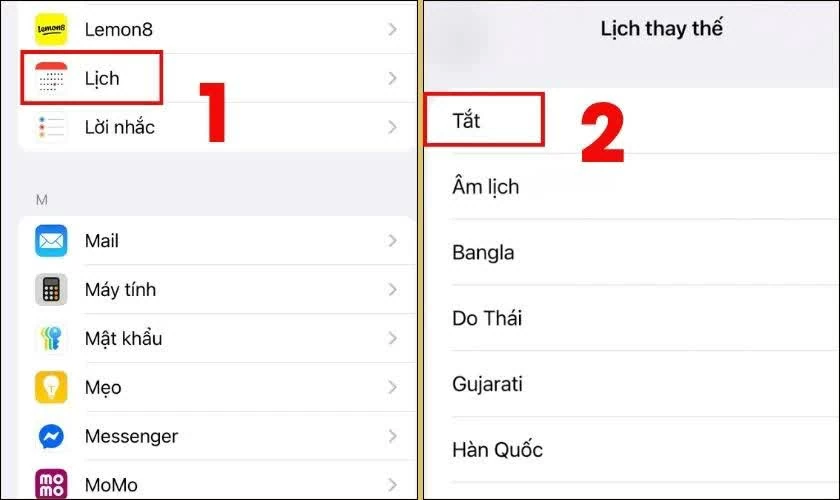 |
| The easiest way to turn off the lunar calendar on iOS 26.5. |
Step 2: Tap on Alternative Calendar , then select Off to disable the display of the lunar calendar.
Once completed, the lunar calendar will no longer appear in the Calendar app or on the iPhone lock screen.
With just a few simple steps, you can turn the lunar calendar on or off on iOS 26.5 according to your needs. This customization makes the iPhone more flexible, helping you manage your time effectively and conveniently in your daily life.
Source: https://baoquocte.vn/cai-lich-am-cho-ios-265-tren-man-hinh-khoa-don-gian-395937.html
![[Image] Pleasant weather helps students enter the 10th grade entrance exam with confidence.](https://vphoto.vietnam.vn/thumb/1200x675/vietnam/resource/IMAGE/2026/05/29/1780034401612_ngay-1-thi-lop-10-minh-duy-8-5009-jpg.webp)


![[Photo] Ba Lang An Lighthouse - the "eye of the sea" amidst the "rock museum" of Quang Ngai province.](https://vphoto.vietnam.vn/thumb/1200x675/vietnam/resource/IMAGE/2026/05/29/1780038698840_anh-man-hinh-2026-05-29-luc-14-10-42.png)







































































































Comment (0)