

 |
Below are two ways to recover your WeChat password using your phone number and email address.
How to recover your WeChat password using your phone number.
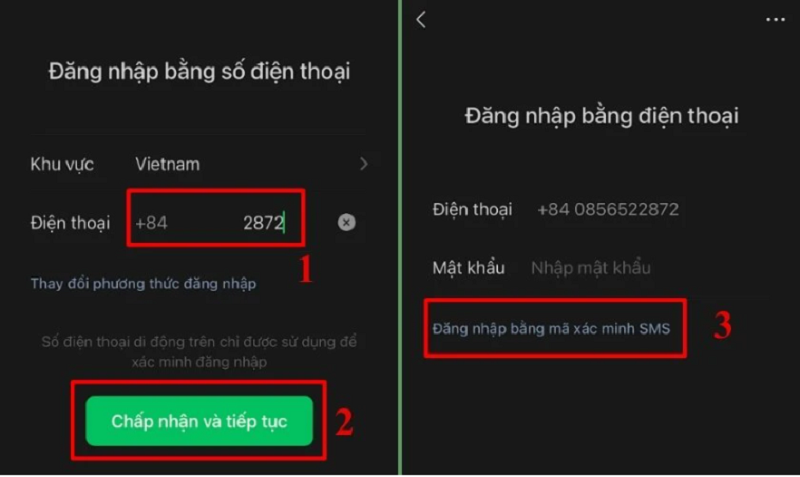
Step 1: First, access WeChat. On the login screen, enter your phone number and tap Accept and continue. On the new screen that appears, select Log in with SMS verification code to proceed with the recovery process.
 |
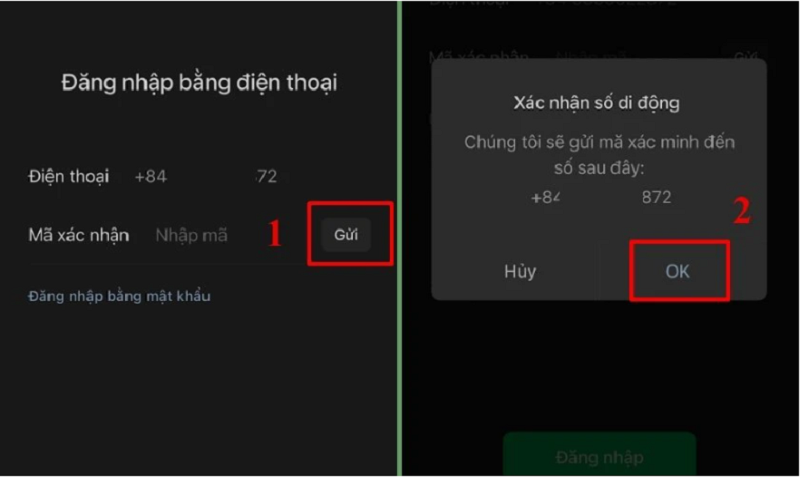
Step 2: Click on "Send Now" on the right side of the screen. The system will verify your mobile number and send a confirmation code via SMS to your registered phone number. Click "OK" to continue the process.
 |
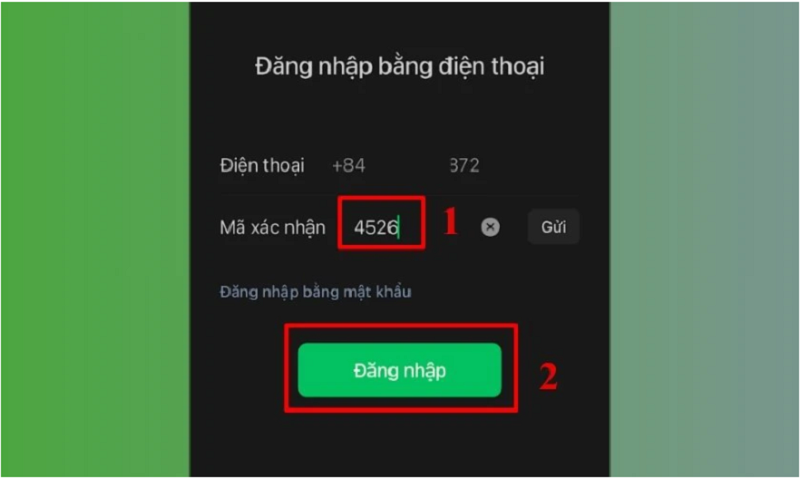
Step 3: When you receive a 4-digit verification code from the WeChat system, enter this code into the WeChat app and press Log in.
 |
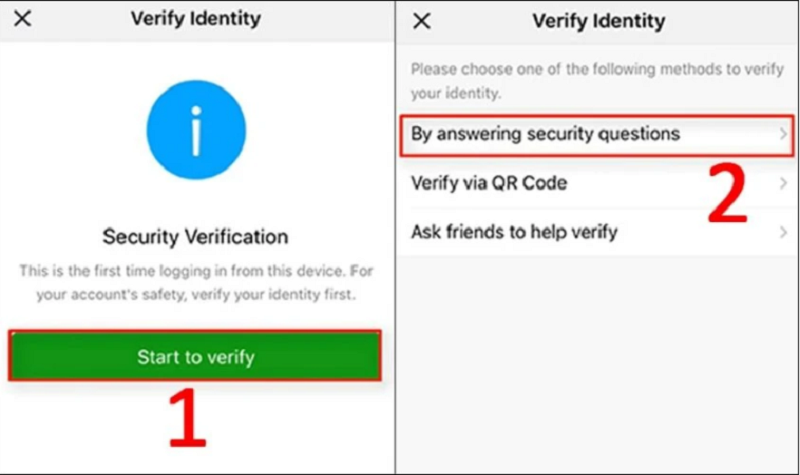
Step 4: After entering the verification code, the screen will switch to the identity verification section. At this point, click on "Start to verify" and choose the verification method that suits you.
 |
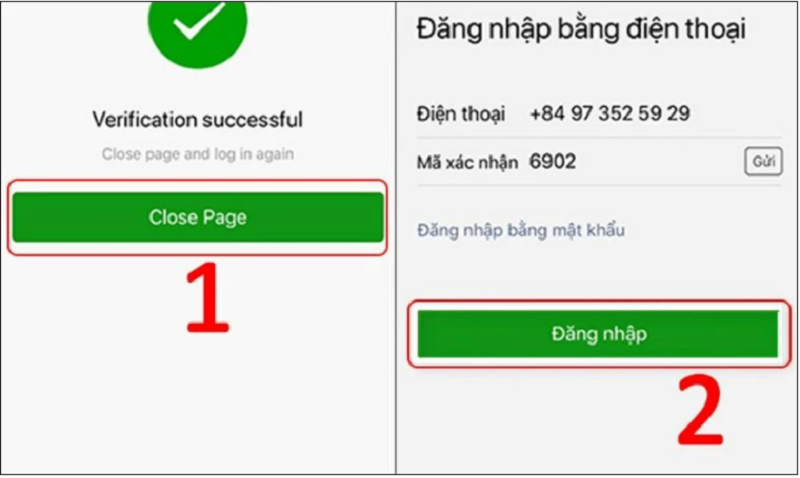
Step 5: After the verification process is complete, click Close Page and log in again.
 |
Step 6: Next, the system will take you to the screen to reset your WeChat account password. Enter your new password and press Done in the upper right corner of the screen to complete the process.
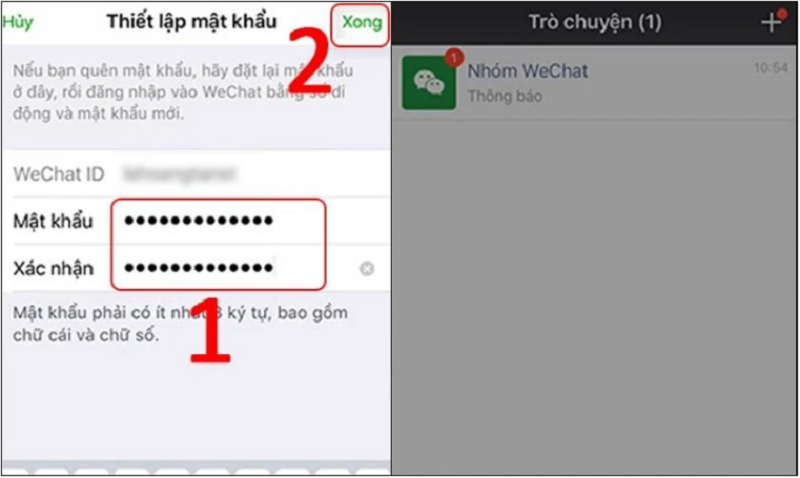 |
Once completed, you can log back into WeChat using your new password.
Instructions on how to recover your WeChat password using email.
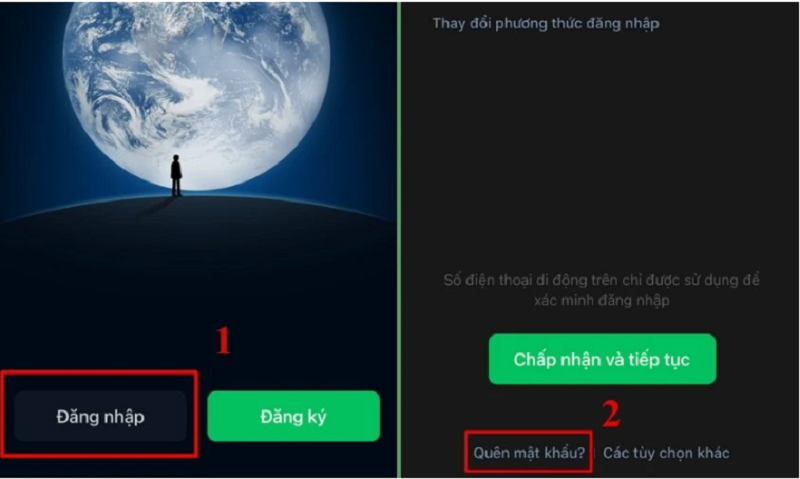
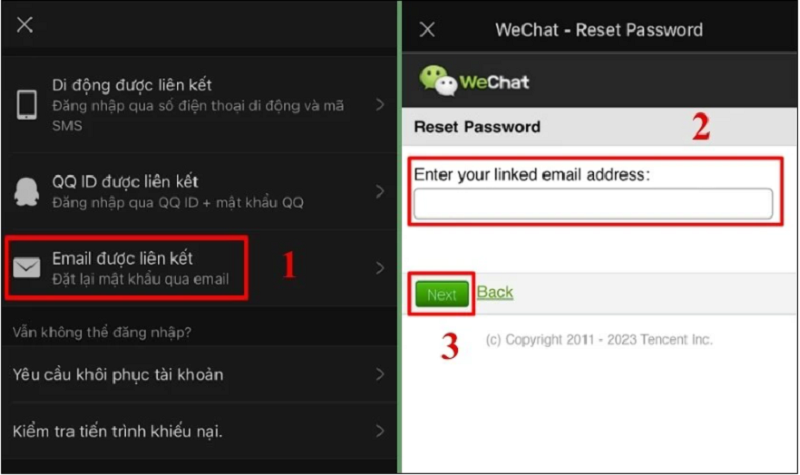
Step 1: Open the WeChat app on your phone. Then, tap the Sign In button and select Forgot Password.
 |
Step 2: On the new interface, find and select the linked email address. Next, enter the email address you previously registered to log in to your WeChat account. Then, click Next.
 |
Step 3: Finally, access the email address you just entered to check your inbox. WeChat's system will send you an email containing a link to reset your password and recover your account.
Note: If you don't find the email in your main inbox, please check your spam folder!
Source

![[Image] Central Party Office summarizes work in 2025](/_next/image?url=https%3A%2F%2Fvphoto.vietnam.vn%2Fthumb%2F1200x675%2Fvietnam%2Fresource%2FIMAGE%2F2025%2F12%2F18%2F1766065572073_vptw-hoi-nghi-tong-ket-89-1204-jpg.webp&w=3840&q=75)




















































































Comment (0)