

To experience smooth and accurate iPhone performance, increasing touch sensitivity is essential. Therefore, this article will show you how to do it!
 |
Want to know how to increase your iPhone's touch sensitivity simply, effectively, and quickly? Your iPhone's touch sensitivity directly affects the screen's responsiveness during use. For a smoother and more accurate experience, refer to the detailed guide below.
Applies to iPhone XS Max and earlier models.
For the iPhone XS Max and earlier versions, you can apply the steps below to improve your user experience: rewrite differently
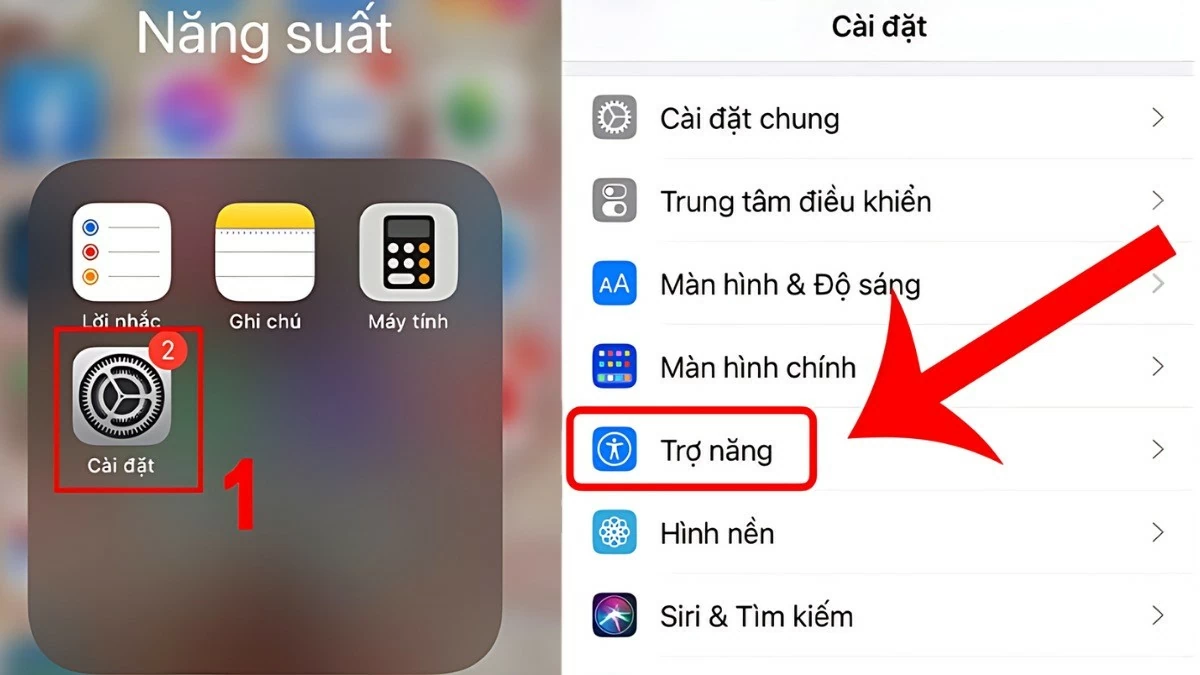
Step 1: Open the "Settings" app from your iPhone's home screen, select "Accessibility". Then, select "Touch".
 |
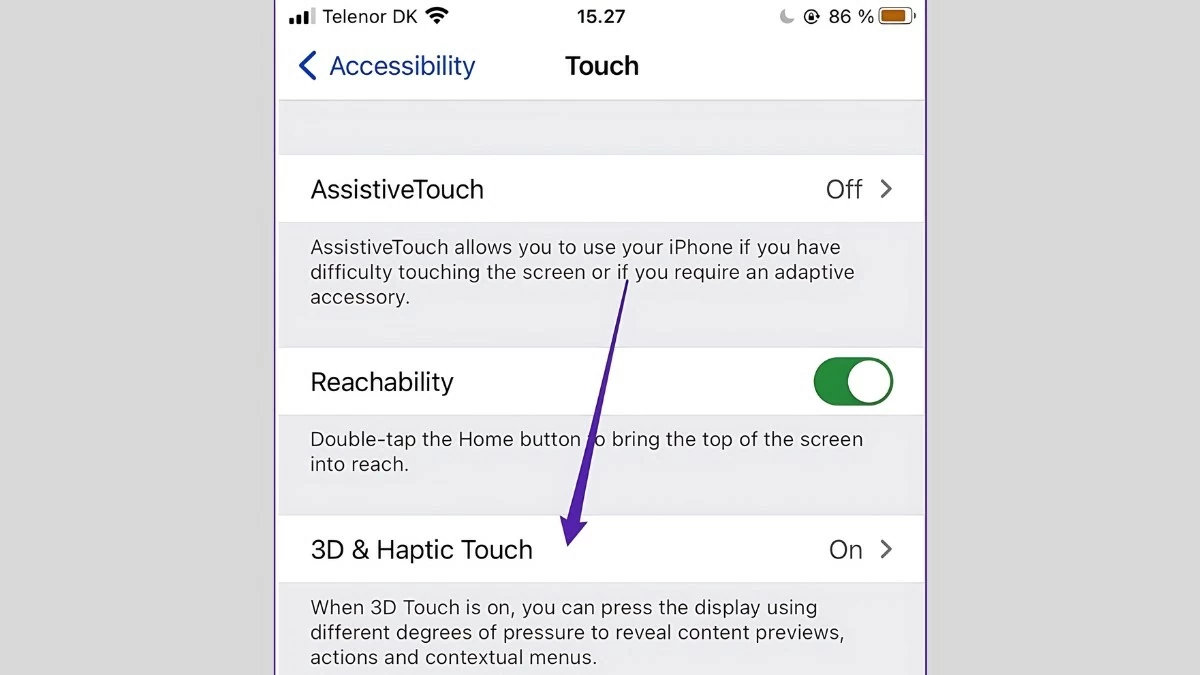
Step 2: Select "3D & Haptic Touch" and activate the 3D Touch feature to increase the touch sensitivity of your iPhone XS Max.
 |
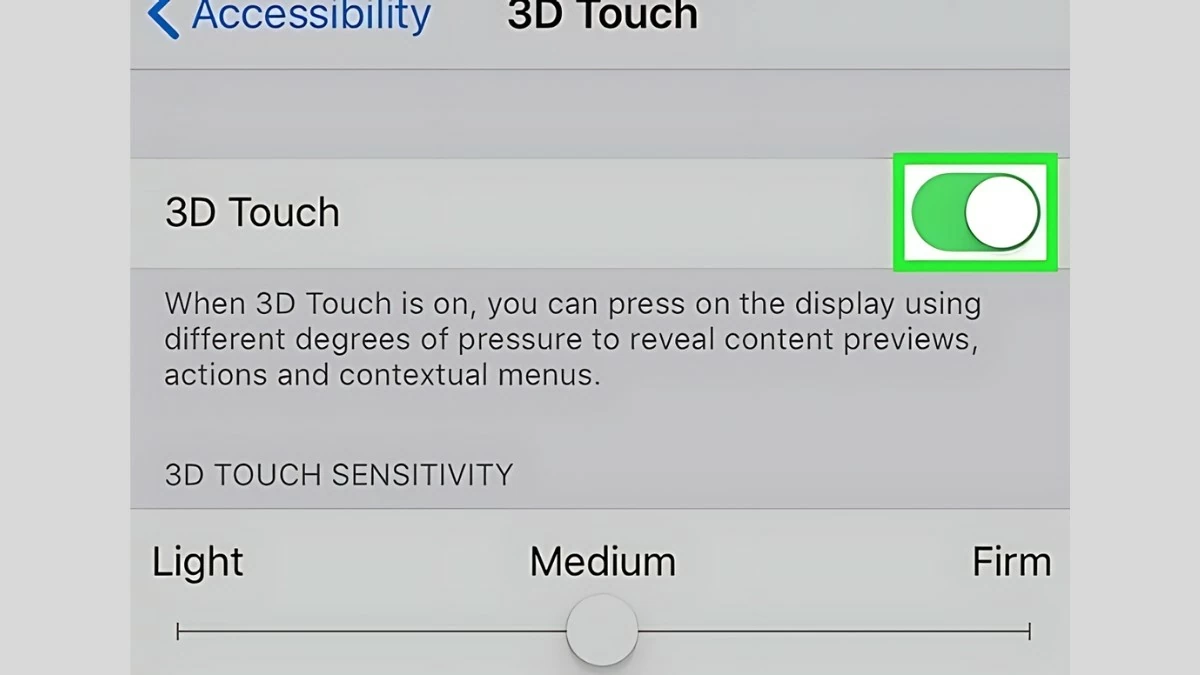
Step 3: After accessing the "3D Touch Sensitivity" section, you will see the following options:
- Light: Increases touch sensitivity; simply press lightly to activate 3D Touch.
- Firm: Lower sensitivity; requires more pressure to register the command.
 |
Applicable to iPhone 11 and later models.
How to increase touch sensitivity on iPhone 11 and newer models? The method is slightly different from the XS Max, but still very simple. Here's how:
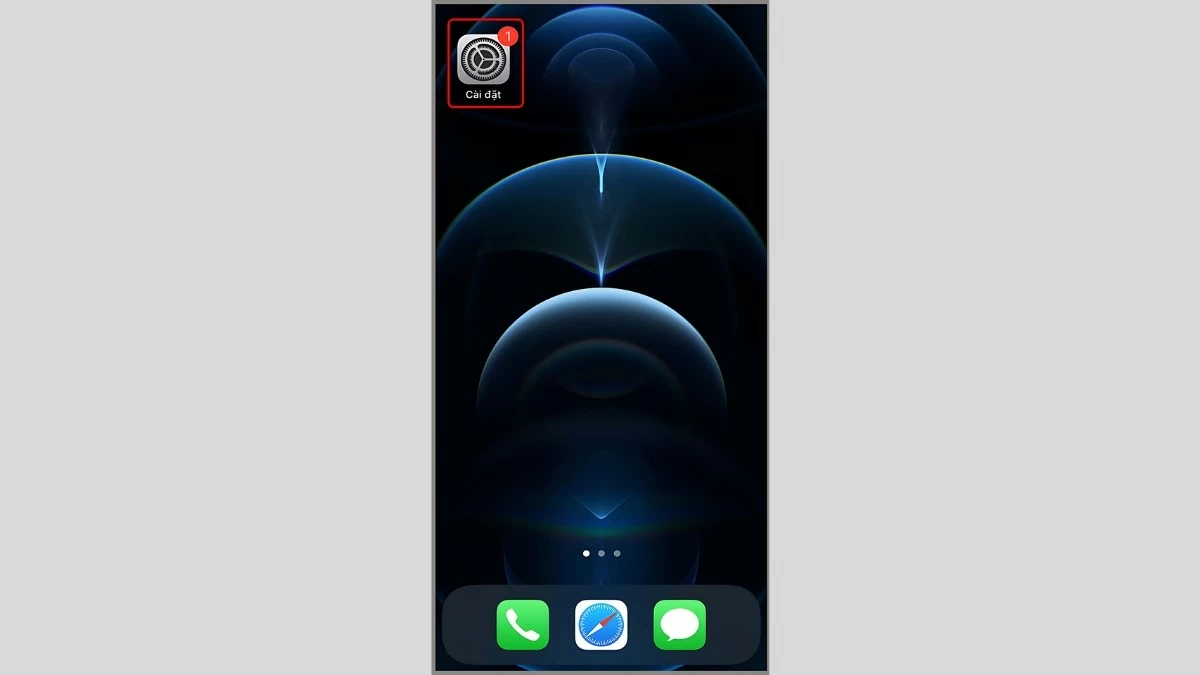
Step 1: The first step is to open the "Settings" app on your phone's home screen.
 |
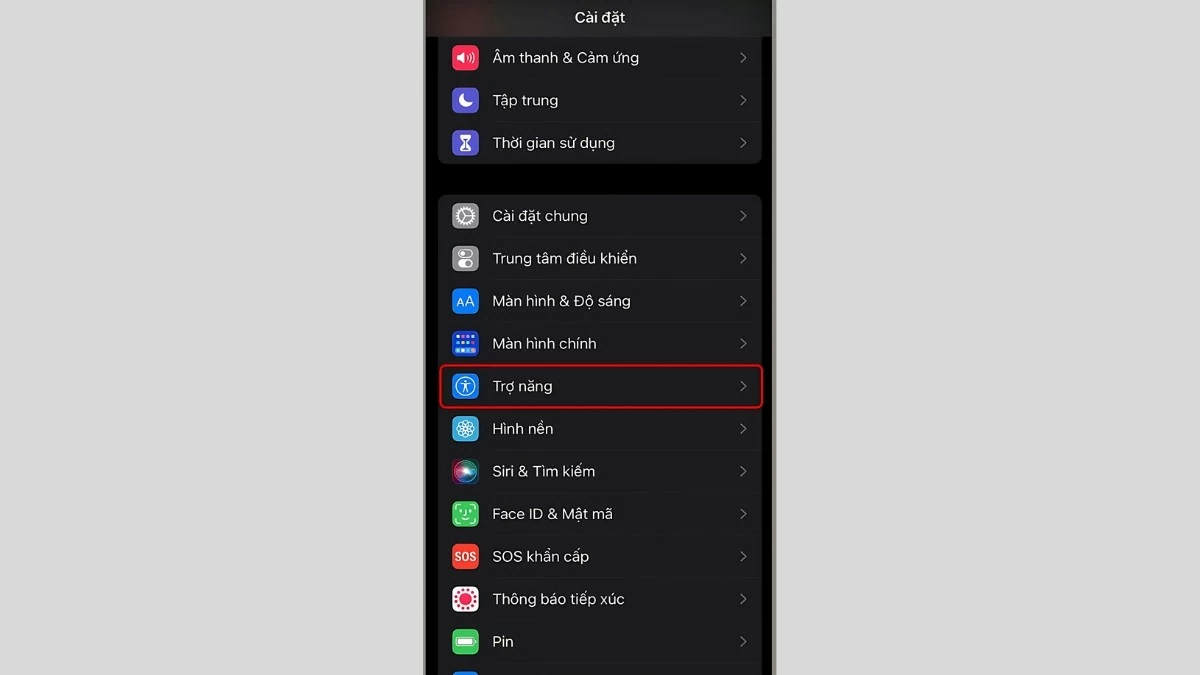
Step 2: Select "Accessibility". Then, select "Touch" to increase the touch sensitivity on your iPhone 11.
 |
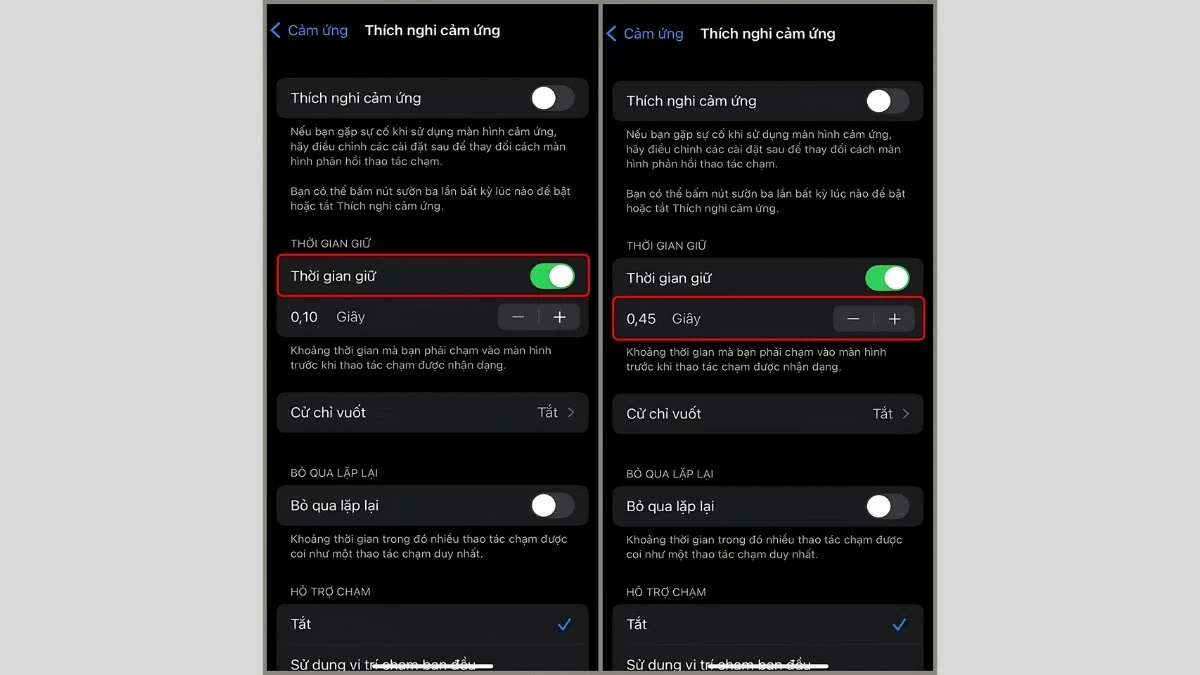
Step 3: Once in the settings, select "Haptic Touch" and adjust the touch duration to your liking (Fast or Slow) to suit how you use the device.
 |
In summary, with the instructions and tips for quickly and effectively increasing touch sensitivity on your iPhone XS Max and iPhone 11 in the article above, you can easily adjust your device's touch sensitivity to your liking. Utilizing features like 3D Touch and Haptic Touch will give you a smoother and more accurate user experience. Follow the instructions to enjoy the optimal features on your iPhone!
Source: https://baoquocte.vn/cach-tang-do-nhay-cam-ung-iphone-de-dang-va-nhanh-chong-nhat-280478.html

![[Image] Nearly 125,000 Hanoi students completed the Literature exam for the 10th grade entrance exam.](https://vphoto.vietnam.vn/thumb/1200x675/vietnam/resource/IMAGE/2026/05/30/1780117233041_ndo_br_thiet-ke-chua-co-ten-2-png.webp)

































































































Comment (0)