

To secure your Gmail account, you should check your login history to detect unauthorized access. This article will guide you on how to view your login history!
 |
Gmail is not just a tool for sending and receiving emails; it also stores a lot of important information. Therefore, we must manage our accounts well by knowing our login history to prevent unauthorized access and stop it in time. Below are some easy steps to do so:
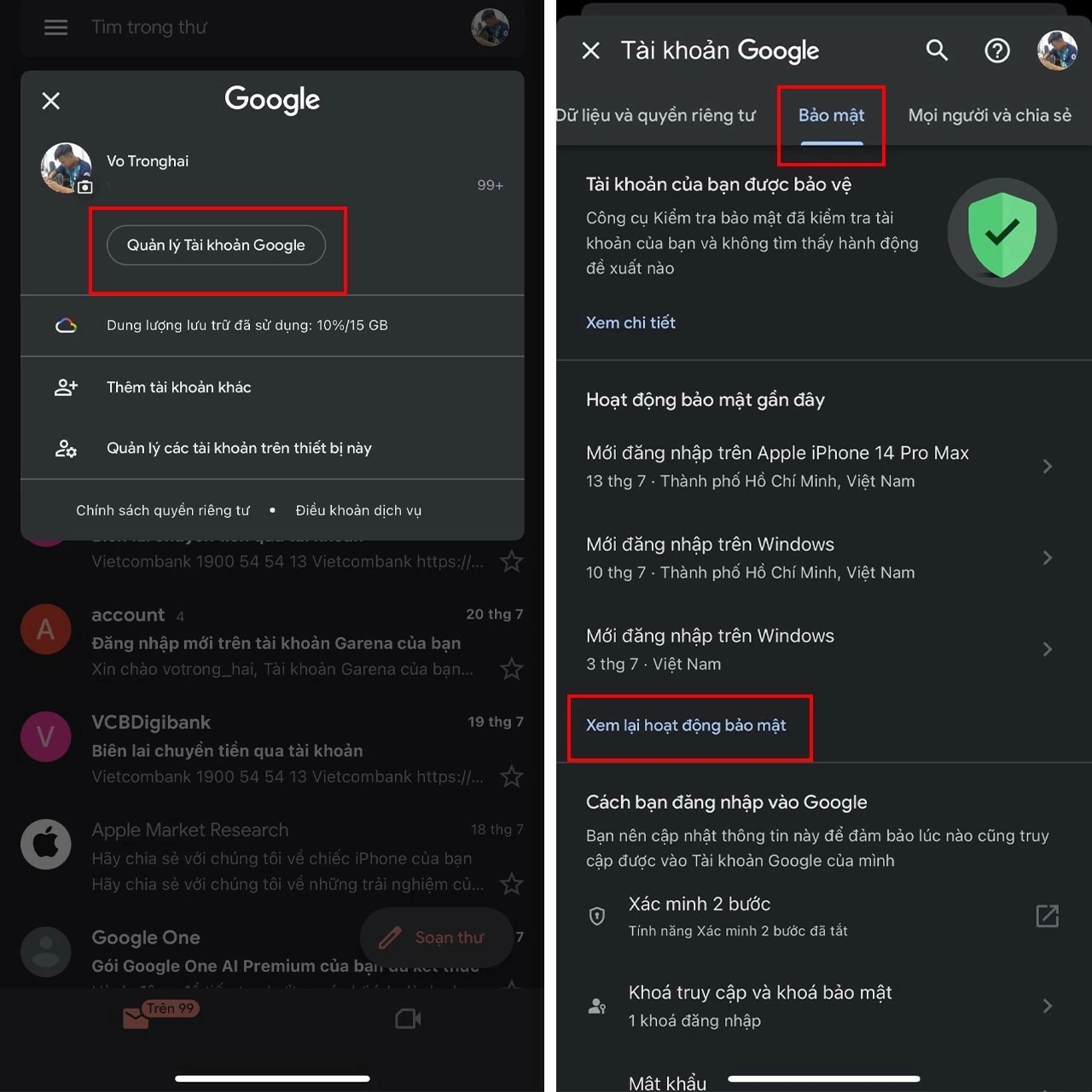
Step 1: Open the Gmail app > Tap the profile icon in the upper right corner > Select Manage Google Account > Go to Security > Then select Review security activity.
 |
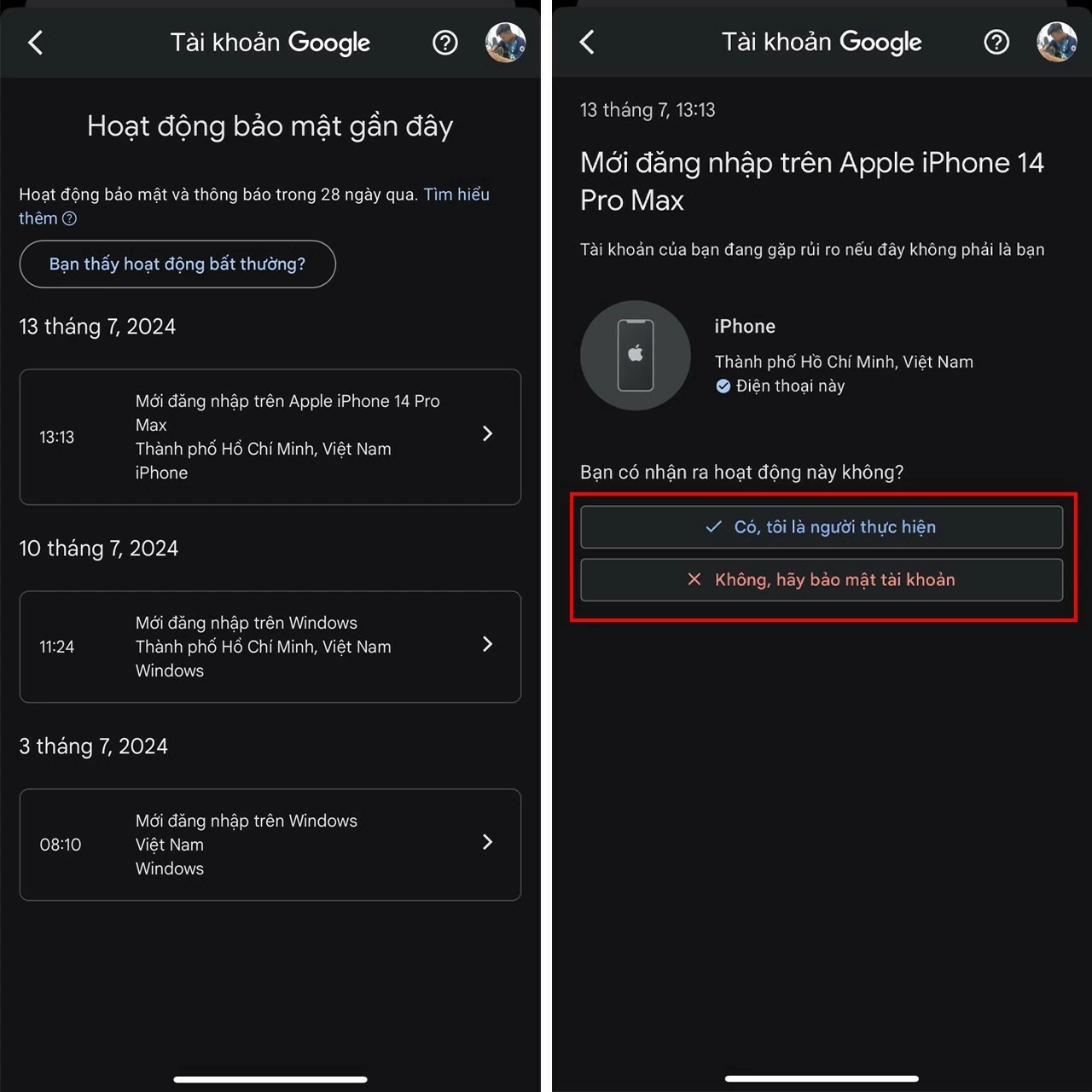
Step 2: Here, you can see all the devices that have logged into Gmail. If you detect an unfamiliar or suspicious device, you can confirm if it's yours and remotely log out of your Gmail account.
 |
Now you know how to view your Gmail login history in detail and securely. Use this feature regularly to protect your account from unauthorized access and ensure your privacy. If you detect suspicious login activity, quickly change your password and enable two-factor authentication to enhance the security of your Gmail account.
Source: https://baoquocte.vn/cach-xem-lich-su-dang-nhap-gmail-giup-quan-ly-va-bao-ve-tai-khoan-280824.html

![[Photo] Capturing the moment the tide recedes at Yen Binh Son rapids - a million-year-old scenic spot in Quang Ngai.](https://vphoto.vietnam.vn/thumb/1200x675/vietnam/resource/IMAGE/2026/05/19/1779175463885_yen9-1199-jpg.webp)
![[Photo] National Assembly Chairman Tran Thanh Man attends the groundbreaking ceremony for the National Highway 1A spatial axis project.](https://vphoto.vietnam.vn/thumb/1200x675/vietnam/resource/IMAGE/2026/05/19/1779161360398_ndo_br_bnd-1412-jpg.webp)

































































![[Photo] General Secretary and President To Lam receives Indian Defense Minister Rajnath Singh](https://vphoto.vietnam.vn/thumb/402x226/vietnam/resource/IMAGE/2026/05/19/1779184046302_anh-man-hinh-2026-05-19-luc-16-46-58.png)



































Comment (0)