

With the increasing development of the internet and social media, the risk of users' personal data being illegally stolen also increases.
To meet this need, many web browsers have added incognito browsing features for users, or software that supports anonymity on the Internet.
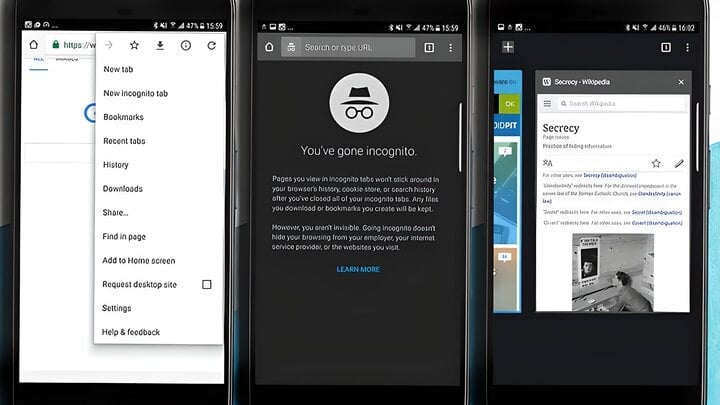
Incognito mode, by its very nature, will not save your browsing history or cookie data on your computer.
Anyone with computer knowledge knows that when browsing the web in normal mode, this data is stored on the computer in a specific folder.
The purpose of this is to help you browse the web faster and more conveniently. Not saving browsing data on your computer will minimize the risk of spyware secretly collecting data that users may unknowingly fall victim to.
Are incognito web browsers really safe?
In reality, incognito browsing simply doesn't save data on your computer. However, this doesn't mean it won't be collected by third parties such as your internet provider, advertisers, or even the browser you're using.
Essentially, when you browse the web, these groups can access your browsing data:
Network provider
Your internet provider can easily track how your IP address was used for browsing the web, and even what you did on that site.
In fact, Vietnamese internet providers have often blocked foreign websites to prevent users from accessing them. Therefore, it is entirely possible for them to monitor all your internet usage information.
Plugins (extensions) installed on browsers
As you can see, incognito mode only prevents data from being saved on your computer, while most plugins themselves run through online systems. Therefore, they can still access user data while browsing the web.
The software is installed on the computer.
When accessing the internet, users may encounter situations where their computer suddenly slows down, web browsing becomes significantly slower, or they may even see extremely strange advertisements.
Be careful with these situations, and install antivirus software right now. Your computer may very well be infected with malicious adware, and it's using your internet connection.
How can I remain completely anonymous on the internet?
Complete anonymity when accessing the internet is nearly impossible. To limit the risk of information leakage, theoretically, we should avoid installing unsafe extensions, software from unknown sources, and cracked software/applications.
However, this is only a temporary solution to prevent your information from being exploited for malicious purposes. Therefore, what you should do is avoid accessing unfamiliar websites to partially mitigate the risk of data leaks.
THANH TÙNG (Compiled)
Source


![[Image] Central Party Office summarizes work in 2025](/_next/image?url=https%3A%2F%2Fvphoto.vietnam.vn%2Fthumb%2F1200x675%2Fvietnam%2Fresource%2FIMAGE%2F2025%2F12%2F18%2F1766065572073_vptw-hoi-nghi-tong-ket-89-1204-jpg.webp&w=3840&q=75)








































































































Comment (0)