

 |
Changing your Messenger theme to the 2024 Lunar New Year theme helps you refresh, beautify, and bring the festive atmosphere to your conversations. This theme is especially appealing as it features a stunning dragon image. Check it out!
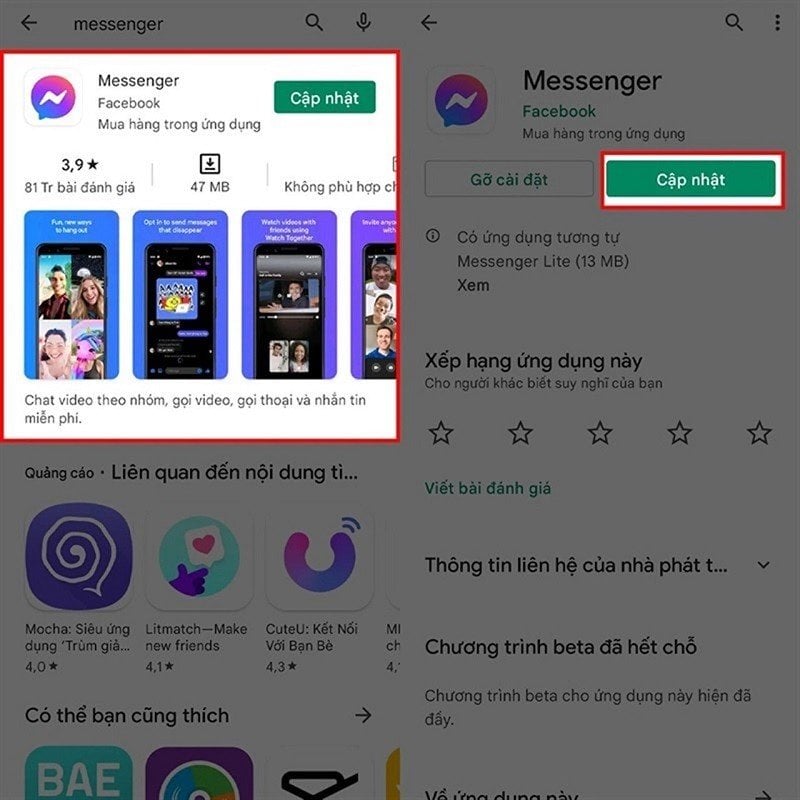
Step 1: Since this is a new topic, please update your Messenger app to the latest version. To update the app, go to the app store such as Google Play or the App Store.
 |
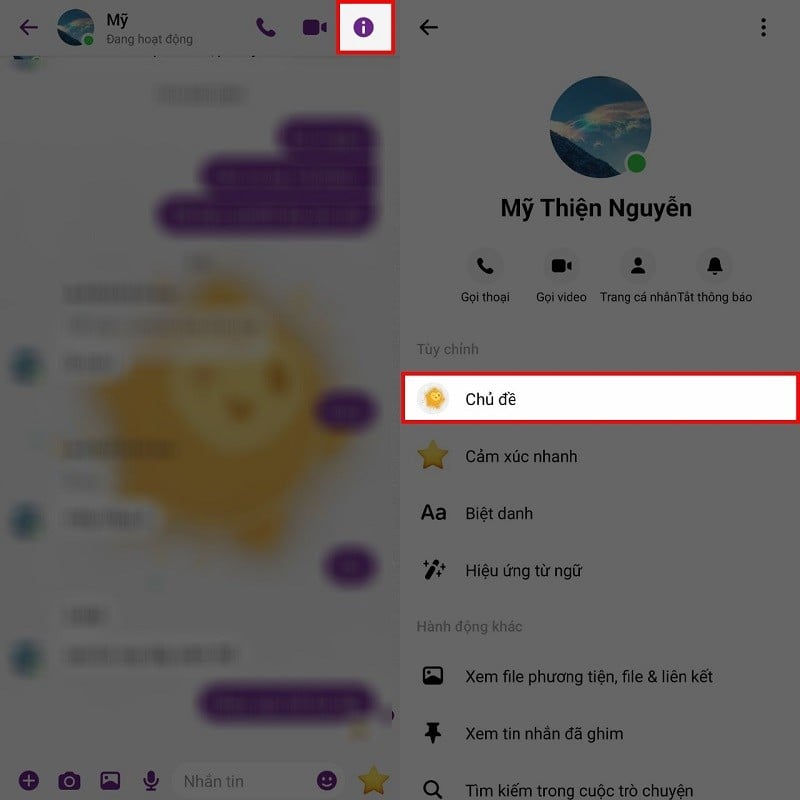
Step 2: After the update is complete, open the app and select the conversation you want to change the topic for. Then, access the conversation menu and tap the "i" icon in the upper right corner of the screen, or tap your conversation partner's name. Scroll down a bit and select "Topics".
 |
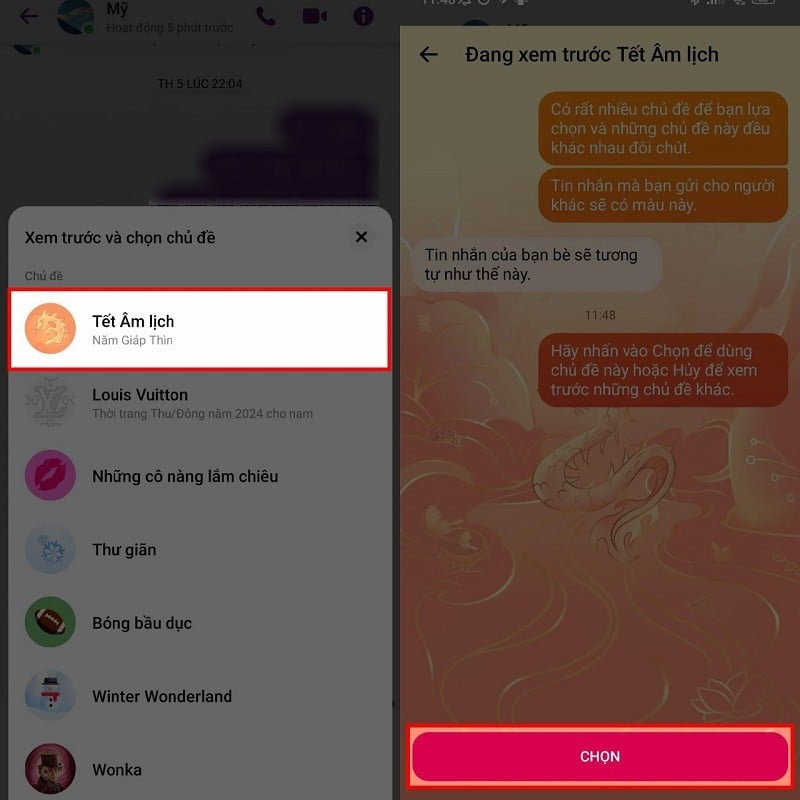
Step 3: A series of themes will appear in a new window. At this point, simply select the Lunar New Year theme, and a preview will appear. The theme's interface differs between light and dark modes; you can adjust the display mode on your phone to see the difference. Finally, just click the "Select" button, and the theme will be applied to your chat.
 |
Above is how to change the theme to Tet 2024 on Messenger. We hope you successfully implement this and have a more beautiful chat interface.
Source

![[Image] Central Party Office summarizes work in 2025](/_next/image?url=https%3A%2F%2Fvphoto.vietnam.vn%2Fthumb%2F1200x675%2Fvietnam%2Fresource%2FIMAGE%2F2025%2F12%2F18%2F1766065572073_vptw-hoi-nghi-tong-ket-89-1204-jpg.webp&w=3840&q=75)










































































Comment (0)